AOI_RS_v85_en - 第6页
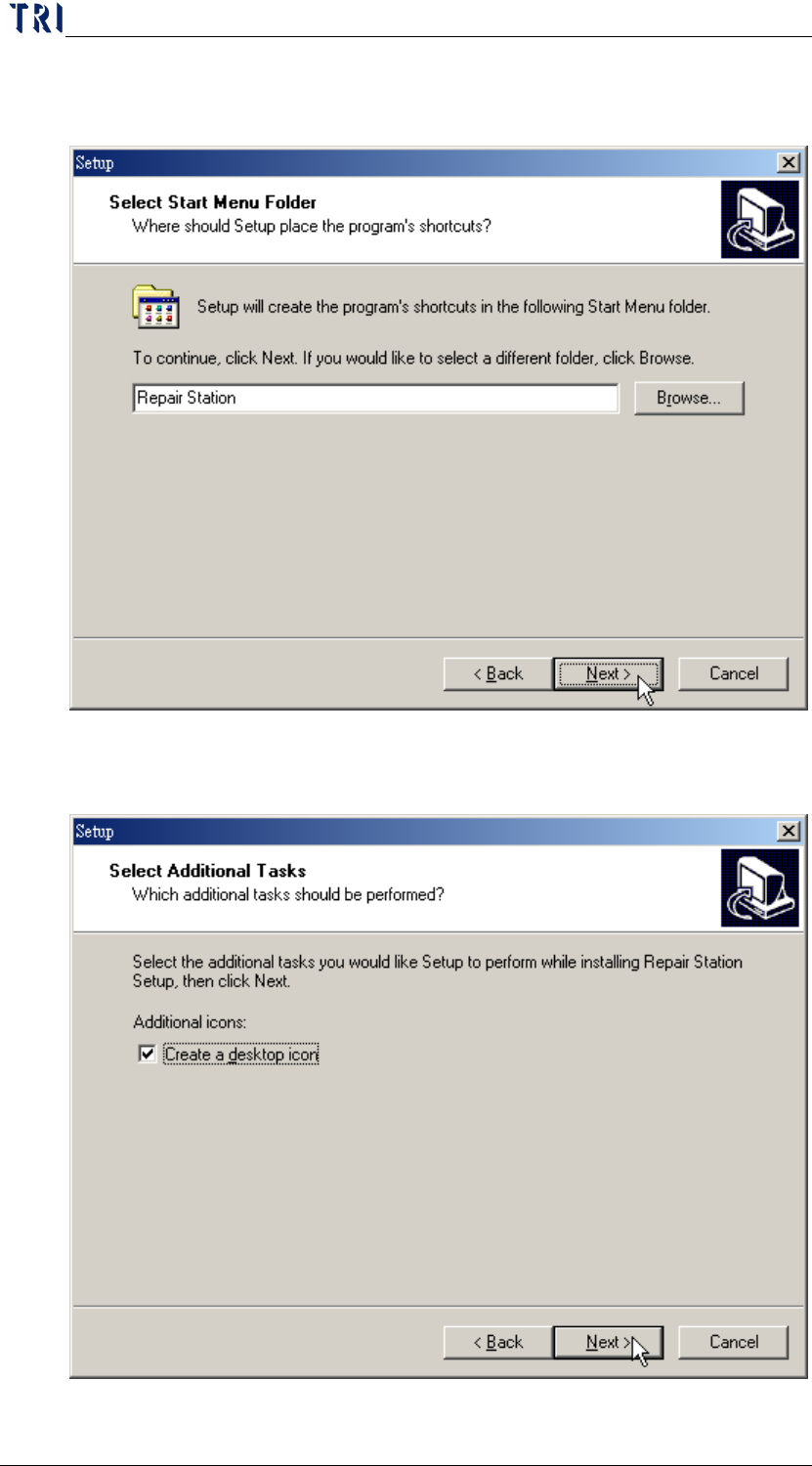
Chapter 1 Installation Pr ocess AOI Repair Station 2 Step2. Select a language. The language must be the same with th e operation system. The n press [Next] .

Chapter 1 Installation Process
AOI Repair Station
1
Chapter 1 Installation Process
1 MAIN PC Setting
1.1 AOI Station
The default is [AOI_1]. If you want to name AOI with different names,
you can go to the registry to add a string [AOIMachineID] and input
characters as [Station ID]. Furthermore, you have to set [Setting/Other/
StationString] in [Ptri1] program on repair pc as [True] (See 10.6.6.15).
NOTE: Modification of registry, please go to [Start/Run/KEY IN
regedit. And modify the parameters under the path,
[HKEY_LOCAL_MACHINE/SOFTWARE/TRI].
1.2 AOI Main Program Setting
Set the item, [Parameter/Panel/Repair Station/Path], on toolbar as
[\\RepairPC\C\AOI_Repair_Data], and be sure the link has been
established.
Set the item, [Parameter/Panel/Panel Info./Model Name], on toolbar as
the name of the PCB. When data transfers to Repair Station, system
take this name as Model Name of this PCB.
Select [Parameter/Link to Repair Station?], then the data created later
can be sent to repair station.
2 Repair Station Setting
Set the user name and the password to be the same with AOI machine (the
default is user: TRI, password: aoi); and the user must have Administrator
Power.
Set the PC name as [TRI-RepairPC], and the work group as [TRI].
The screen resolution of Repair Station is [1280x1024] at least. When the
monitor is 20”, set the screen resolution to [1600x1200].
Check the LAN connection before the installation. Go to [Start/Run] and key
in [\\COMPUTER NAME\C$], all folders in the C drive may be seen at this
point. If not, create a share drive for C and name it C$ (C$ is WINDOW
default setting).
3 Repair Station Software Installation
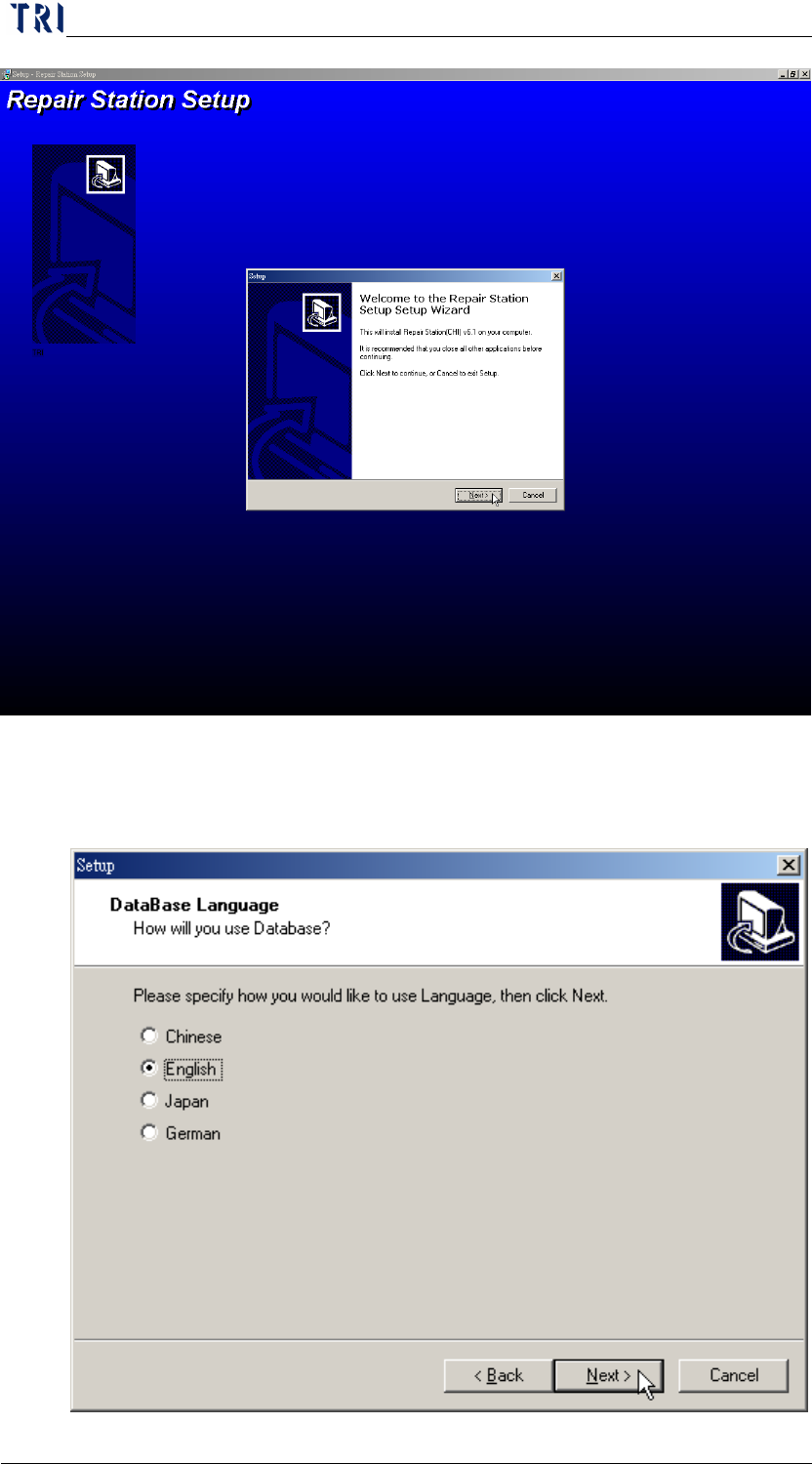
Step1. Execute [setup.exe]. Then press [Next].
Chapter 1 Installation Process
AOI Repair Station
2
Step2. Select a language. The language must be the same with the
operation system. Then press [Next].
Chapter 1 Installation Process
AOI Repair Station
3
Step3. Select the folder that you want to install the program. This is
advised to use the default. Then press [Next].
Step4. Select [Create a desktop icon]. Then press [Next].