AOI_RS_v85_en - 第70页
Chapter 2 Repair Station Main Progr am AOI Repair Station 66 Component T ype - Input the type that you want to show the enlarg ed image. Y ou can input [ALL] to show all kinds of components. If you input [0201] the sys…
Chapter 2 Repair Station Main Program
AOI Repair Station
65
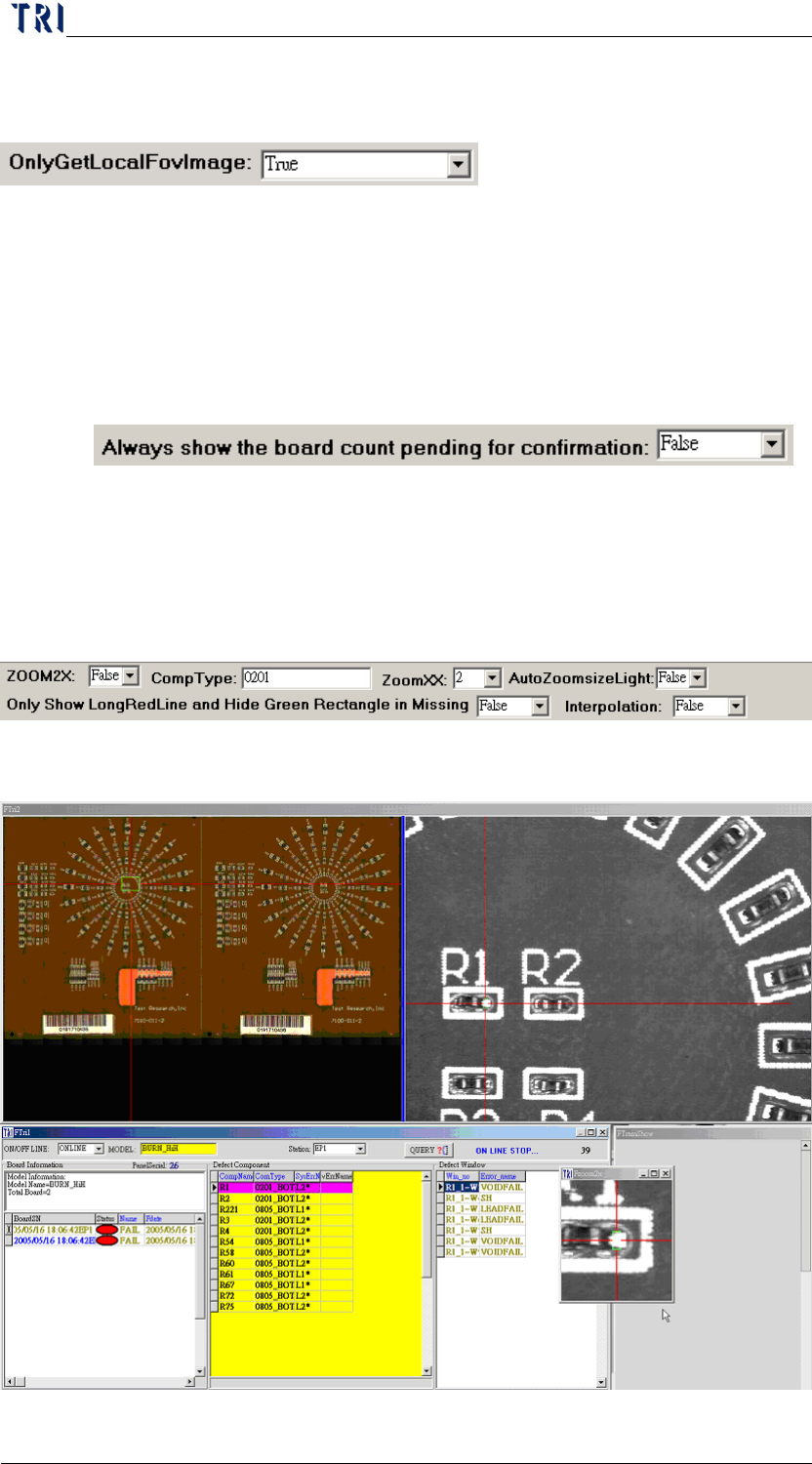
10.6.6.22 OnlyGetLocalFovImage
When you want to copy the database and image files to other
computer you can select [True]. Then you only have to put the files
to correct position and can see the FOV images. It’s not necessary
to change the computer name anymore.
10.6.6.23 Always show the board count pending for confirmation
When the function is set as [True], system will refresh the counts of
unconfirmed boards automatically rather than refreshing by
pressing [Enter]或[Query].
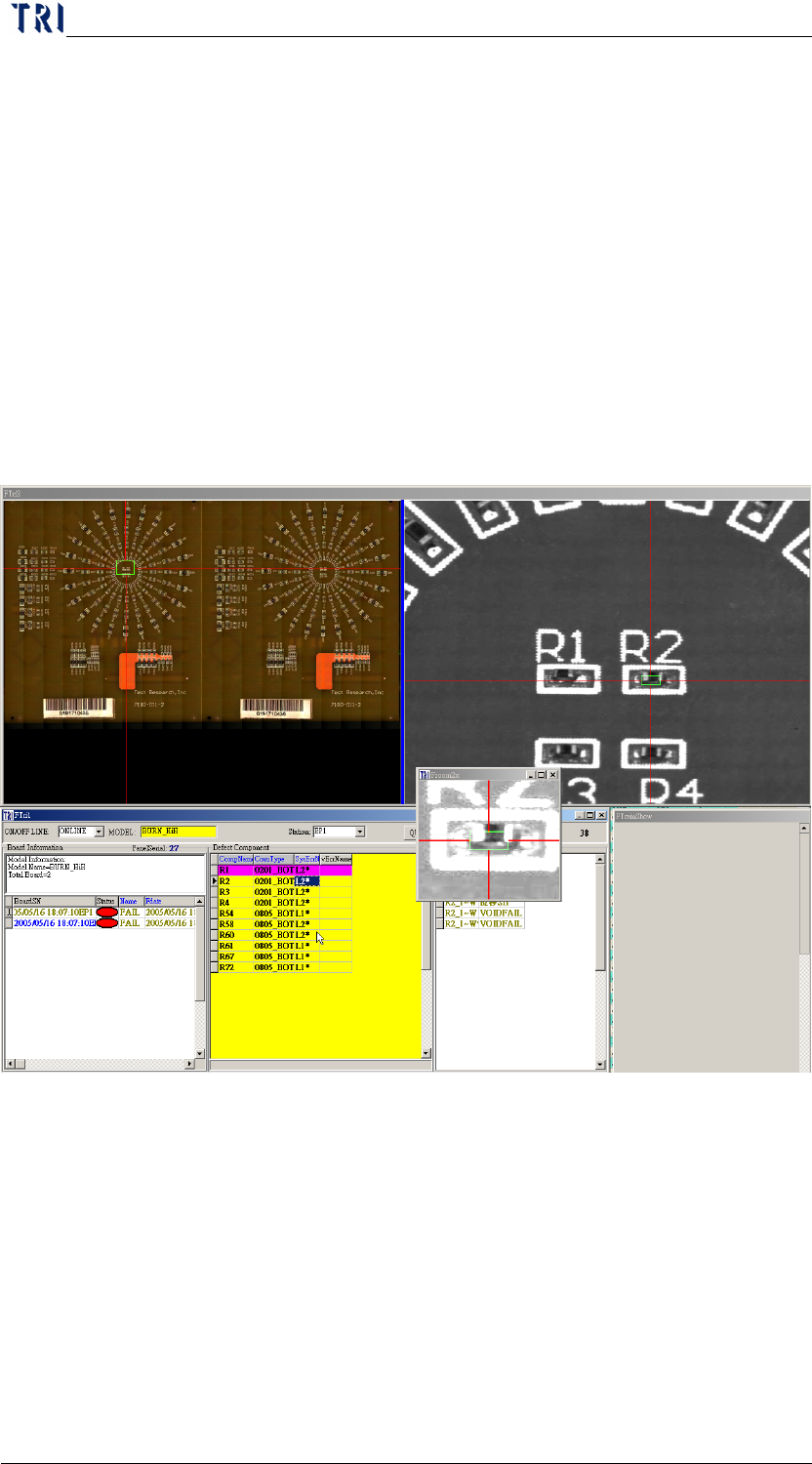
10.6.6.24 ZOOM
ZOOM2X-When you select [True], the system shows another
enlarged image according to other conditions.
Chapter 2 Repair Station Main Program
AOI Repair Station
66
Component Type-Input the type that you want to show the
enlarged image. You can input [ALL] to show all kinds of
components. If you input [0201] the system checks whether the last
4 characters are [0201] before confirming. When the result is [true]
the system shows the enlarged image. If you input [01] the system
checks whether the last 2 characters are [01] before confirming.
When the result is [true] the system shows the enlarged image.
ZOOMXX-You can input the multiple that you want to enlarged.
The range is 2~5 times.
AutoZoomsizeLight-When you select [True] the system increase
the brightness of enlarged image automatically. You also can press
[F3] key to keep increasing the brightness.
Only Show Long Red Line and Hide Green Rectangle in Missing-
Selecting [True] means that if it’s a [missing] failed the system will
only reserve the red line that is parallel orientating in direction of
the electrode and remove the green frame and red line that is
vertical orientating in direction of the component.
Chapter 2 Repair Station Main Program
AOI Repair Station
67
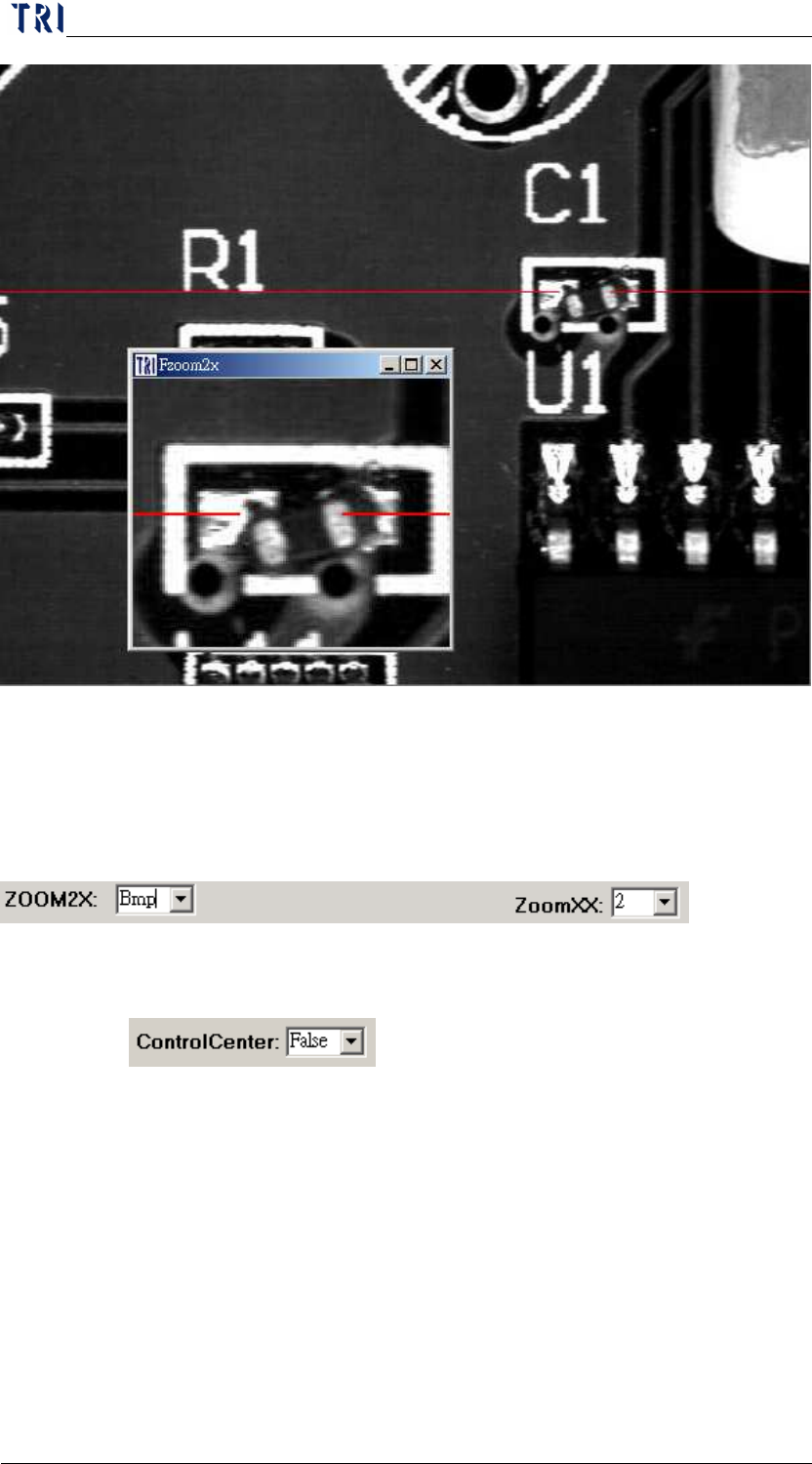
Interpolation-You can select [True] and the image enlarges with
interpolation method. The enlarged image is looked smoother.
When you select [BMP], system displays an additional BMP image.
The function has to cooperate with AOI machine to indicate the
specific component that you want to output BMP images.
10.6.6.25 Control Center
When this is set as [True], under [Online] mode, system will
display the unconfirmed data automatically and user doesn’t has to
key in the model name and Station ID.
When this is set as [OneByOne], the system will inspect the next
board till the former board has been confirmed.