AOI_RS_v85_en - 第73页
Chapter 2 Repair Station Main Progr am AOI Repair Station 69 10.6.6.27 Speed7500_T ransfer When it’ s [T rue], AOI machine will do the image processing. When it’ s [False], [InsertData.exe] will do the image processing…
Chapter 2 Repair Station Main Program
AOI Repair Station
68
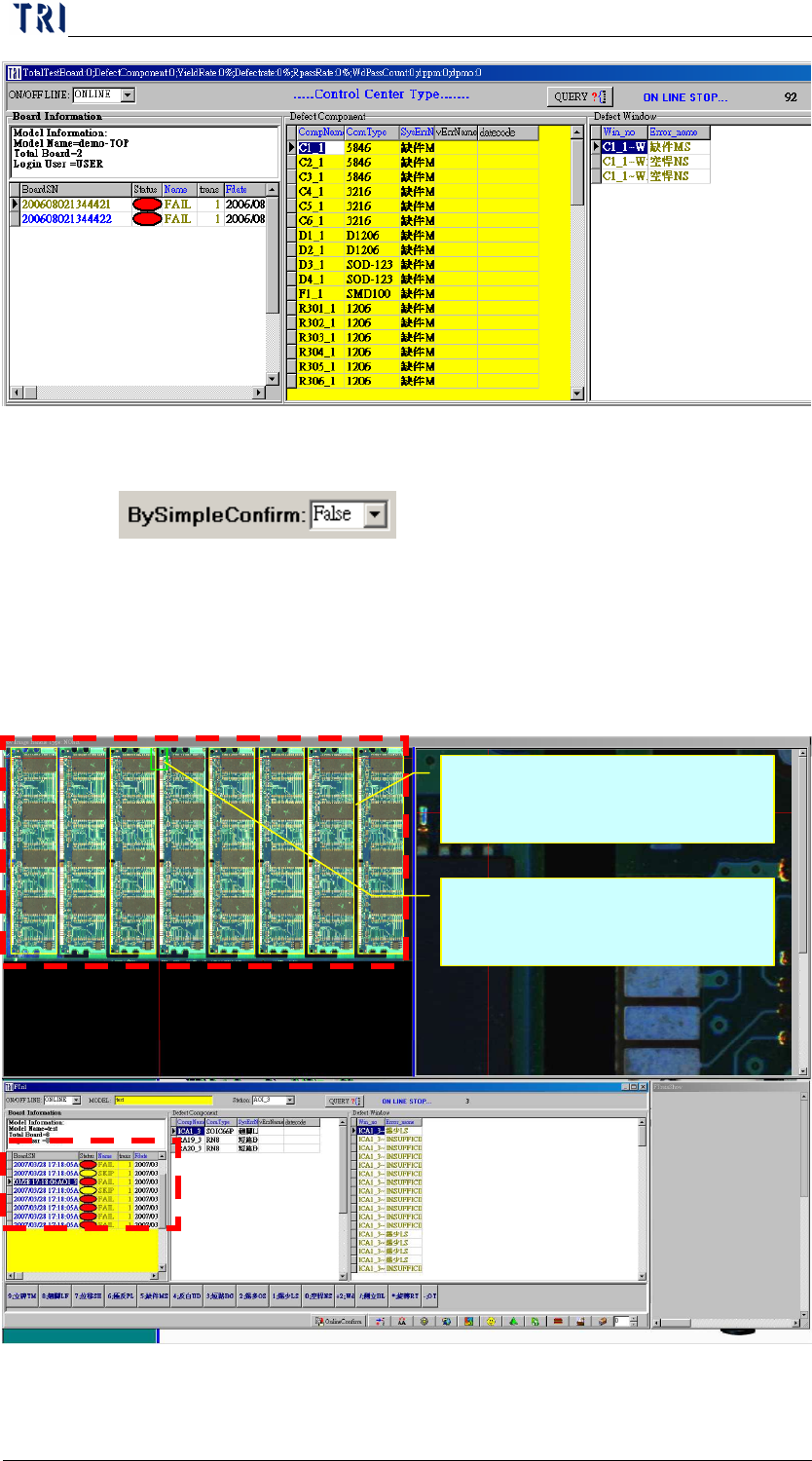
10.6.6.26 By Simple Confirm
The function is especially used for a great quantity of multi-boards.
When it’s set as [True], system will mark the defects on the panel
map directly. User only has to review the defects and press [Enter]
to confirm the panel. But the data confirmed this way will not be
calculated in SPC program.
Mark the fail board by yellow
frame.
Mark the defect location by
green frame and red line.
Chapter 2 Repair Station Main Program
AOI Repair Station
69
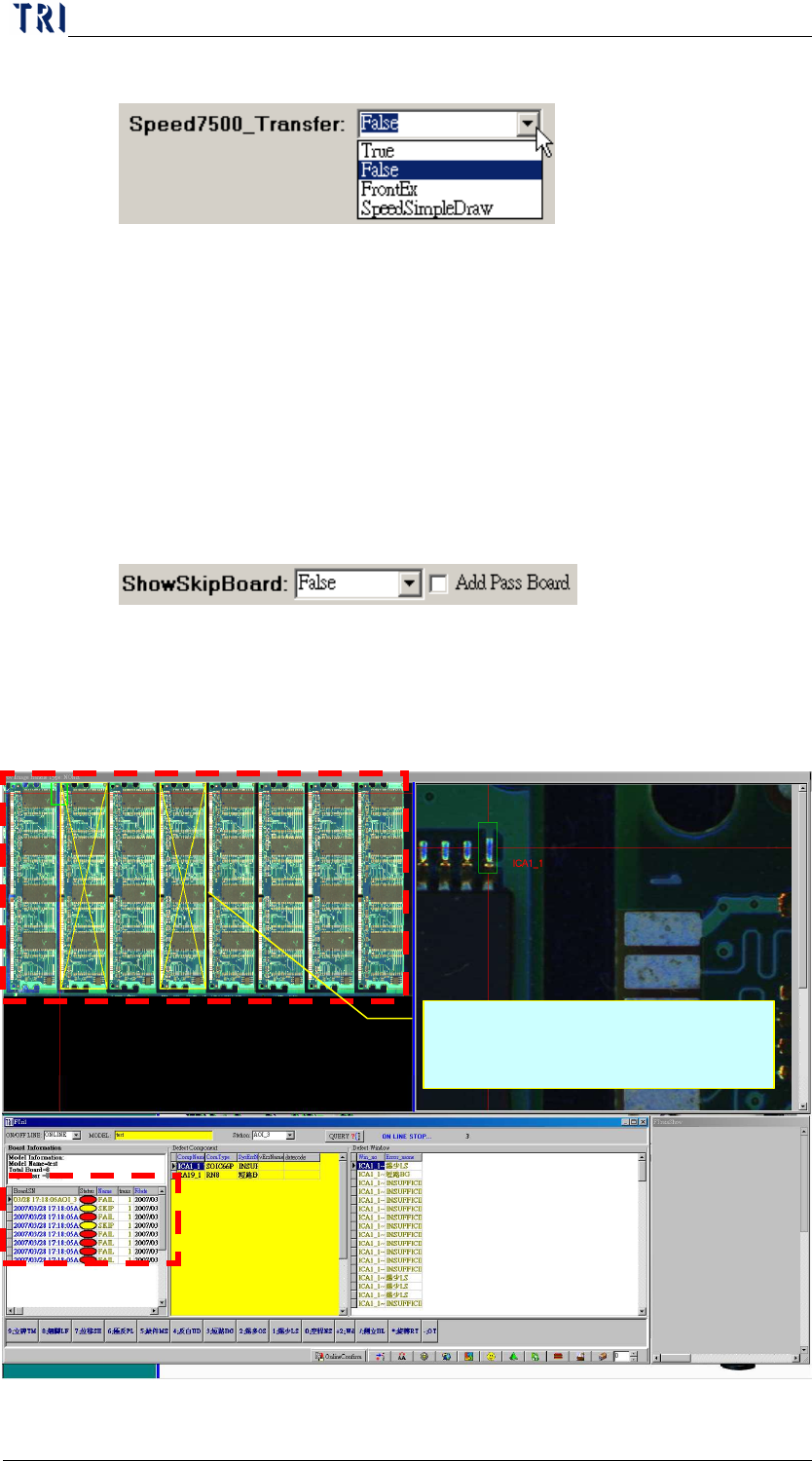
10.6.6.27 Speed7500_Transfer
When it’s [True], AOI machine will do the image processing.
When it’s [False], [InsertData.exe] will do the image processing.
When it’s [FrontEx], the image will be dealt with [Ptri1.exe]. For
all the situations mentioned before, system will display the image
after image processed. When it’s [SpeedSimpleDraw], the Repair
Station will not modify the image and display it directly; and we
will see an image with lower quality.
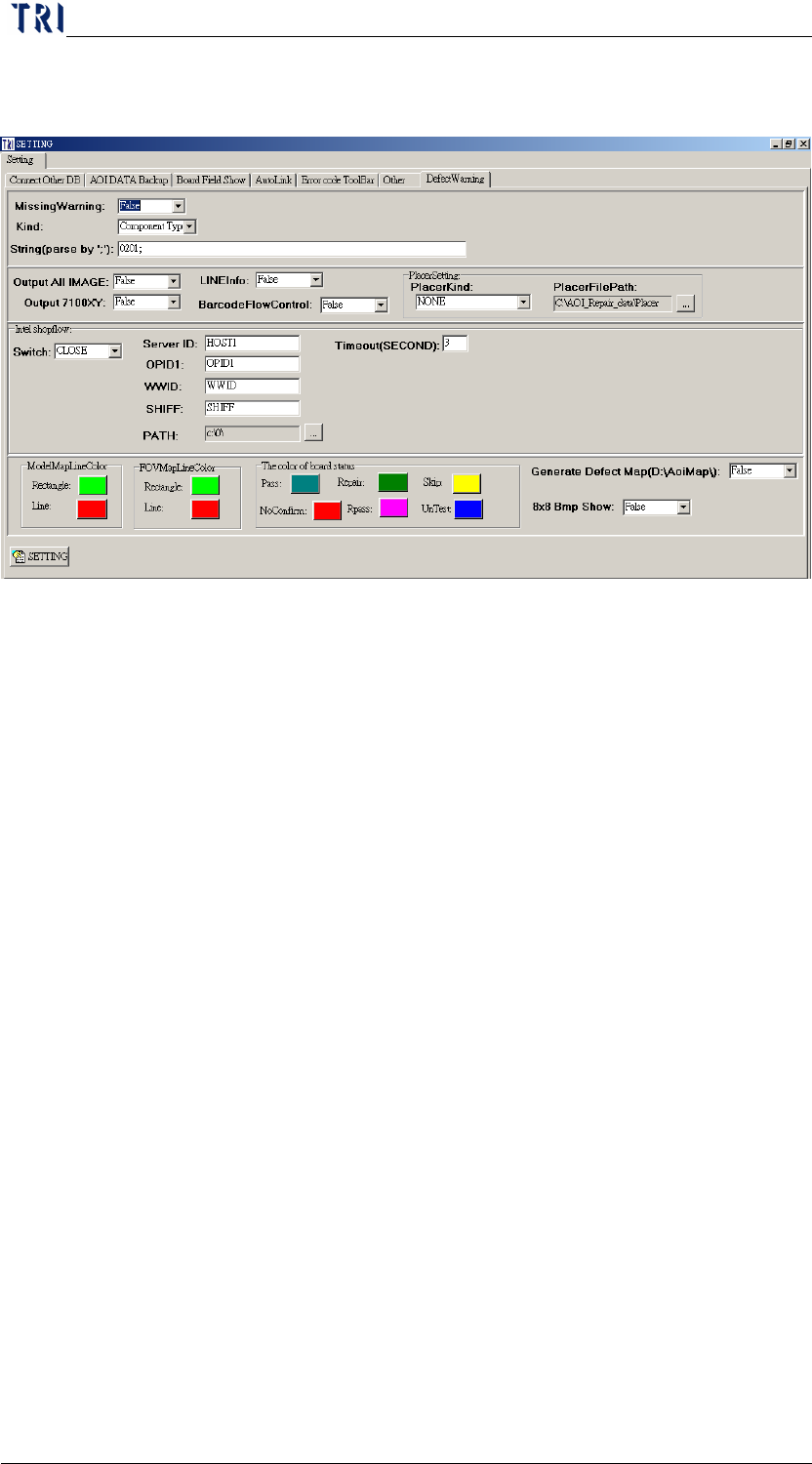
10.6.6.28 Show Skip Board
When it is [True], system will mark the SKIP boards with yellow
frame and cross line.
When [Add Pass Board] is checked, the PASS board also will be
marked on the panel map.
Mark the SKIP boards with
yellow frame and cross line.
Chapter 2 Repair Station Main Program
AOI Repair Station
70
10.6.7 Defect Warning
10.6.7.1 Missing Warning、Kind、String(parse by ';')
Emphasize the [missing] mistake with different colors
If you want to highlight the [missing] fail for all components, you
should set [Missing Warning] as [True] and [Kind] as [All].
If you want to highlight the [missing] fail for only several
components, you should set [Missing Warning] as [True] and [Kind]
as [Component]. And input the specified component name
(separated by “;”) at [String(parse by ';')] field. For example,
[R1_1;C2_2;U2_1;].
If you want to highlight the [missing] fail for specific component
types, you should set [Missing Warning] as [True] and [Kind] as
[Component Type]. And input the specified component type
(separated by “;”) at [String(parse by ';')] field. For example,
[0201;0402;].
When you set [All] in [Kind] field, the system mark the fail with
the red.