AOI_RS_v85_en - 第75页
Chapter 2 Repair Station Main Progr am AOI Repair Station 71 When you set [Component T ype] or [Component] in [ Kind] field, the system mark the fail with the purple. 10.6.7.2 Output All I mage - If user wants to co-op…
Chapter 2 Repair Station Main Program
AOI Repair Station
70
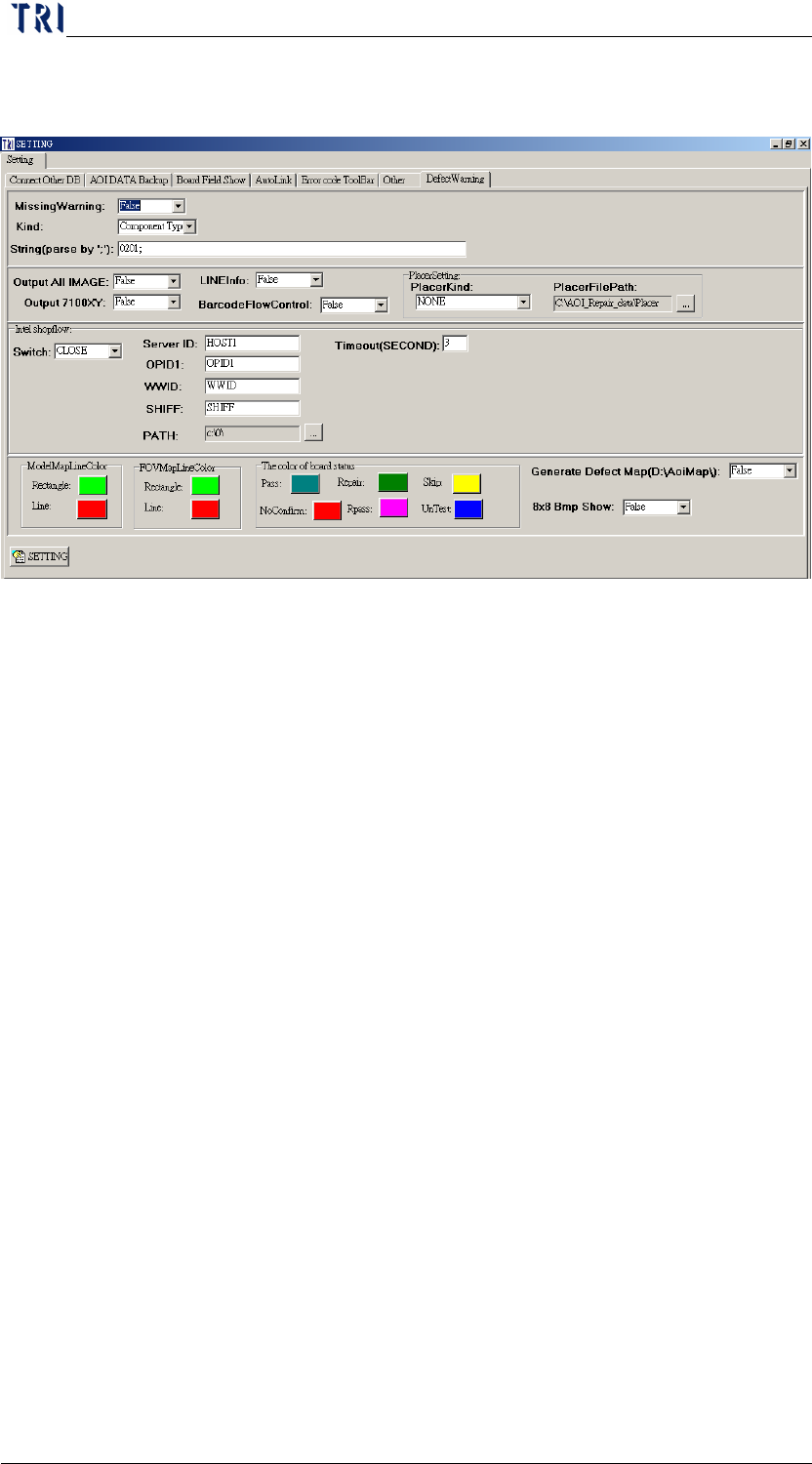
10.6.7 Defect Warning
10.6.7.1 Missing Warning、Kind、String(parse by ';')
Emphasize the [missing] mistake with different colors
If you want to highlight the [missing] fail for all components, you
should set [Missing Warning] as [True] and [Kind] as [All].
If you want to highlight the [missing] fail for only several
components, you should set [Missing Warning] as [True] and [Kind]
as [Component]. And input the specified component name
(separated by “;”) at [String(parse by ';')] field. For example,
[R1_1;C2_2;U2_1;].
If you want to highlight the [missing] fail for specific component
types, you should set [Missing Warning] as [True] and [Kind] as
[Component Type]. And input the specified component type
(separated by “;”) at [String(parse by ';')] field. For example,
[0201;0402;].
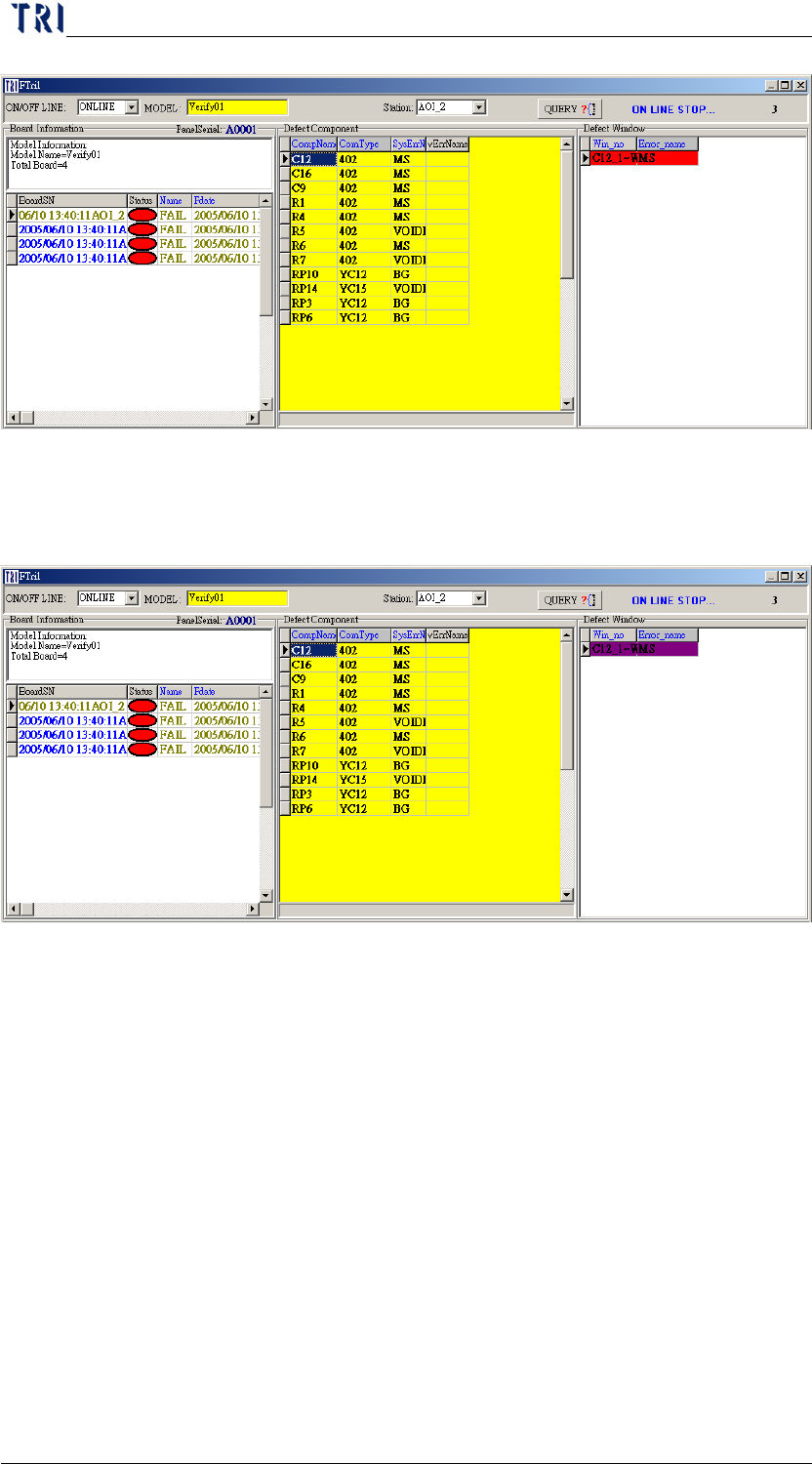
When you set [All] in [Kind] field, the system mark the fail with
the red.
Chapter 2 Repair Station Main Program
AOI Repair Station
71
When you set [Component Type] or [Component] in [Kind] field,
the system mark the fail with the purple.
10.6.7.2 Output All Image-If user wants to co-operate with the [Defect
Image] function in YMS, set it as [True].
10.6.7.3 LineInfo-If user wants to co-operate with YMS, set it as
[True].
10.6.7.4 Output 7100XY-When user wants to use [X-barR chart]
function or to get shift X, Shift Y and Theta information, he has
to set it as [True].
10.6.7.5 Barcode Flow Control-Only for YMS Barcode Check.
10.6.7.6 Placer Kind
PANA: This is to link to Panasonic Placer. See more explanation
in YMS Manual.
YAMA: This is to link to YAMAHA Placer.
Chapter 2 Repair Station Main Program
AOI Repair Station
72
SIEM_Mode1: This is the first model to link to Siemens Placer.
Repair Station receives the placer file from AOI machine and the
[Placer File Path] has to be set as [C:\AOI_Repair_data\Placer].
The standard format in [Placement] field in AOI Machine is
[$MMachine$GGantry$FFeeder].
SIEM_Mode2: This is the second model to link to Siemens Placer.
This way is to take the NC files.
10.6.7.7 Placer File Path-Specify the path to save the placer
information.
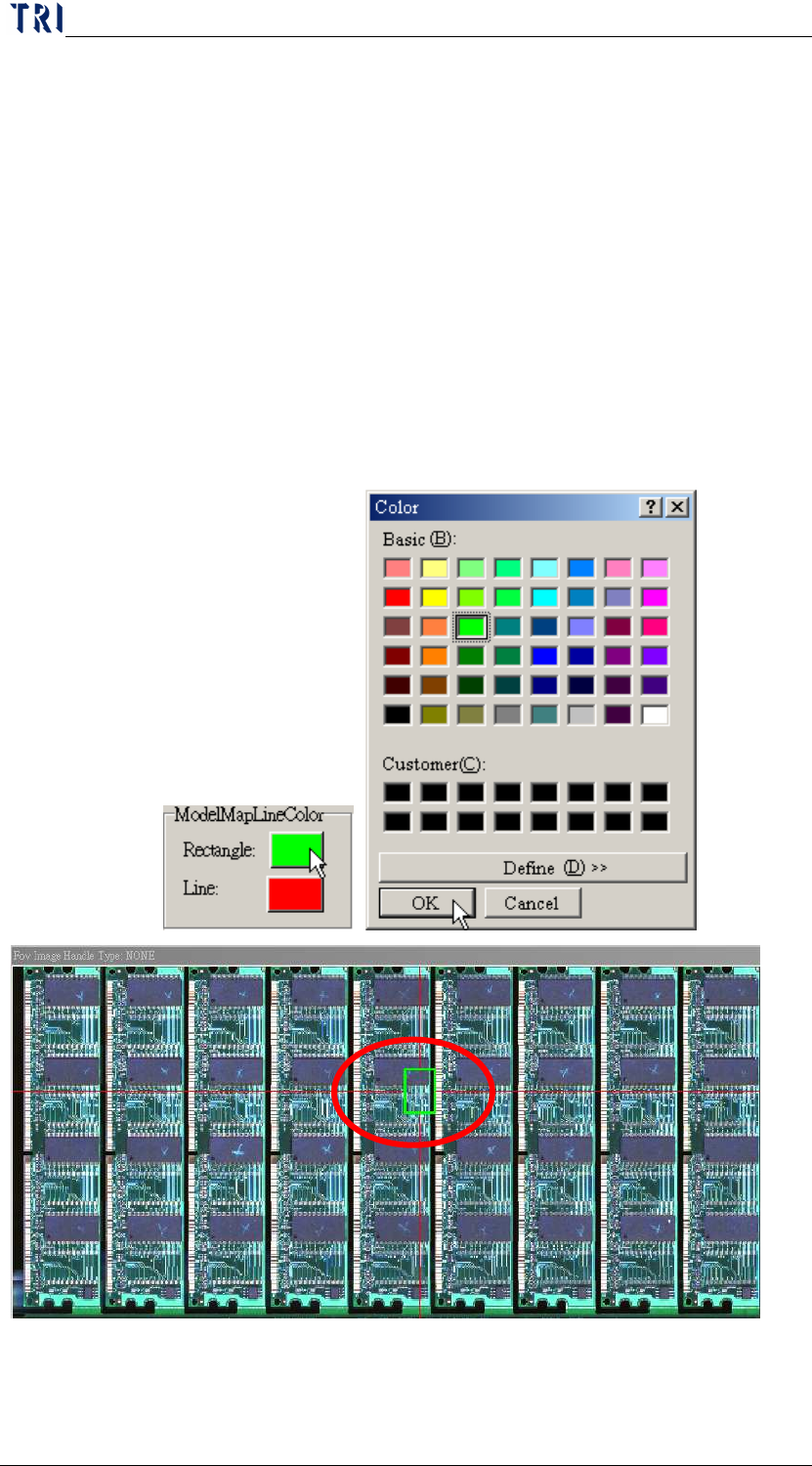
10.6.7.8 Model Map Line Color
Define the colors of location frame and line on panel map.
10.6.7.9 FOV Map Line Color