AOI_RS_v85_en - 第79页
Chapter 2 Repair Station Main Progr am AOI Repair Station 75 to set the initial time. When there is a warning appearing, user could select [Reset] to calculate the data from zero or could select [Cancel] t o continue a…
Chapter 2 Repair Station Main Program
AOI Repair Station
74
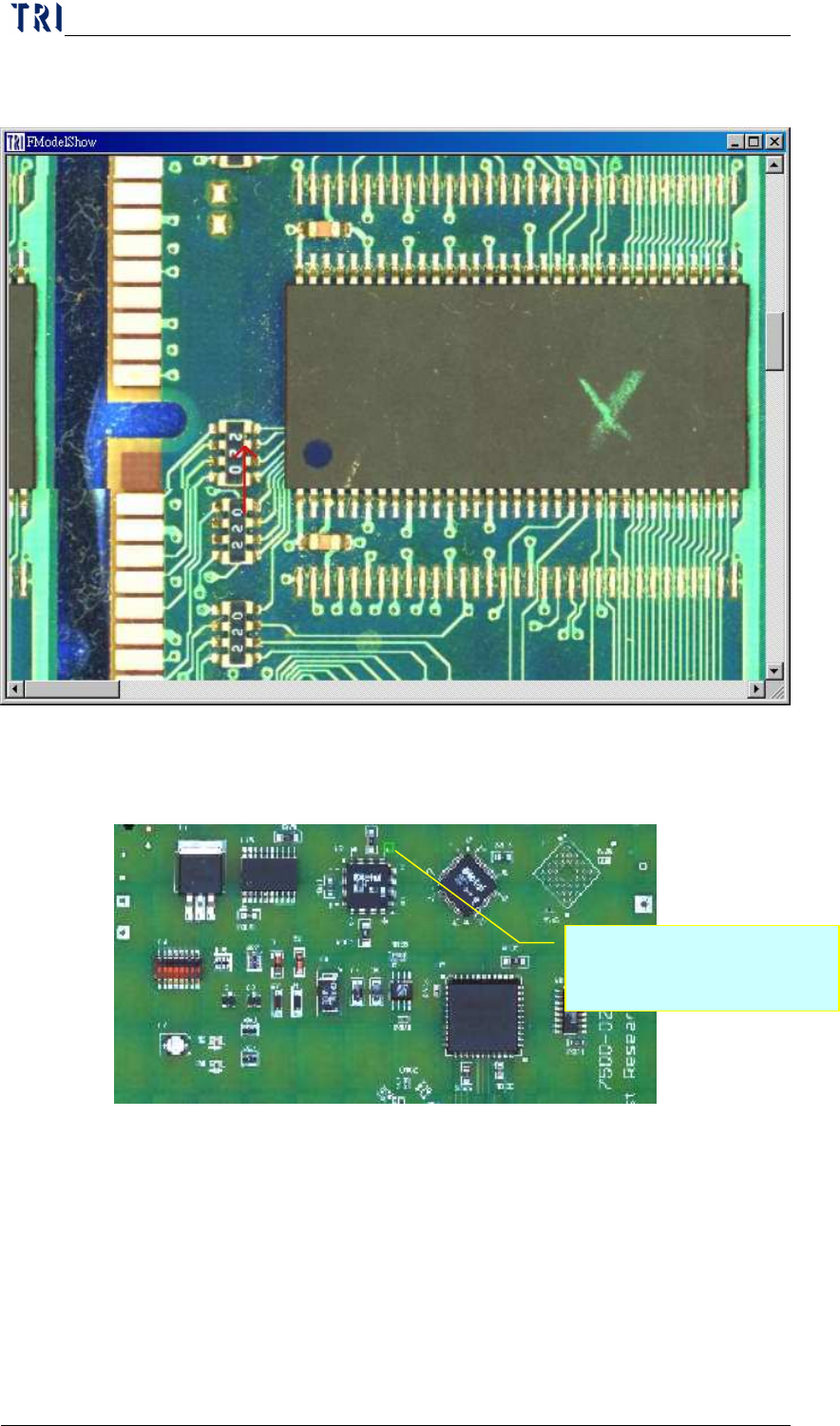
During confirming, there is an 8x8 panel map displayed, and the
defect component will be marked; as the following picture.
10.6.7.13 Mark Fail in Model Map
System marks the defect on panel map with green box.
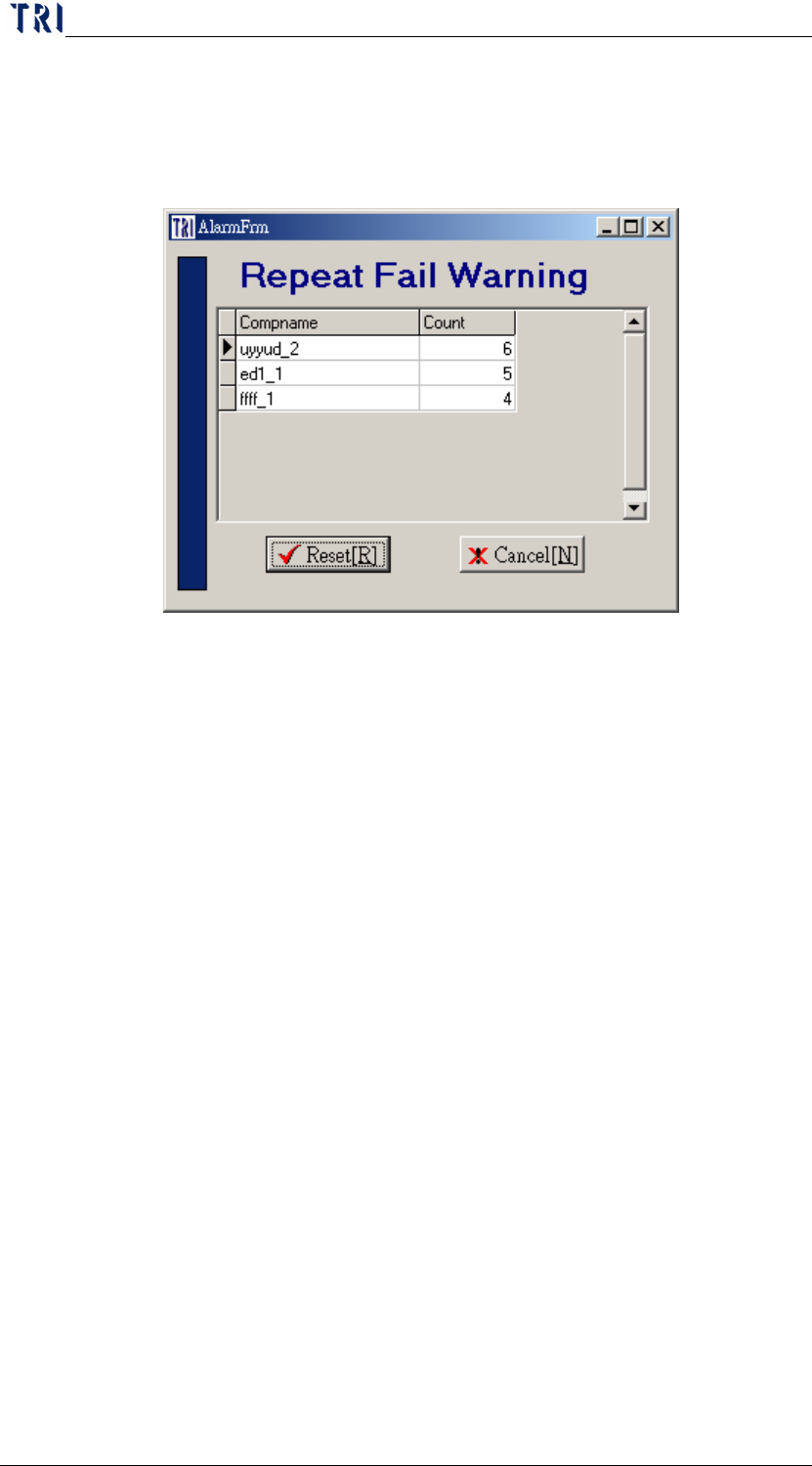
10.6.7.14 Repeat Fail、Repeat Times
When the repeat fail count for a component is over the specified
count, system will display a warning.
User has to open [Setting/Other/SPC Output] function also to
cooperate with this function. And user has to double click on
[Board Information/Set SPC Output Date Time] under main frame
Marking the defect with a
green box.
Chapter 2 Repair Station Main Program
AOI Repair Station
75
to set the initial time.
When there is a warning appearing, user could select [Reset] to
calculate the data from zero or could select [Cancel] to continue
accumulating data.
10.6.7.15 DelayConfirm、Delay Time (MilliSecond)
When [DelayConfirm] is [True], user could not confirm the next
data directly; he has to wait a [Delay Time] to confirm the next data
after the former data has been confirmed.
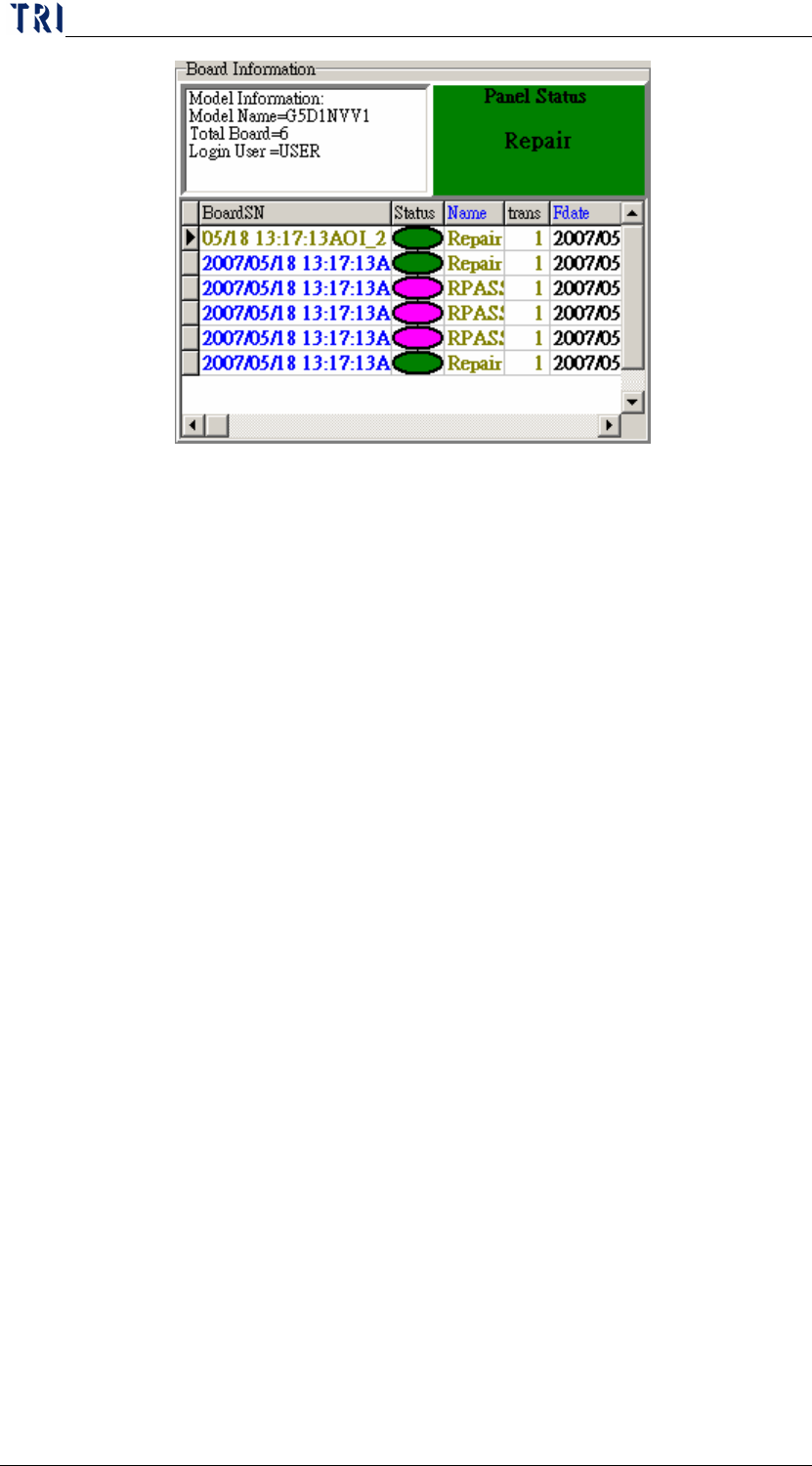
10.6.7.16 Panel Status Show
After scan a barcode, system displays the panel status on the main
frame. When there is a Repair (Fail) board, the panel is regarded
as a Repair (Fail) panel; When there is a Rpass board and the
other boards are all Pass, the panel is regarded as a Rpass panel;
When the boards are all Pass, the panel is regarded as Pass.
Chapter 2 Repair Station Main Program
AOI Repair Station
76
10.6.7.17 Only Show the Latest Data
There are two Repair PCs; user normally confirms a board at one
Repair PC and the other PC only shows the last confirmed result.
The PC that is to confirm has to be set as [True] and the PC that is
to show the last result has to be set as [Destination].
10.6.7.18 Board No Change
When user select [Decrease] mean the board number will be saved
after it subtract 1.
10.6.7.19 Auto Open、Login Name、Login Password
When it set as [True], user could start the program directly and he
don’t have to input the ID and Password. System will use the
Name and Password that you set here to log in and it starts the
confirming main frame when the program is open.