AOI_RS_v85_en - 第80页
Chapter 2 Repair Station Main Progr am AOI Repair Station 76 10.6.7.17 Onl y Show the Latest Data There are two Repair PCs; user normally confirms a board at one Repair PC and the other PC onl y shows the last confirme…
Chapter 2 Repair Station Main Program
AOI Repair Station
75
to set the initial time.
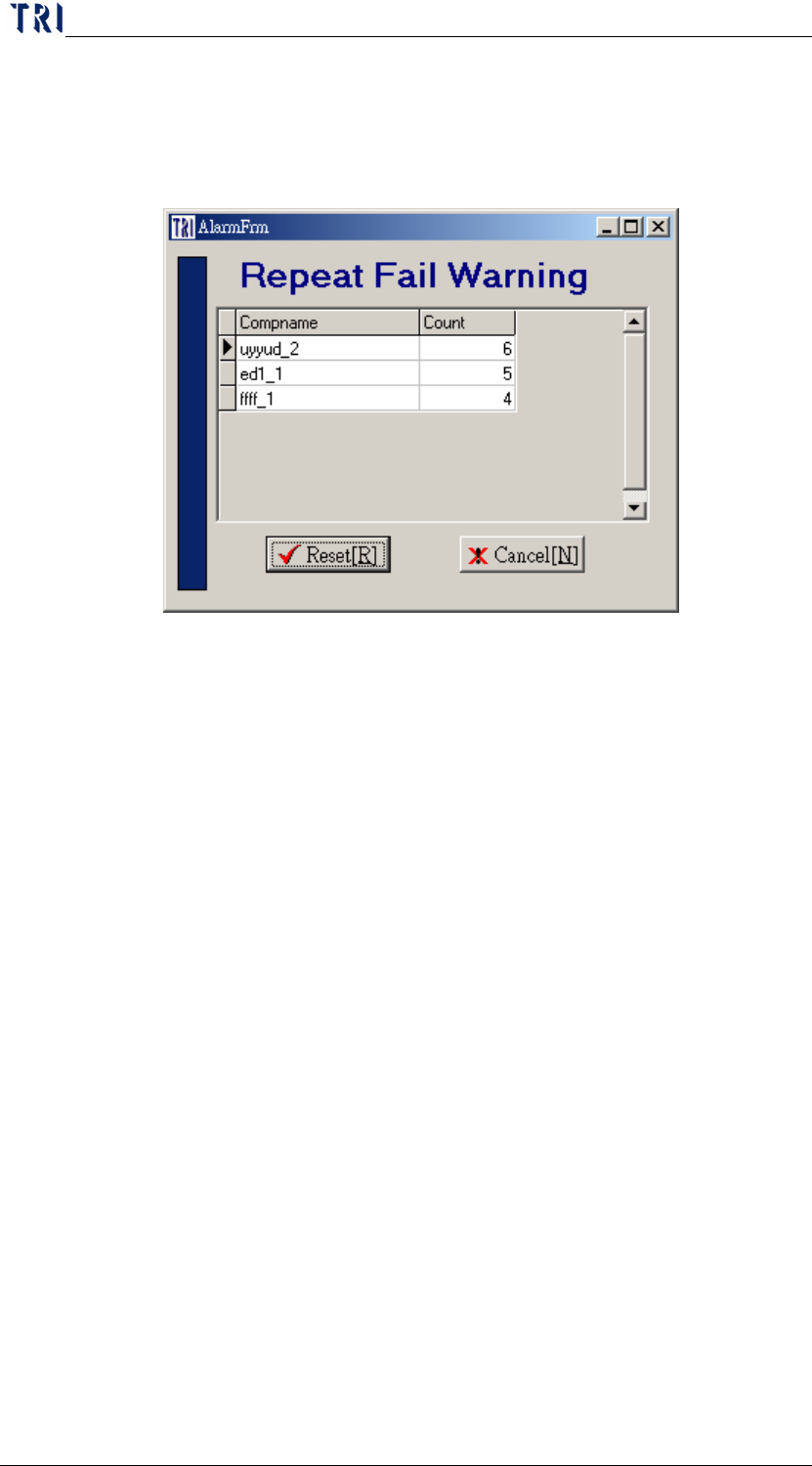
When there is a warning appearing, user could select [Reset] to
calculate the data from zero or could select [Cancel] to continue
accumulating data.
10.6.7.15 DelayConfirm、Delay Time (MilliSecond)
When [DelayConfirm] is [True], user could not confirm the next
data directly; he has to wait a [Delay Time] to confirm the next data
after the former data has been confirmed.
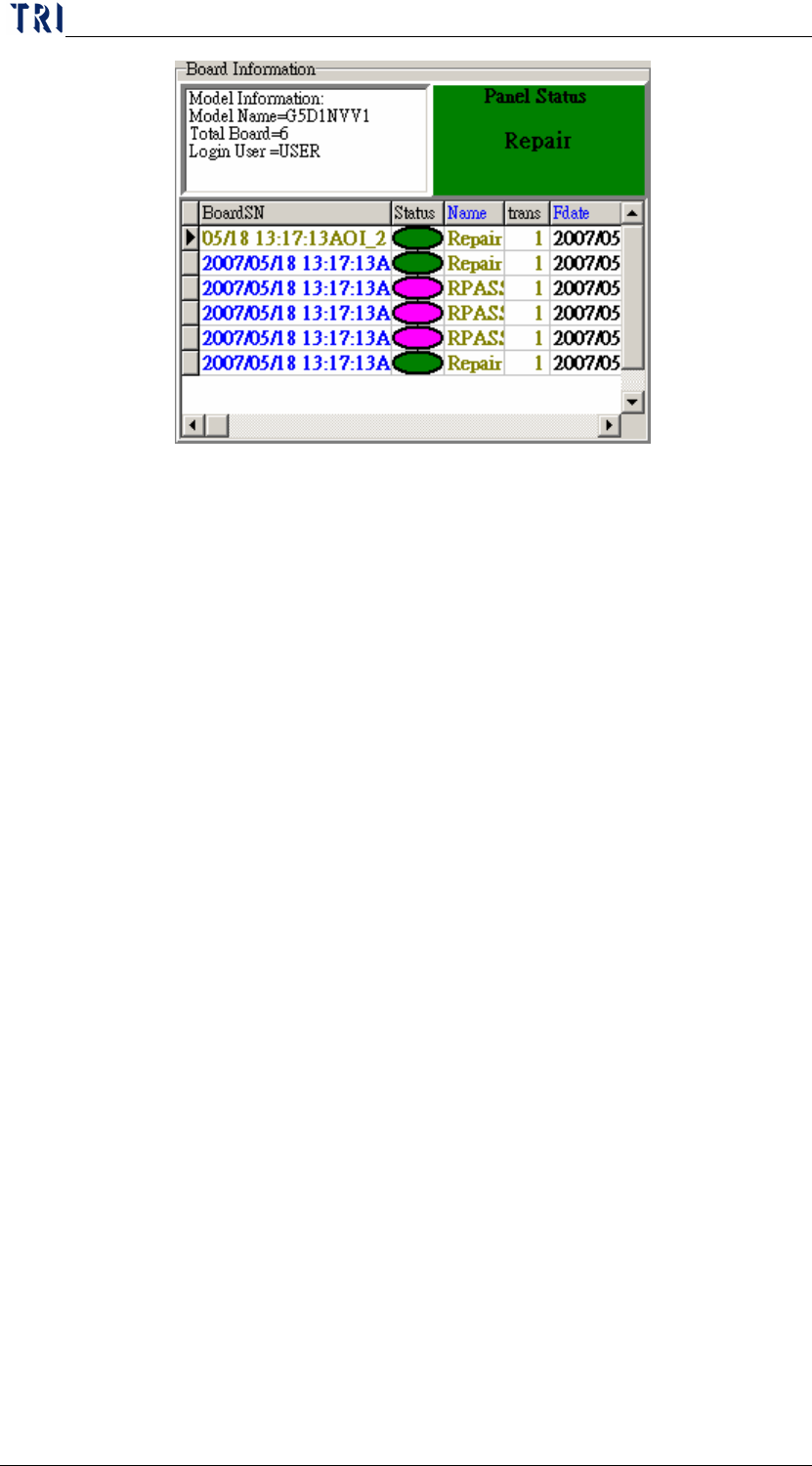
10.6.7.16 Panel Status Show
After scan a barcode, system displays the panel status on the main
frame. When there is a Repair (Fail) board, the panel is regarded
as a Repair (Fail) panel; When there is a Rpass board and the
other boards are all Pass, the panel is regarded as a Rpass panel;
When the boards are all Pass, the panel is regarded as Pass.
Chapter 2 Repair Station Main Program
AOI Repair Station
76
10.6.7.17 Only Show the Latest Data
There are two Repair PCs; user normally confirms a board at one
Repair PC and the other PC only shows the last confirmed result.
The PC that is to confirm has to be set as [True] and the PC that is
to show the last result has to be set as [Destination].
10.6.7.18 Board No Change
When user select [Decrease] mean the board number will be saved
after it subtract 1.
10.6.7.19 Auto Open、Login Name、Login Password
When it set as [True], user could start the program directly and he
don’t have to input the ID and Password. System will use the
Name and Password that you set here to log in and it starts the
confirming main frame when the program is open.
Chapter 2 Repair Station Main Program
AOI Repair Station
77
11 Data Backup
11.1 Auto Backup
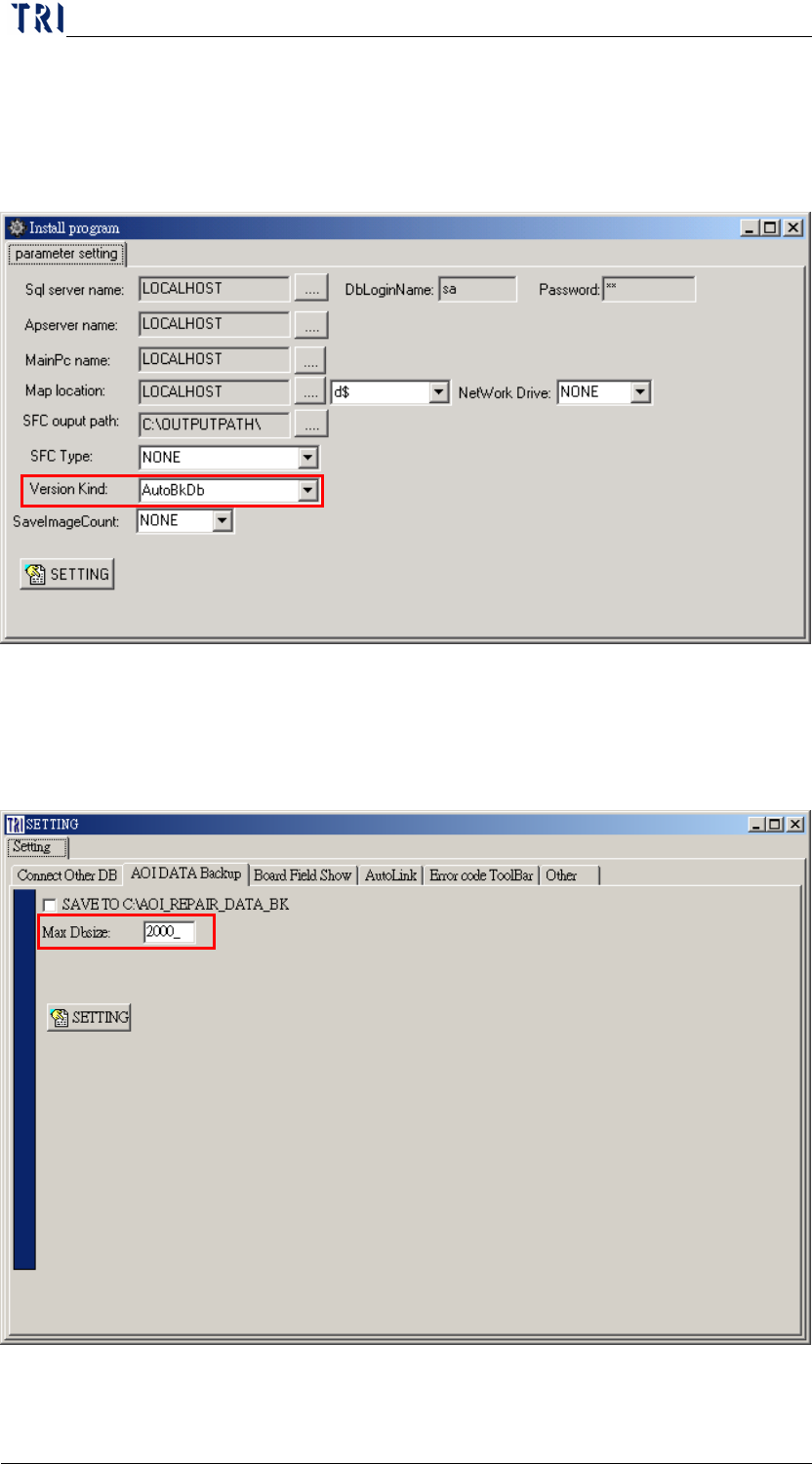
Step1. Run [c:\rsinstall\pinstall.exe], select [AutoBkDb] by switching to
[parameter setting] under [version kind] menu bar.
Step2. Set the [Max Dbsize] on [SETTING/AOI DATA Backup] on the
main screen sets the size of backup files, and the default size
setting is 2000mb(2G).