AOI_RS_v85_en - 第85页
Chapter 2 Repair Station Main Progr am AOI Repair Station 81 will cause error while installing the repair station or update again, this will generate another [COM+] in addition to t he pr evious [COM+]. The following d…
Chapter 2 Repair Station Main Program
AOI Repair Station
80
the DB files. Use the [Clear Data\Backup db] page to delete the
function if necessary; see section 錯誤
錯誤錯誤
錯誤! 找不到參照來源
找不到參照來源找不到參照來源
找不到參照來源。
。。
。.
If you want to copy the database named [TRI], the steps are as the
followings. First, you have to stop [SQL Server]. Then copy the two
data, [tri_data.mdf] and [tri_log.ldf], in [C:\Program Files\Microsoft
SQL Server\MSSQL\Data\] folder to the facility that you want to save
in. If you want to move these data to another computer to use, change
the file names into with “2” beginning, and use [Append] to link them
to the database.
11.4 Image File Backup
11.4.1 The image files are saved in [D:\ SqlserverMap] (it will be saved
under [C:\ SqlserverMap] if there is no D drive available), there will
be two file folders under this path
fovjpg-Saved FOV images by date
trainImg-Saved FOV images by model name
11.4.2 You may select the backed up files by the number of days, and delete
them after the files are backed up to save the hard disk space.
11.4.3 You may select the backed up files by the model name, and delete
them after the files are backed up to save the hard disk space.
11.4.4 DO NOT delete day image file that is created today.
12 Trouble Shooting
12.1 Error Message during the installation or updating.
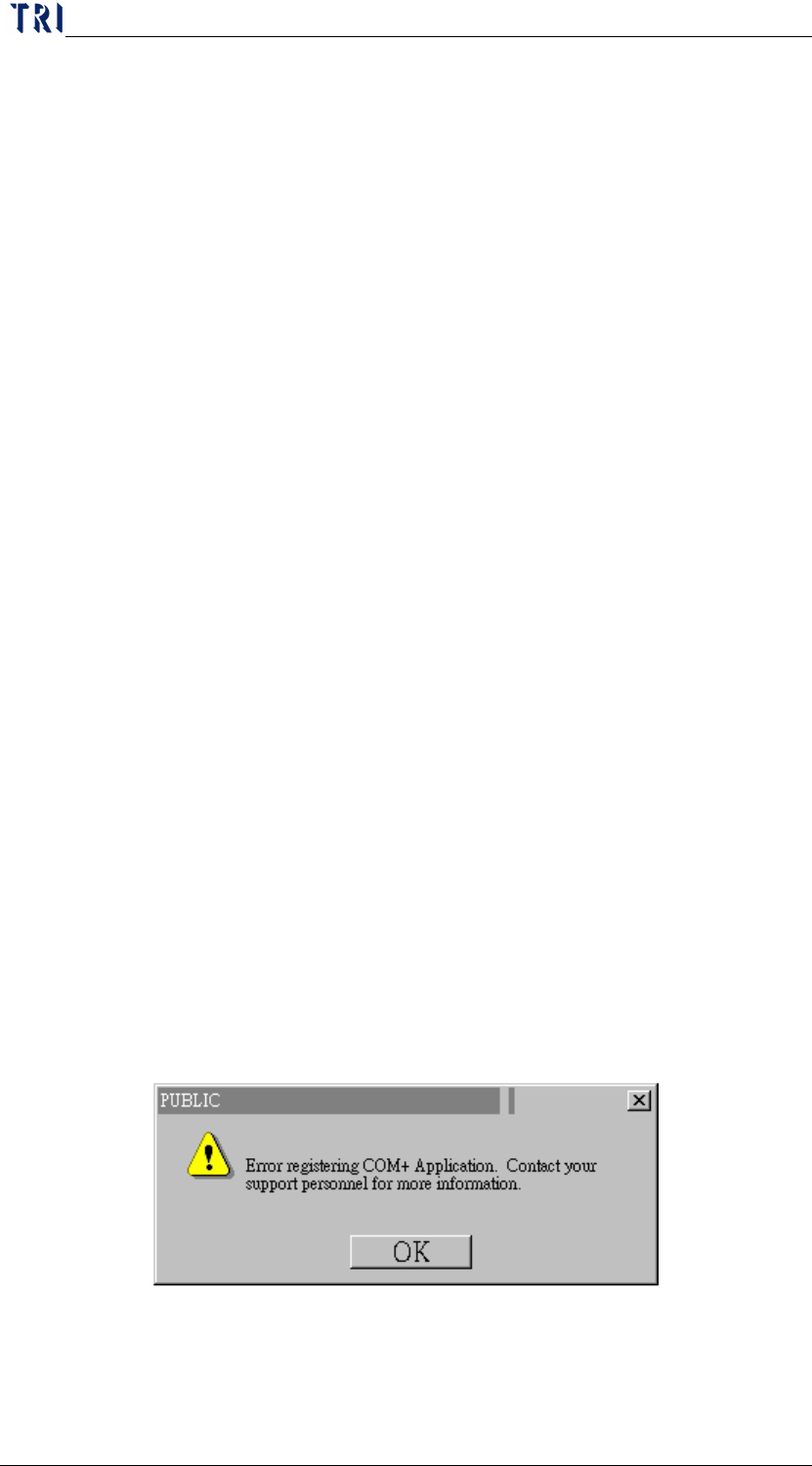
If any error message appeared while installing repair station or
update(figures below), remove [PUBLIC] and [TRI] icon by going to
[control panel/system manager/tool service/computer/my
computer/COM+ program files], and then reinstall the repair station or
update the program.
Usually the cause of the error message is the incompletion of
uninstalling repair station or update. Incompletion of [COM+] removal
Chapter 2 Repair Station Main Program
AOI Repair Station
81
will cause error while installing the repair station or update again, this
will generate another [COM+] in addition to the previous [COM+].
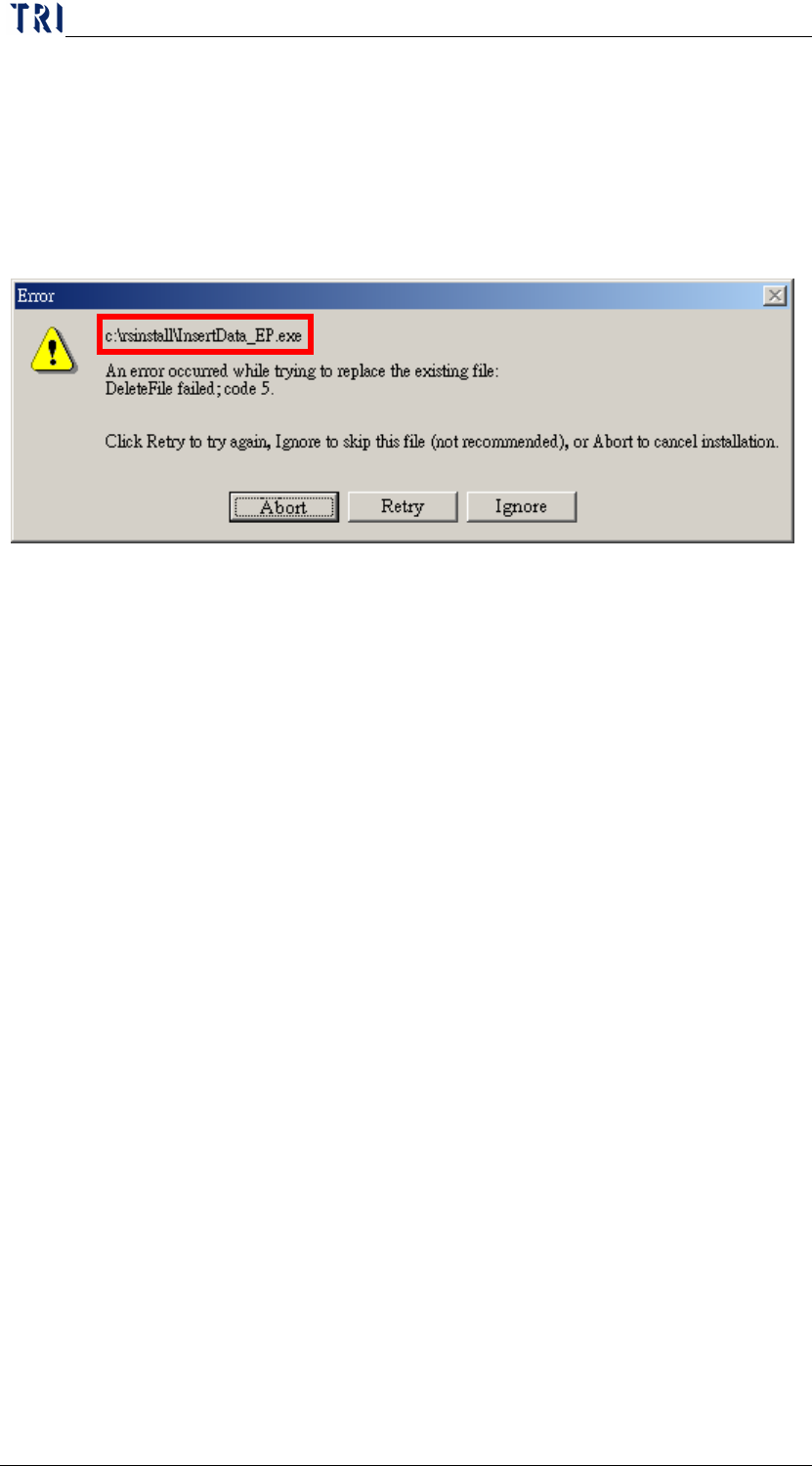
The following dialog means there is a program (here is InsertData.exe)
not closed. User only has to close the program and press [Retry] to
continue installing.
Chapter 2 Repair Station Main Program
AOI Repair Station
82
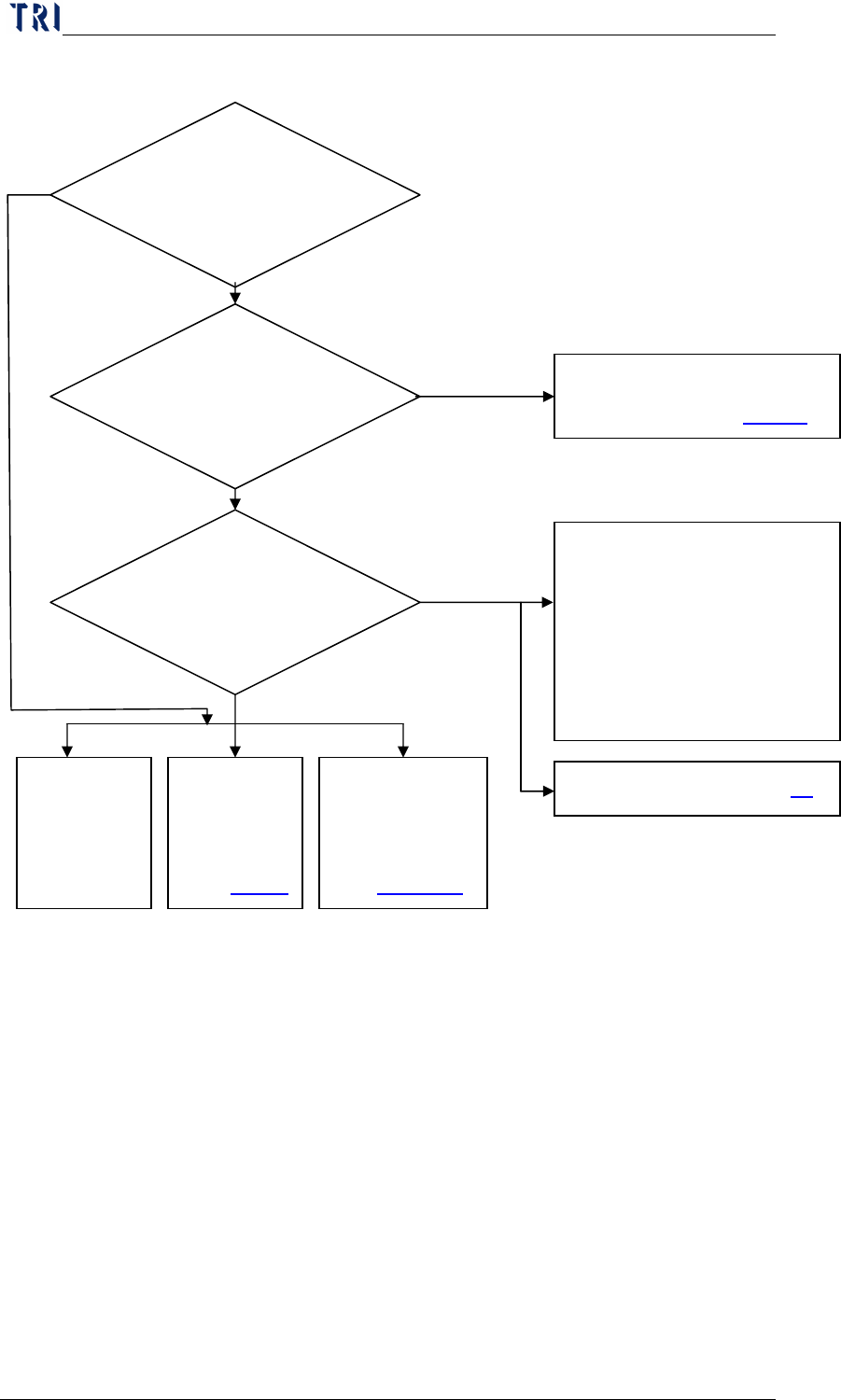
12.2 Troubleshooting Procedure
12.3 Network Problem
AOI Main PC and Repair PC have to install [NetBEUI Protocol] in
Local Area Connection. If one of the computers has installed
[NWLink IPX/SPX/NetBIOS Compatible Transport Protocol], the
other computer has to be installed it.
Be sure that the drive share of C$ and D$ have been set well in Repair
PC.
Ethernet connection problem. Select [Start/ Run] and input [\\RepairPC
Name\C$ (D$)] to be sure that you can read or write data through this
path.
If the main PC and RS PC still can’t see each other, user could use IP
Network Problem. See 錯
錯錯
錯
!
.
Yes
No
AOI program setting
1. Check [Link to Repair]?
2. Path in [Panel/
RepairStation] is set to
[C:\AOI_Reapir_Data]
folder on RS PC?
Update the
RS version
to the last
version.
Database
or Hard
Disc is full.
See
錯誤
錯誤錯誤
錯誤!
Insertdata.exe
isn’t open or
can’t be open.
See
錯誤
錯誤錯誤
錯誤! 找
找找
找
If there are [*.fail],
[*.afail] or [*.efail] file in
[C:\AOI_Repair_Data] folder
on Repair Station.
If there are
[*.dir] or [*.err] file in
[C:\AOI_Repair_Data]
folder on Repair Station.
No
No
Yes
Yes
Close Insertdata.exe
then inspect a board again,
see if there are data sent to
[C:\AOI_Repair_Data] on
Repair Station.
Insertdata.exe isn’t open or
can’t be open. See
錯誤
錯誤錯誤
錯誤!