00197961-01_UM_JTF-MW_on_SIPLACE_E_en - 第35页
Setting up and Commissioning Configuration of SIPLACE JTF-MW in SIPLACE Pro User Manual JTF-MW on SIPLACE E 35 4.6.2 4 . 6 . 2 C o n n e c t in g t h e J T F - M W t o t h e M a c h in e Connecting the JTF -MW to the Mac…
Setting up and Commissioning
Installation and Commissioning the SILPACE E
34 User Manual JTF-MW on SIPLACE E
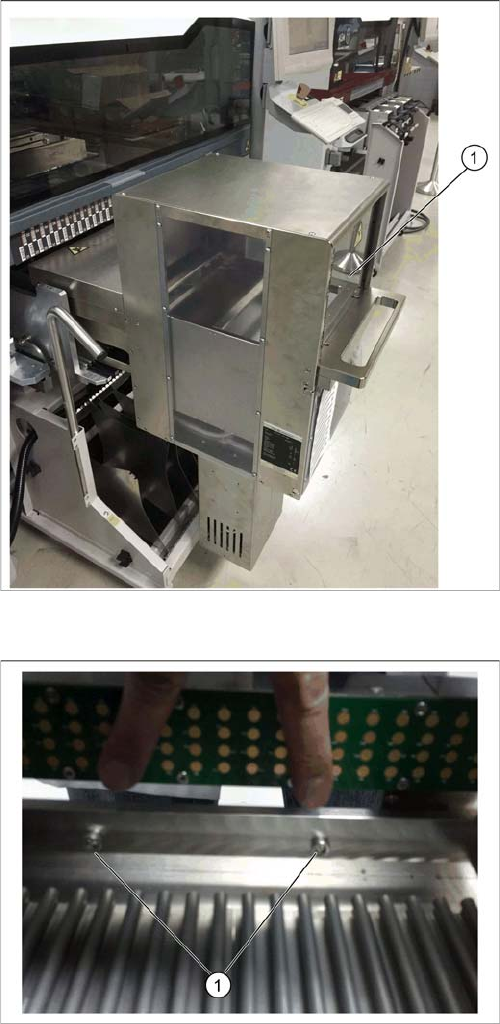
JTF-MW in SIPLACE E machine
► Remove all JEDEC trays from JTF-MW to reduce the
weight.
► Together with a second person, lift the JTF-MW by its
handle and carry it to the machine.
► Position the JTF-MW on tracks 1 to 30.
► Slide the JTF-MW into the machine (1) until the stop
at the frame kit.
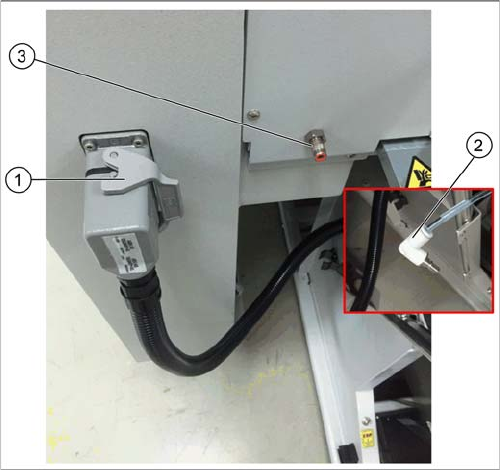
JTF-MW fixed at COT
► Fix the JTF-MW at the indicated positions to the COT
using two washers (ISO 7092 5) and two M5x20
screws (ISO 4762).
Setting up and Commissioning
Configuration of SIPLACE JTF-MW in SIPLACE Pro
User Manual JTF-MW on SIPLACE E 35
4.6.2
4.6.2 Connecting the JTF-MW to the Machine
Connecting the JTF-MW to the Machine
The SIPLACE JTF-MW powers up and initializes. After that, you can operate the SIPLCE JTF-MW via
its control panel (see "5.2 Controls and Displays on the Feeder Control Panel" [ ➙ 41]).
After the COT has been loaded, the control is transferred to the station software and you can operate
the SIPLACE JTF-MW via the station software (see "5.5 Operating the JEDEC Tray Feeder in the Station
Software (SW708)" [ ➙ 46]).
The stop button and the reset button on the control panel are still available.
4.7
4.7 Configuration of SIPLACE JTF-MW in SIPLACE Pro
Configuration of SIPLACE JTF-MW in SIPLACE Pro
SIPLACE JTF-MW feeders are available from SIPLACE Pro 12.0.
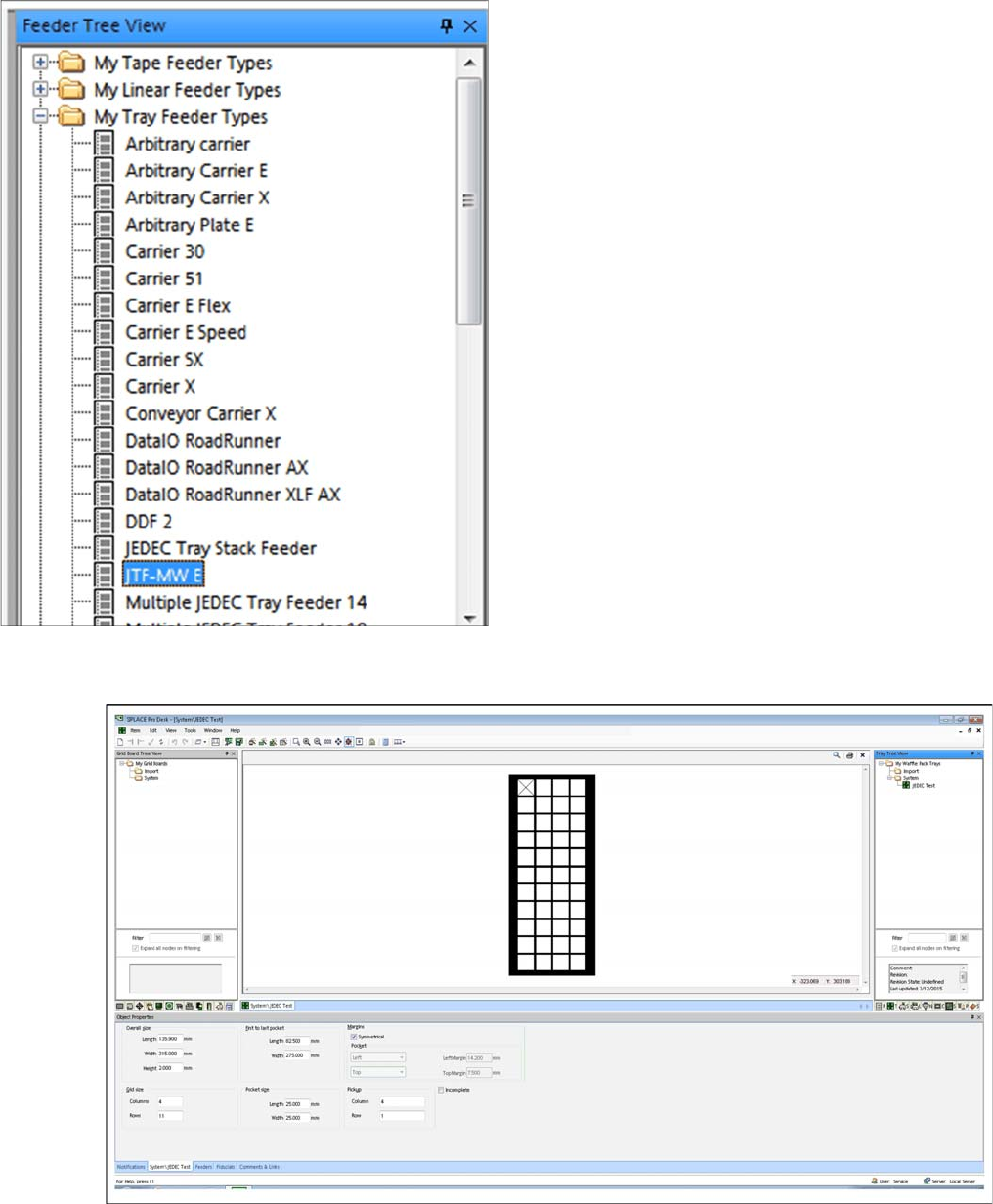
Connecting the JTF-MW
► Connect the power cable of the SIPLACE JTF-MW to
the Harting connector at the host machine (1).
► Connect the pneumatic tube from the SIPLACE
JTF-MW (2) to the coupling at the host machine (3).
Setting up and Commissioning
Configuration of SIPLACE JTF-MW in SIPLACE Pro
36 User Manual JTF-MW on SIPLACE E
4.7.1
4.7.1 SIPLACE JTF-MW in SIPLACE Pro – Feeder Tree View
SIPLACE JTF-MW in SIPLACE Pro – Feeder Tree View
4.7.2
4.7.2 JEDEC Tray Description – Tray Tree View
JEDEC Tray Description – Tray Tree View
► Define one JEDEC tray with dimensions that comply with the JEDEC tray standard.
In the Feeder Tree View, the SIPLACE JTF-MW is dis-
played as JTF-MW E (Multiple JEDEC tray feeder with 15
levels).