00197961-01_UM_JTF-MW_on_SIPLACE_E_en - 第47页
Tasks on the Machine Operating the JEDEC Tray Feeder in the Station Software (SW708) User Manual JTF-MW on SIPLACE E 47 5.5.2 5 . 5 . 2 " D is p la y , C h e c k a n d S e t u p F e e d e r s , C o m p o n e n t s a…
Tasks on the Machine
Operating the JEDEC Tray Feeder in the Station Software (SW708)
46 User Manual JTF-MW on SIPLACE E
5.5
5.5 Operating the JEDEC Tray Feeder in the Station Software (SW708)
Operating the JEDEC Tray Feeder in the Station Software
(SW708)
SIPLACE JTF-MW feeders are available from station software version 708.0. Previous versions do not
support this feeder family.
The, SIPLACE JTF-MW is not displayed at the station until a job has been defined.
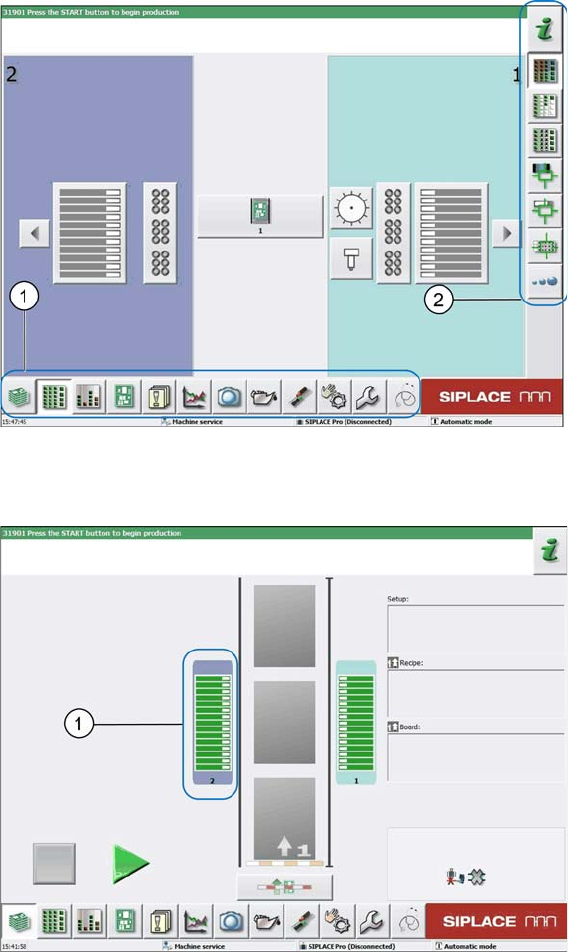
The following terms are used in the sections:
1. Menu
2. Submenu
Main view
5.5.1
5.5.1 SIPLACE JTF-MW Configured in SIPLACE Pro and Defined at Machine
SIPLACE JTF-MW Configured in SIPLACE Pro and Defined at Machine
Location view
1. Location 2
Tasks on the Machine
Operating the JEDEC Tray Feeder in the Station Software (SW708)
User Manual JTF-MW on SIPLACE E 47
5.5.2
5.5.2 "Display, Check and Set up Feeders, Components and Nozzles" Menu
"Display, Check and Set up Feeders, Components and Nozzles" Menu
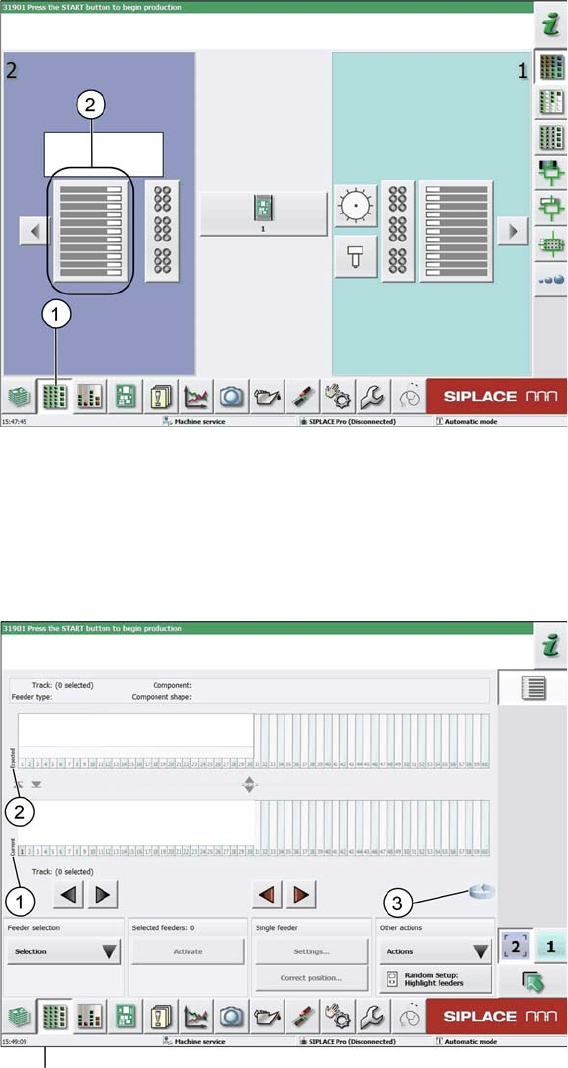
Selecting the location for the current setup
► Select the Display, check and set up feeders, components and nozzles menu (1) to display the sub
views of the relevant locations.
► Select location 2 (2) to display the view of the current setup.
5.5.3
5.5.3 Addressing the SIPLACE JTF-MW at the Location
Addressing the SIPLACE JTF-MW at the Location
Current setup view
1. Current setup (currently set-up feeders)
2. Expected setup (setup expected by SIPLACE Pro)
3. Change button for switching to the Track information sub menu.
► Press the change button to display the Track information submenu.

Tasks on the Machine
Operating the JEDEC Tray Feeder in the Station Software (SW708)
48 User Manual JTF-MW on SIPLACE E
Track information view
1. SIPLACE JTF-MW
2. Abbreviation for the SIPLACE JTF feeder (visualization)
3. The Settings… menu is not active until the relevant track has been selected (highlighted in blue
color)
4. Change button to switch back to the Current setup view.
5.5.4
5.5.4 SIPLACE-JTF-MW Settings
SIPLACE-JTF-MW Settings
► In the Current setup view or in the Track information view, select the relevant track and click
Settings…
JTF-MW settings
1. The selected tray (tray 5 in this example) is framed and displayed as Level 5.
2. Tray occupancy of the SIPLACE JTF-M - If components are set up, the tray is displayed in green
color.
3. Selection buttons for trays (selection via cursor is possible as well)
4. Position 1 (Tray at Position 1)
5. Picture of the selected tray (tray 5) visualizing the current occupancy.
In this example, this first row has already been picked up. (Gray = occupied, white = empty)
6. Direction of supply
7. Information on the component that is currently in the feeding position