MPM全自动印刷机中文操作手册 - 第25页
25 S tay 1/2 in ch in fr om the rails. Pr ess EXIT! 中間位置後 , 按 EXI T 離開 ) ※此動作最主要是讓視覺系統內基板停止感應器 , 感應基板是否停止 在印刷平台中心點位置 1.3.2 選擇 T each Boardstops-X 進入 PCB 板停止到印刷平台中心點位置參數設 定與 PCB 板和鋼板對位 Mark 點 ) Is the board center ed corr…
24
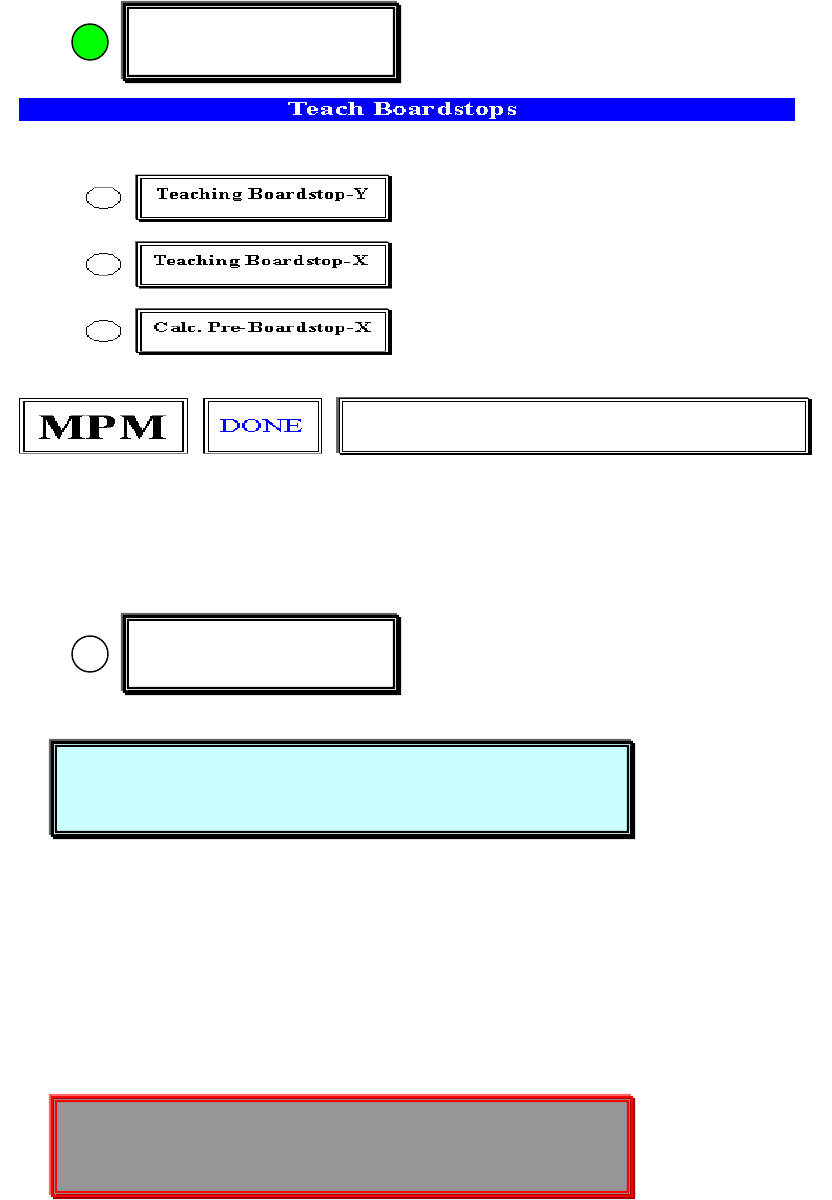
1.3.選擇 Teach Boardstops 進入基板停止位置參數設定
Hardware Required:
, Stencil , Tactile
1.3.1 選擇 Teach Boardstops-Y 進入基板 Y 方向板邊停止位置參數設定
Place a board on the input track. (請將 PCB 板放到軌道輸入端)
Press SELECT to Continue.(按 SELECT 繼續)
你按 SELECT 之後,出現開始做板邊視窗:
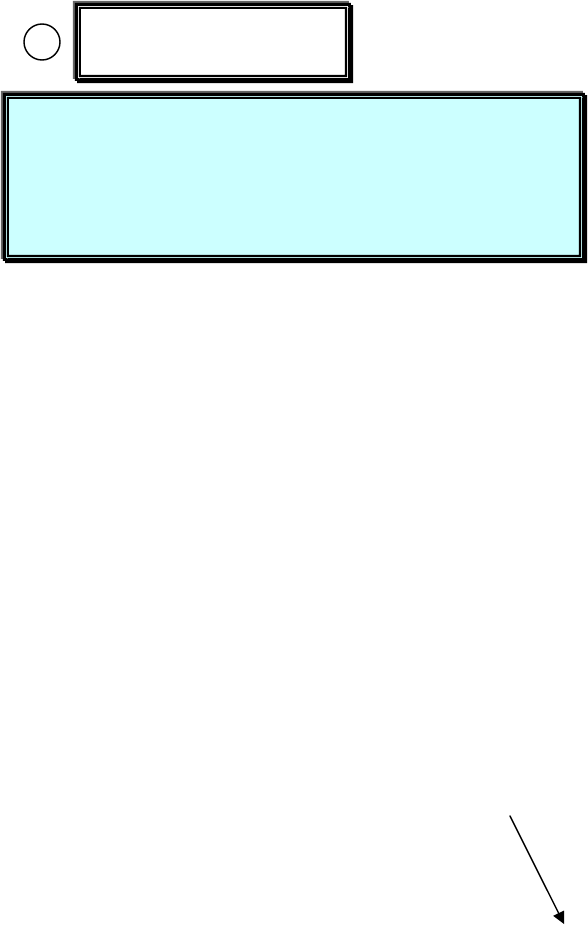
Jog to the leading edge of the board. (請將十字游標移動到基板板邊
Teach Boardstops
Teaching Boardstop-Y
Place a board on the input track.
Press SELECT to Continue.
Jog to the leading edge of the board.
Stay 1/2 inch in from the rails. Press EXIT!
25
Stay 1/2 inch in from the rails. Press EXIT! 中間位置後,按 EXIT 離開)
※此動作最主要是讓視覺系統內基板停止感應器,感應基板是否停止
在印刷平台中心點位置
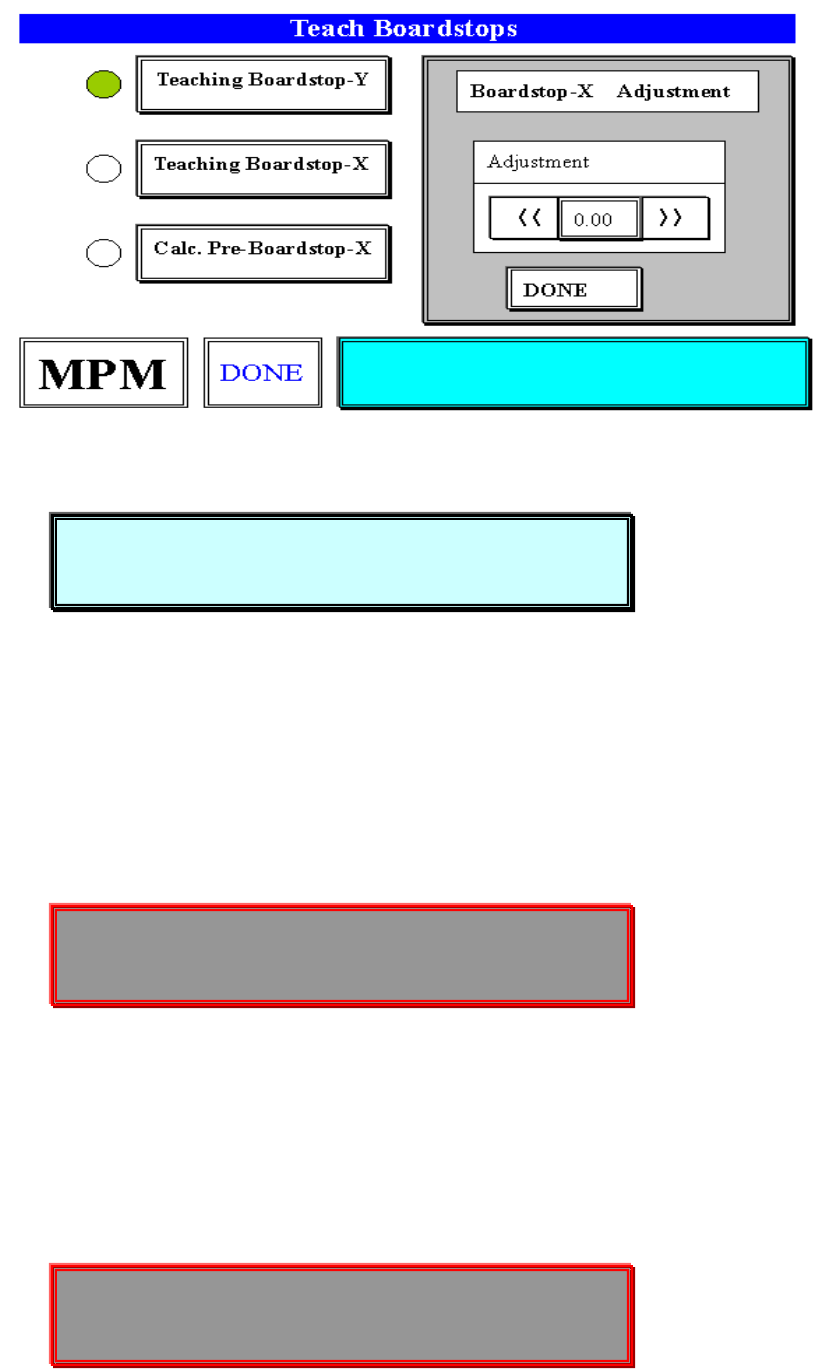
1.3.2 選擇 Teach Boardstops-X 進入 PCB 板停止到印刷平台中心點位置參數設
定與 PCB 板和鋼板對位 Mark 點)
Is the board centered correctly? (基板有無正確停止到印刷平台中心
點位置)
Press SELECT to accept location. (按 SELECT 接受目前位置 )
Press NEXT to-locate board. (按 NEXT 調整基板正確停止到印刷平
台中心點位置)
Press EXIT to abort process. (按 EXIT 中止這一項步驟)
你按 NEXT 之後,出現下列視窗:
(將基板往前及往後送到印刷平台中心點位置)
Teaching Boardstop-X
Is the board centered correctly?
Press SELECT to accept location.
Press NEXT to-locate board.
Press EXIT to abort process.
26
你按 SELECT 之後,出現下列訊息:
Please insert a stencil. (請放入鋼板)
Press NEXT to continue! (按 NEXT 繼續)
你按 NEXT 之後,出現下列訊息及視窗:
Jog to any target on the board! (請移動到基板上任一個對位 Mark 點)
Center the object. Press EXIT(對正 Mark 中心點,按 EXIT 離開)
你按 EXIT 之後,出現下列訊息及視窗:
Please insert a stencil.
Press NEXT to continue!
Jog to any target on the board!
Center the object. Press EXIT
Jog to the same target on the stencil!
Center the object. Press EXIT