DECAN_S2_维修手册(V4.1) - 第132页
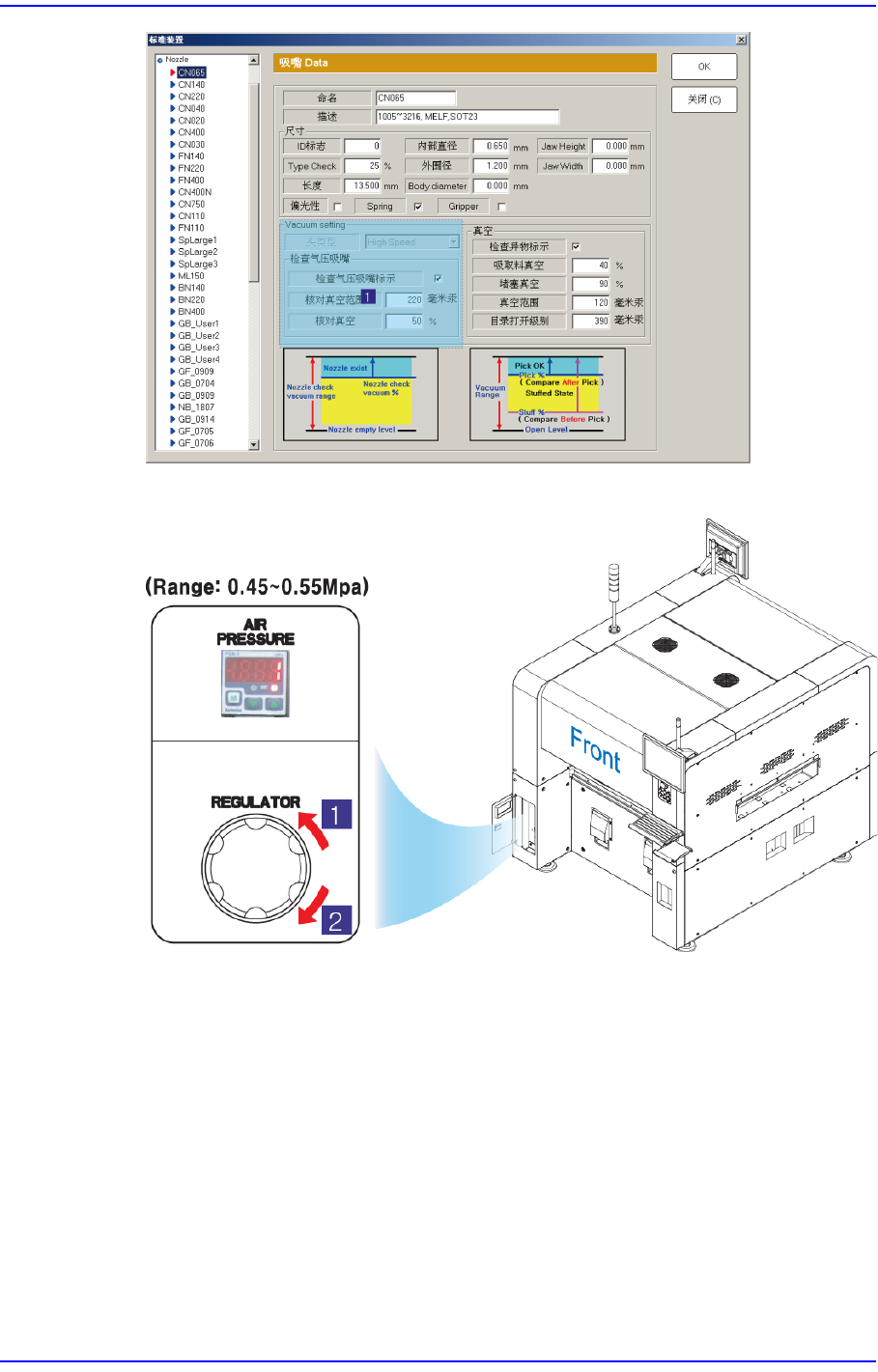
1-110 Advanced Chip Shooter DECAN S 2 Troubleshooting Guide Check whether a part is p icked up by the head spindle nozzle. 选择 ’System Setup’ 菜单中的 ‘Device’ 子菜单后, 再选择 ’Nozzle’ 选项, 然后在 ’Nozzle’ 对话 框中确认 ’Check V acuum’ 值…
1-109
MMI
错误码(
Error Code
)和问题解决
从气压表(AIR PRESSURE) 确认压缩气的供应是否正常 (0.45~0.55Mpa)。
1:
压力减少
(
逆时针方向
)
2:
压力增加
(
顺时针方向
)
$6021 Since a part is picked up by the head spindle nozzle, it is not possible to return the
nozzle to the ANC. [FREEZE LEVEL]
[原因]
A part is picked up by the nozzle when returning the head spindle nozzle to the ANC.
[措施 方法]
按”STOP”按钮关闭蜂鸣器。
按”RESET”按钮把设备转换成”IDLE”方式。
1-110
Advanced Chip Shooter DECAN S2 Troubleshooting Guide
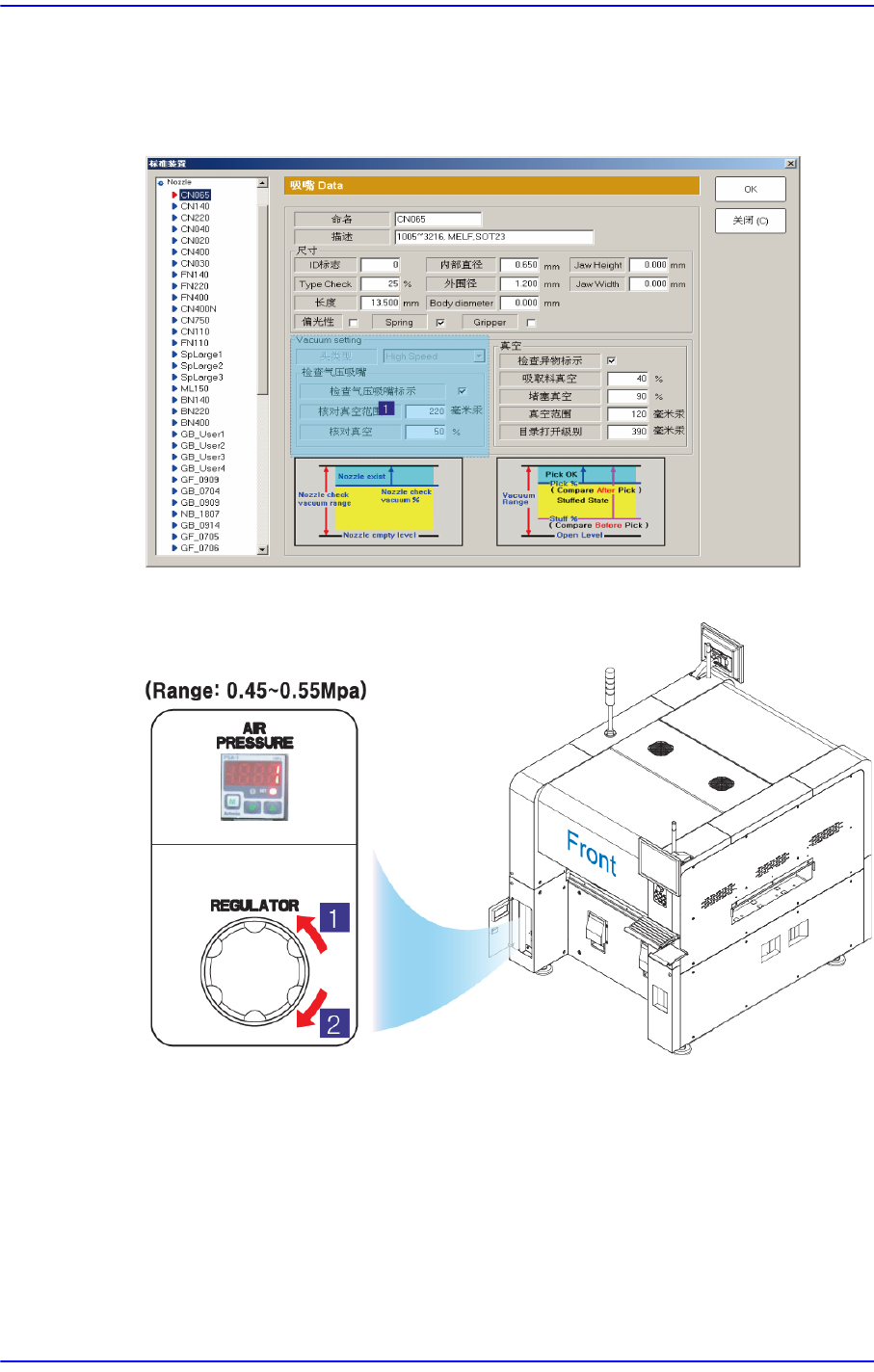
Check whether a part is picked up by the head spindle nozzle.
选择’System Setup’ 菜单中的 ‘Device’子菜单后,再选择 ’Nozzle’选项,然后在
’Nozzle’对话框中确认’Check Vacuum’值。
从气压表(AIR PRESSURE) 确认压缩气的供应是否正常 (0.45~0.55Mpa)。
1: 压力减少 (逆时针方向)
2:
压力增加 (顺时针方向)
$6030 在Head $H上有吸嘴。但没有进行PUT。 [FREEZE LEVEL]
[原因 ]
吸嘴PUT动作后,未对准ANC槽的中心或因不适当的高度设定等无法进行吸嘴
ANC动作实际上磁头上存在吸嘴的情况或
1-111
MMI
错误码(
Error Code
)和问题解决
[措施 方法]
按”STOP”按钮关闭蜂鸣器。
“按”RESET”按钮把设备转换成”IDLE”方式
点击”READY”按钮给设备提供电源。
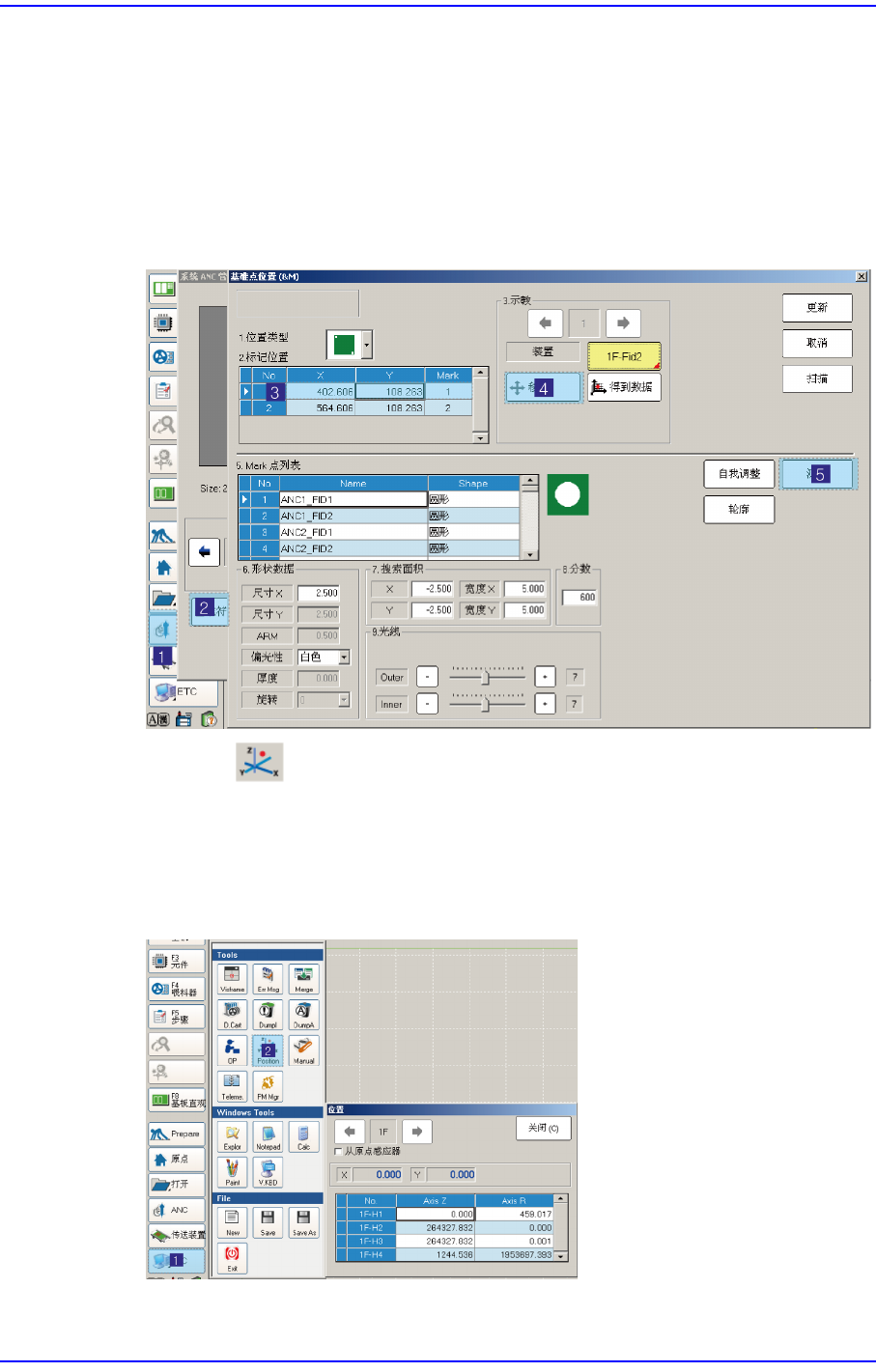
在ANC对话框点击’Fiducial Mark Detail …’后移动到Fiducial Mark位置确认
Fiducial Mark位置是否准确设置。如果位置设置错误请重新进行示教。
首先点击 按钮执行”Position”对话框,在ANC菜单点击’Hole Position Detail
…’后,为确认槽坐标是否准确选择错误发生的ANC槽,确认要移动的设备是否
选择为”Fid Cam”。
还有点击<Move>按钮移动到相应ANC槽位置确认槽的中心是否与设置的位置
一致。另外,利用示教框手动下降Z轴确认ANC 槽坐标的Z值是否准确。