00196658-01 - IM SIPLACE Pro 7.1_en.pdf - 第17页
4 Installation of SIPLACE Pro and possible Setup Types Installation Manual Edition 11/2009 US SIPLACE Pro 7.1 15 Ste p 2 The InstallShield Wizard will guide you through the progra m setup process. 4 4 Fig. 4 - 2 InstallS…
Installation Manual 4 Installation of SIPLACE Pro and possible Setup Types
SIPLACE Pro 7.1 Edition 11/2009 US
14
Step 1
Æ Insert the SIPLACE Pro installation CD into the CD-ROM drive. The installation routine starts
automatically.
You can also start the installation by running the Setup.exe program located in the root direc-
tory on the installation CD.
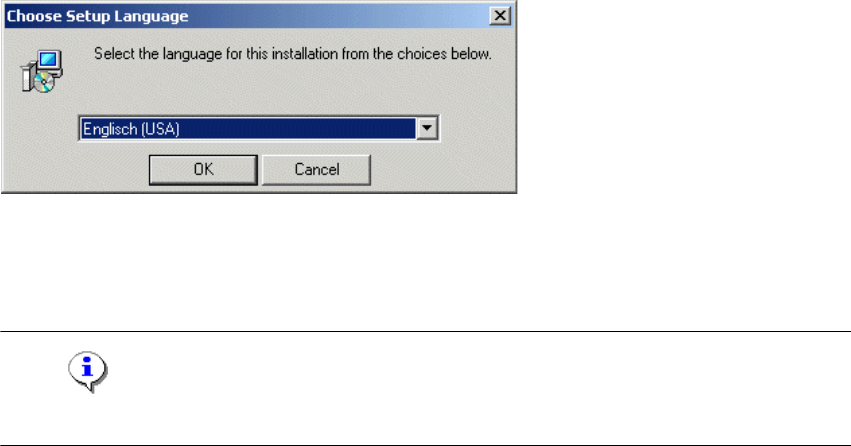
This starts the user-controlled installation of SIPLACE Pro; you are prompted to select the in-
stallation language. 4
4
Fig. 4 - 1 "Choose Setup Language" dialog box
Æ Select the language you want.
Æ Click OK.
Note
This decision only relates to the language used during the installation routine! 4
4 Installation of SIPLACE Pro and possible Setup Types Installation Manual
Edition 11/2009 US SIPLACE Pro 7.1
15
Step 2
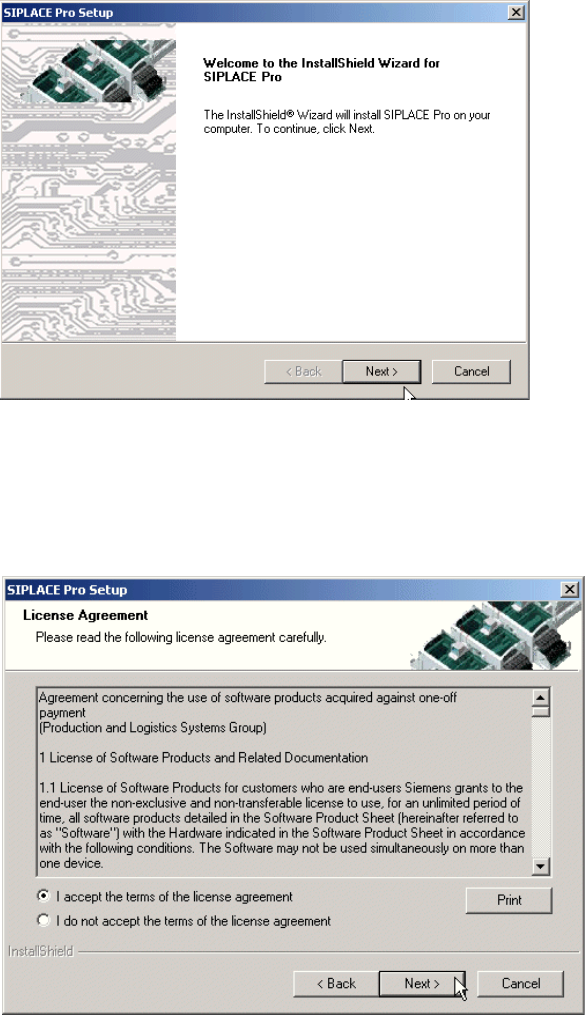
The InstallShield Wizard will guide you through the program setup process. 4
4
Fig. 4 - 2 InstallShield Wizard box for Siplace Pro
Æ Click Next.
Step 3
Æ Read the license agreement of Siemens AG relating to use of this software.
4
Fig. 4 - 3 "Software License Agreement" dialog box
Æ Please make sure to accept the licence agreement.
Æ Then click the Next button to continue with the installation routine.
Installation Manual 4 Installation of SIPLACE Pro and possible Setup Types
SIPLACE Pro 7.1 Edition 11/2009 US
16
Step 4
4
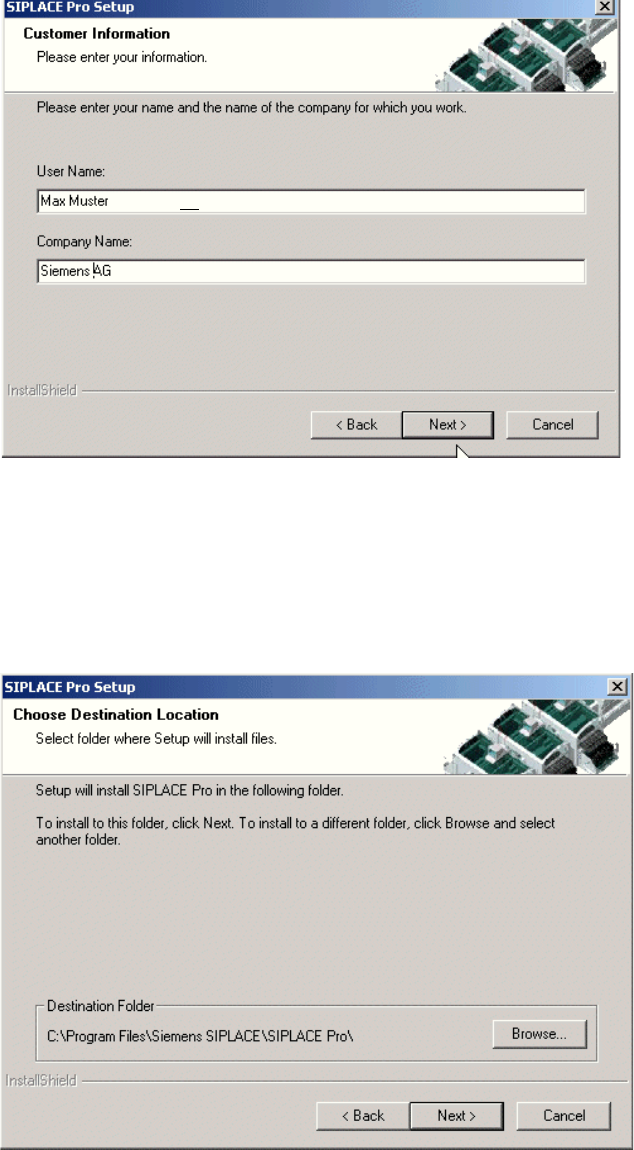
Fig. 4 - 4 "Customer Information" dialog box
Æ Enter your User Name and Company Name in the "Customer Information" dialog box.
Æ Both boxes must be filled in before the installation process can be continued.
Æ Click Next.
Step 5
4
Fig. 4 - 5 "Choose Destination Location" dialog box