00196658-01 - IM SIPLACE Pro 7.1_en.pdf - 第4页
Installation Manual SIPLACE Pro 7.1 Edition 11/2009 US 2 7 Troubleshooting . . . . . . . . . . . . . . . . . . . . . . . . . . . . . . . . . . . . . . . . . . . . . . . . . .51 7.1 During installation . . . . . . . . . .…
Installation Manual
Edition 11/2009 US SIPLACE Pro 7.1
1
Contents 0
Page
1 Introduction . . . . . . . . . . . . . . . . . . . . . . . . . . . . . . . . . . . . . . . . . . . . . . . . . . . . . .3
1.1 Explanation of symbols . . . . . . . . . . . . . . . . . . . . . . . . . . . . . . . . . . . . . . . . . . . . . . . . . . . . . . . . . . . 3
1.2 Scope of Delivery. . . . . . . . . . . . . . . . . . . . . . . . . . . . . . . . . . . . . . . . . . . . . . . . . . . . . . . . . . . . . . . . 4
1.3 System requirements. . . . . . . . . . . . . . . . . . . . . . . . . . . . . . . . . . . . . . . . . . . . . . . . . . . . . . . . . . . . . 5
1.3.1 SIPLACE Pro Server. . . . . . . . . . . . . . . . . . . . . . . . . . . . . . . . . . . . . . . . . . . . . . . . . 5
1.3.2 SIPLACE Pro Client . . . . . . . . . . . . . . . . . . . . . . . . . . . . . . . . . . . . . . . . . . . . . . . . . 6
1.3.3 SIPLACE Stand Alone Configuration . . . . . . . . . . . . . . . . . . . . . . . . . . . . . . . . . . . . 7
2 System components and configurations . . . . . . . . . . . . . . . . . . . . . . . . . . . . . .9
2.1 Overview of system components. . . . . . . . . . . . . . . . . . . . . . . . . . . . . . . . . . . . . . . . . . . . . . . . . . . . 9
2.2 System configurations . . . . . . . . . . . . . . . . . . . . . . . . . . . . . . . . . . . . . . . . . . . . . . . . . . . . . . . . . . . 10
2.2.1 "Stand alone" configuration. . . . . . . . . . . . . . . . . . . . . . . . . . . . . . . . . . . . . . . . . . . 10
2.2.2 "Client/Server" configurations . . . . . . . . . . . . . . . . . . . . . . . . . . . . . . . . . . . . . . . . . 10
3 Important preparations prior to installation (Software configuration) . . . . . .11
4 Installation of SIPLACE Pro and possible Setup Types . . . . . . . . . . . . . . . . .13
4.1 Starting installation – first steps. . . . . . . . . . . . . . . . . . . . . . . . . . . . . . . . . . . . . . . . . . . . . . . . . . . . 13
4.2 Individual setup types and next steps . . . . . . . . . . . . . . . . . . . . . . . . . . . . . . . . . . . . . . . . . . . . . . . 19
4.2.1 Setup Type – Custom . . . . . . . . . . . . . . . . . . . . . . . . . . . . . . . . . . . . . . . . . . . . . . . 19
4.2.2 Setup Type – SIPLACE Pro Complete System. . . . . . . . . . . . . . . . . . . . . . . . . . . . 21
4.2.3 Setup Type – SIPLACE Pro Desk. . . . . . . . . . . . . . . . . . . . . . . . . . . . . . . . . . . . . . 30
4.2.4 Setup Type – SIPLACE Pro Line Control GUI . . . . . . . . . . . . . . . . . . . . . . . . . . . . 32
4.2.5 Setup Type – SIPLACE Pro Line Control Server . . . . . . . . . . . . . . . . . . . . . . . . . . 35
4.2.6 Setup Type – SIPLACE Pro Programming System. . . . . . . . . . . . . . . . . . . . . . . . . 37
4.2.7 Setup Type – SIPLACE Pro Server. . . . . . . . . . . . . . . . . . . . . . . . . . . . . . . . . . . . . 38
4.3 Steps to perform after installation . . . . . . . . . . . . . . . . . . . . . . . . . . . . . . . . . . . . . . . . . . . . . . . . . . 39
5 Installation of SIPLACE Pro Language Pack . . . . . . . . . . . . . . . . . . . . . . . . . .41
5.1 Starting installation - first steps . . . . . . . . . . . . . . . . . . . . . . . . . . . . . . . . . . . . . . . . . . . . . . . . . . . . 41
5.2 Compatibility of SIPLACE Pro Language Packs . . . . . . . . . . . . . . . . . . . . . . . . . . . . . . . . . . . . . . . 44
5.2.1 Version handling . . . . . . . . . . . . . . . . . . . . . . . . . . . . . . . . . . . . . . . . . . . . . . . . . . . 44
6 Update. . . . . . . . . . . . . . . . . . . . . . . . . . . . . . . . . . . . . . . . . . . . . . . . . . . . . . . . . .49
Installation Manual
SIPLACE Pro 7.1 Edition 11/2009 US
2
7 Troubleshooting. . . . . . . . . . . . . . . . . . . . . . . . . . . . . . . . . . . . . . . . . . . . . . . . . .51
7.1 During installation . . . . . . . . . . . . . . . . . . . . . . . . . . . . . . . . . . . . . . . . . . . . . . . . . . . . . . . . . . . . . .51
7.1.1 Relevant files to analyze setup problems . . . . . . . . . . . . . . . . . . . . . . . . . . . . . . . .51
7.1.2 Error code 1316 and 1603. . . . . . . . . . . . . . . . . . . . . . . . . . . . . . . . . . . . . . . . . . . .51
7.1.3 Conflicting old SIPLACE Pro installations . . . . . . . . . . . . . . . . . . . . . . . . . . . . . . . .52
7.1.4 Remote installation with Windows XP clients . . . . . . . . . . . . . . . . . . . . . . . . . . . . .53
7.1.5 Conflicting applications . . . . . . . . . . . . . . . . . . . . . . . . . . . . . . . . . . . . . . . . . . . . . .53
7.1.6 Cannot add Logins . . . . . . . . . . . . . . . . . . . . . . . . . . . . . . . . . . . . . . . . . . . . . . . . .54
7.1.7 Users connected to the database SIPLACEPro . . . . . . . . . . . . . . . . . . . . . . . . . . .56
7.1.8 Error - 16xx.... . . . . . . . . . . . . . . . . . . . . . . . . . . . . . . . . . . . . . . . . . . . . . . . . . . . . .57
7.1.9 Access problems of SIPLACE Pro share after client installation. . . . . . . . . . . . . . .57
7.2 After installation . . . . . . . . . . . . . . . . . . . . . . . . . . . . . . . . . . . . . . . . . . . . . . . . . . . . . . . . . . . . . . . .59
7.2.1 Database in single user mode after installation of SIPLACE Pro . . . . . . . . . . . . . .59
7.2.2 System feature (e.g. creating a report) not usable right after installation . . . . . . . .60
7.2.3 Error message after repair installation at Windows Vista . . . . . . . . . . . . . . . . . . . .62
8 Uninstalling. . . . . . . . . . . . . . . . . . . . . . . . . . . . . . . . . . . . . . . . . . . . . . . . . . . . . .63
8.1 Uninstalling the software . . . . . . . . . . . . . . . . . . . . . . . . . . . . . . . . . . . . . . . . . . . . . . . . . . . . . . . . .63
8.2 Uninstalling the database. . . . . . . . . . . . . . . . . . . . . . . . . . . . . . . . . . . . . . . . . . . . . . . . . . . . . . . . .65
8.2.1 On installations of SQL Server 2000, 2005, 2005 Express. . . . . . . . . . . . . . . . . . .65
8.2.2 On MSDE installations. . . . . . . . . . . . . . . . . . . . . . . . . . . . . . . . . . . . . . . . . . . . . . .65
9 Appendix. . . . . . . . . . . . . . . . . . . . . . . . . . . . . . . . . . . . . . . . . . . . . . . . . . . . . . . .67
9.1 Database Maintenance Tasks . . . . . . . . . . . . . . . . . . . . . . . . . . . . . . . . . . . . . . . . . . . . . . . . . . . . .67
1 Introduction Installation Manual
Edition 11/2009 US SIPLACE Pro 7.1
3
1 Introduction
Please read chapters 1 through 3 before you install SIPLACE Pro. 1
Chapter 4 describes the installation sequence for SIPLACE Pro, as well as the related server
types, and important information regarding the installation. 1
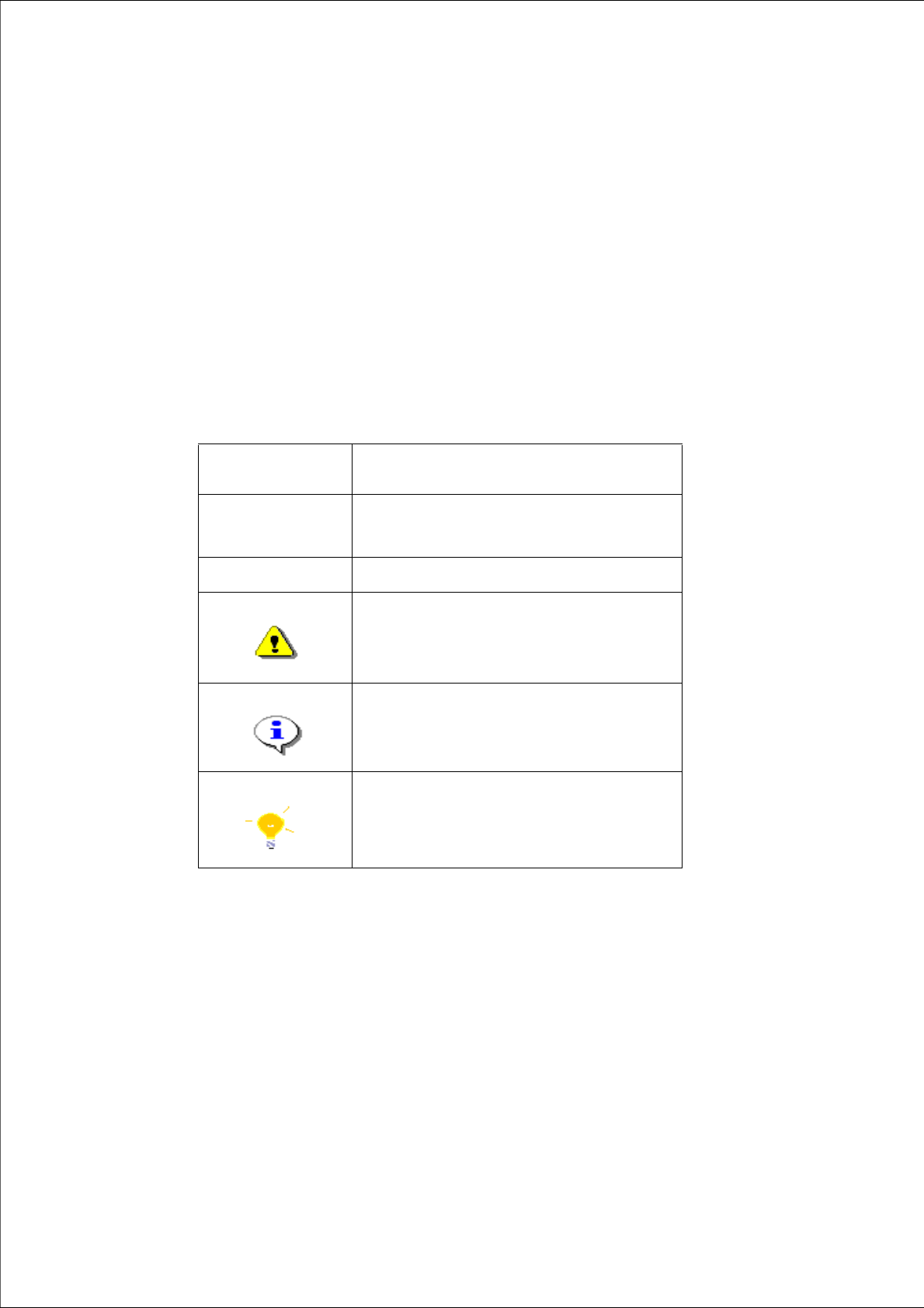
1.1 Explanation of symbols
Various symbols and notes are used for making this document easier to read. 1
1
1
Words in bold/
italics
These are dialog boxes and menu commands.
Step ...
An installation step includes all the actions relating
to a specific dialog box. An installation step may be
composed of several actions.
Æ
Requires an action (e.g. mouse click, open file)
Corresponds to a warning. The information is critical
to the success of the installation process. The
installation will be cancelled if you do not comply
with the warning.
Explanatory information about the installation
sequence.
Hint to facilitate your working with SIPLACE Pro
installation.
Tab. 1 - 1 Explanation of symbols