00193161-01.pdf - 第48页
Placement of 0 402 components Manual S-20/S-23 HM/S-25 HM/F4/F5 HM/HS-50 03/2001 edition 48 5.2 Checki ng the feed er step size 5.2.1 Chec king the st ep size (2 x 8 mm SII feeder) Fig. 5 - 4 Setting the step size to a p…
Manual S-20/S-23 HM/S-25 HM/F4/F5 HM/HS-50 Placement of 0402 components
03/2001 edition
47
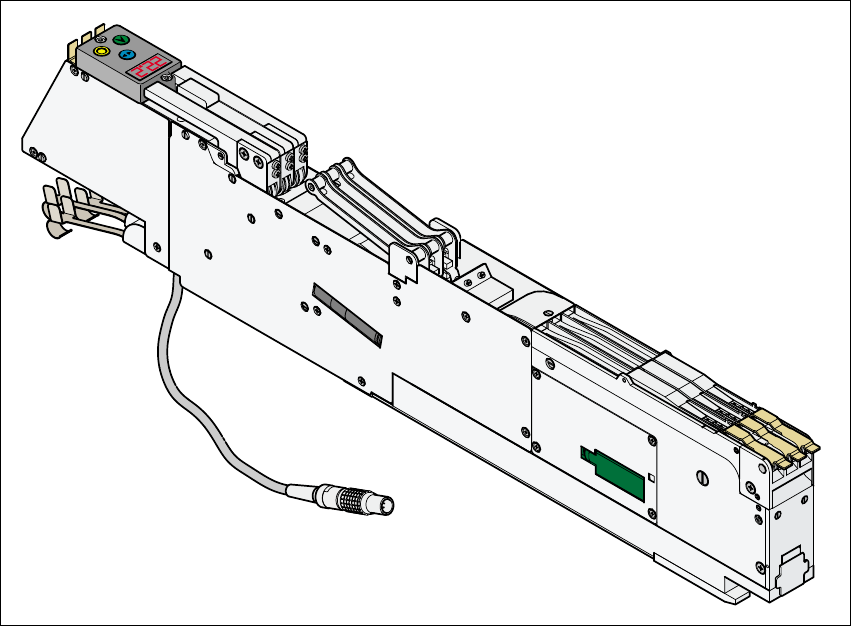
5.1.3 3 x 8 mm S feeder for 0201/0402 components
Fig. 5 - 3 3x8 mm S feeder for 0201/0402 components
Article number 00141099-xx
Width 30 mm
Component range 0201, 0402
Tracks per feeder 3
Maximum number of feeders 2 x 20 (S/F); 4 x 12 (HS-50)
Stock of components for 7” reels approx. 10,000 – 15,000
Reel diameter 7" - 15" (max. 381 mm)
Transport pitch (variable) 2mm / 4mm
Cycle time 60 ms
Power supply 30 V-
Placement of 0402 components Manual S-20/S-23 HM/S-25 HM/F4/F5 HM/HS-50
03/2001 edition
48
5.2 Checking the feeder step size
5.2.1 Checking the step size (2 x 8 mm SII feeder)
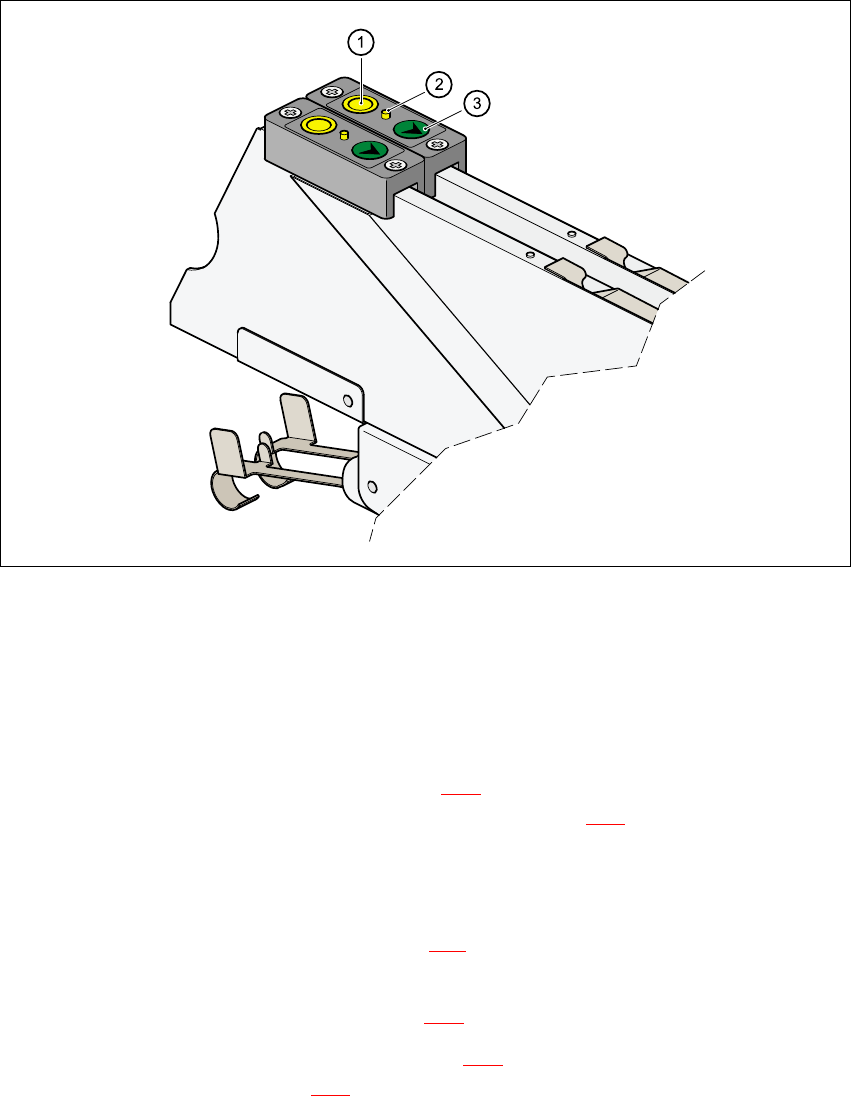
Fig. 5 - 4 Setting the step size to a pitch of 2 mm (2 x 8 mm SII feeder)
a ‘Foil’ button
s Indicator lamp, yellow
d ‘Index’ button, green
– Press the green ‘Index’ button (item d in Fig. 5 - 4
) for approximately 2 seconds.
When you release the button, if the yellow LED (item s in Fig. 5 - 4
) lights up once, the step
size has been set to 2 mm. If it lights up twice, then a step size of 4 mm has been set.
5.2.2 Setting the step size to a pitch of 2 mm (2 x 8 mm SII feeder)
– Press the green ‘Index’ button (item d in Fig. 5 - 4) and hold it down until the component cover
closes again.
– Press the green ‘Foil’ button (item a in Fig. 5 - 4
) once after approximately 2 seconds.
– Release the green ‘Index’ button (item d in Fig. 5 - 4
).
The yellow LED (item s in Fig. 5 - 4
) flashes once to indicate that a 2 mm step size has been
set.
Manual S-20/S-23 HM/S-25 HM/F4/F5 HM/HS-50 Placement of 0402 components
03/2001 edition
49
5.2.3 Setting the step size to a pitch of 2 mm (3 x 8 mm SII feeder)
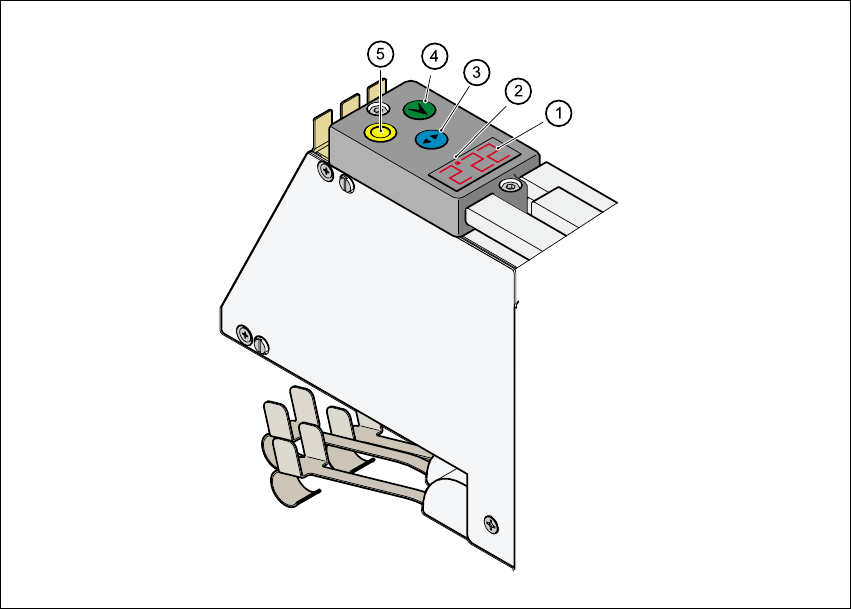
Fig. 5 - 5 Setting the step size to a pitch of 2mm (3 x 8 mm SII feeder)
a 6WHSVL]HGLVSOD\
s 5HGGRWLQGLFDWHVWKHVHOHFWHGWUDFN
d 6HOHFWEXWWRQEOXH
f ,QGH[EXWWRQJUHHQ
g )RLOEXWWRQ\HOORZ
Å Use the blue Select button d to select the track. A red dot s indicates the selected track.
Å Hold down the green Index button f until the display a for the selected track starts to flash.
Å Keep holding down the green Index button f and press the yellow Foil button g. The step
size on the feeder is changed over and displayed. Set the step size to 2mm.
Å Release the green Index button. The flashing stops and the display remains on to indicate that
the step size of 2 mm has been set on the feeder.