00193161-01.pdf - 第60页
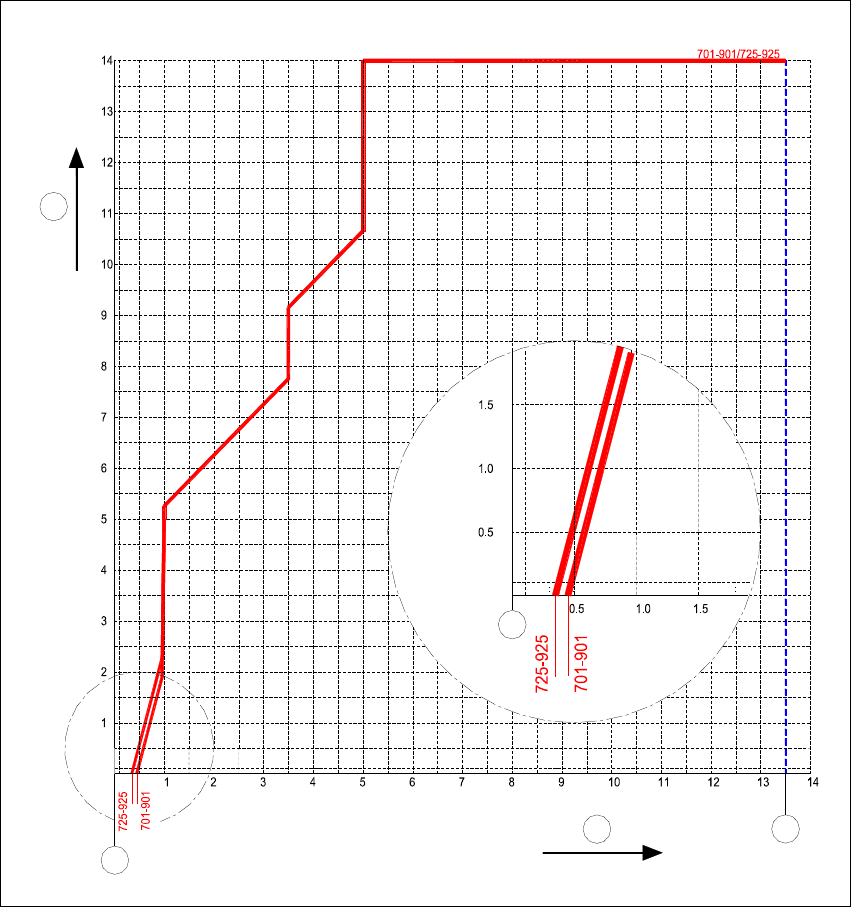
Placement of 0 402 components Manual S-20/S-23 HM/S-25 HM/F4/F5 HM/HS-50 03/2001 edition 60 7.4.2 Noz zle contour for 701/901 and 725/925 no zzle types, wide side Fig. 7 - 2 Nozzle contour for 701/901 and 725/925 nozzle …
Manual S-20/S-23 HM/S-25 HM/F4/F5 HM/HS-50 Placement of 0402 components
03/2001 edition
59
7.4 Nozzle contour diagrams
7.4.1 Nozzle contour for 701/901 and 725/925 nozzle types, narrow side
Fig. 7 - 1 Nozzle contour for 701/901 and 725/925 nozzle types, narrow side, ceramic/Vectra
a 'LIIHUHQFHLQKHLJKWEHWZHHQFRPSRQHQWV>PP@
s 3ODFHPHQWVKDGRZ>PP@
d 2XWHUHGJHRIFRGLQJGLVF
f 1R]]OHFHQWHU
1
2
3
4
4
Placement of 0402 components Manual S-20/S-23 HM/S-25 HM/F4/F5 HM/HS-50
03/2001 edition
60
7.4.2 Nozzle contour for 701/901 and 725/925 nozzle types, wide side
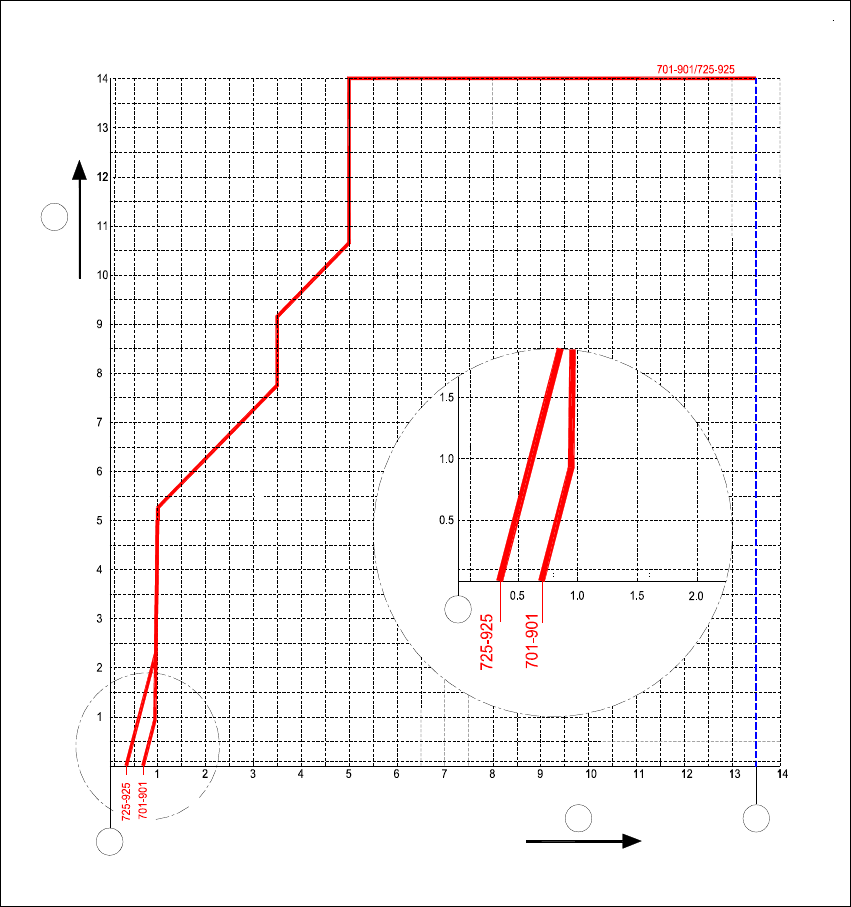
Fig. 7 - 2 Nozzle contour for 701/901 and 725/925 nozzle types, wide side, ceramic/Vectra
a 'LIIHUHQFHLQKHLJKWEHWZHHQFRPSRQHQWV>PP@
s 3ODFHPHQWVKDGRZ>PP@
d 2XWHUHGJHRIFRGLQJGLVF
f 1R]]OHFHQWHU
1
2
3
4
4
Manual S-20/S-23 HM/S-25 HM/F4/F5 HM/HS-50 Placement of 0402 components
03/2001 edition
61
8 Checking the vision settings on the station
PLEASE NOTE
The vision functions can only be called at ‘line engineer’ access level or higher.
In this manual, the vision settings are explained with reference to the HS-50 placement machine.
However, they also apply to the S-20, S-23/25 HM, F4 and F5 HM since the order of the menus
is the same. 8
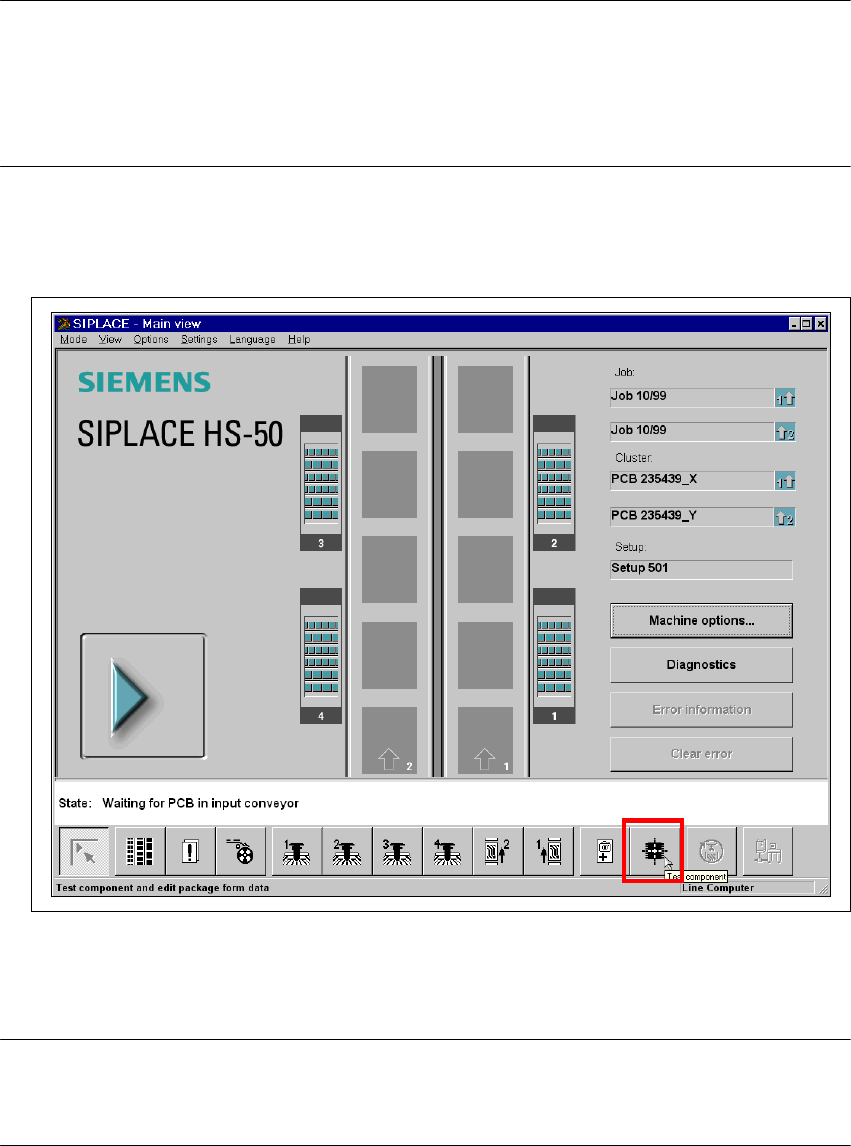
8.1 Selecting the ‘Test Component’ menu
Å
Select the ‘Test Component’ icon from the main view.
8
Fig. 8 - 1 From the HS-50 user interface, select the ‘Test component’ menu
Å From the ‘Package Form Selection’ menu, highlight package form 100 with the cyan bar.
Å Click on the ‘Load GF’ button to load the package form.
PLEASE NOTE:
GF number 100 is assigned to 0402 resistors.
GF number 101 is assigned to 0402 capacitors. 8