00193161-01.pdf - 第63页
Manual S-20/S-23 HM/S-25 HM/F4/F5 HM /HS-50 Placement of 0402 components 03/2001 edition 63 8.2 Checking the contrast sensitivity Å Click on th e ‘ Ta b l e …’ button. The ‘ Contr ast Sensiti vity ’ sel ection b ox appea…
Placement of 0402 components Manual S-20/S-23 HM/S-25 HM/F4/F5 HM/HS-50
03/2001 edition
62
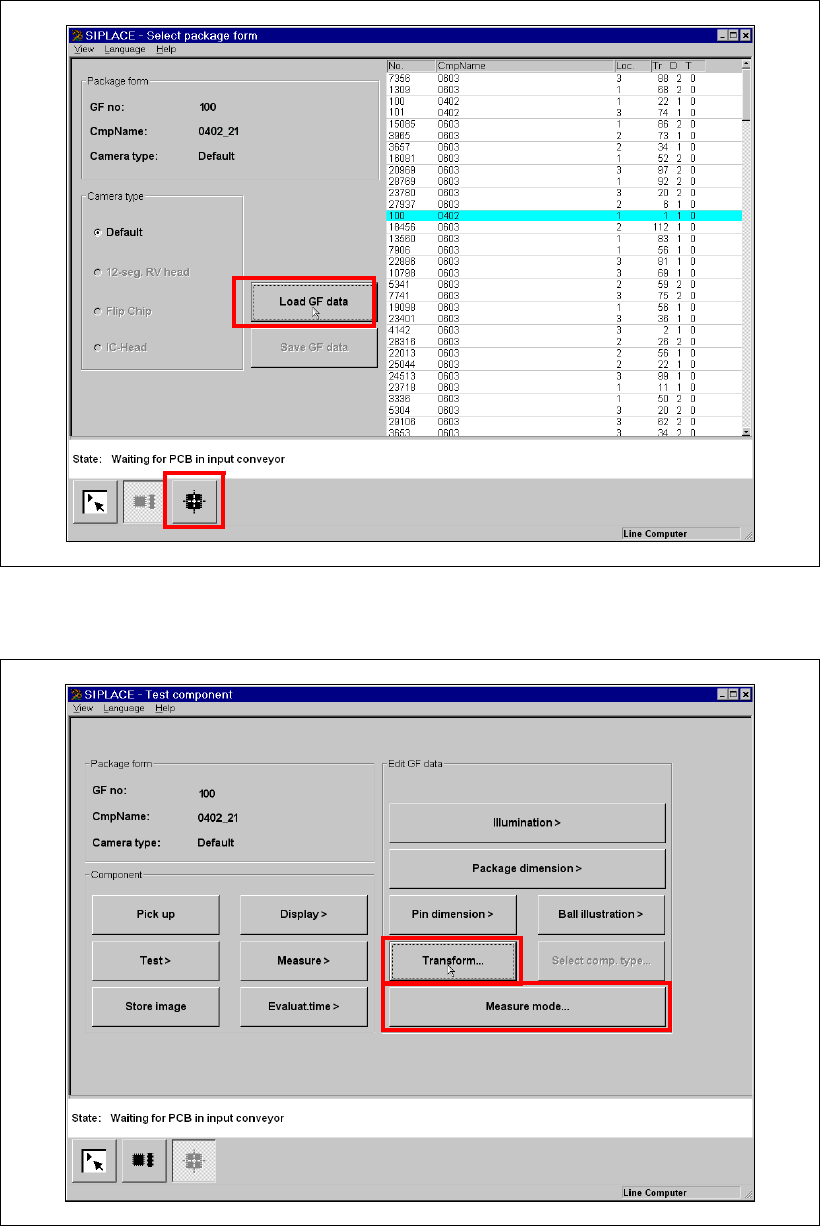
Fig. 8 - 2 Selecting and loading the package form
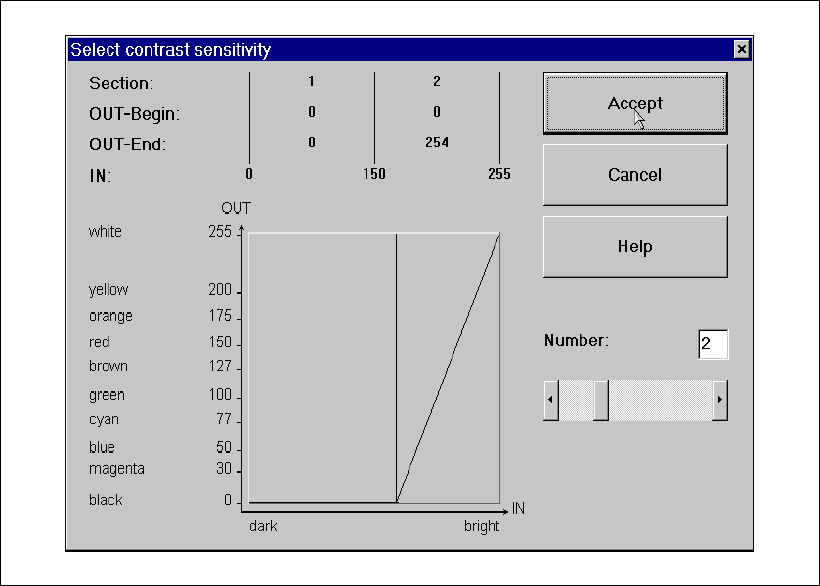
Å Click on the ‘Test Component’ icon. The ‘Test Component’ menu opens.
8
Fig. 8 - 3 ‘Test Component’ menu
Manual S-20/S-23 HM/S-25 HM/F4/F5 HM/HS-50 Placement of 0402 components
03/2001 edition
63
8.2 Checking the contrast sensitivity
Å Click on the ‘Table …’ button.
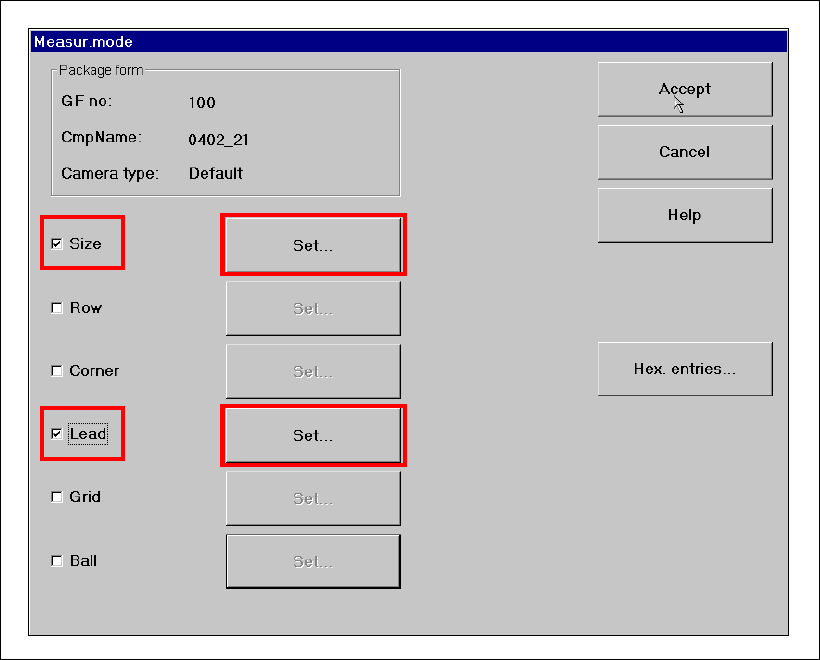
The ‘Contrast Sensitivity’ selection box appears.
Fig. 8 - 4 ‘Contrast Sensitivity’ selection box
The contrast sensitivity values and curve should correspond to those shown in the diagram
above. If this is not the case, modify the values. 8
Placement of 0402 components Manual S-20/S-23 HM/S-25 HM/F4/F5 HM/HS-50
03/2001 edition
64
8.3 Checking the ‘SIZE’ and ‘LEAD’ measuring mode parameters
Å From the ‘Test Component’ menu, click on the ‘Measuring Mode’ icon. The ‘Measuring Mode’
menu appears. The ‘Size’ and ‘Lead’ check boxes must be checked. All the others should be
left unchecked.
Fig. 8 - 5 ‘Measuring Mode’ menu