192277 - Micron Technical Reference Volume 3.pdf - 第199页
BARCODE READER AND VERIFICATION AND TRACEABILITY REPLACEMENT PROCEDURES Chapter Issue 10, Feb 17 Technical Reference Manual 32.11 12. Select Exit . A Board Configuration Error page is displayed when there is a conflict b…
BARCODE READER AND VERIFICATION AND TRACEABILITY
REPLACEMENT PROCEDURES
32.10 Technical Reference Manual Chapter Issue 10, Feb 17
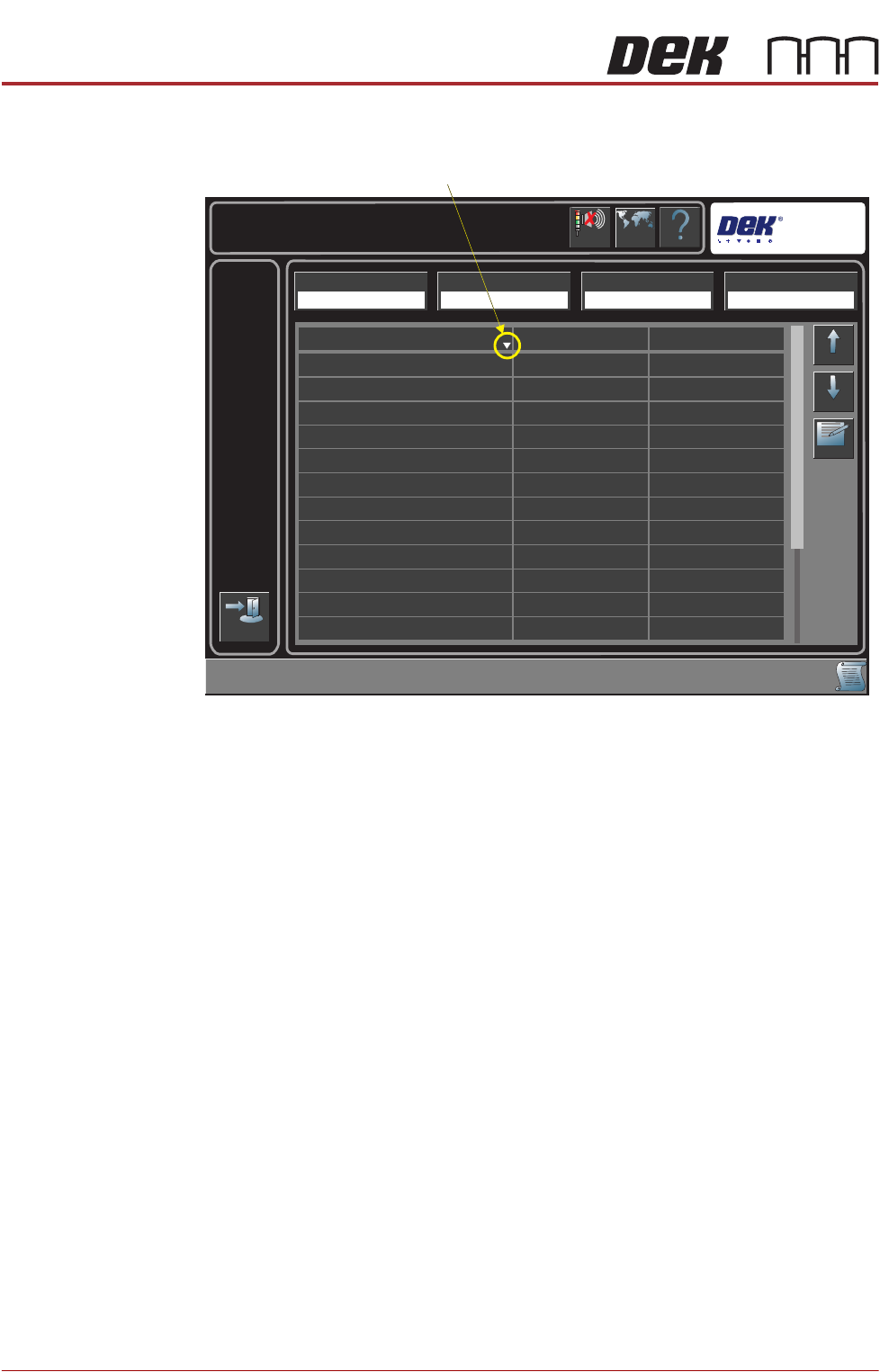
The following page is displayed:
4. Highlight the required item in the table.
NOTE
The sort direction button switches the table display alphabetically between
A to Z and Z to A.
5. Select Edit.
6. Select Name Length.
7. Enter the required name length.
8. Select Start Character.
9. Enter the required start character.
10. Select Accept.
11. Repeat Steps 4 to 9 for all the items that need to be verified.
Help
Maintenance \ Machine Setup \ Barcodes
Language
Cancel
Buzzer
Exit
Up
Down
Edit
Start Character
Item Name
201
1
1
1
1
1
1
1
1
1
1
1
20
20
20
20
20
20
20
20
20
20
20
Squeegee Holder Front
Squeegee Holder Rear
Screen
Cleaner Paper
Print Medium
Print Medium Cartridge
Cleaner Solvent
Squeegee Blades
Tooling
Board Identifier
ProFlow Cassette
ProFlow Head
Name Length
Remote Barcode HW Handheld Barcode HW Load Product Start Character Load Product Name Length
Fitted Fitted 1 20
Sort Direction
BARCODE READER AND VERIFICATION AND TRACEABILITY
REPLACEMENT PROCEDURES
Chapter Issue 10, Feb 17 Technical Reference Manual 32.11
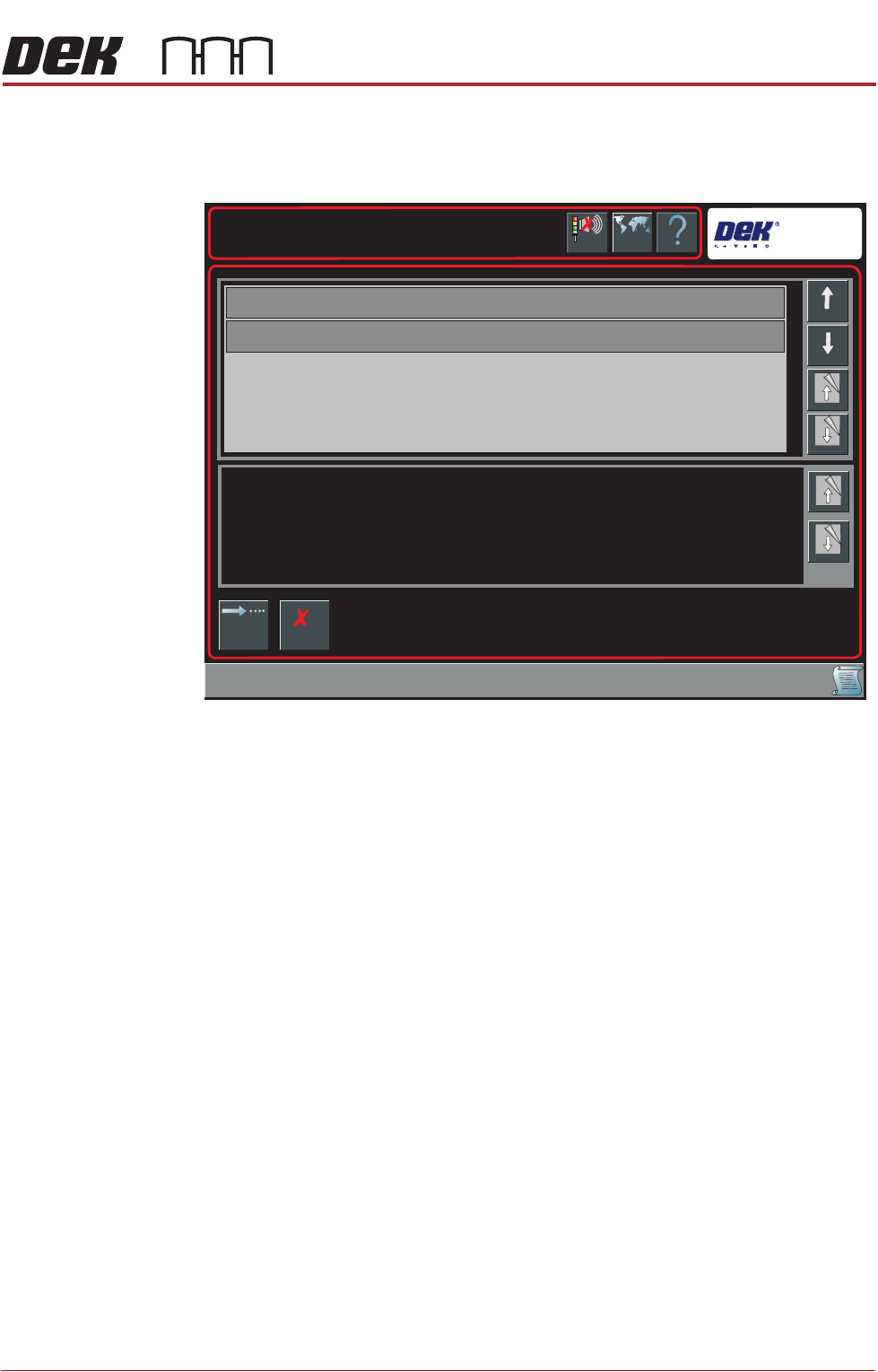
12. Select Exit.
A Board Configuration Error page is displayed when there is a conflict
between the name length and any existing permitted values:
13. Select Continue to save the Barcode configuration,
OR . . .
Select Cancel to reset the Barcode Configuration.
14. Select Back.
15. Select Back.
NOTE
Data stored in the Barcode Configuration.xml is transferable between print-
ers.
Enabling
Verification and
Traceability
This procedure enables the verification and traceability parameters.
1. Select Maintenance.
2. Select Machine Setup.
Help
Barcode Configuration Error
Barcode Configuration Error
Language
Cancel
Buzzer
Cancel
Changing Barcode Configuration has invalidated the items displayed in the table.
Page
Down
Page
Down
Down
Board Identifier
Item Name
Up
Page Up
Page Up
Continue
BARCODE READER AND VERIFICATION AND TRACEABILITY
REPLACEMENT PROCEDURES
32.12 Technical Reference Manual Chapter Issue 10, Feb 17
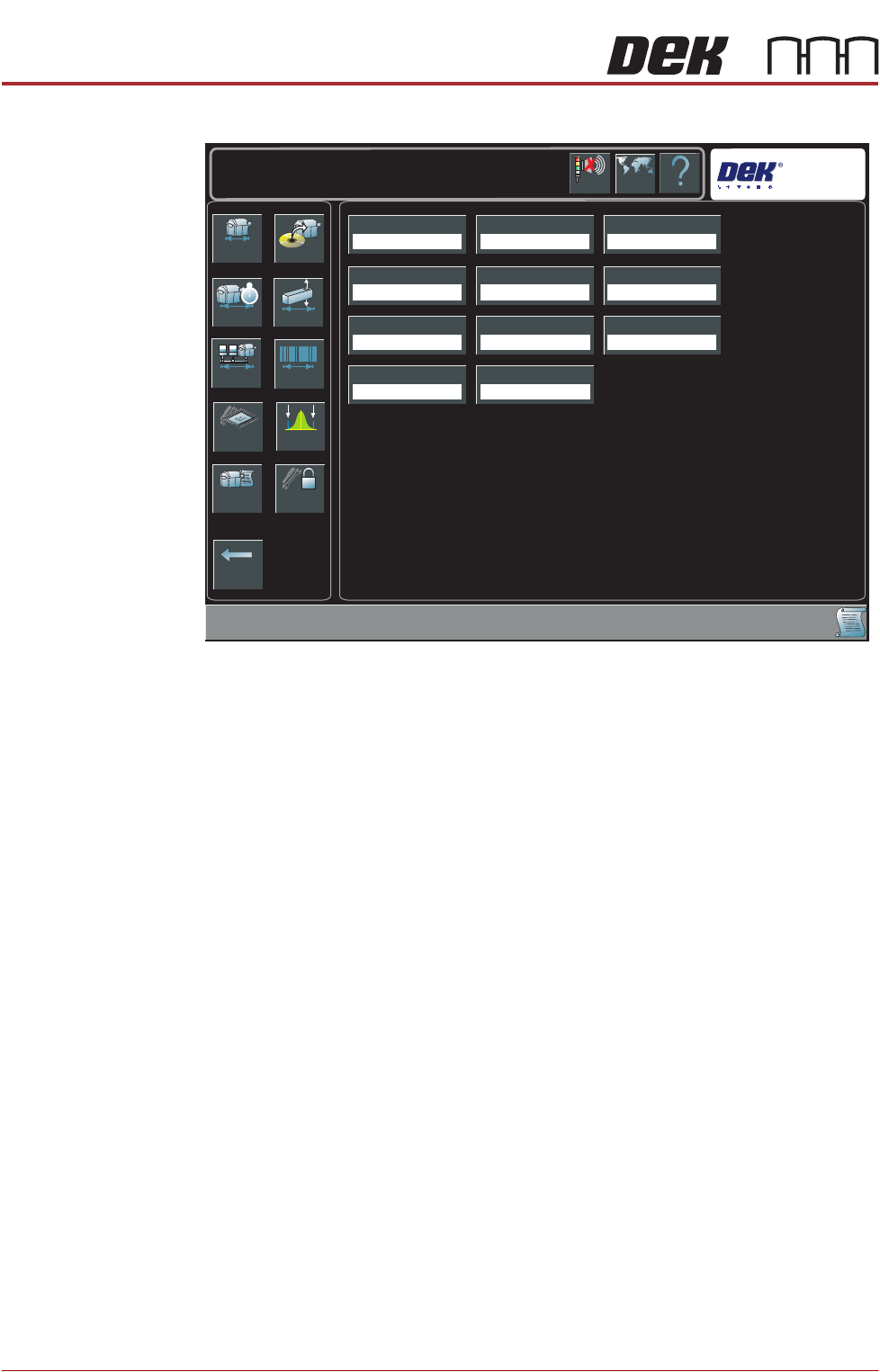
Dependent upon the options available, the following page is displayed:
3. Select Verification.
4. Select Enabled.
5. Select Accept.
6. Select Traceability.
7. Select Enabled.
8. Select Accept.
9. Select Back.
10. Select Back.
Network Replication The traceability file is saved on the hard drive of the PC and may also be
replicated to a network drive, use the following procedure to enable replication:
1. Select Maintenance.
2. Select Machine Setup.
3. Select Network.
Back
Basics Options
Performance Vision
Network Barcodes
Screen SPC Limits
Event Log Passwords
Transport Mode
Left To Right
Printer Mode
Print
Consumable Action
Warn
Tooling Hardware
Plain
Screen Size
Library
Shift Time
8.00 Hours
2D Inspection
Disabled
Hawkeye
Disabled
TTG BTG Estimates
Enabled
Help
Maintenance \ Machine Setup
Language
Cancel
Buzzer
Verification
Disabled
Traceability
Disabled