192277 - Micron Technical Reference Volume 3.pdf - 第202页
BARCODE READER AND VERIFICATION AND TRACEABILITY BARCODE READER SET UP 32.14 Technical Reference Manual Chapter Issue 10, Feb 17 BARCODE READER SET U P For configuring and setting up the barcode reader , contact your loc…
BARCODE READER AND VERIFICATION AND TRACEABILITY
REPLACEMENT PROCEDURES
Chapter Issue 10, Feb 17 Technical Reference Manual 32.13
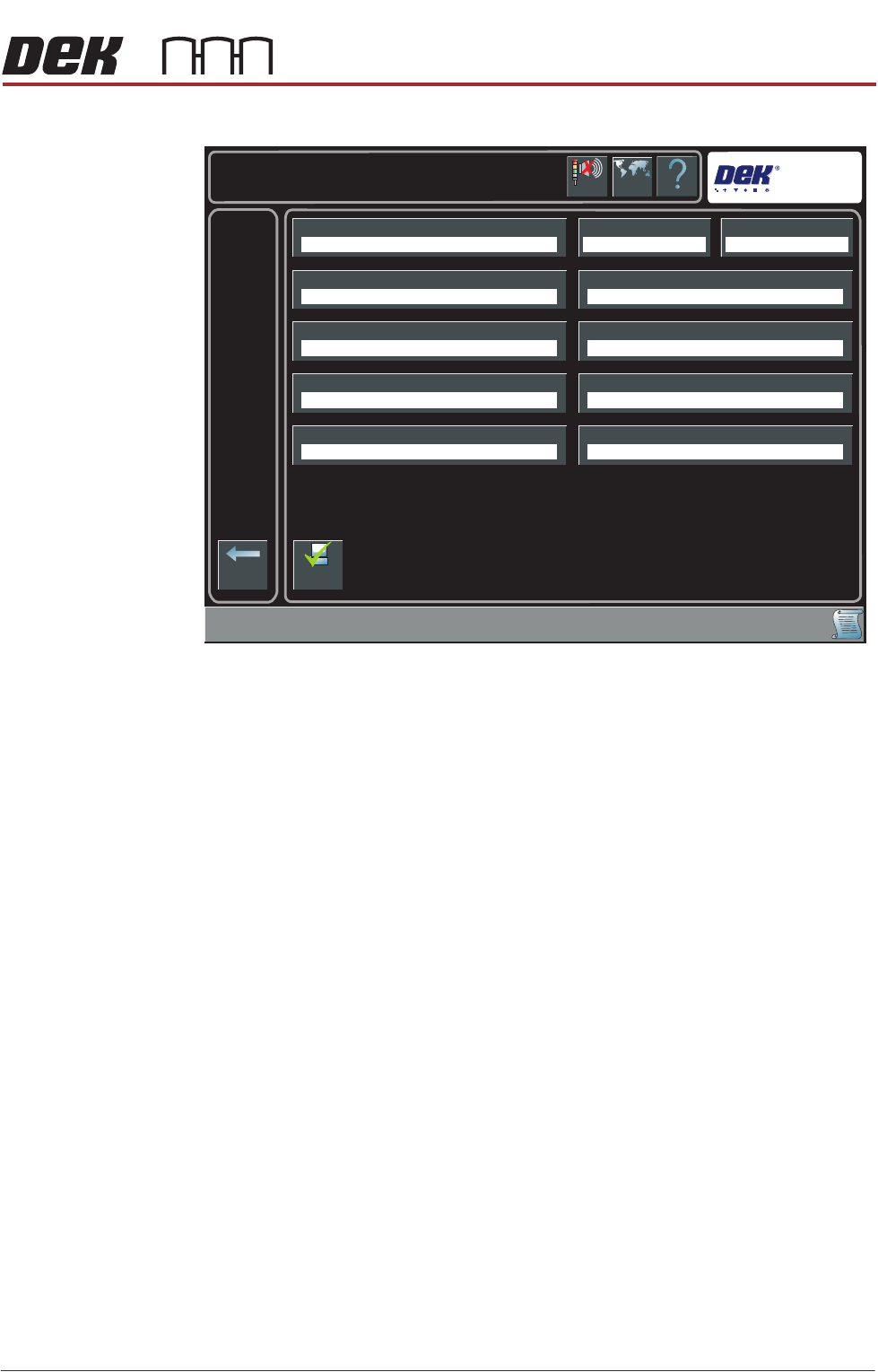
The following page is displayed:
4. Select Traceability Network Output.
5. Select Enabled.
6. Select Accept.
7. Select Traceability Network Drive.
8. Select the drive followed by the directory where the traceability files are to
be stored on the network.
9. Select Accept.
10. Select Back.
11. Select Back.
12. Select Back.
Help
Maintenance \ Machine Setup \ Network
Language
Cancel
Buzzer
Back
Comms ProtocolLocal CopiesMachine Location
Product Directory Data Directory
Remote Product Path
Run With GEM Remote
Traceability Network Drive
Gerber Directory
Remote Data Path
Traceability Network Output
No Comms Disabled
E:\configE:\Product
Disabled
Enable
Comms
BARCODE READER AND VERIFICATION AND TRACEABILITY
BARCODE READER SET UP
32.14 Technical Reference Manual Chapter Issue 10, Feb 17
BARCODE READER SET UP
For configuring and setting up the barcode reader, contact your local customer
support office.
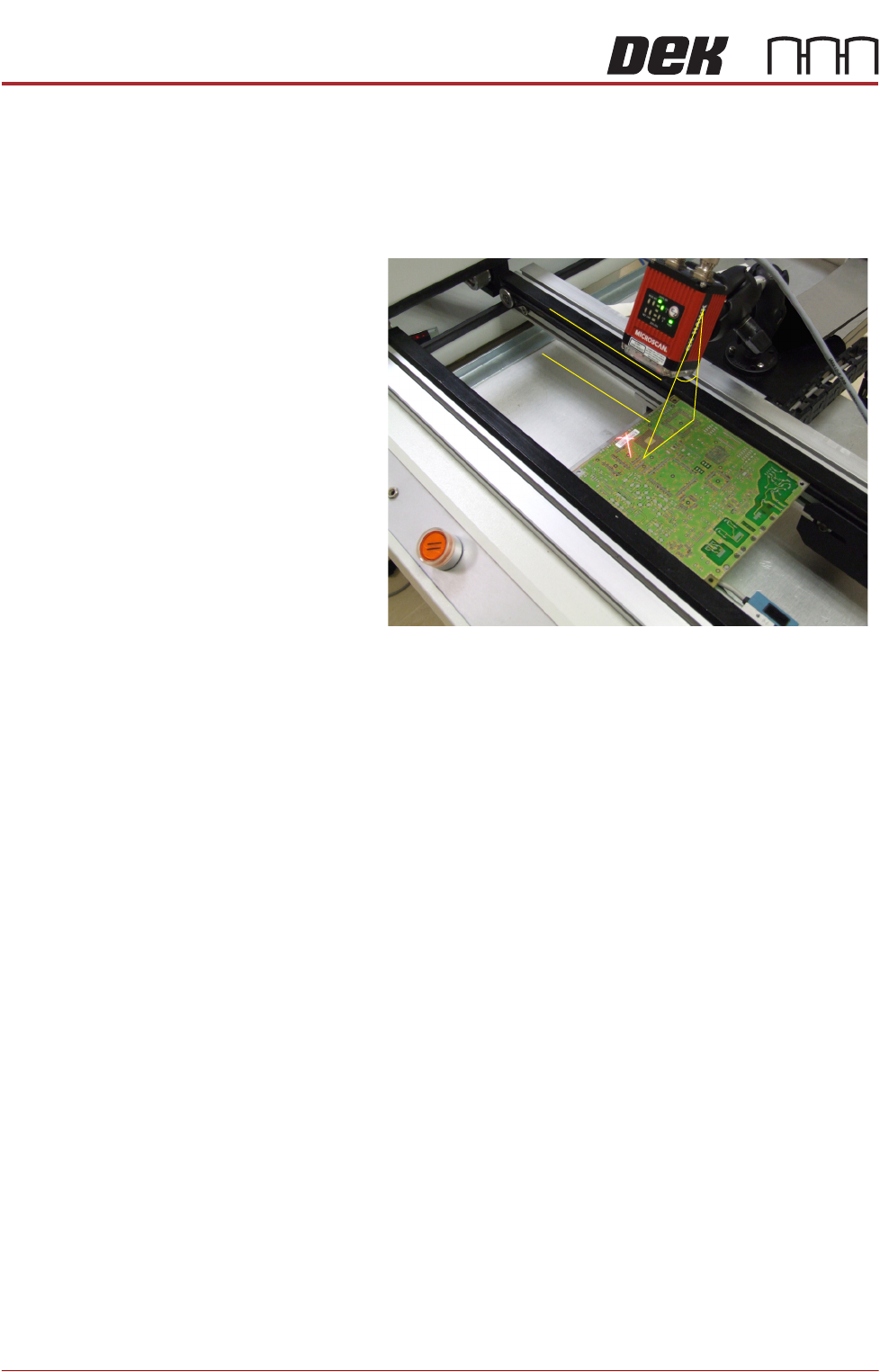
Complex Codes For reading complex codes or where a barcode read is particularly problematic,
it may be necessary to position the reader head with better precision.
The reader angle
from the perpendicular
must be approximately
30 degrees and, parallel
to the plane of the
product.
30
FOREIGN MACHINE INTERFACE
INTRODUCTION
Chapter Issue 5, Aug 14 Technical Reference Manual 33.1
CHAPTER 33 FOREIGN MACHINE INTERFACE
INTRODUCTION The Foreign Machine Interface (FMI) is an electrical means of communication
between the DEK machine and an adjacent machine/conveyor, using electrical
signals. The signals are transferred using opto-couplers and/or solid state
relays which keep the machines electrically isolated.
The DEK machine can interface with many different types of adjacent machine.
The machines utilize a set of timing and control signals (protocols) for commu-
nication with adjacent machines. There are two different types of interface
available for the DEK machine:
• An FMI Pod for SMEMA, Fuji or Panasonic protocols
• A Multi-Interface Unit (MIU) for all other protocols
The FMI Pod and the MIU are supplied with the following cables:
• An FMI loom which connects the FMI port on the machine controller, to the
MIU or FMI Pod
• Two interface cables, one cable for each adjacent machine
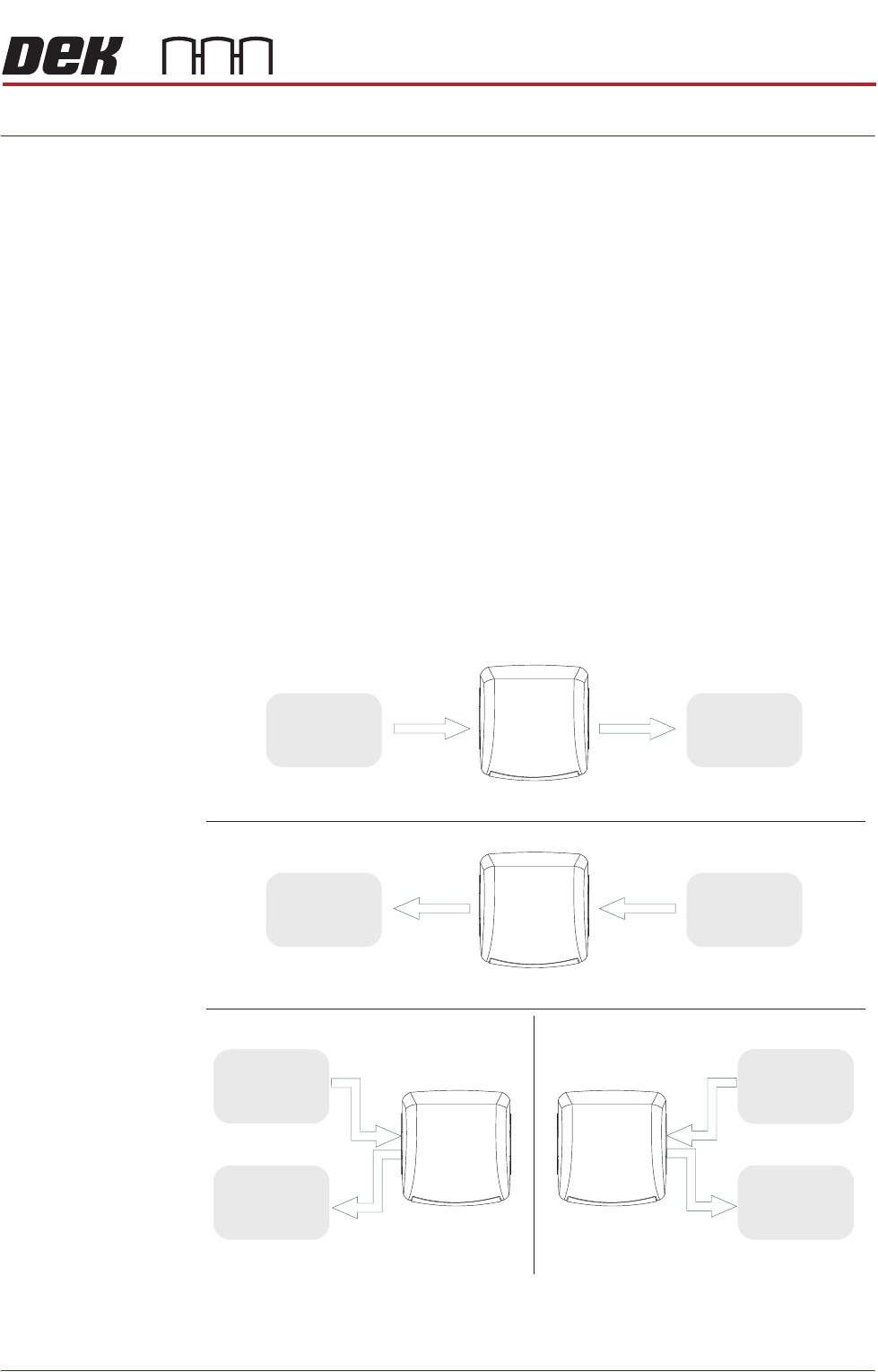
The adjacent machine/conveyor can be in the following configurations:
Figure 33-1 Machine Arrangements for Board Transfers
Left to Right Board Transfers
Right to Left Board Transfers
Upline
Downline
UplineDownline
Left to Left Board Transfers Right to Right Board Transfers
Upline
Downline
Upline
Downline
DEK
Machine
DEK
Machine
DEK
Machine
DEK
Machine
Adjacent
Machine/
Conveyor
Adjacent
Machine/
Conveyor
Adjacent
Machine/
Conveyor
Adjacent
Machine/
Conveyor
Adjacent
Machine/
Conveyor
Adjacent
Machine/
Conveyor
Adjacent
Machine/
Conveyor
Adjacent
Machine/
Conveyor