192277 - Micron Technical Reference Volume 3.pdf - 第246页
MAN MACHINE I NTERFACE OVERVIEW 34.2 Technical Reference Manual Chapter Issue 11, Jan 17 Figure 34-2 T ype 2 Covers Item Descrip tion Item Description 1 T ricolour Beacon 6 USB Connection (behind cover) 2 System Button 7…
MAN MACHINE INTERFACE
OVERVIEW
Chapter Issue 11, Jan 17 Technical Reference Manual 34.1
CHAPTER 34 MAN MACHINE INTERFACE
OVERVIEW
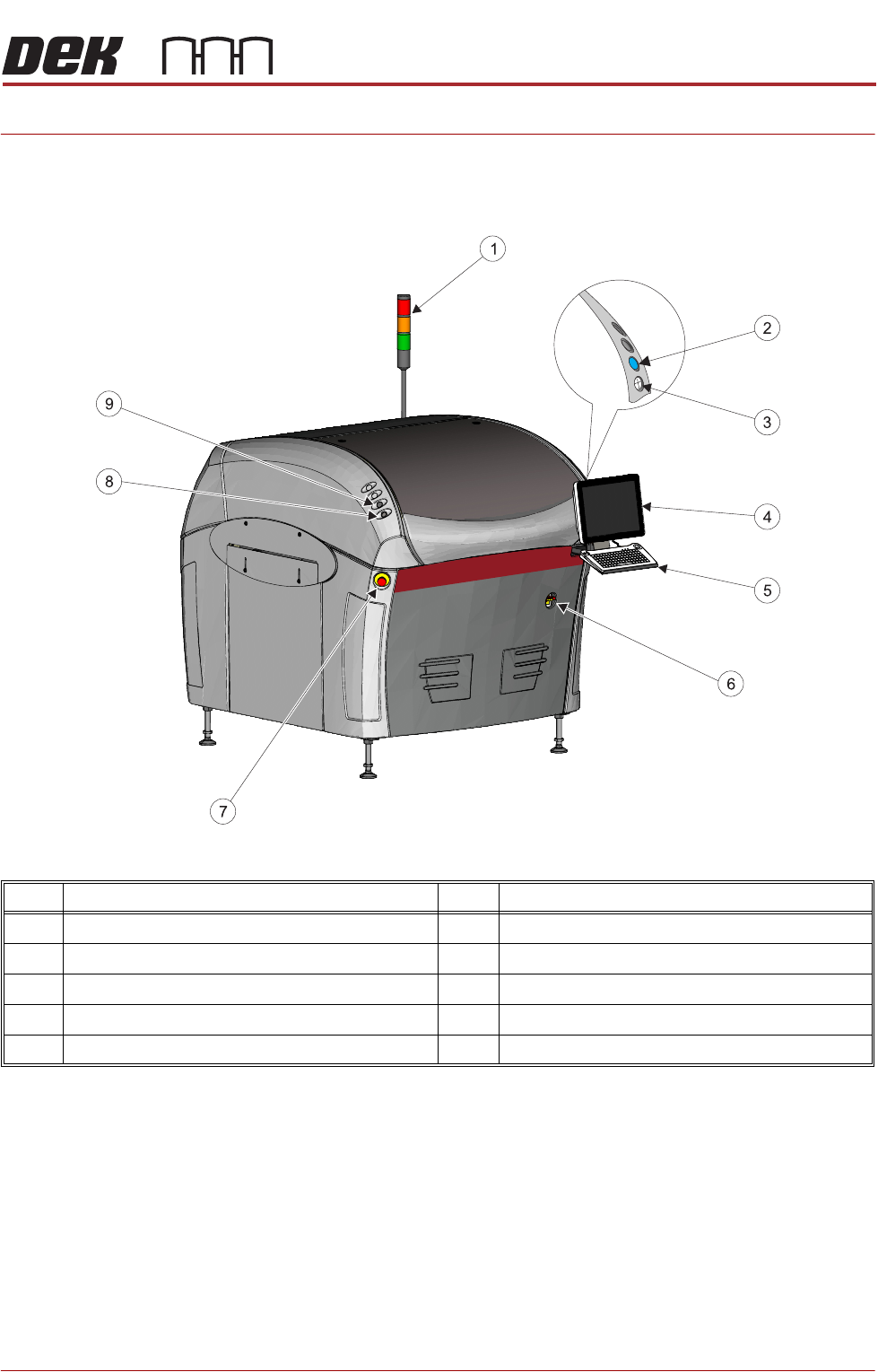
Figure 34-1 Type 1 Covers
Item Description Item Description
1 Tricolour Beacon 6 Mains Isolator Switch
2 System Button 7 E Stop Button
3 Jog Button (Right) 8 Jog Button (Left)
4 Monitor 9 Internal Lighting Switch
5 Keyboard/Trackball Mouse
MAN MACHINE INTERFACE
OVERVIEW
34.2 Technical Reference Manual Chapter Issue 11, Jan 17
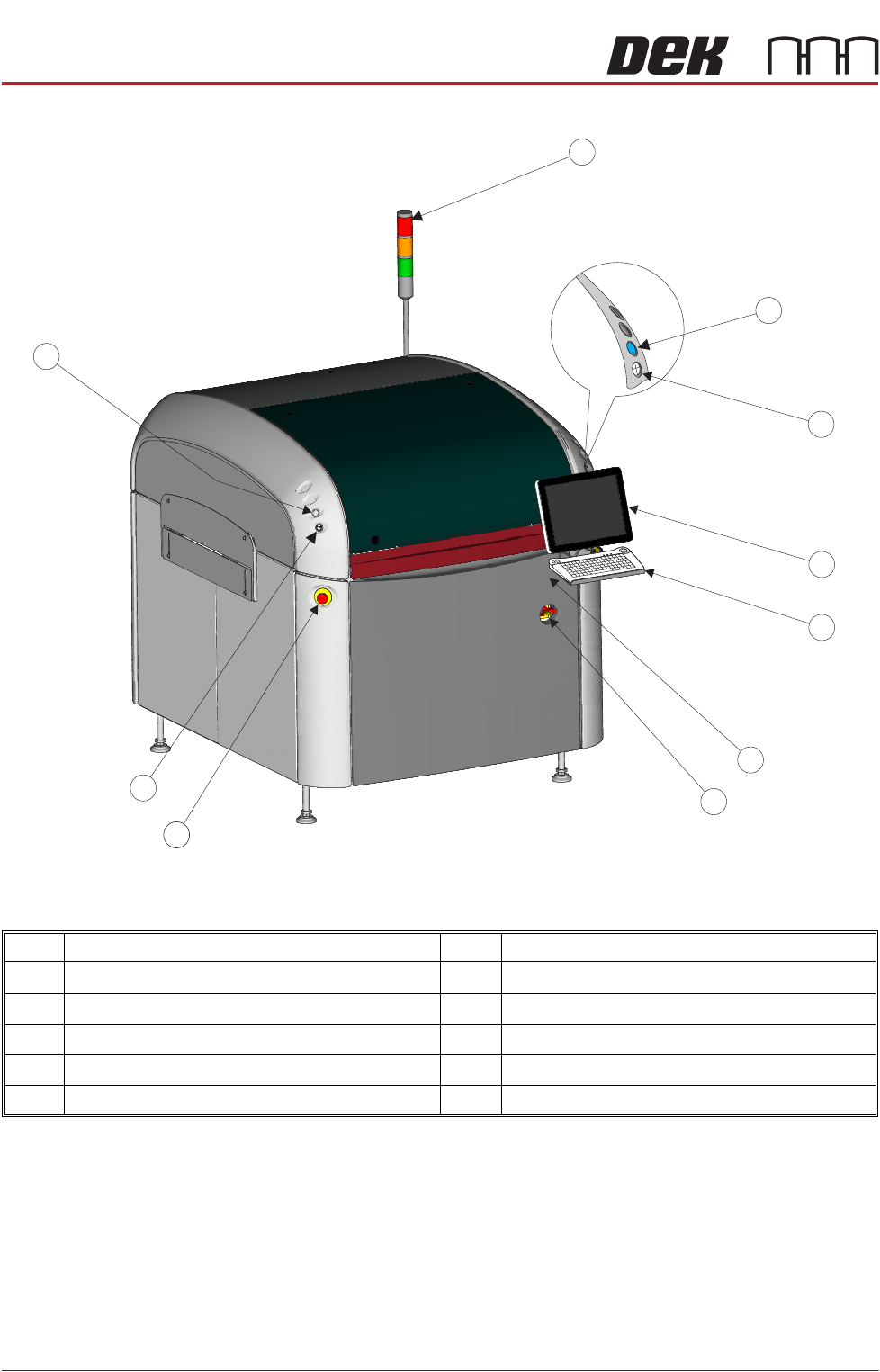
Figure 34-2 Type 2 Covers
Item Description Item Description
1 Tricolour Beacon 6 USB Connection (behind cover)
2 System Button 7 Mains Isolator Switch
3 Jog Button (Right) 8 E Stop Button
4 LCD Colour Monitor 9 Jog Button (Left)
5 Keyboard/Trackball Mouse 10 Internal Lighting Switch
4
5
6
7
10
9
8
1
2
3
MAN MACHINE INTERFACE
OVERVIEW
Chapter Issue 11, Jan 17 Technical Reference Manual 34.3
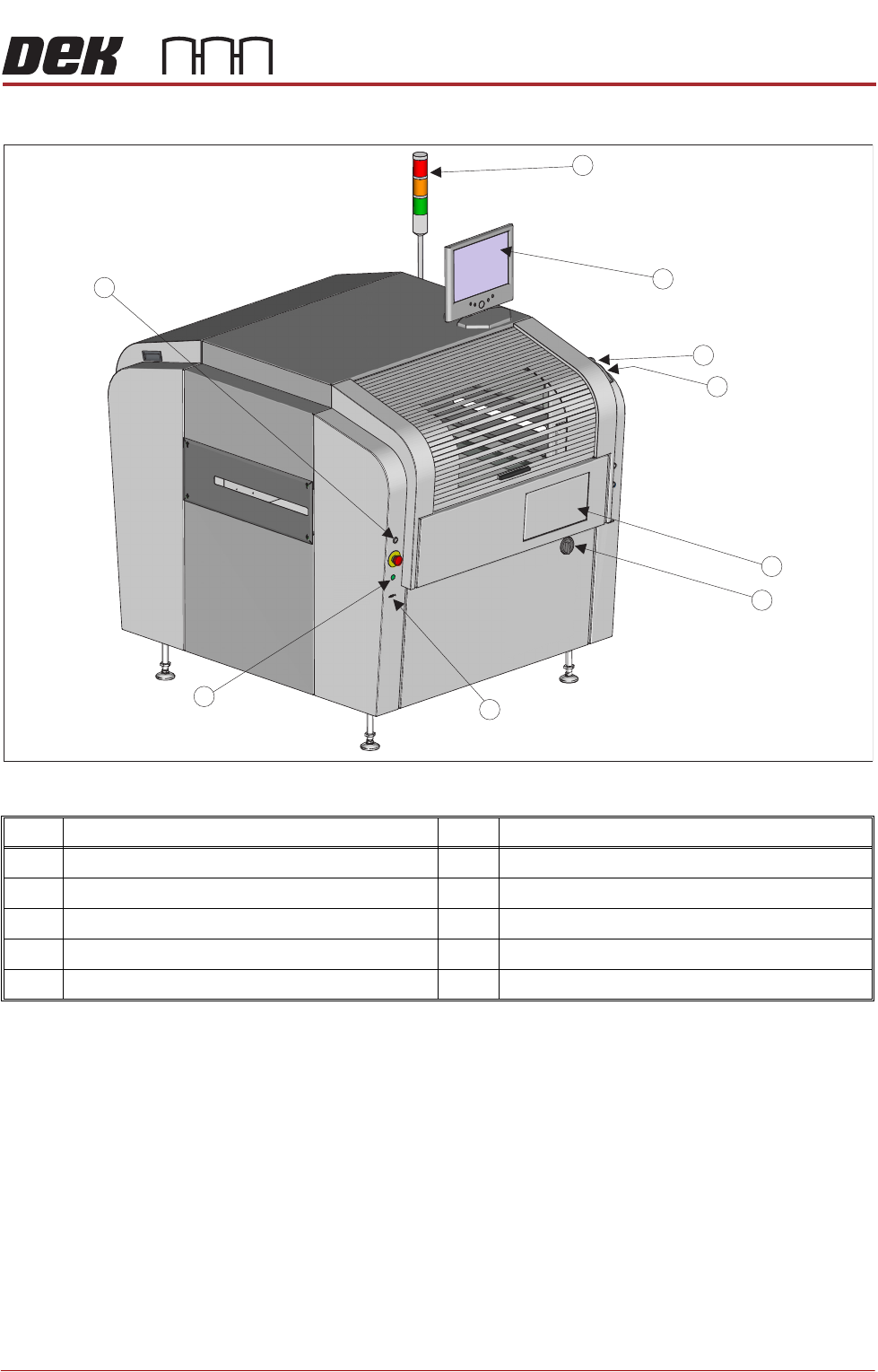
Figure 34-3 Type 3 Covers
Item Description Item Description
1 Tricolour Beacon 6 Mains Isolator Switch
2 LCD Colour Monitor 7 USB Connector (in 2 positions)
3 Jog Button (Right) 8 Internal Lighting Switch
4 System Button 9 Jog Button
5 Keyboard/Mouse (located inside the printer)
1
2
3
4
5
6
8
9
7