192277 - Micron Technical Reference Volume 3.pdf - 第256页
MAN MACHINE I NTERFACE PROGRAMMABLE BEACON 34.12 Technical Reference Manual Chapter Issue 11, Jan 17 The new category pane opens. T ype in the new category name; the create category button remain s greyed out until a uni…
MAN MACHINE INTERFACE
PROGRAMMABLE BEACON
Chapter Issue 11, Jan 17 Technical Reference Manual 34.11
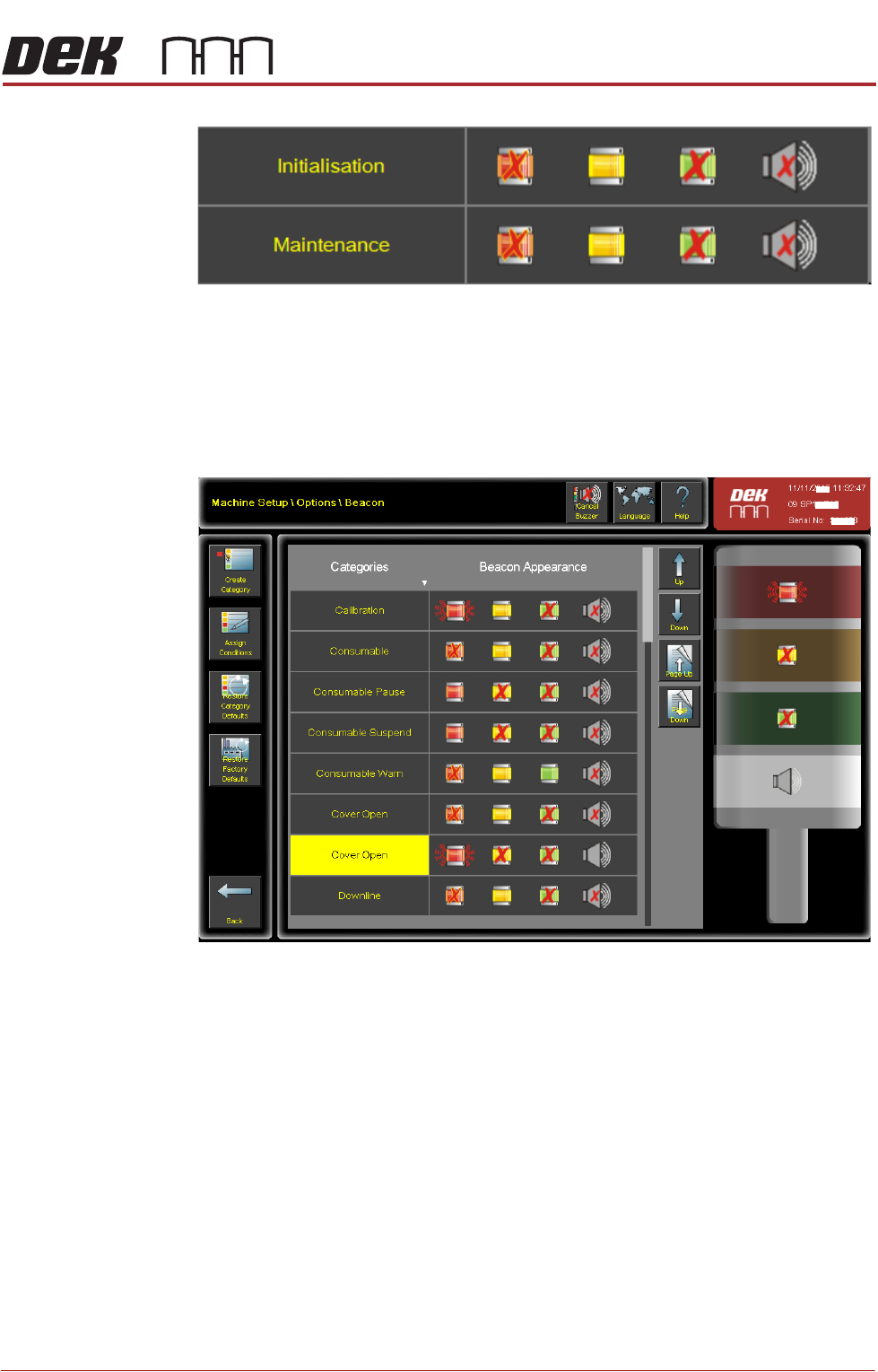
Figure 34-8 Created Category deleted and Factory Set Category
(Maintenance) restored
Beacon Set up Selecting Beacon from the navigation panel to create categories, assign condi-
tions to the categories, restore category default conditions and restore factory
default conditions.
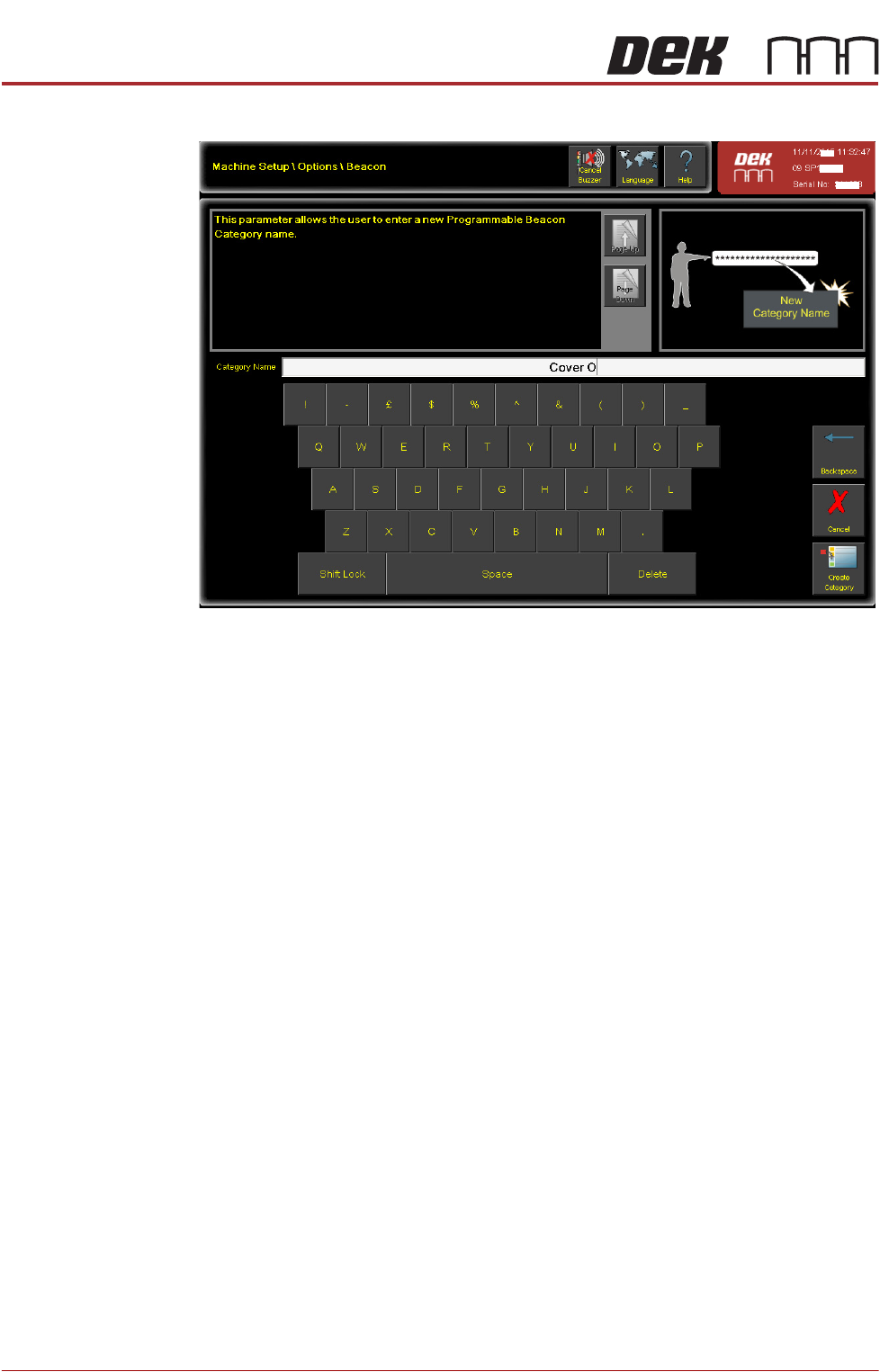
To create a new category, from the navigation panel select Create Category.
MAN MACHINE INTERFACE
PROGRAMMABLE BEACON
34.12 Technical Reference Manual Chapter Issue 11, Jan 17
The new category pane opens.
Type in the new category name; the create category button remains greyed out
until a unique category name is assigned. On completion select Create Cate-
gory.
All new categories are automatically assigned a default status where all indica-
tors are in the OFF state.
MAN MACHINE INTERFACE
PROGRAMMABLE BEACON
Chapter Issue 11, Jan 17 Technical Reference Manual 34.13
Edit Beacon
Attributes
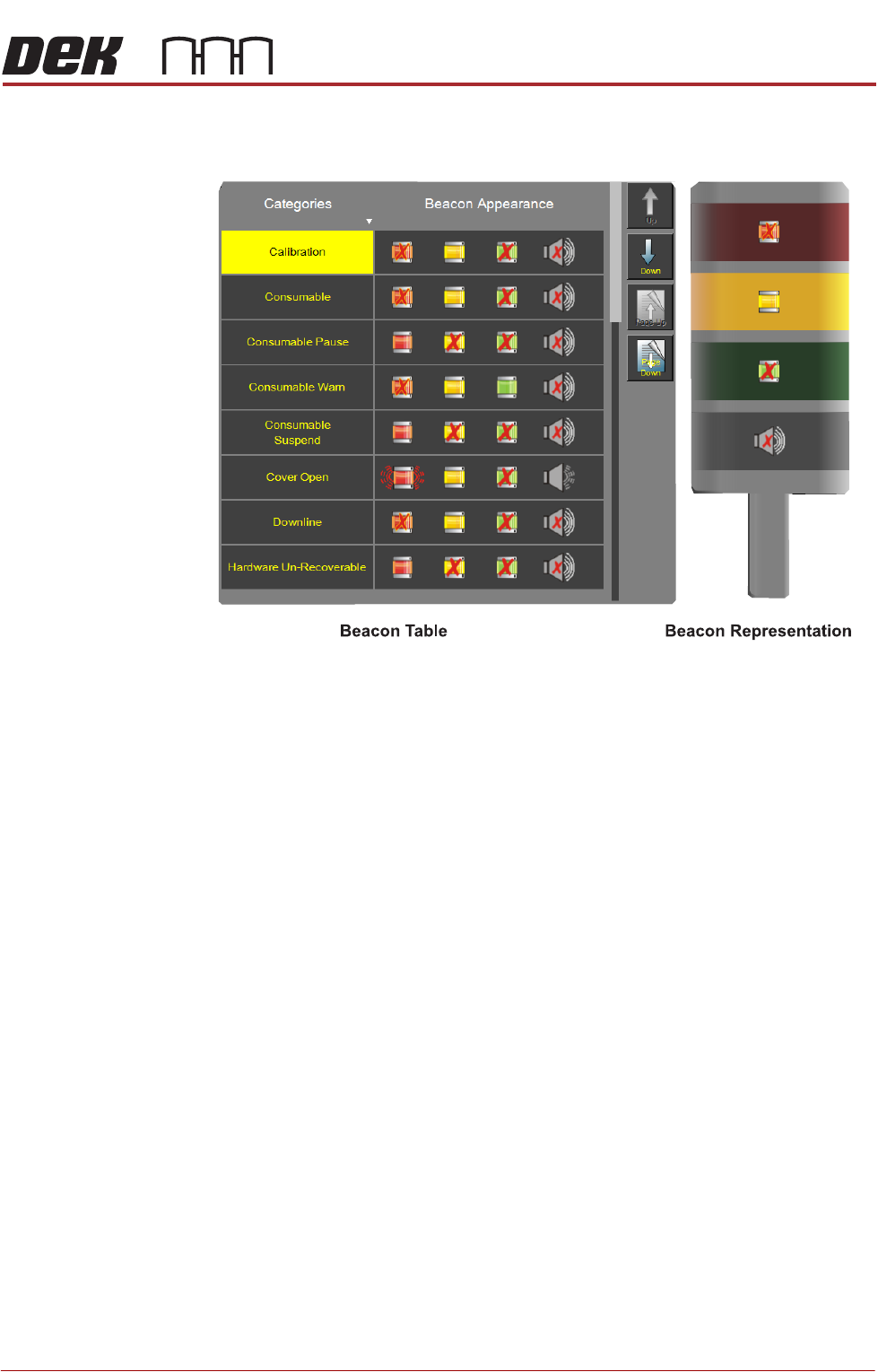
The three lights and the buzzer can be programmed. In each case, they can be
in a steady state, pulsing (shown radiated) or OFF (shown with a red cross).
Select the category from the table followed by the lights or buzzer on the beacon
representation (Calibration is shown selected above). When the indicators are
selected on the beacon representation they can be switched ON, OFF or
Pulsing. In the Open Cover category (table row 6) this has been set up as
follows: Red Indicator pulsing; Yellow indicator ON steady; Green indicator
OFF; Buzzer ON steady.
Select Assign Conditions.
The user can assign conditions to a category; custom categories can be created