192277 - Micron Technical Reference Volume 3.pdf - 第35页
RAPID TRANSIT CONVEYOR (R TC) MODULE ADJUSTMENTS AND SETTINGS Chapter Issue 4, Aug 14 Technical Reference Manual 22.23 Board Ultra-sonic Sensors There are three board sensors: • Board at Left Sensor • Board at Stop Senso…
RAPID TRANSIT CONVEYOR (RTC) MODULE
ADJUSTMENTS AND SETTINGS
22.22 Technical Reference Manual Chapter Issue 4, Aug 14
Rear Conveyor
Alignment
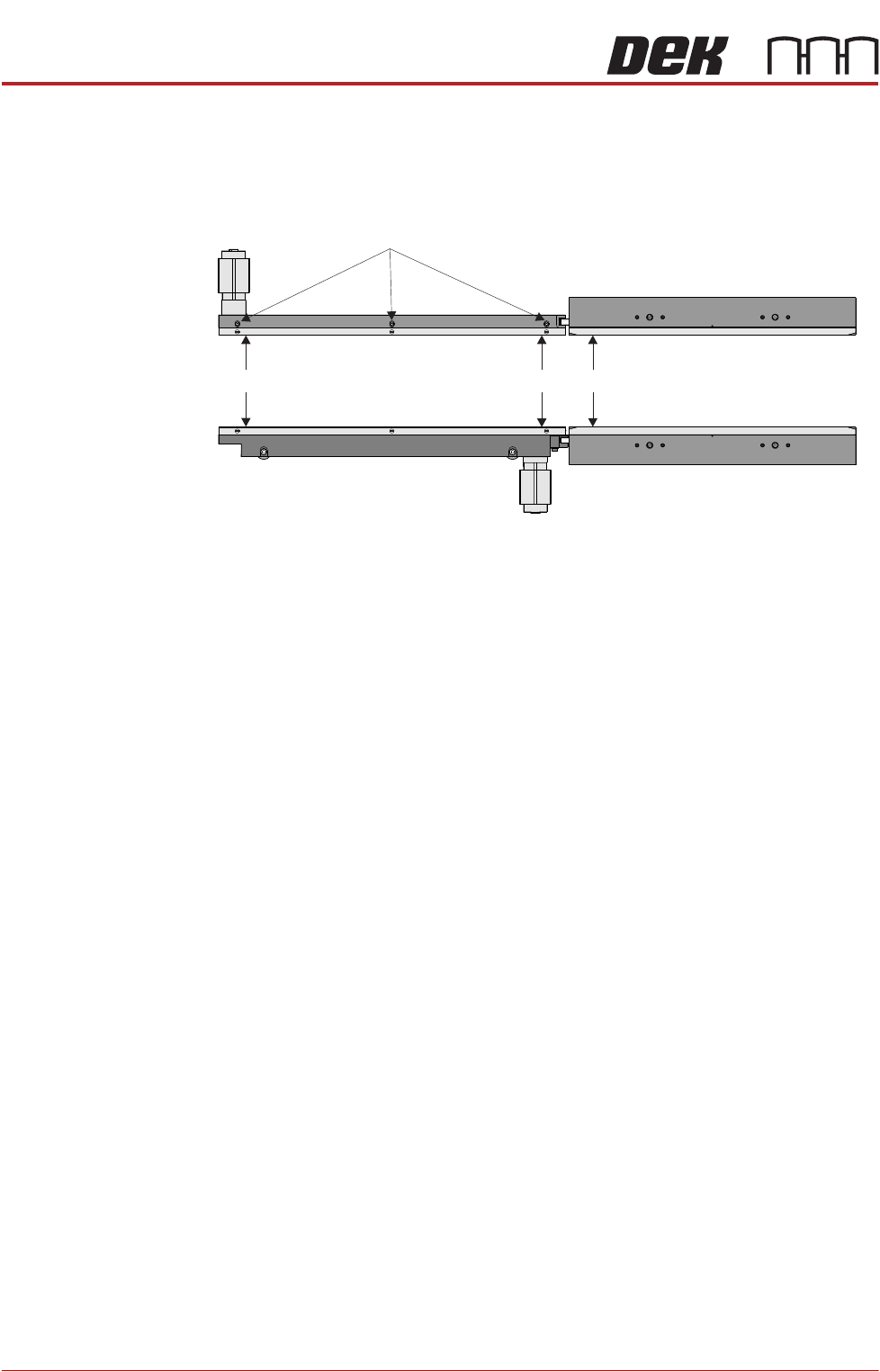
The rear inroad and outroad conveyors taper slightly away from the print station.
Use the following procedure to check and adjust the alignment:
1. Using a vernier above the board support plate, measure the rail width on the
print station (Dimension A).
2. Measure the rail width on the inroad conveyor close to the print station
(Dimension B). Dimension B must be between Dimension A and A plus
0.05mm.
NOTE
Ensure that the measurement is taken from the flat and not the chamfered
end.
3. Measure the rail width on the inroad conveyor close to the end of the inroad
conveyor (Dimension C). Dimension C must be between Dimension B plus
0.10mm and B plus 0.20mm.
NOTE
Ensure that the measurement is taken from the flat and not the chamfered
end.
4. If adjustment is required, loosen the board guide securing screws and adjust
the board guide to achieve the measurements above.
5. Tighten the board guide securing screws.
6. Repeat Steps 1 to 5 for the outroad conveyor.
Rail Lifted Sensor There is no adjustment on the rail lifted sensor or the vane.
Board Guide Securing Screws
C
B
A
RAPID TRANSIT CONVEYOR (RTC) MODULE
ADJUSTMENTS AND SETTINGS
Chapter Issue 4, Aug 14 Technical Reference Manual 22.23
Board Ultra-sonic
Sensors
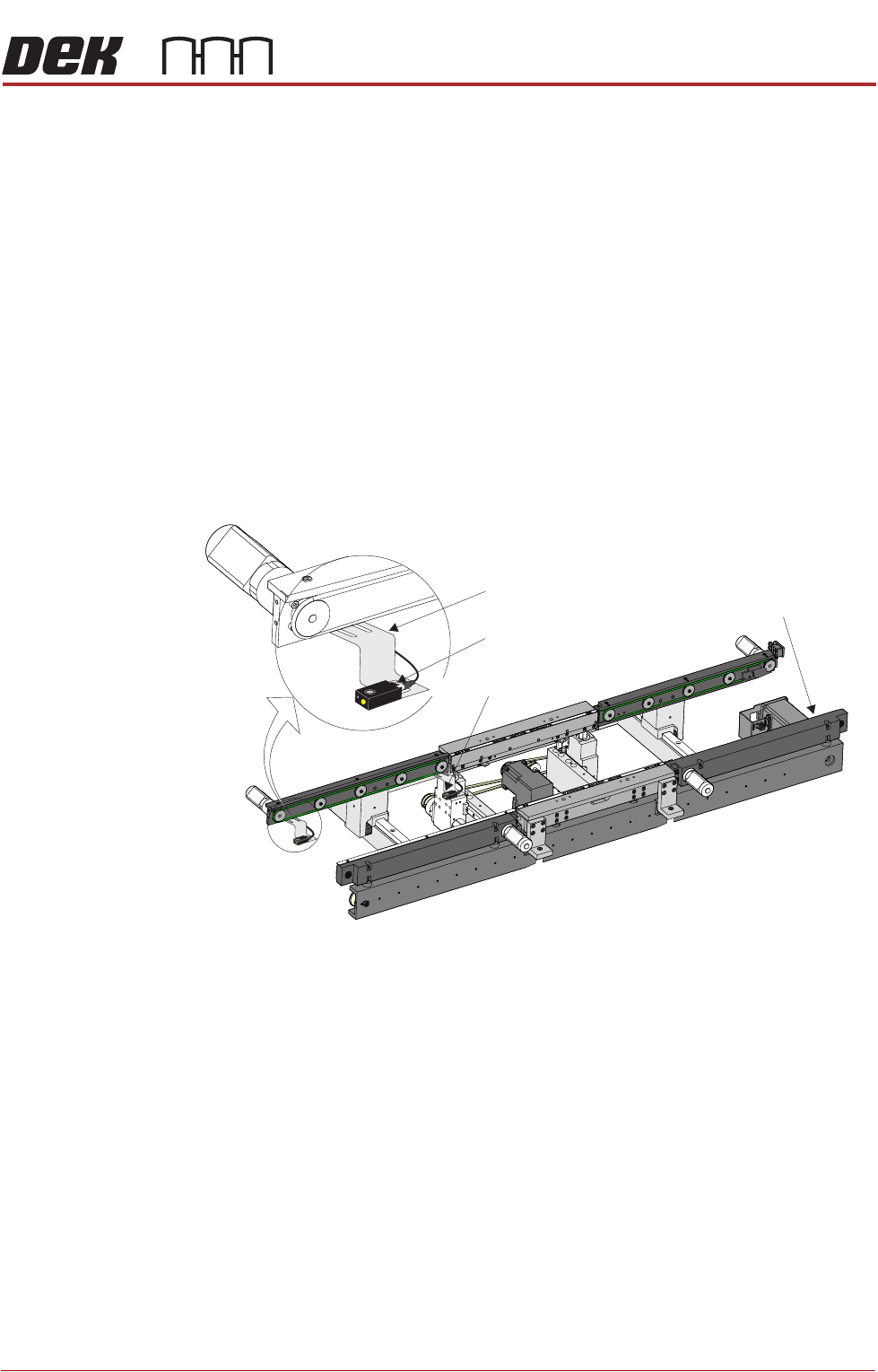
There are three board sensors:
• Board at Left Sensor
• Board at Stop Sensor
• Board at Right Sensor
Positional
Adjustment
The board sensors are adjustable in the X and Y directions to compensate for
any holes or cut-outs on the product board that coincide with the sensor when
the board is in the stopped position.
With the board in the stopped position over the sensor, if the sensor is not
seeing the board due to a hole or cut-out, use the following procedure to adjust
the sensor:
1. Power down the machine.
2. In the X direction; using a 2.5mm Allen key, loosen the two bolts that secure
the sensor to the bracket.
3. Move the sensor to the required position.
4. Tighten the two bolts that secure the sensor to the bracket.
5. In the Y direction; using a 2.5mm Allen key, loosen the two bolts that secure
the sensor bracket to the rails.
6. Move the sensor to the required position.
7. Tighten the two bolts that secure the sensor bracket to the rails.
8. Power up the machine and check for correct operation of the sensor.
View on Front of RTC System
Board at Right Sensor
Board at Left Sensor
Sensor Bracket
Board at Stop Sensor
RAPID TRANSIT CONVEYOR (RTC) MODULE
ADJUSTMENTS AND SETTINGS
22.24 Technical Reference Manual Chapter Issue 4, Aug 14
Sensitivity
Adjustment
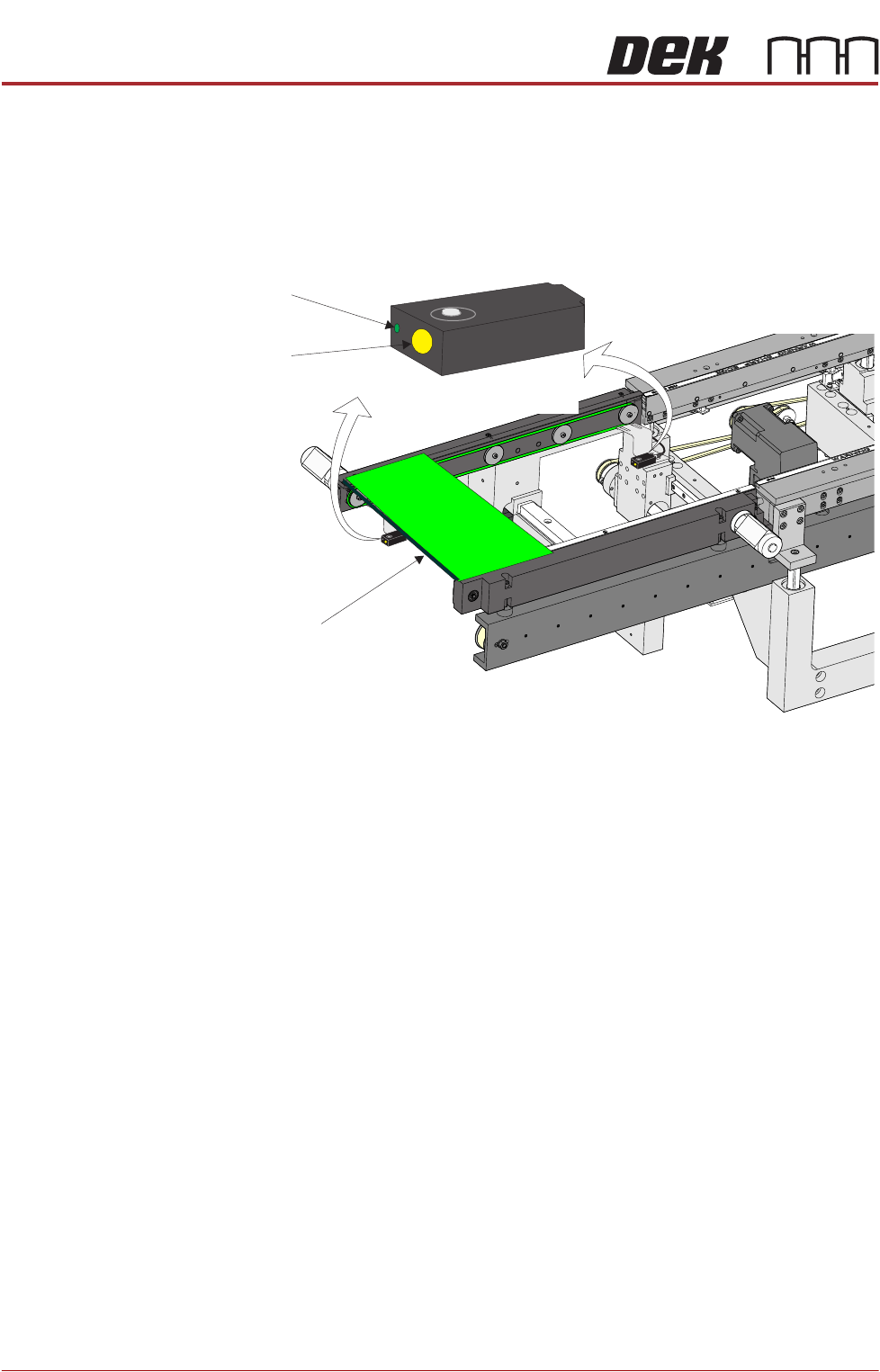
The sensitivity setting of the sensors is critical as it is important that the sensor
is only activated by the board and not machine parts.
To achieve an optimum setting carry out the following procedure:
1. Press the yellow Set button on the sensor for approximately two seconds.
The green LED comes On.
2. Place a board on the rails above the belts.
3. Press the yellow Set button again. The green LED comes On again.
4. Remove the board from the rails and confirm that the green LED is Off.
5. Place the board on the belts and above the sensor. The green LED should
be On. Remove the board and place it back on top of the rail as in Step 2.
The green LED should be Off. This confirms that the sensor is correctly set.
NOTE
If the sensor fails to set correctly it may need to be reset. Disconnect the power
from the sensor by unscrewing the plug at the back. Reconnect the plug and
press Set for approximately ten seconds; the LED flashes rapidly. The sensor
is now reset and the procedure above can be followed to set the sensitivity.
View on Inroad Conveyor of RTC System
Set Button
LED
Board
Set
Sensor
(also at outroad conveyor)