192277 - Micron Technical Reference Volume 3.pdf - 第49页
CAMERA SYSTE M MODULE ADJUSTMENTS AND SETTINGS Chapter Issue 9, Feb 18 Technical Reference Manual 23.7 9. Select Maintenance . 10. Select Diagnostics . 11 . U s e Next or Previous to highlig ht Rail System . 12. Select S…
CAMERA SYSTEM MODULE
ADJUSTMENTS AND SETTINGS
23.6 Technical Reference Manual Chapter Issue 9, Feb 18
ADJUSTMENTS AND SETTINGS
X Camera Home
Positioning
The position of the sensor and vane is fixed, therefore no adjustment is
possible.
Y Camera Home
Positioning
The position of the sensor and vane is fixed, therefore no adjustment is
possible.
X Axis Parallelism
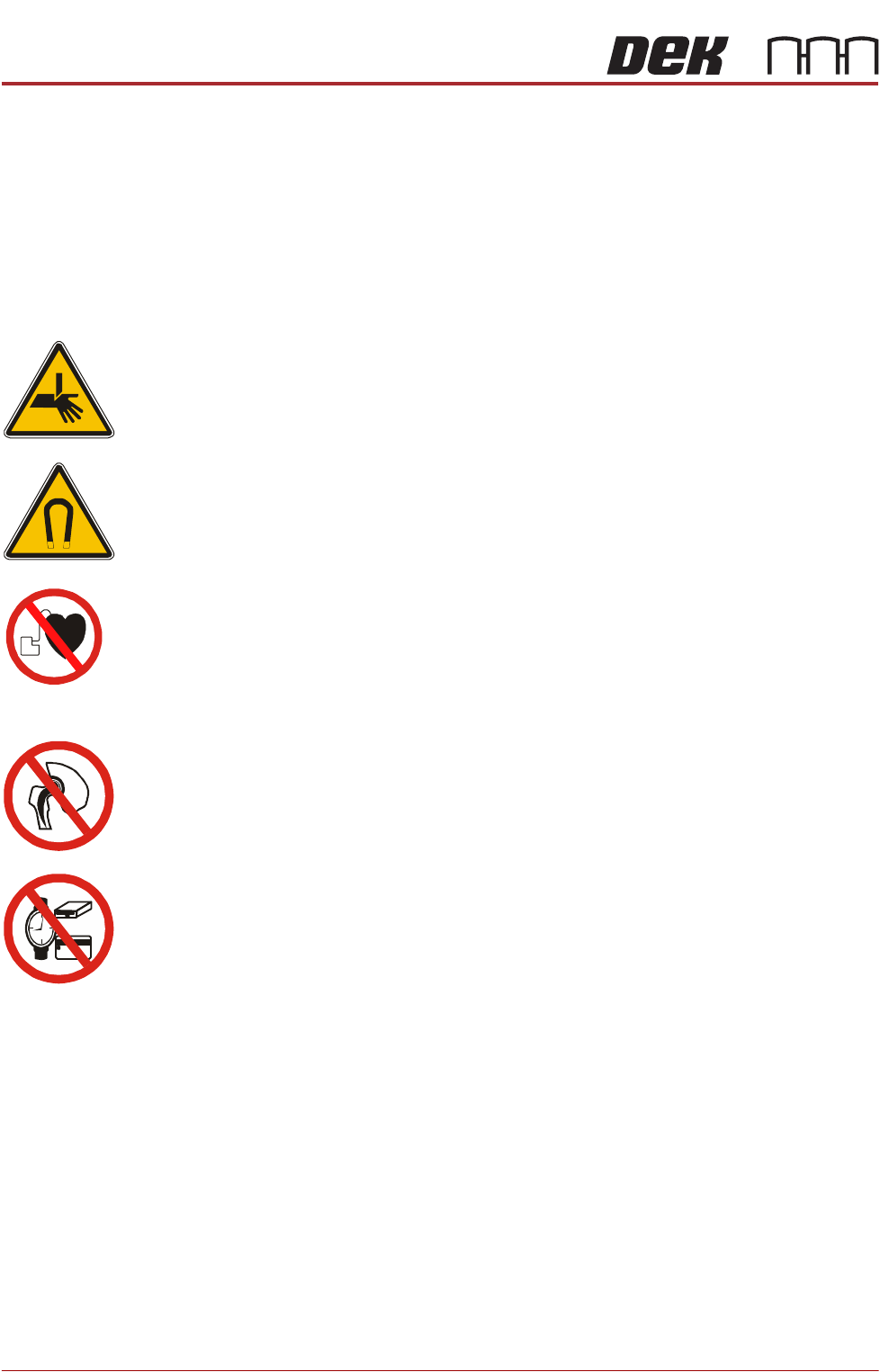
WARNING
BOARD CLAMPS. EXTREME CARE MUST BE EXERCISED WHEN WORKING IN
THE TOOLING AREA OF THE MACHINE TO AVOID INJURY. THE FOILS ON THE
FRONT AND REAR BOARD CLAMPS ARE VERY SHARP.
WARNING
STRONG MAGNET FIELD. A STRONG MAGNETIC FIELD EXISTS IN THE
VICINITY OF THIS LABEL. THIS MAY PRESENT A HAZARD TO PERSONNEL OR
EQUIPMENT.
))
((
PROHIBITION
ELECTROMAGNETIC FIELD. AN ELECTROMAGNETIC FIELD EXISTS WITHIN
THE MACHINE FROM THE LINEAR MOTORS. THESE MAY PRESENT A HAZARD
TO PEOPLE FITTED WITH AN IMPLANTED CARDIAC DEVICE. THE MOTOR
MANUFACTURER RECOMMENDS A SAFE DISTANCE OF AT LEAST 15MM.
PROHIBITION
ELECTROMAGNETIC FIELD. AN ELECTROMAGNETIC FIELD EXISTS WITHIN
THE MACHINE FROM THE LINEAR MOTORS. THESE MAY PRESENT A HAZARD
TO PEOPLE FITTED WITH AN IMPLANTED CARDIAC DEVICE. THE MOTOR
MANUFACTURER RECOMMENDS A SAFE DISTANCE OF AT LEAST 15MM.
PROHIBITION
STRONG MAGNETIC FIELD. A STRONG MAGNETIC FIELD EXISTS IN THE
VICINITY OF THE LINEAR MOTORS THAT REPRESENT A SERIOUS HAZARD TO
PEOPLE FITTED WITH METALLIC IMPLANTS.
PROHIBITION
STRONG MAGNETIC FIELD. A STRONG MAGNETIC FIELD EXISTS IN THE
VICINITY OF THE LINEAR MOTORS THAT MAY ACT UPON FERROUS OBJECTS
WHOSE MOVEMENTS COULD LEAD TO PERSONAL INJURY AND/OR DAMAGE
TO THE MACHINE.
NOTE
The X axis parallelism is factory set and shouldn’t normally need to be adjusted.
1. Select Open Cover Commands.
2. Select Carriage To Rear.
3. Select Unload Screen.
4. Open the front printhead cover.
5. Remove the stencil from the machine.
6. Close the front printhead cover.
7. Press the System button.
8. Select Back.
CAMERA SYSTEM MODULE
ADJUSTMENTS AND SETTINGS
Chapter Issue 9, Feb 18 Technical Reference Manual 23.7
9. Select Maintenance.
10. Select Diagnostics.
11. Use Next or Previous to highlight Rail System.
12. Select Select Module.
13. Ensure that Home Rail Width is highlighted.
14. Select Run Diagnost.
15. Select Exit.
16. Use Next or Previous to highlight Rising Table.
17. Select Select Module.
18. Use Next or Previous to highlight Raise Table to Vision Height.
19. Select Run Diagnost.
20. Select Exit.
21. Use Next or Previous to highlight Rail System.
22. Select Select Module. The board clamps are released.
23. Open the front printhead cover.
24. Remove any tooling from the manual tooling plate.
25. Remove the board clamp from the front transport rail, Board Clamp
Replacement - Replacement Procedures section of the Transport Rails
Module chapter refers.
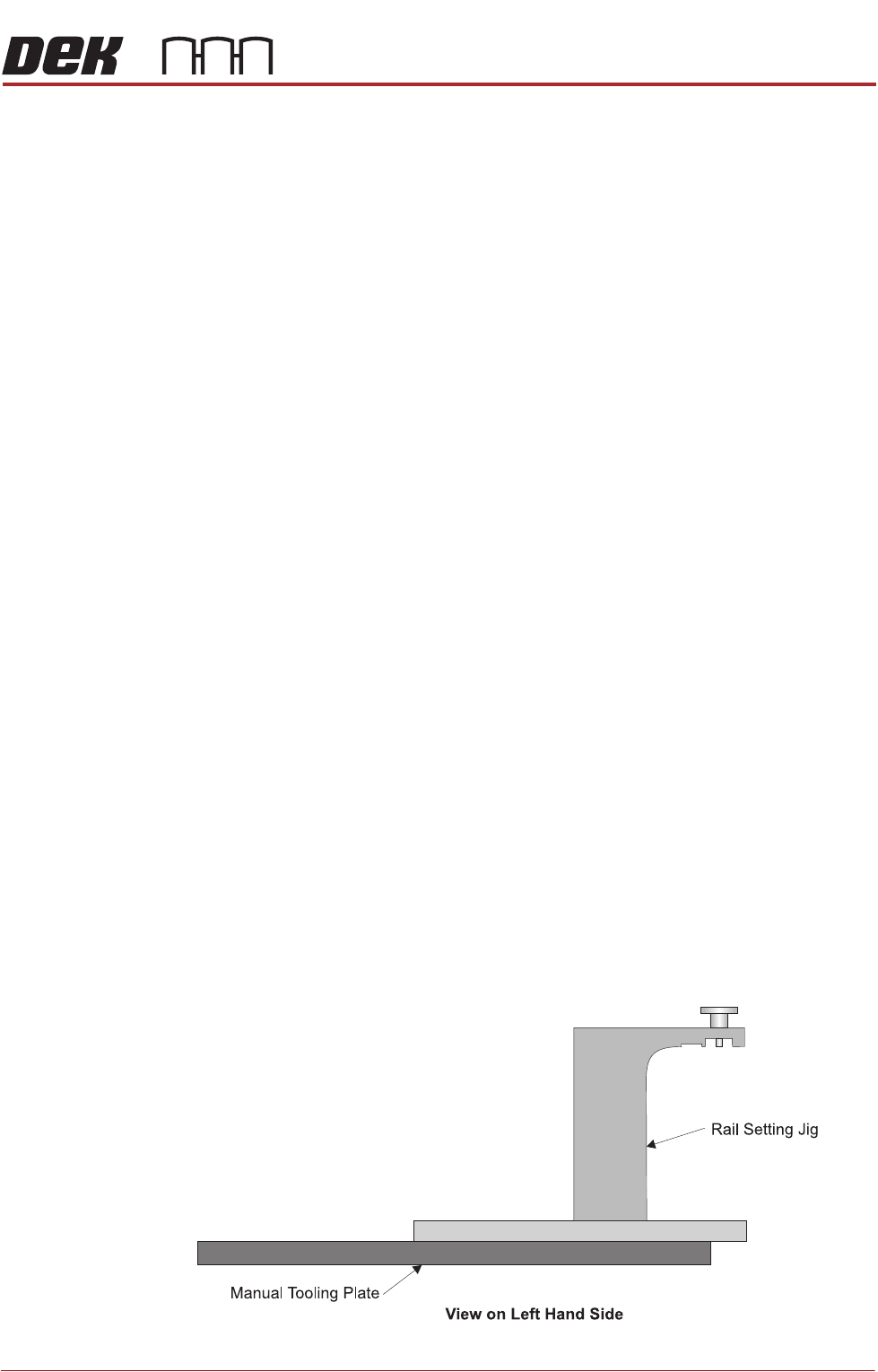
26. There are two versions of the rail setting jig (Part No. 191156) and they are
labelled:
• Standard Rails (round belts)
• Heavy Board Rails (flat belts)
27. Confirm which type of rails are fitted to the machine and select the appropri-
ate rail setting jig.
28. Place the jig on the manual tooling plate ensuring that the location pins on
the underside of the jig are located in the holes on the manual tooling plate.
Check there is no gap using a 0.05mm feeler gauge.
CAMERA SYSTEM MODULE
ADJUSTMENTS AND SETTINGS
23.8 Technical Reference Manual Chapter Issue 9, Feb 18
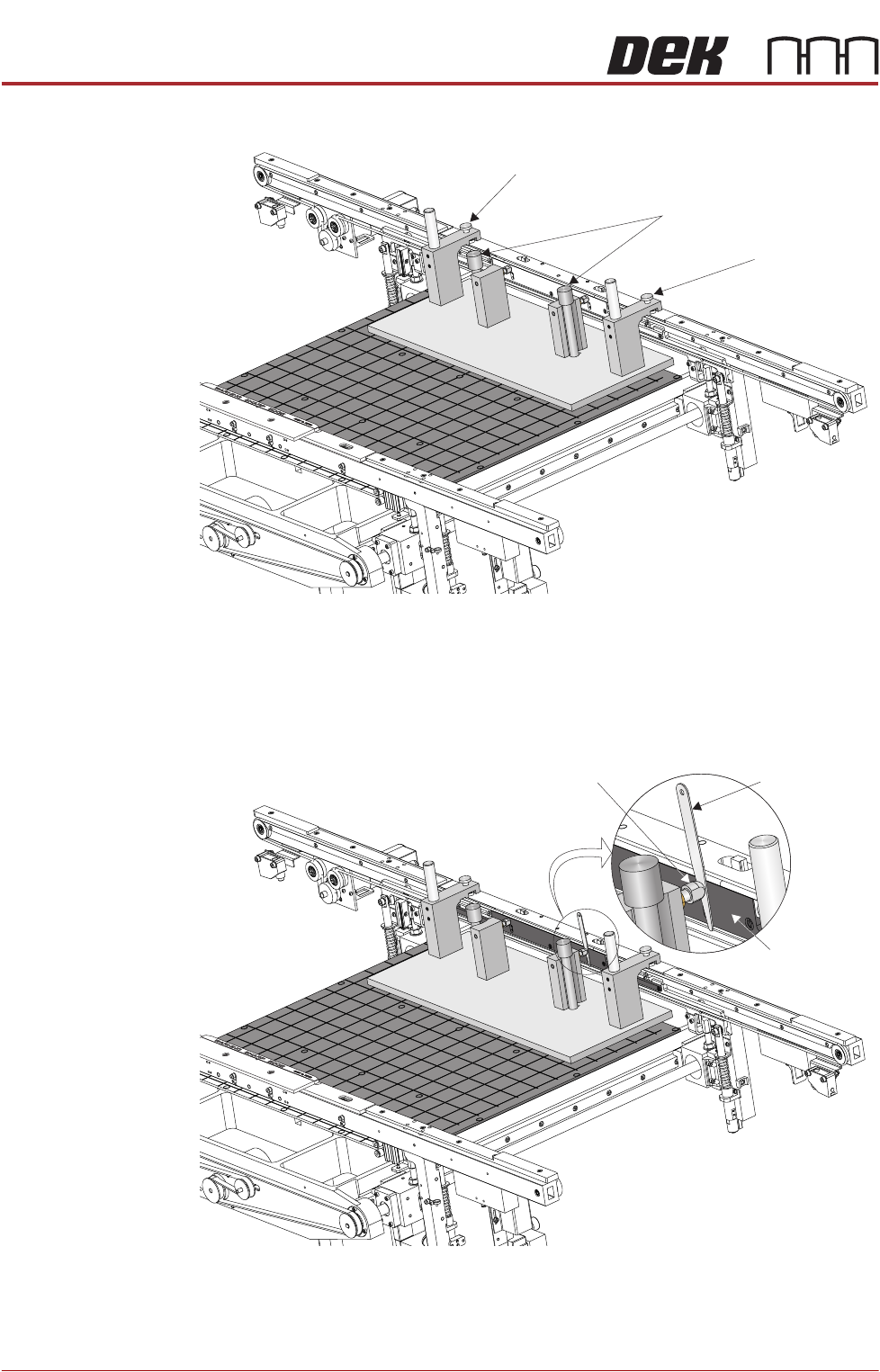
29. Secure the jig to the front rail using the two jig to rail thumbscrews.
30. Secure the jig to the rising table using the two jig to table thumbscrews.
31. Check that the location pins are up against the front edge of the manual
tooling plate using a 0.05mm feeler gauge, as in Step 28.
32. Using feeler gauges check that the gap between both alignment pads and
the belt support plate of the front rail is 0.25mm ±0.05mm.
33. If adjustment is necessary refer to the Transport Rails Module chapter -
Adjustments and Settings - Front Rail Parallelism.
View on Rear of Transport Rails
Jig to Table Thumbscrews
Jig to Rail Thumbscrew
Jig to Rail Thumbscrew
Feeler Gauge
Alignment
Pad
Belt Support
Plate
View on Rear of Transport Rails