192277 - Micron Technical Reference Volume 3.pdf - 第50页
CAMERA SYSTEM MODULE ADJUSTMENTS AND SETTINGS 23.8 Technical Reference Manual Chapter Issue 9, Feb 18 29. Secure the jig to the fron t rail using the two jig to rail thumbscre ws. 30. Secure the jig to the risin g table …
CAMERA SYSTEM MODULE
ADJUSTMENTS AND SETTINGS
Chapter Issue 9, Feb 18 Technical Reference Manual 23.7
9. Select Maintenance.
10. Select Diagnostics.
11. Use Next or Previous to highlight Rail System.
12. Select Select Module.
13. Ensure that Home Rail Width is highlighted.
14. Select Run Diagnost.
15. Select Exit.
16. Use Next or Previous to highlight Rising Table.
17. Select Select Module.
18. Use Next or Previous to highlight Raise Table to Vision Height.
19. Select Run Diagnost.
20. Select Exit.
21. Use Next or Previous to highlight Rail System.
22. Select Select Module. The board clamps are released.
23. Open the front printhead cover.
24. Remove any tooling from the manual tooling plate.
25. Remove the board clamp from the front transport rail, Board Clamp
Replacement - Replacement Procedures section of the Transport Rails
Module chapter refers.
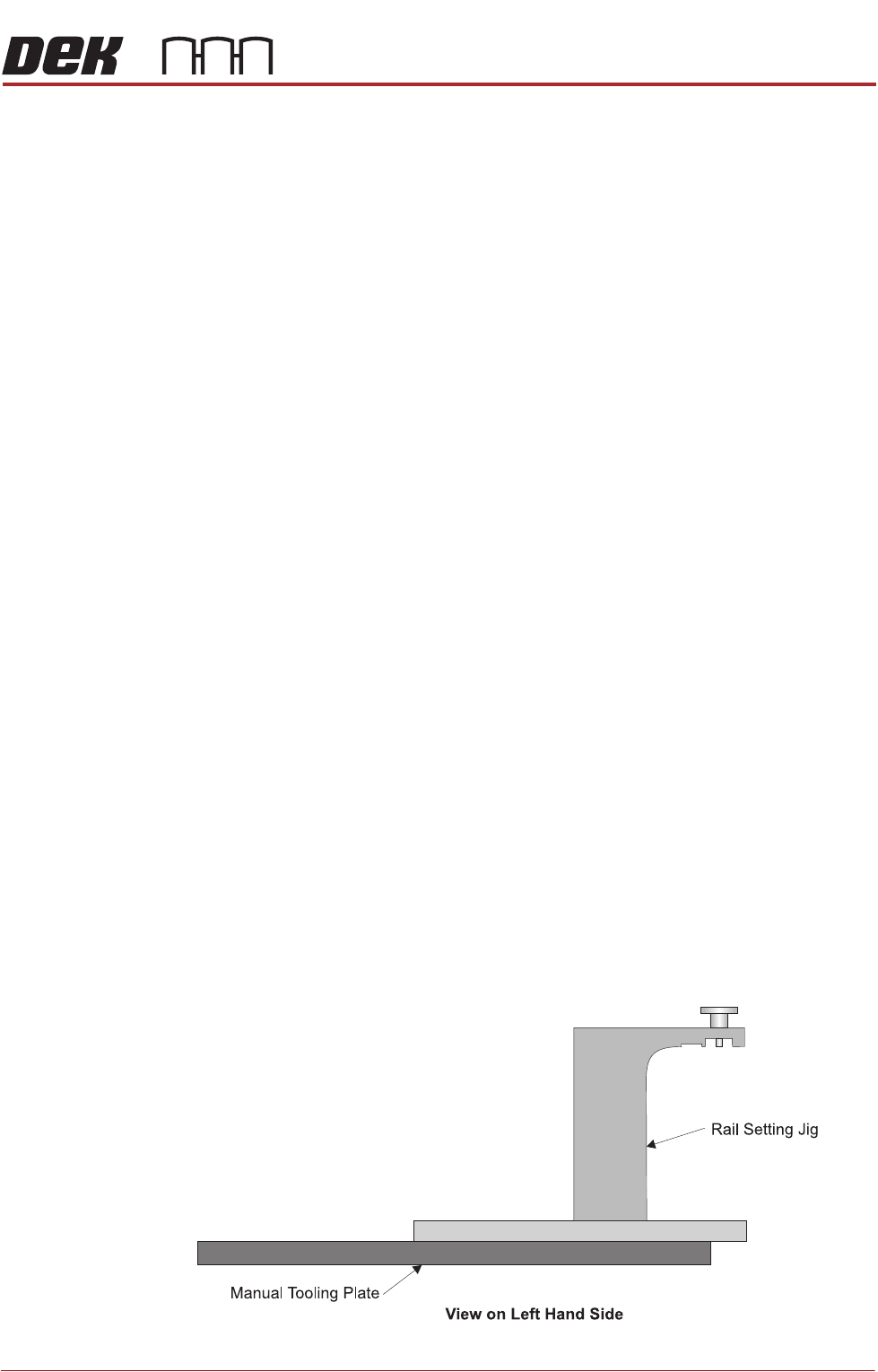
26. There are two versions of the rail setting jig (Part No. 191156) and they are
labelled:
• Standard Rails (round belts)
• Heavy Board Rails (flat belts)
27. Confirm which type of rails are fitted to the machine and select the appropri-
ate rail setting jig.
28. Place the jig on the manual tooling plate ensuring that the location pins on
the underside of the jig are located in the holes on the manual tooling plate.
Check there is no gap using a 0.05mm feeler gauge.
CAMERA SYSTEM MODULE
ADJUSTMENTS AND SETTINGS
23.8 Technical Reference Manual Chapter Issue 9, Feb 18
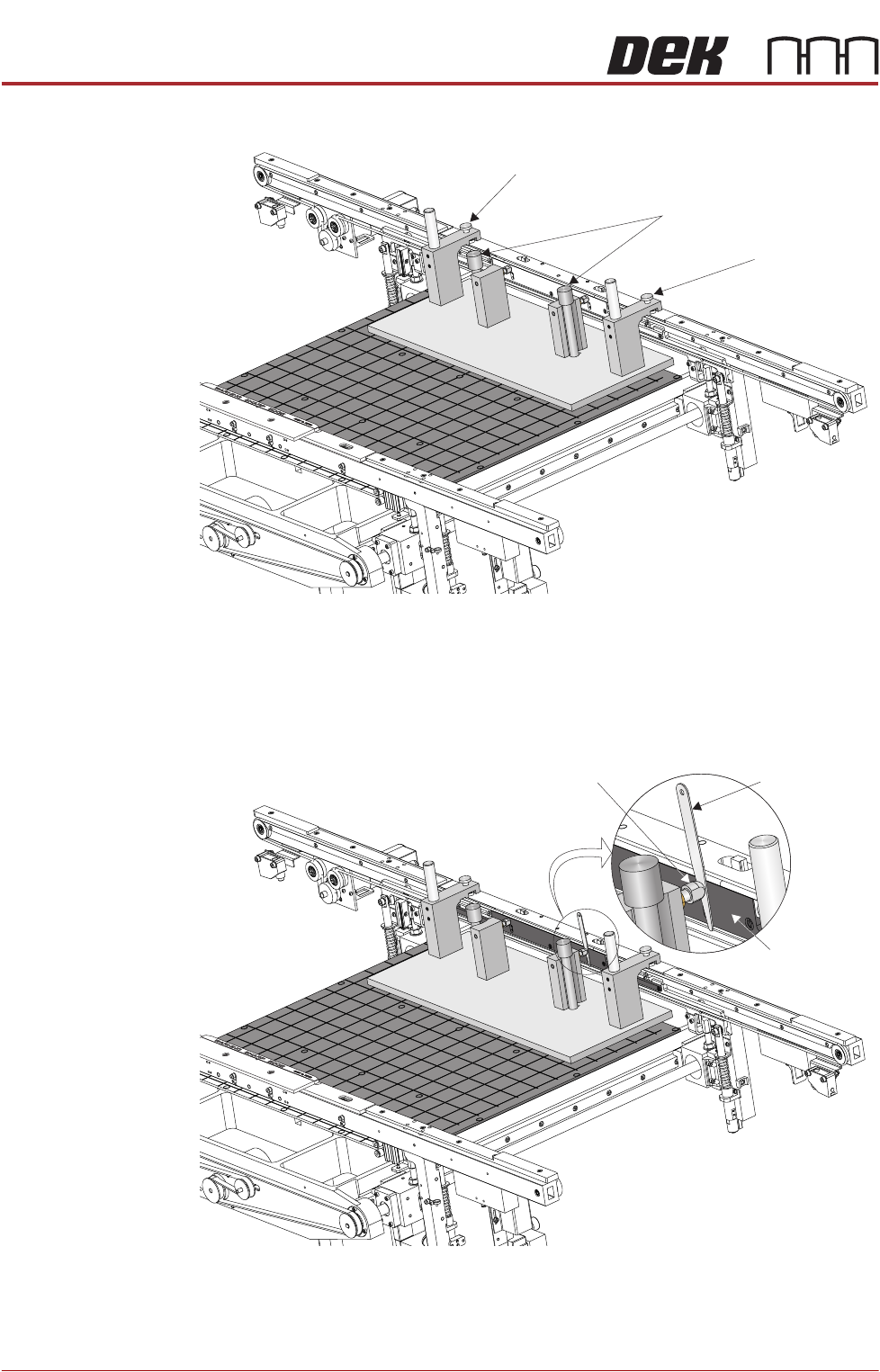
29. Secure the jig to the front rail using the two jig to rail thumbscrews.
30. Secure the jig to the rising table using the two jig to table thumbscrews.
31. Check that the location pins are up against the front edge of the manual
tooling plate using a 0.05mm feeler gauge, as in Step 28.
32. Using feeler gauges check that the gap between both alignment pads and
the belt support plate of the front rail is 0.25mm ±0.05mm.
33. If adjustment is necessary refer to the Transport Rails Module chapter -
Adjustments and Settings - Front Rail Parallelism.
View on Rear of Transport Rails
Jig to Table Thumbscrews
Jig to Rail Thumbscrew
Jig to Rail Thumbscrew
Feeler Gauge
Alignment
Pad
Belt Support
Plate
View on Rear of Transport Rails
CAMERA SYSTEM MODULE
ADJUSTMENTS AND SETTINGS
Chapter Issue 9, Feb 18 Technical Reference Manual 23.9
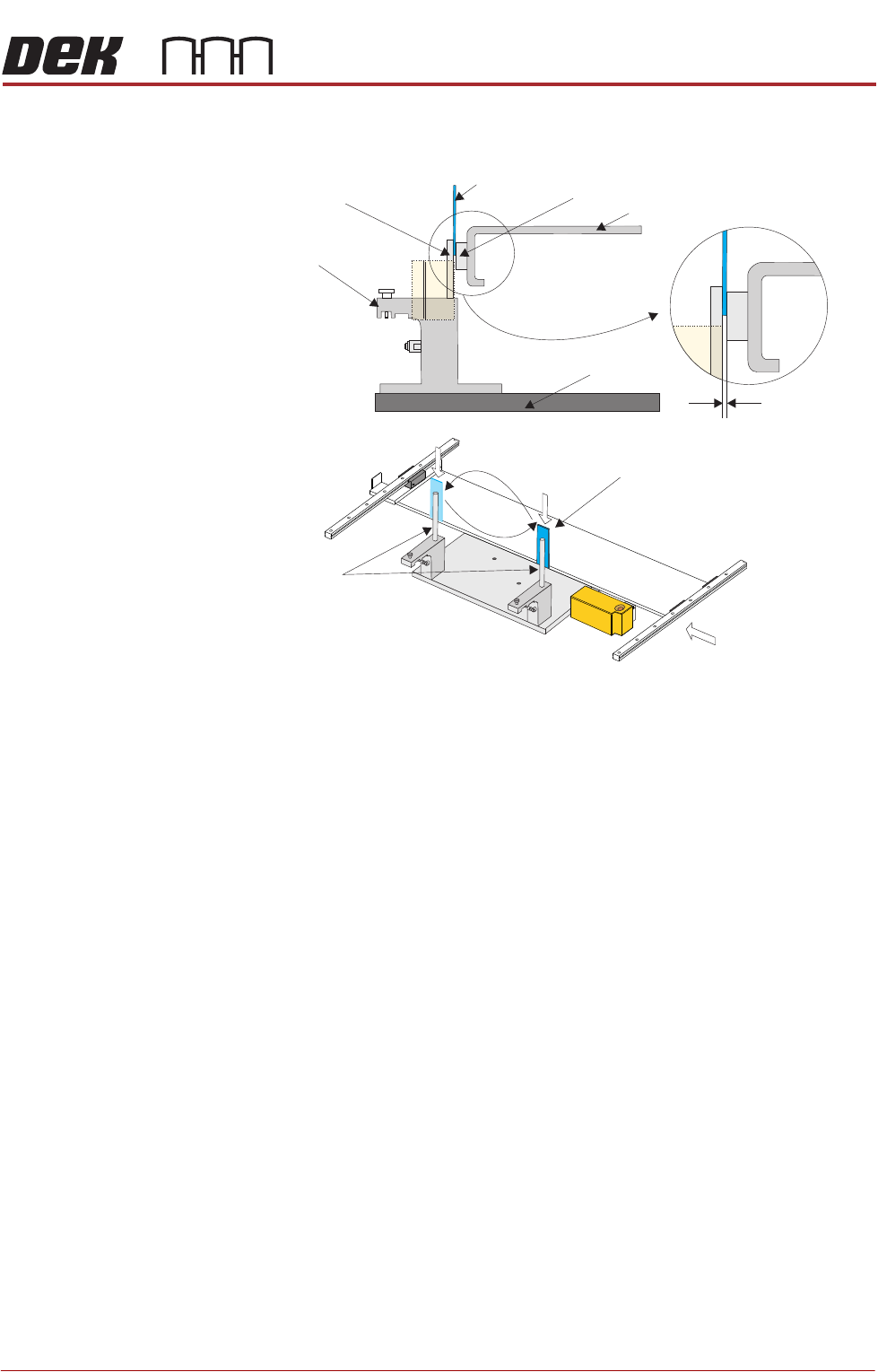
34. Bring the camera carriage X axis support platform into contact with the
camera alignment pins.
35. Look for a gap between the camera alignment pins and the linear bearing
on the front edge of the camera X axis support platform, if no gap exists
adjustment is unnecessary. Continue from Step 48.
36. If a gap exists, carefully attempt to insert a 0.25mm shim between the
alignment pin and the linear bearing on the front edge of the camera X axis
support platform. If the shim cannot be fitted the gap is less than 0.25mm
and adjustment is unnecessary. Continue from Step 48.
37. If a gap exists which is greater than 0.25mm adjustment is necessary.
38. For machines with rotary motors continue with Step 39. For machines with
linear motors go to Step 44.
View on Arrow A (Camera Y Axis Removed)
Camera Alignment
Pins (2 positions)
Alignment Jig
0.25 mm
Camera Parallelism Check
Camera Alignment
Pins (2 positions)
Shim 0.25 mm
A
Shim 0.25 mm
Camera X Axis Support Platform
Rising Table
Linear Bearing