192277 - Micron Technical Reference Volume 3.pdf - 第52页
CAMERA SYSTEM MODULE ADJUSTMENTS AND SETTINGS 23.10 Technical Reference Manual Chapter Issue 9, Feb 18 39. Loosen the three securing screws. 40. Using a soft headed mallet gently tap the edge of the camera X axis support…
CAMERA SYSTEM MODULE
ADJUSTMENTS AND SETTINGS
Chapter Issue 9, Feb 18 Technical Reference Manual 23.9
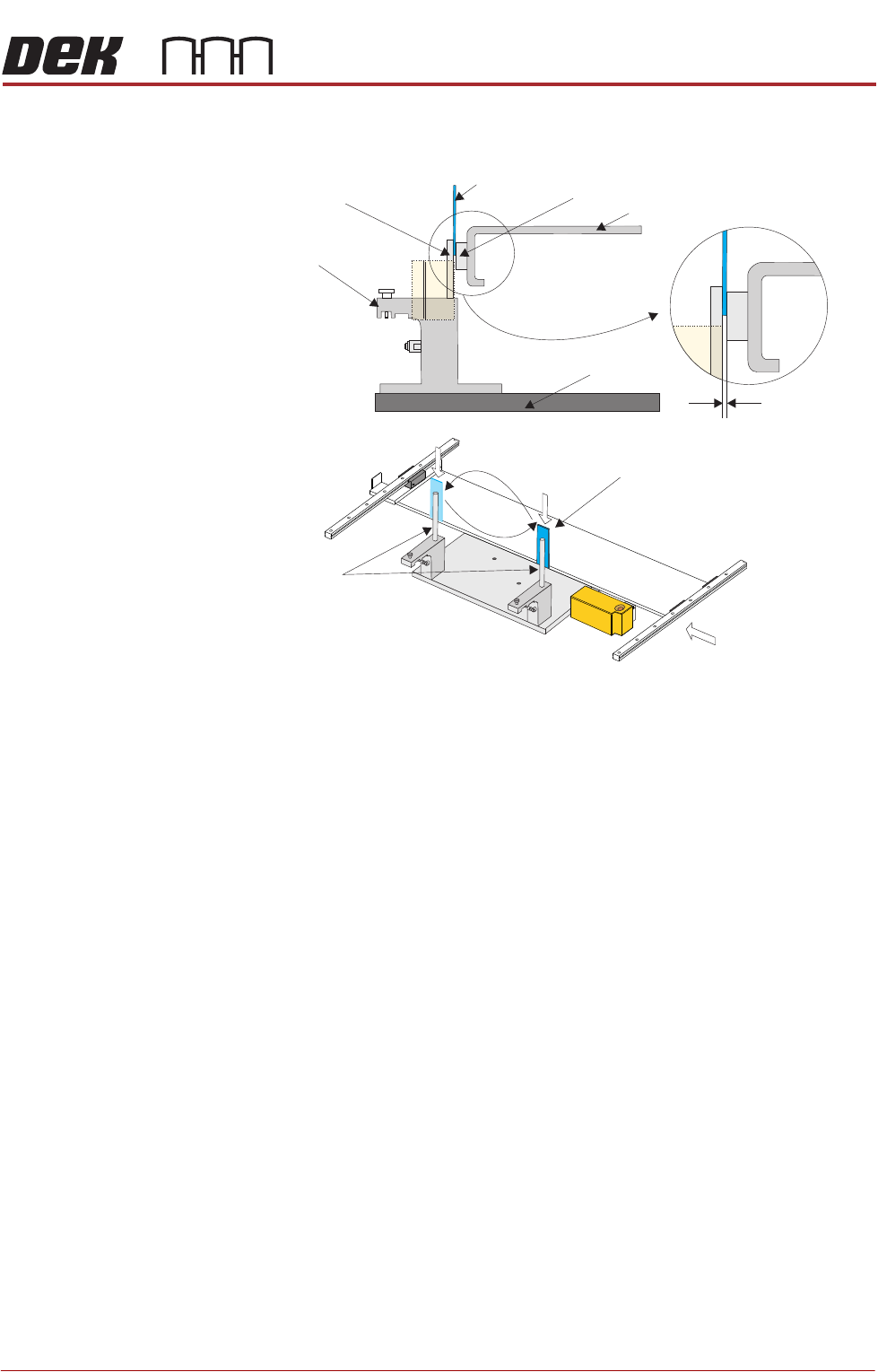
34. Bring the camera carriage X axis support platform into contact with the
camera alignment pins.
35. Look for a gap between the camera alignment pins and the linear bearing
on the front edge of the camera X axis support platform, if no gap exists
adjustment is unnecessary. Continue from Step 48.
36. If a gap exists, carefully attempt to insert a 0.25mm shim between the
alignment pin and the linear bearing on the front edge of the camera X axis
support platform. If the shim cannot be fitted the gap is less than 0.25mm
and adjustment is unnecessary. Continue from Step 48.
37. If a gap exists which is greater than 0.25mm adjustment is necessary.
38. For machines with rotary motors continue with Step 39. For machines with
linear motors go to Step 44.
View on Arrow A (Camera Y Axis Removed)
Camera Alignment
Pins (2 positions)
Alignment Jig
0.25 mm
Camera Parallelism Check
Camera Alignment
Pins (2 positions)
Shim 0.25 mm
A
Shim 0.25 mm
Camera X Axis Support Platform
Rising Table
Linear Bearing
CAMERA SYSTEM MODULE
ADJUSTMENTS AND SETTINGS
23.10 Technical Reference Manual Chapter Issue 9, Feb 18
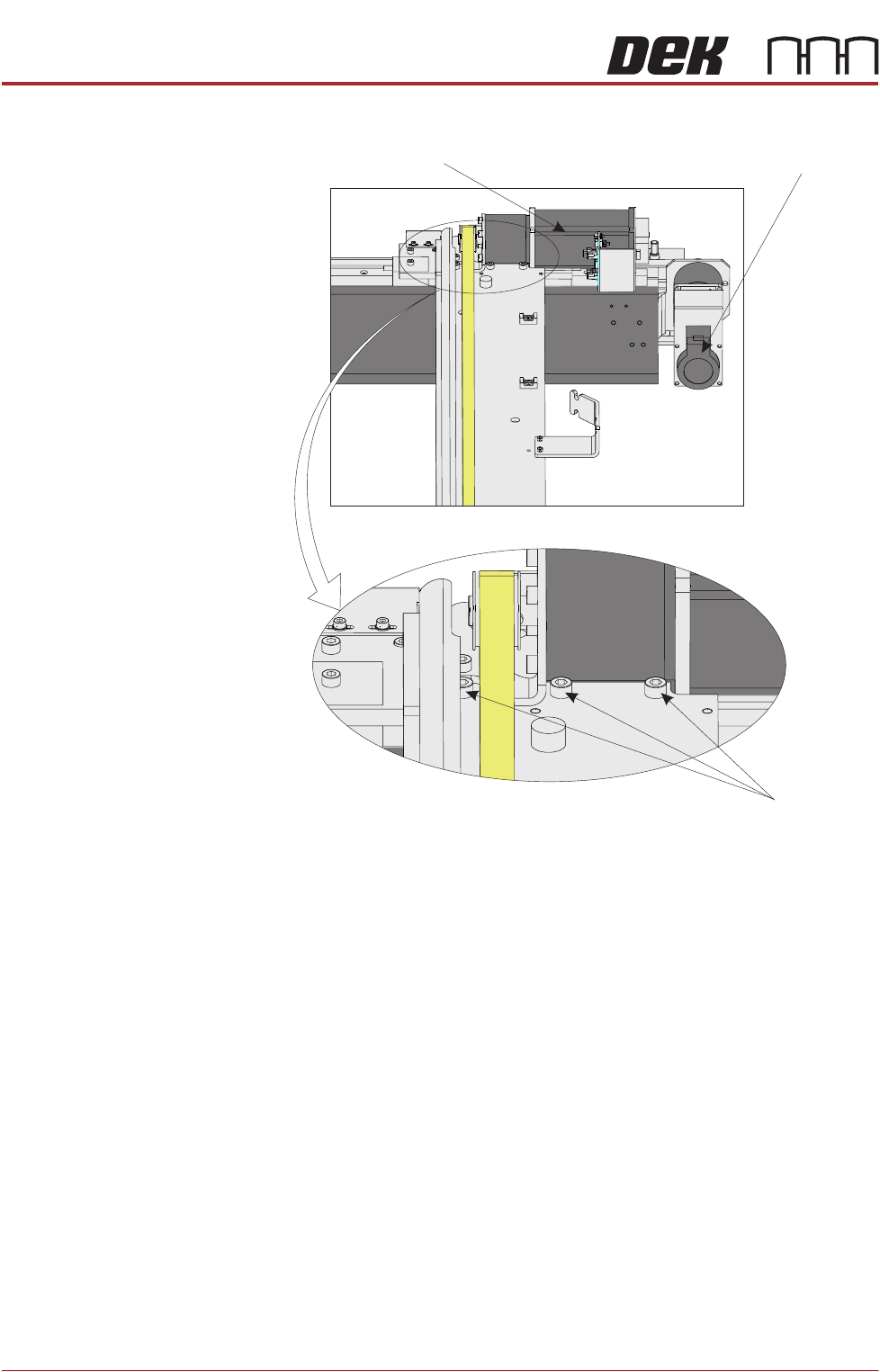
39. Loosen the three securing screws.
40. Using a soft headed mallet gently tap the edge of the camera X axis support
platform to close the gap on the camera alignment pins.
NOTE
The camera can be severely damaged if excessive force is used to position
the camera axis.
41. Tighten the three securing screws taking care not to allow the position to slip.
42. Check for parallelism again.
43. Go to Step 48.
Camera X Motor Camera Y Motor
View From Beneath Camera Carriage
Securing Screws
CAMERA SYSTEM MODULE
ADJUSTMENTS AND SETTINGS
Chapter Issue 9, Feb 18 Technical Reference Manual 23.11
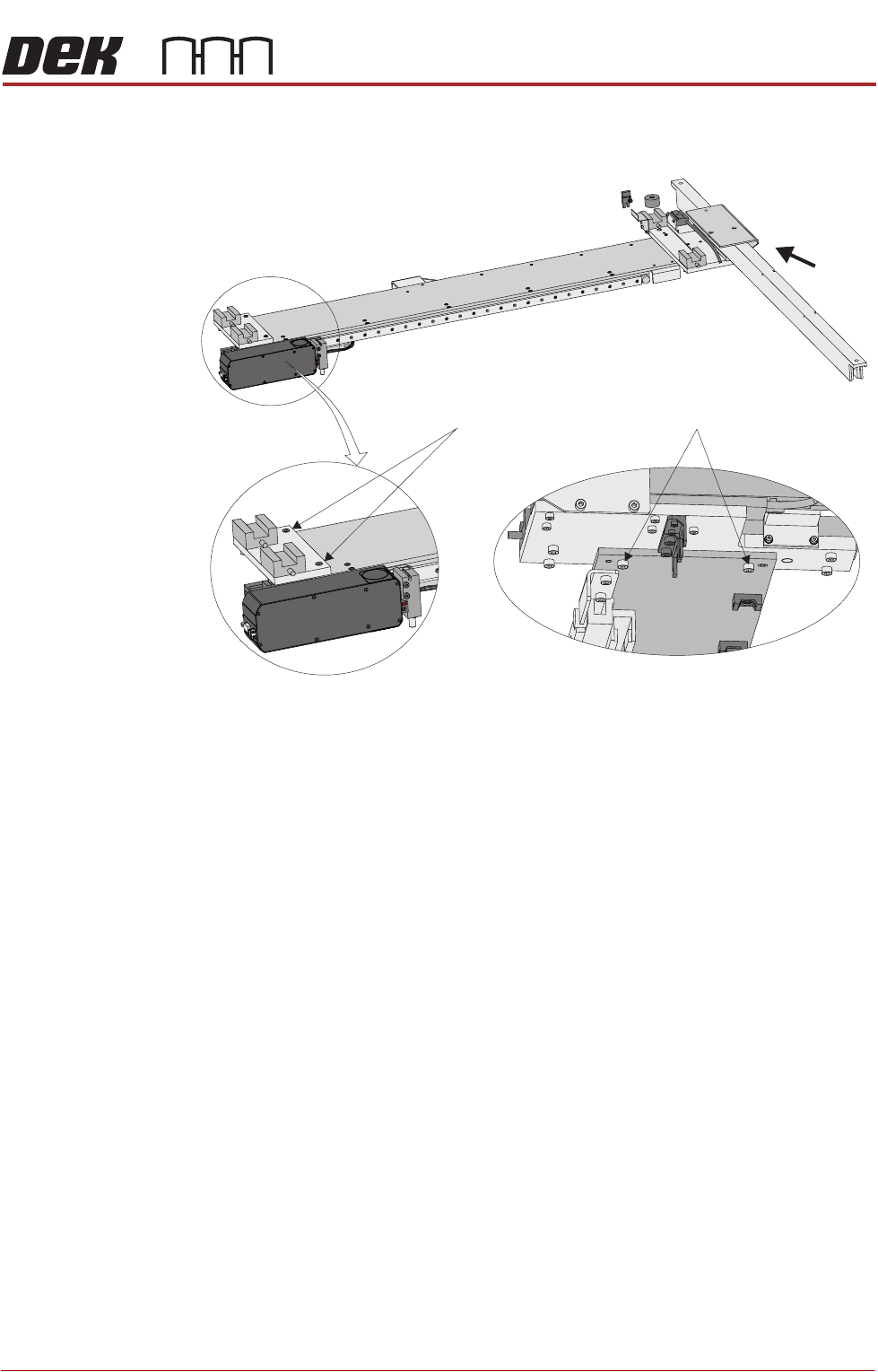
44. Loosen the two securing screws at each end of the camera X axis support
platform.
45. Using a soft headed mallet gently tap the edge of the camera X axis support
platform to close the gap on the camera alignment pins.
NOTE
The camera can be severely damaged if excessive force is used to position
the camera axis.
46. Tighten the two securing screws at each end of the camera X axis support
platform, taking care not to allow the position to slip.
47. Check for parallelism again.
48. Remove the location jig from the rising table.
49. Fit the board clamp to the front rail.
50. Refit the stencil.
51. Close the front printhead cover.
52. Press the System button.
53. Select Exit.
54. Select Exit.
55. Select Back.
Y Axis Parallelism The Y axis parallelism for both rotary and linear motor machines is factory set
and is not adjustable.
View on Arrow A
A
Securing Screws Securing Screws