192277 - Micron Technical Reference Volume 3.pdf - 第70页
CAMERA SYSTEM MODULE CALIBRATIONS AND CHECKS 23.28 Technical Reference Manual Chapter Issue 9, Feb 18 29. Select Run Diagnost . 30. Use Next or Previous to hig hlight T oggle Board Stop . 31. Select Run Diagnost . 32. Se…
CAMERA SYSTEM MODULE
CALIBRATIONS AND CHECKS
Chapter Issue 9, Feb 18 Technical Reference Manual 23.27
CALIBRATIONS AND CHECKS
Board Stop X Offset Check
WARNING
BOARD CLAMPS. EXTREME CARE MUST BE EXERCISED WHEN WORKING IN
THE TOOLING AREA OF THE MACHINE TO AVOID INJURY. THE FOILS ON THE
FRONT AND REAR BOARD CLAMPS ARE VERY SHARP.
PROHIBITION
STRONG MAGNETIC FIELD. A STRONG MAGNETIC FIELD EXISTS IN THE
VICINITY OF THE LINEAR MOTORS THAT MAY ACT UPON FERROUS OBJECTS
WHOSE MOVEMENTS COULD LEAD TO PERSONAL INJURY AND/OR DAMAGE
TO THE MACHINE.
1. Select Open Cover Commands.
2. Select Carriage To Rear.
3. Select Unload Screen.
4. Open the front printhead cover.
5. Remove the stencil.
6. Close the front printhead cover.
7. Press the System button.
8. Select Back.
9. Select Maintenance.
10. Select Diagnostics.
11. Use Next or Previous to highlight Camera Axes.
12. Select Select Module.
13. Use Next or Previous to highlight Home Camera X Axis.
14. Select Run Diagnost.
15. Use Next or Previous to highlight Home Camera Y Axis.
16. Select Run Diagnost.
17. Use Next or Previous to highlight Drive to Board Stop Position.
18. Select Run Diagnost.
19. Select Exit.
20. Use Next or Previous to highlight Rail System.
21. Select Select Module.
22. Use Next or Previous to highlight Toggle Board Stop.
23. Select Run Diagnost.
24. Open the front printhead cover.
25. Place a board onto the rails and move it up against the board stop.
26. Close the front printhead cover.
27. Press the System button.
28. Use Next or Previous to highlight Toggle Board Clamp.
CAMERA SYSTEM MODULE
CALIBRATIONS AND CHECKS
23.28 Technical Reference Manual Chapter Issue 9, Feb 18
29. Select Run Diagnost.
30. Use Next or Previous to highlight Toggle Board Stop.
31. Select Run Diagnost.
32. Select Exit.
33. Use Next or Previous to highlight Camera Axes.
34. Select Select Module.
35. Use Next or Previous to highlight Initialise Vision System.
36. Select Run Diagnost.
37. Select Exit.
38. Open the front printhead cover.
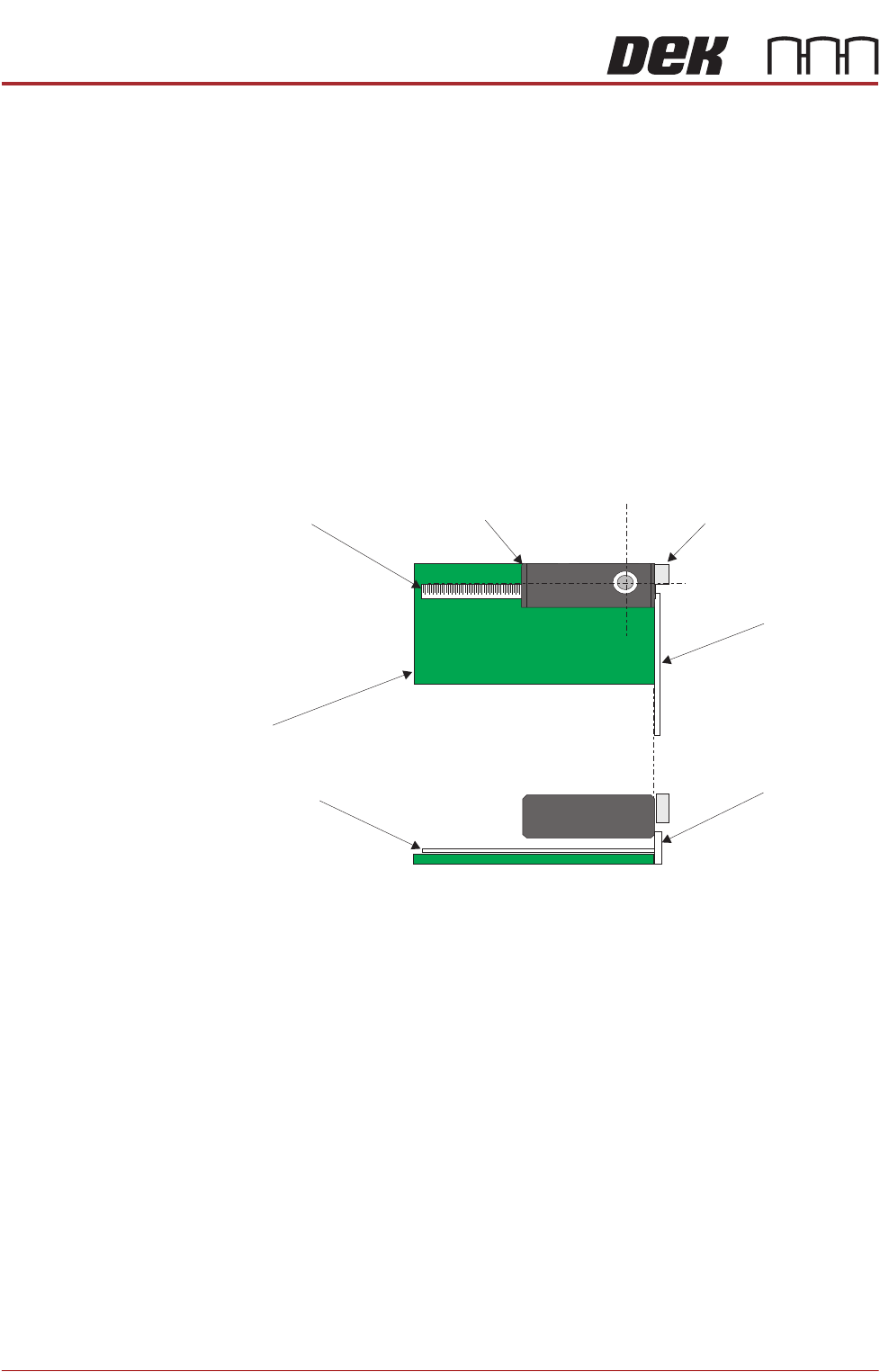
39. Place a non-magnetic rule flat against the board edge and slide a second
rule so that it abuts it and comes within the camera field of view.
Camera
Camera Board Stop
Metric Rule
Metric Rule
Board
Metric Rule
Side View
Metric Rule
Plan View
CAMERA SYSTEM MODULE
CALIBRATIONS AND CHECKS
Chapter Issue 9, Feb 18 Technical Reference Manual 23.29
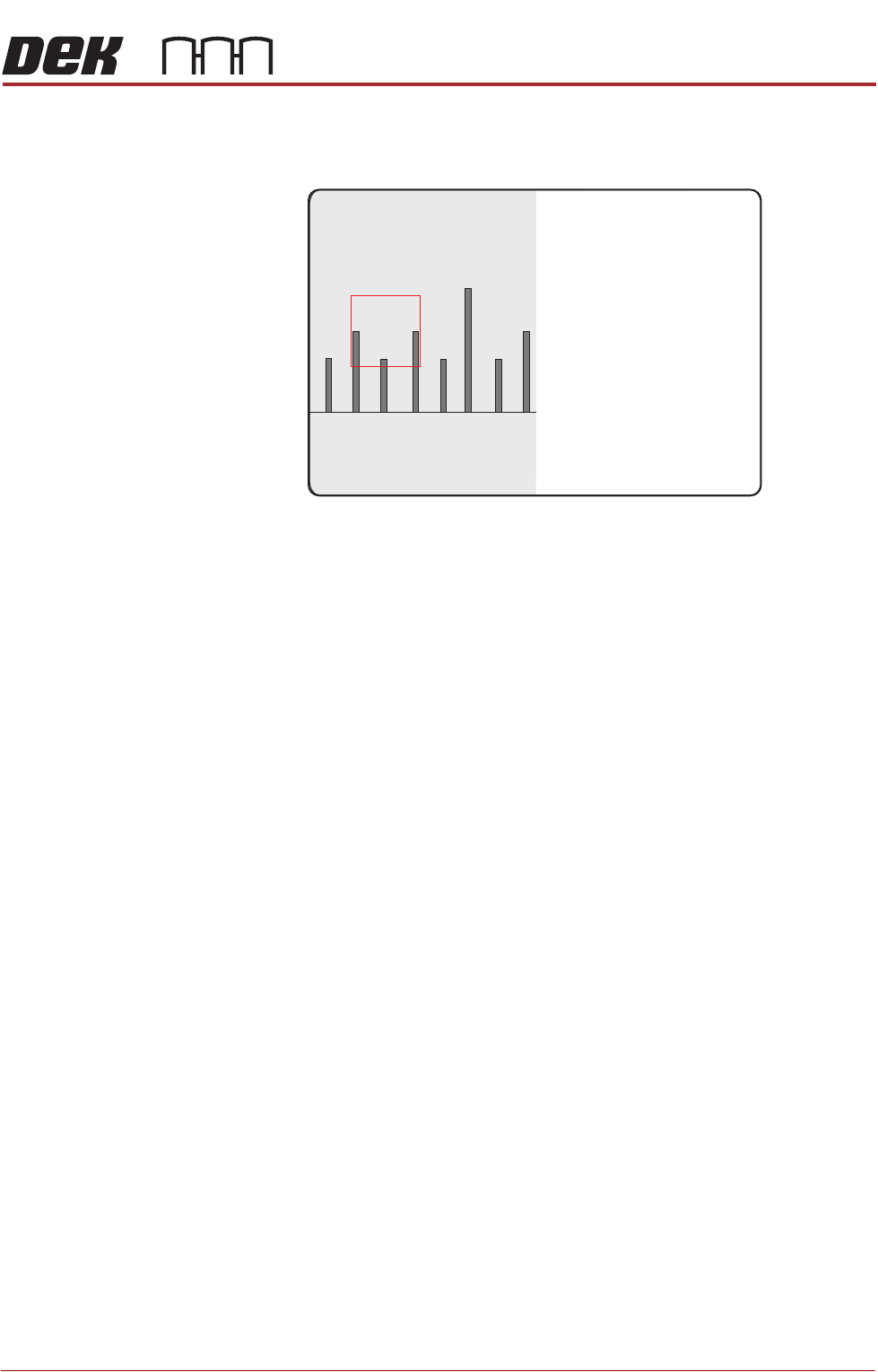
40. On the vision monitor, record the distance from the board edge to the
approximate centre of the square (figure below refers). This value is the
Board Stop X Offset and should be -43.5mm ±0.5mm.
NOTE
The numerals on the rule may not be directly in the field of view, move the
rule until the numerals are visible in the vision window. Lay the rule flat on
the board, do not lift or angle it as this can distort the measurement. As the
board stop is before the camera the distance is recorded as a minus reading.
41. Remove the rule from the machine.
42. Close the front printhead cover.
43. Press the System button.
44. Select Exit.
45. During Initialisation, remove the board from the transport rails when
prompted.
46. Select Continue.
47. Select Back.
48. Select Maintenance.
49. Select Machine Setup.
50. Select Basics.
51. Select Board Stop X Offset.
52. Enter the dimension obtained in Step 40.
53. Select Accept.
54. Select Back.
55. Select Back.
56. Select Back.
45
43 4644