00193732-02.pdf - 第51页
SIPLACE HS-50/HS-60 2 Retrofit Instructions for PCB Camera Mult icolor, HS-50 / HS-60 11/2004 Edition 2.6 Changeover at Main Distribution Frame 51 2.6.1 Disconnect the W iring, Remove the PCBs : For in fo, see also the c…
2 Retrofit Instructions for PCB Camera Multicolor, HS-50 / HS-60 SIPLACE HS-50/HS-60
2.5 Preparatory Steps 11/2004 Edition
50
2.5 Preparatory Steps
: Open the safety hoods.
: Remove the reject bin.
: Disassemble the head crash protections.
: Undock the movable component changeover tables.
: Turn the machine off at the main switch, isolate the machine from the mains, turn off the flow
of compressed air at the compressed air unit.
: Push the X-gantries toward the outside of the machine so that the placement heads are readily
accessible.
2.6 Changeover at Main Distribution Frame
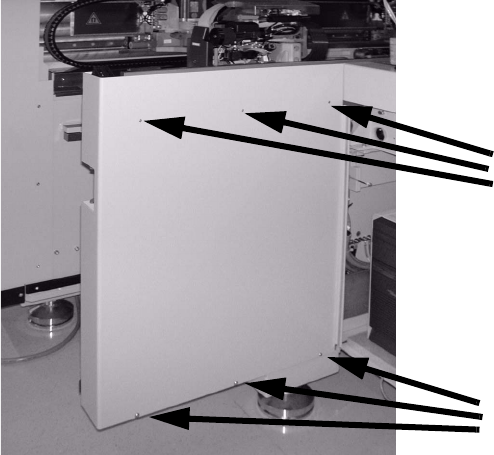
: Open the machine frame door and the safety hood at feeder location 4, to the left of the input
station.
: Undo the 3 socket hex head cap screws on top of the side panel (just loosen the 3 screws on
the bottom).
: Lift the side panel of the machine frame straight up out of the slots.
: Set it on the side of the machine so that the main distribution frame is readily accessible.
Do not damage the grounding cable.
Undo screws
Loosen screws
SIPLACE HS-50/HS-60 2 Retrofit Instructions for PCB Camera Multicolor, HS-50 / HS-60
11/2004 Edition 2.6 Changeover at Main Distribution Frame
51
2.6.1 Disconnect the Wiring, Remove the PCBs
: For info, see also the circuit diagram Fig. 2.14.6 (= status before conversion).
: Before detaching the wiring, identify the wires in the main distributor as shown in the above
circuit diagram (flags 1 - 5).
: To do this, use insulating tape and water-resistant felt-tip pen.
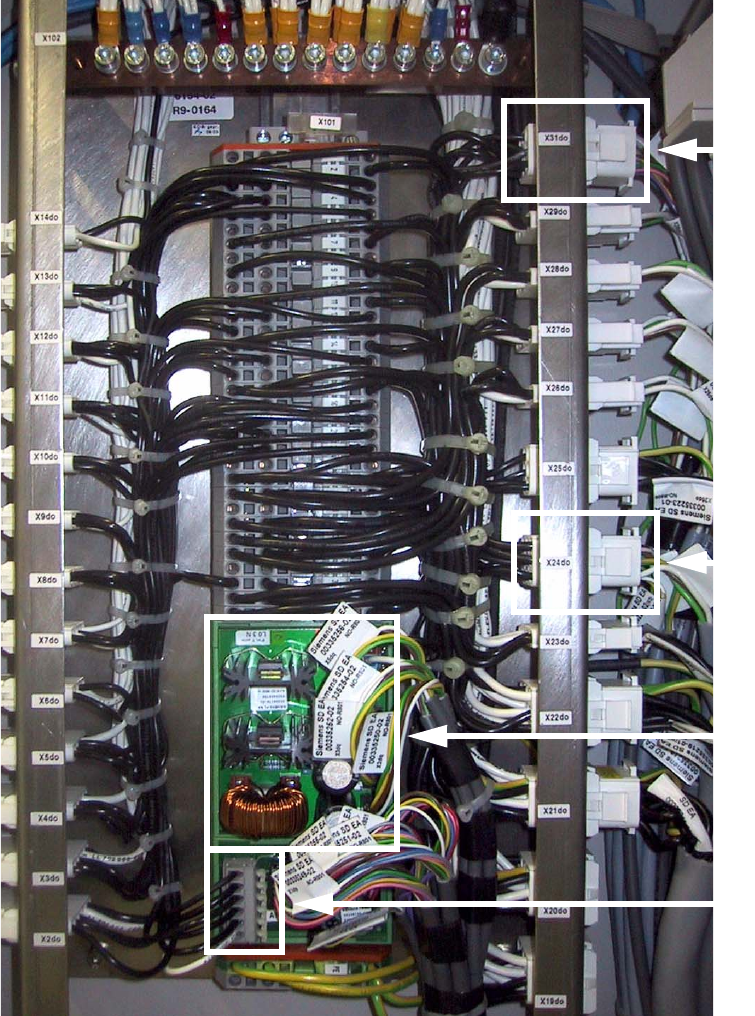
: Use a slotted-head screwdriver, size 1, for the catch clamp connections X6dp and X1dq:
Detach the plug-in connectors of the identified wires (1 - 5) on the "Distributor illumination flash"
board.
: At X6dp GND, only detach the fixing for the zero wire that runs from X6dp GND to the 0 V bus-
bar (see Fig. 2.14.6).
: The zero wire detached at X6dp will be needed again (see cable W5 in Fig. 2.14.8).
: At X1dq Zero, only detach the fixing for the zero wire that runs to the 0 V busbar (see Fig.
2.14.6).
This zero wire will not be needed again, but is left in the cable duct.
2
2
2
2
2
2
2
2
2
2
2
2
2
2
2
2
2 Retrofit Instructions for PCB Camera Multicolor, HS-50 / HS-60 SIPLACE HS-50/HS-60
2.6 Changeover at Main Distribution Frame 11/2004 Edition
52
2
2
: Detach and identify all the terminals at connector X6dp on terminal block X101 / distributor il-
lumination and flash.
: Detach the two wires at X1dq (Zero and +34V). Wrap them with insulating tape since these
wires are no longer needed.
2
X6dp
Power supply
SM motors
X31do
X24do