AX501最新3.6x版英文操作手册 - 第11页
4022 593 51894 Operatin g Man ual 09.01 AX-301/501, AX-3/5 11 1 1.11 Recommended tools for w orking safely 1.12 Location o f this oper ating manual Locate this man ual close to t he m ach i ne. This enable s user s to ha…
4022 593 51894 Operating Manual
09.01 AX-301/501, AX-3/5 10
1
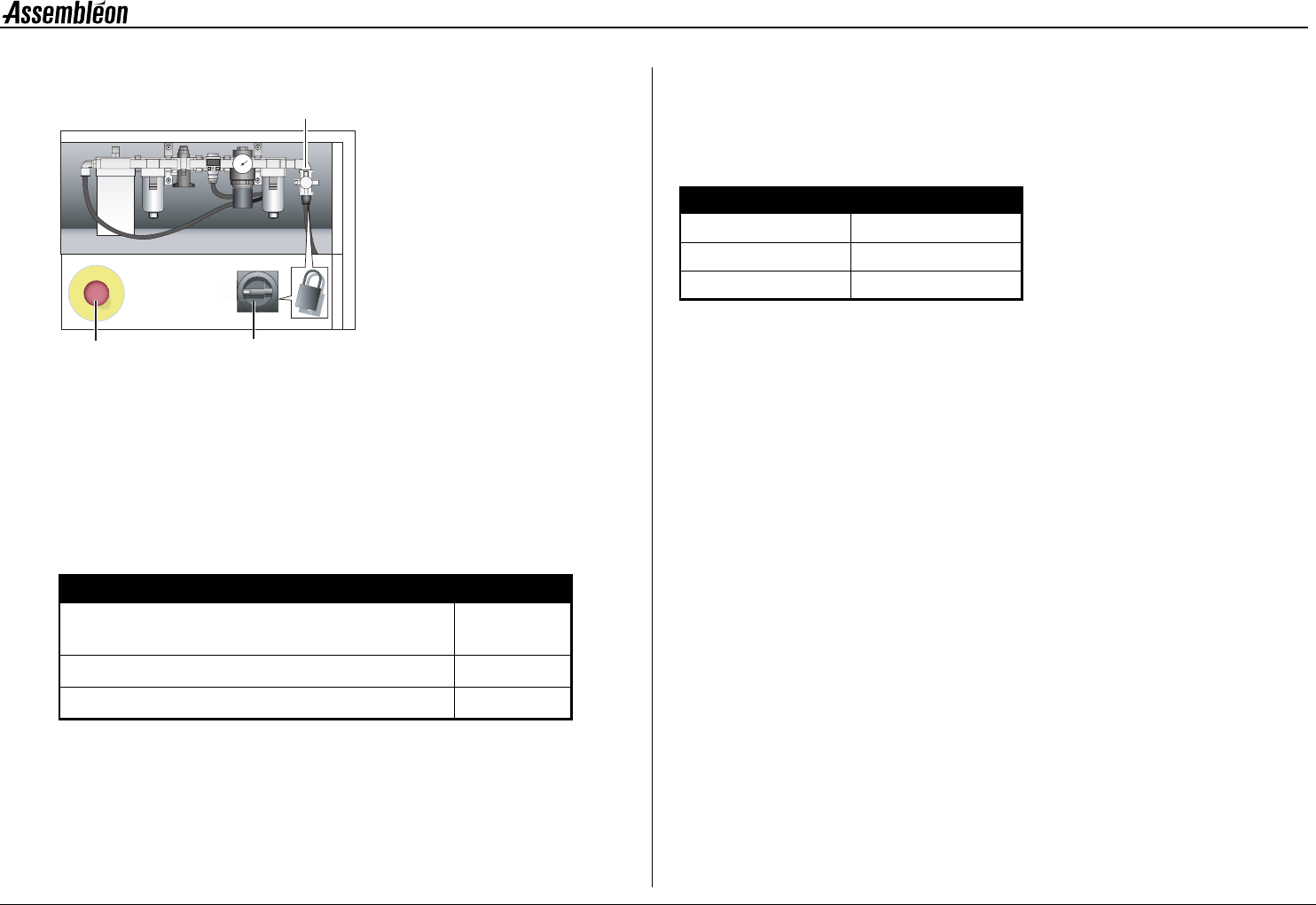
Figure 5 Safety devices, rear
Pull the red emergency stop buttons (6) to release the
emergency.
Lock the electrical main switch (7) and the air main
switch (8) by a padlock to avoid unauthorized use.
1.8 Noise levels
Figure 6 Noise levels
1.9 Emergency contact
In case assistance is needed during an emergency
situation, contact the regional Assembléon
organization.
Figure 7 Numbers
1.10 Liability
Assembléon will not be liable for any costs, damages or
personal injuries if the machine is not used according
to the safety rules given in this manual.
Instructions written in English are original instructions.
Instructions written in other languages are a
translation of the original.
Location Noise level
Average sound-pressure level measured at 3 operator
positions at height = 1.6 m and distance = 1 m
≤ 75 dB(A)
Sound pressure at operator’s position ≤ 72 dB(A)
Average environmental noise level during measurement 58 dB(A)
5.5
8
67
Region Number
Asia +65-62-61-4611
America's 1-800-474-4547
Europe +31-20-5040679
4022 593 51894 Operating Manual
09.01 AX-301/501, AX-3/5 11
1
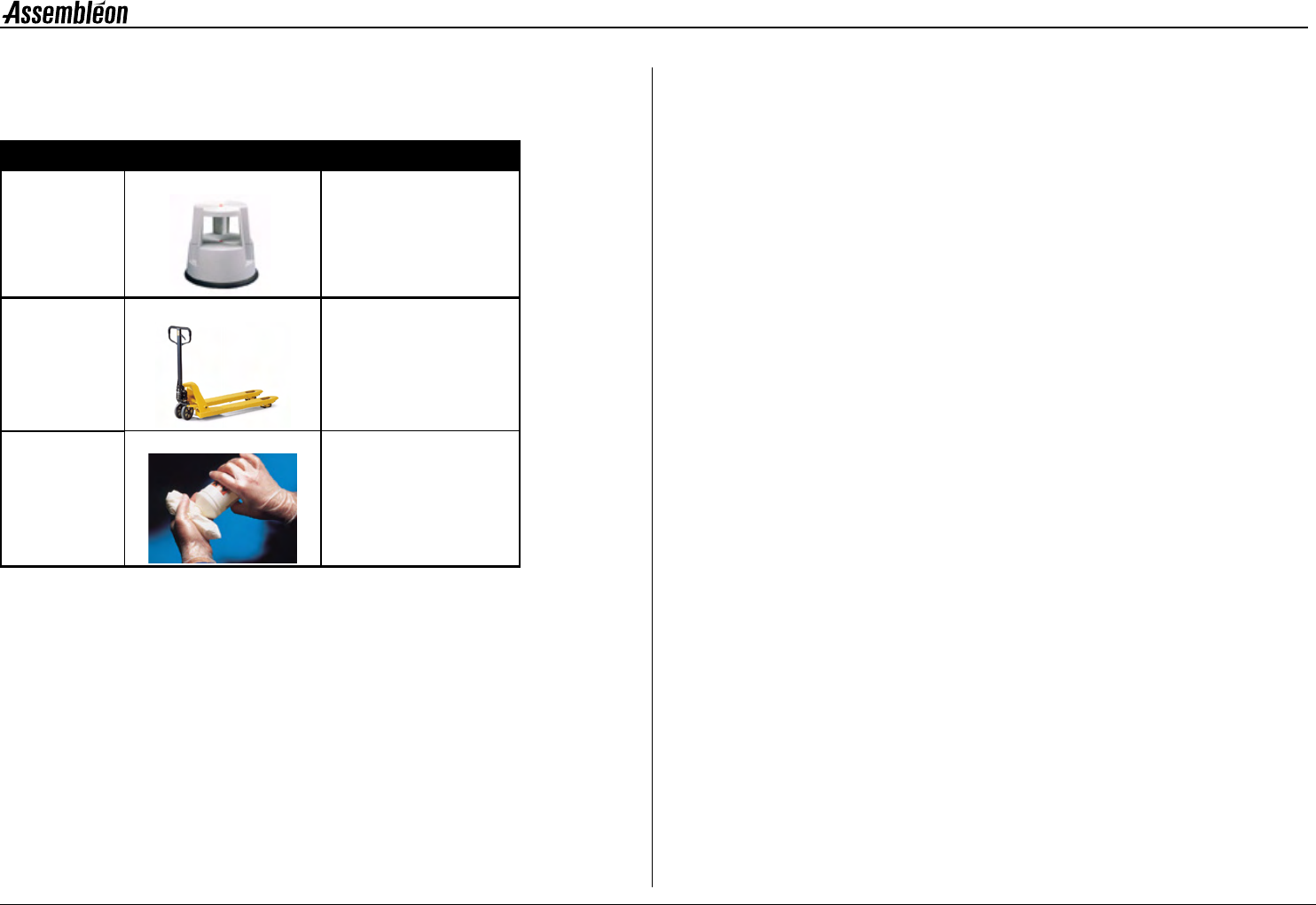
1.11 Recommended tools for working safely
1.12 Location of this operating manual
Locate this manual close to the machine.
This enables users to have easy access to the relevant information.
Description Picture Application
1 Stepstool Useful for smaller persons:
reaching inside the machine
or closing robots.
2 Pallet truck Lifting and moving of
heavy modules.
3 Gloves Skin protection during
lubrication.
4022 593 51894 Operating Manual
09.01 AX-301/501, AX-3/5 12
2
CHAPTER 2 General machine information
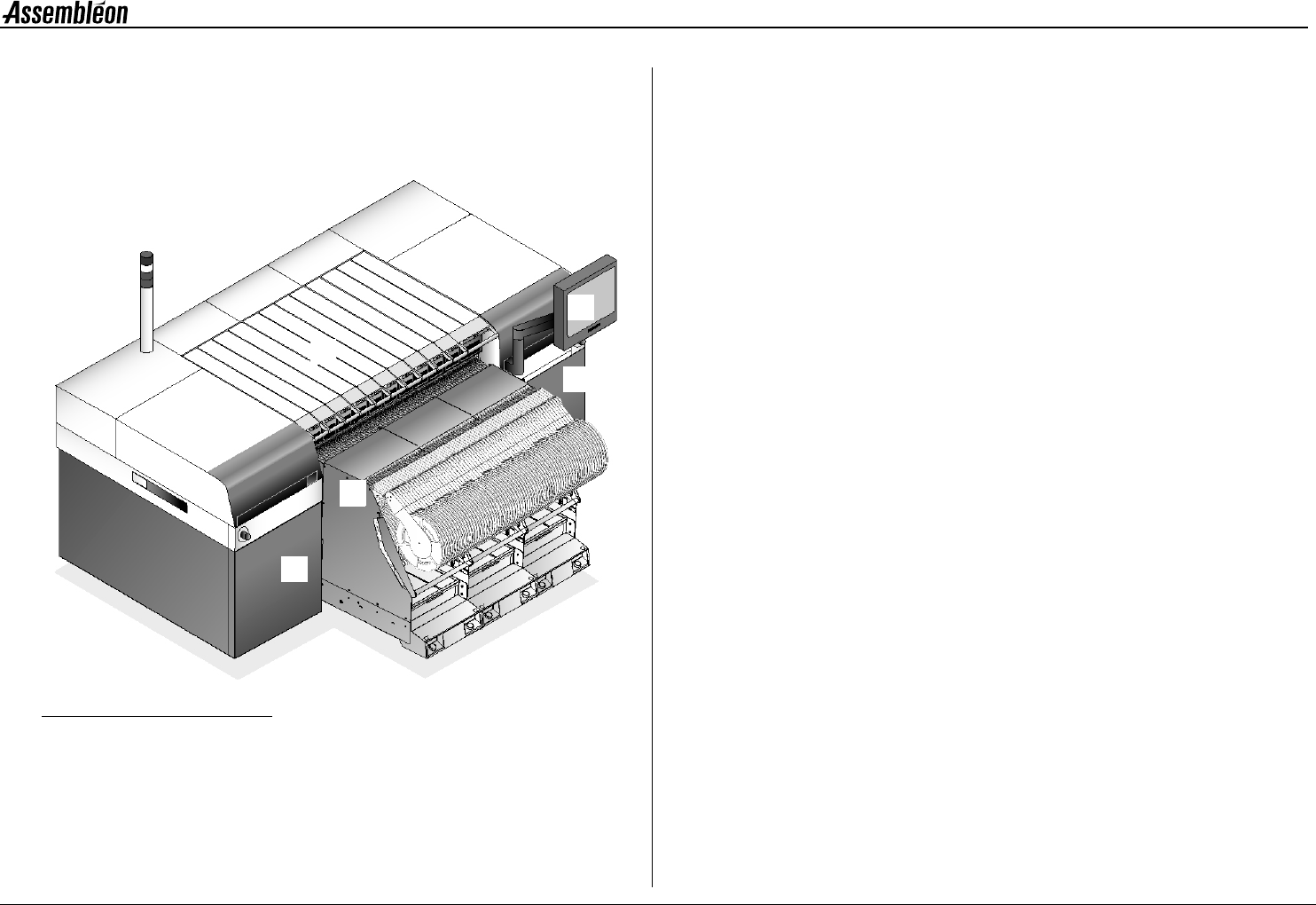
2.1 Front side items
Figure 8 Front side items
1 Lamp post
• White Emergency activated / machine stopped /idle state.
• Blue Request for operator interference, caused by faulty
conditions.
• Green Safe running mode.
• Beeper Request for operator interference.
2Touch screen.
The graphical user interface for operating the machine.
3 Run-in, run-out covers.
Protecting the run-in and run-out.
4 Pick and place modules.
Picking components from the feeder and placing it on a board.
5 Feeder trolley.
6 Front-left door of the base.
7 Front-right door of the base.
1
2
3
4
5
3
6
7