AX501最新3.6x版英文操作手册 - 第20页
4022 593 51894 Operatin g Man ual 09.01 AX-301/501, AX-3/5 20 2 2.5.3 Placing and r emoving a tr olley lift co ver NO T E: Tr o ll e y li f t c o ve r s mu s t b e placed on trolley slots where no feeder trolleys are pre…
4022 593 51894 Operating Manual
09.01 AX-301/501, AX-3/5 19
2
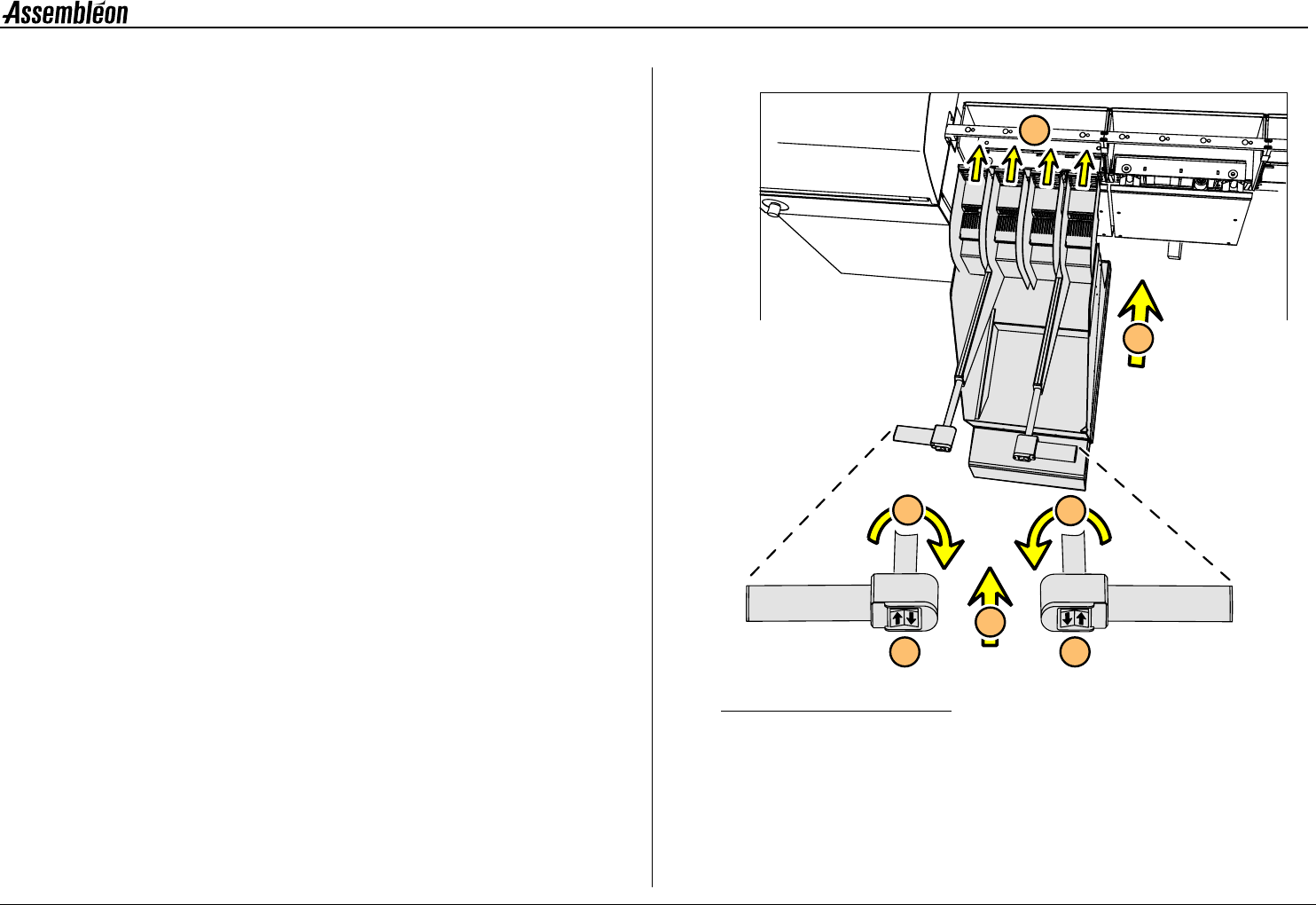
2.5.2 Placing and removing an FCM-II feeder trolley
NOTE: A feeder trolley can only be placed and removed with the
main switch of the machine turned on. Remove the trolley
lift cover before placing a feeder trolley, see 2.5.3.
Clean the feeder trolley position with a vacuum cleaner.
1 Roll the trolley to the machine.
2 Position the trolley in the required trolley slot.
3 Push both buttons until the trolley is fully lifted.
The control lights on the feeders will go on.
4 Fold up both handles.
5 Push the handles in.
■ Remove the feeder trolley in reverse order.
Figure 19 Placing a trolley
3
3
5
4
4
1
2
4022 593 51894 Operating Manual
09.01 AX-301/501, AX-3/5 20
2
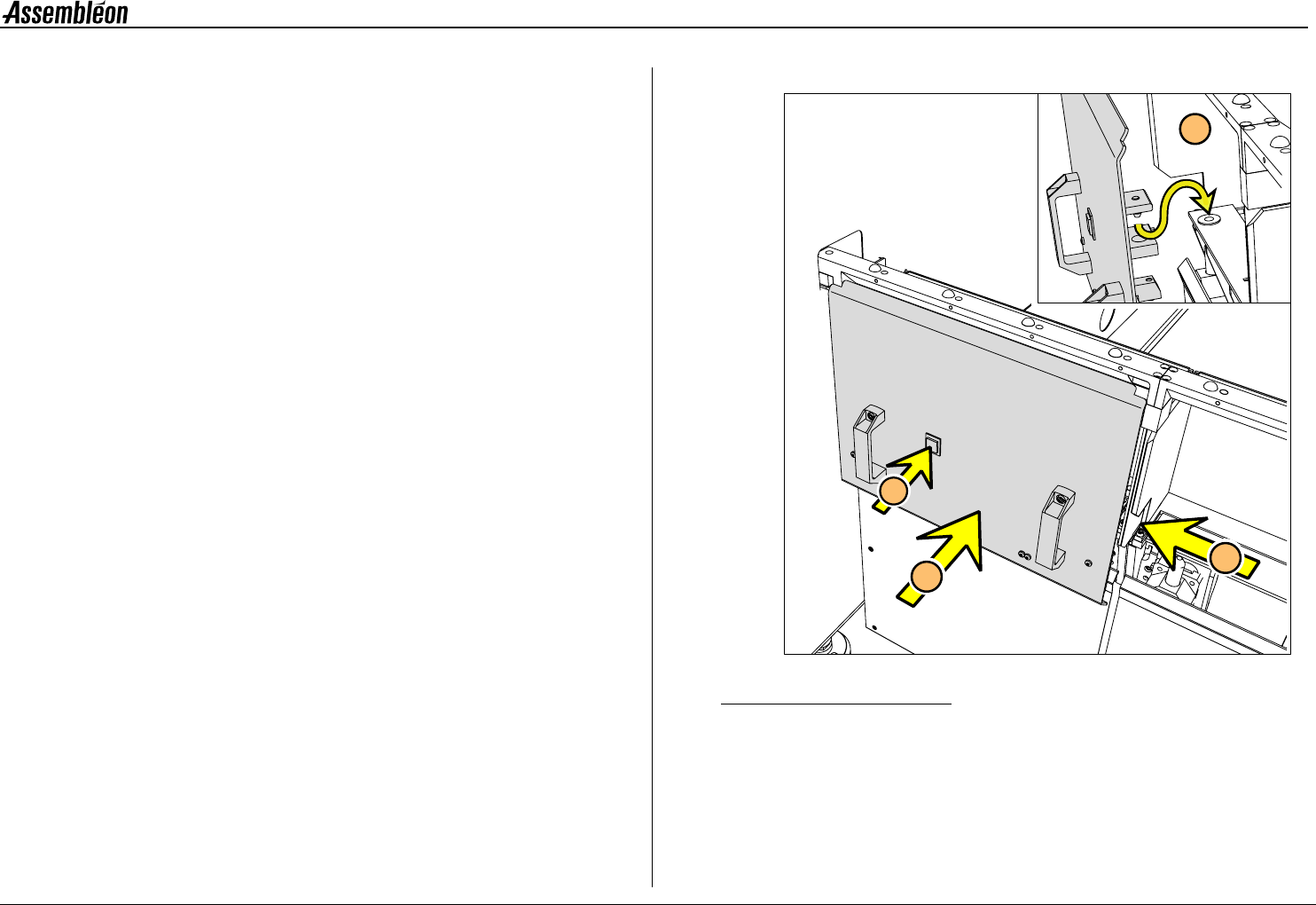
2.5.3 Placing and removing a trolley lift cover
NOTE: Trolley lift covers must be placed on trolley slots where no
feeder trolleys are present.
1 Install the trolley lift cover(s).
2 Push the button.
■ Remove the trolley lift cover in reverse order.
Figure 20 Placing a trolley lift cover
1
2
A
A
4022 593 51894 Operating Manual
09.01 AX-301/501, AX-3/5 21
2
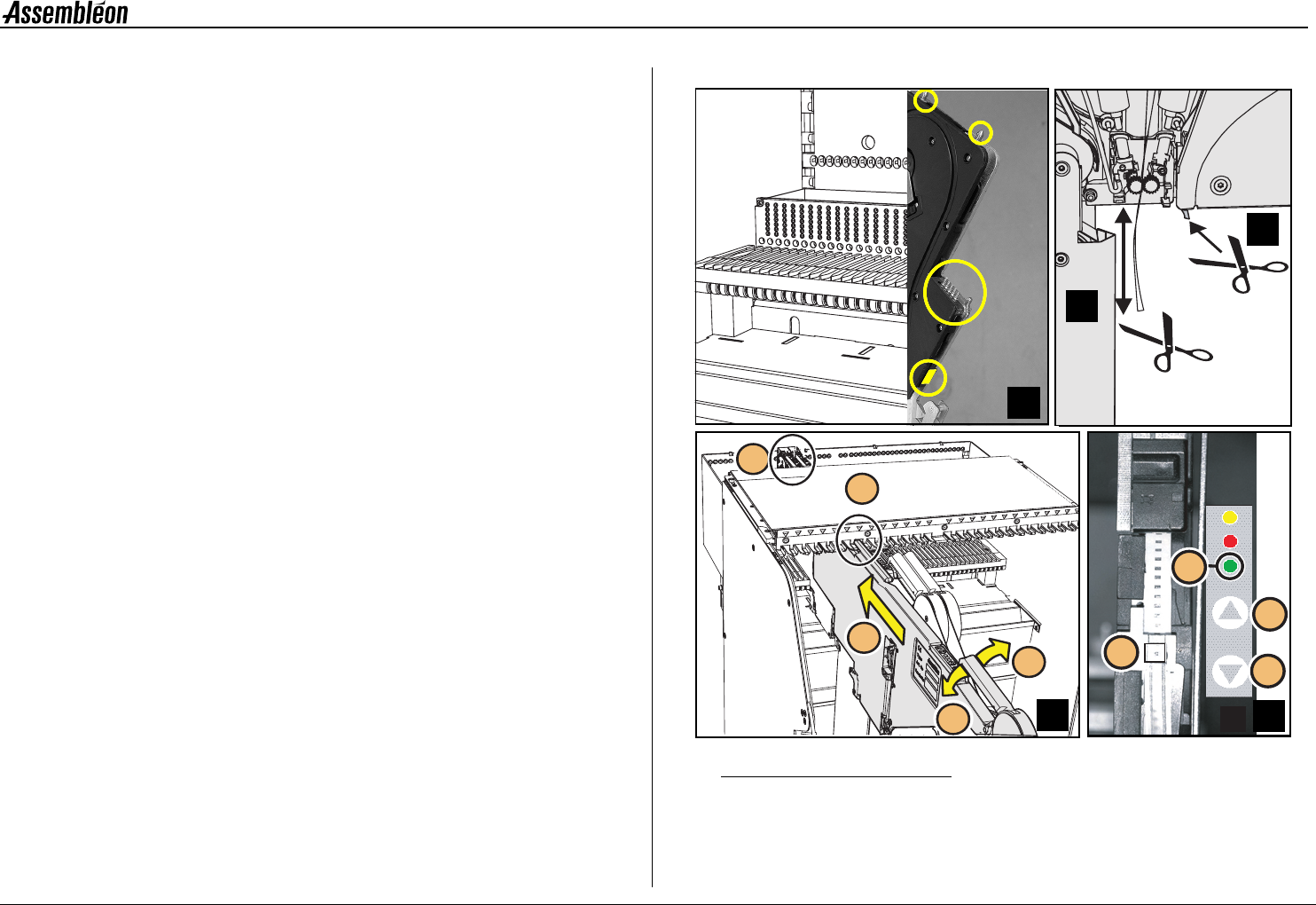
2.6 Feeder handling
2.6.1 Feeder handling on the A-series trolley
A Check if the surfaces of the feeder interface on both feeder and
trolley are clean from components and do not have any mechanical
damage.
B Check that the tape on the feeder is cut directly below the feeder.
C Check that the top foil is cut at least 100 mm below the feeder
D Place the top guide of the feeder in the required feeder slot
position (1). Use the numbering from 1 to 27.
Pull handle (2), keep the feeder straight and slide (3) the two
position-pins into the holes (4) until the clamping lever (5) locks
onto the locking axis of the trolley.
E If the feeder is placed correctly into the feeder trolley, the green
LED (1) blinks approximately 3 seconds where after it will remain
ON continuously.
Check/correct (with push button 3 or 4) the pick position of the
first component (2).
■ Remove a feeder in reverse order.
Figure 21 Feeder handling on the A-series trolley
>100 mm
A
1
4
2
3
5
D
1
3
4
2
B
D
E
C