AX501最新3.6x版英文操作手册 - 第26页
4022 593 51894 Operatin g Man ual 09.01 AX-301/501, AX-3/5 26 4 CHAPTER 4 Switch-on pr ocedur e In case of an err or call for assistan ce . 4.1 Switching on po w er and air supply Figure 27 Power and air supply Go to th …
4022 593 51894 Operating Manual
09.01 AX-301/501, AX-3/5 25
3
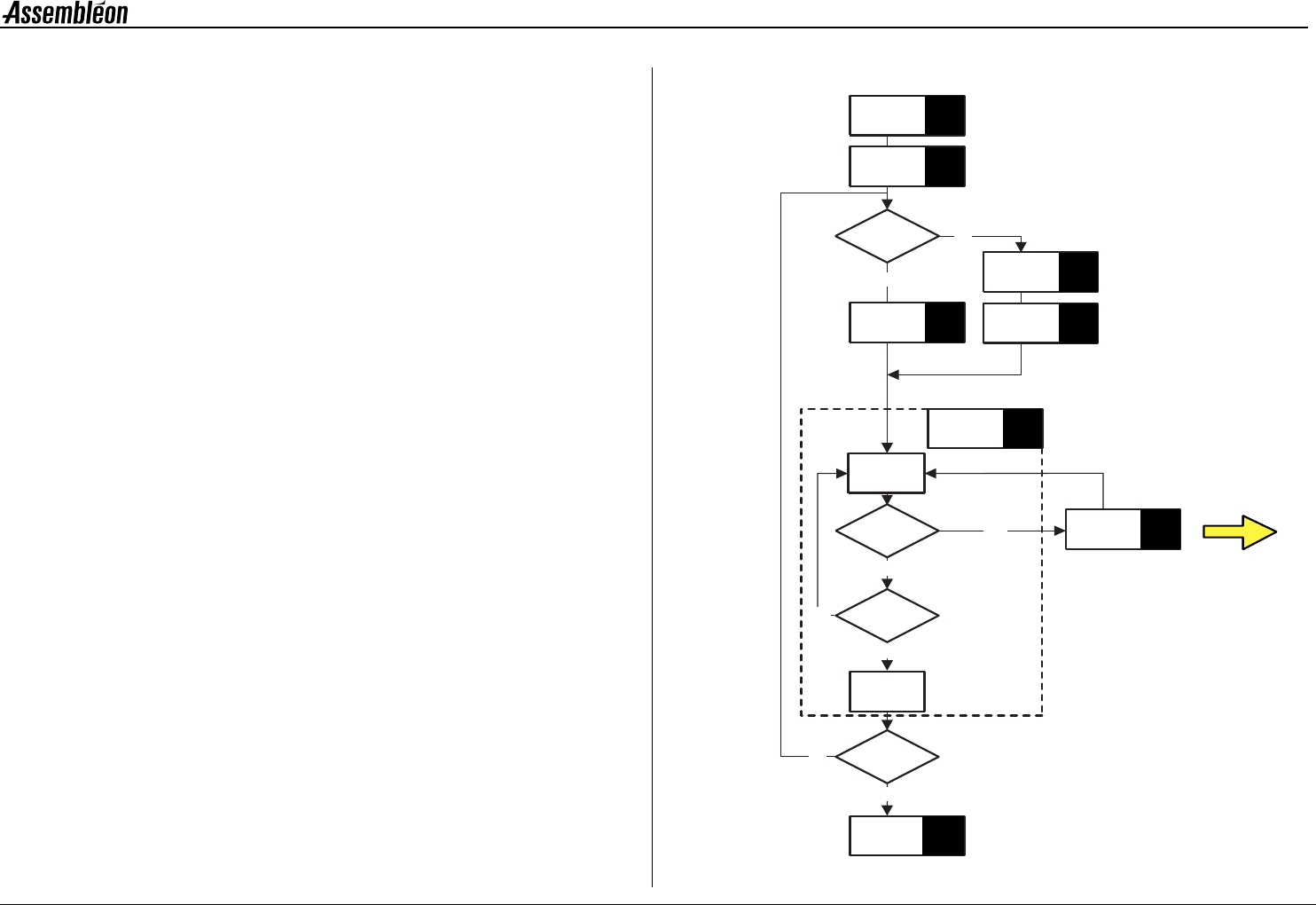
CHAPTER 3 Work-flow overview
Switch-on
procedure
Start
Error
Handling
Chapter
Referencing
Feeders and
Preparation
New
Program
Selection
Pre-start
Inspections
Same
Production?
Error?
Power Down
Yes
NO
YES
NO
Pause?
Finish/
Abort
Power down?
NO
NO
8
5
4
7
Run current
Program
6
10
11
YES
9
Production
YES
4022 593 51894 Operating Manual
09.01 AX-301/501, AX-3/5 26
4
CHAPTER 4 Switch-on procedure
In case of an error call for assistance.
4.1 Switching on power and air supply
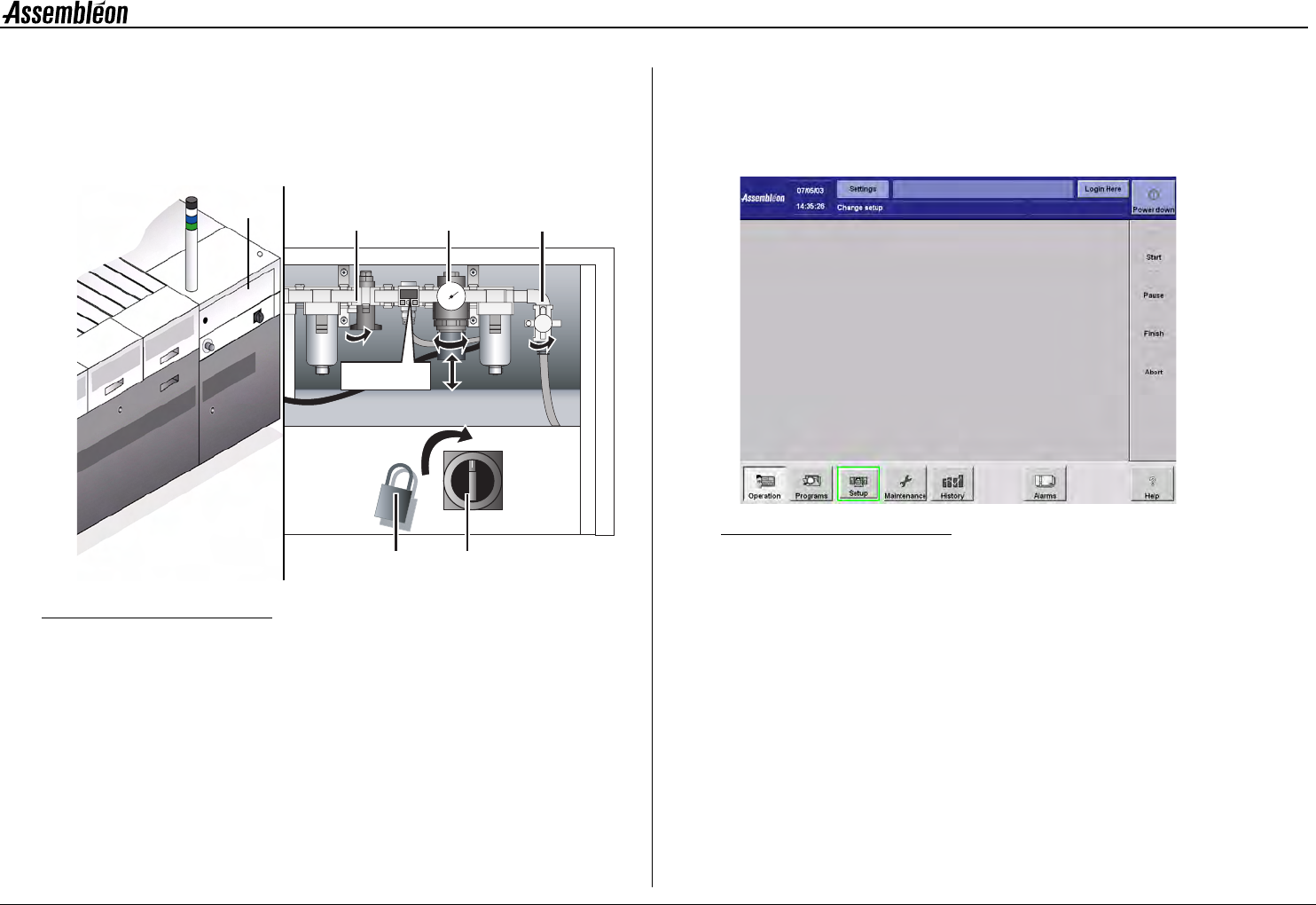
Figure 27 Power and air supply
Go to the backside of the machine.
1 Remove the padlock (1).
2 Turn on the electrical main switch (2).
3 Open rear left upper door (3).
4 Open the air main valve (4).
5 Adjust the air pressure regulator (5) to 5.9 Bar (86 Psi).
Unlock the knob by pulling it downwards.
When bulk feeders are used:
6 Open feeding air valve (6).
7 Close the rear left upper door (3).
8 Wait until the main screen appears.
Figure 28 Main screen
5.9
456
1
2
5.9 Bar
3
4022 593 51894 Operating Manual
09.01 AX-301/501, AX-3/5 27
5
CHAPTER 5 Pre start inspections
In case of an error call for assistance.
5.1 Logging in
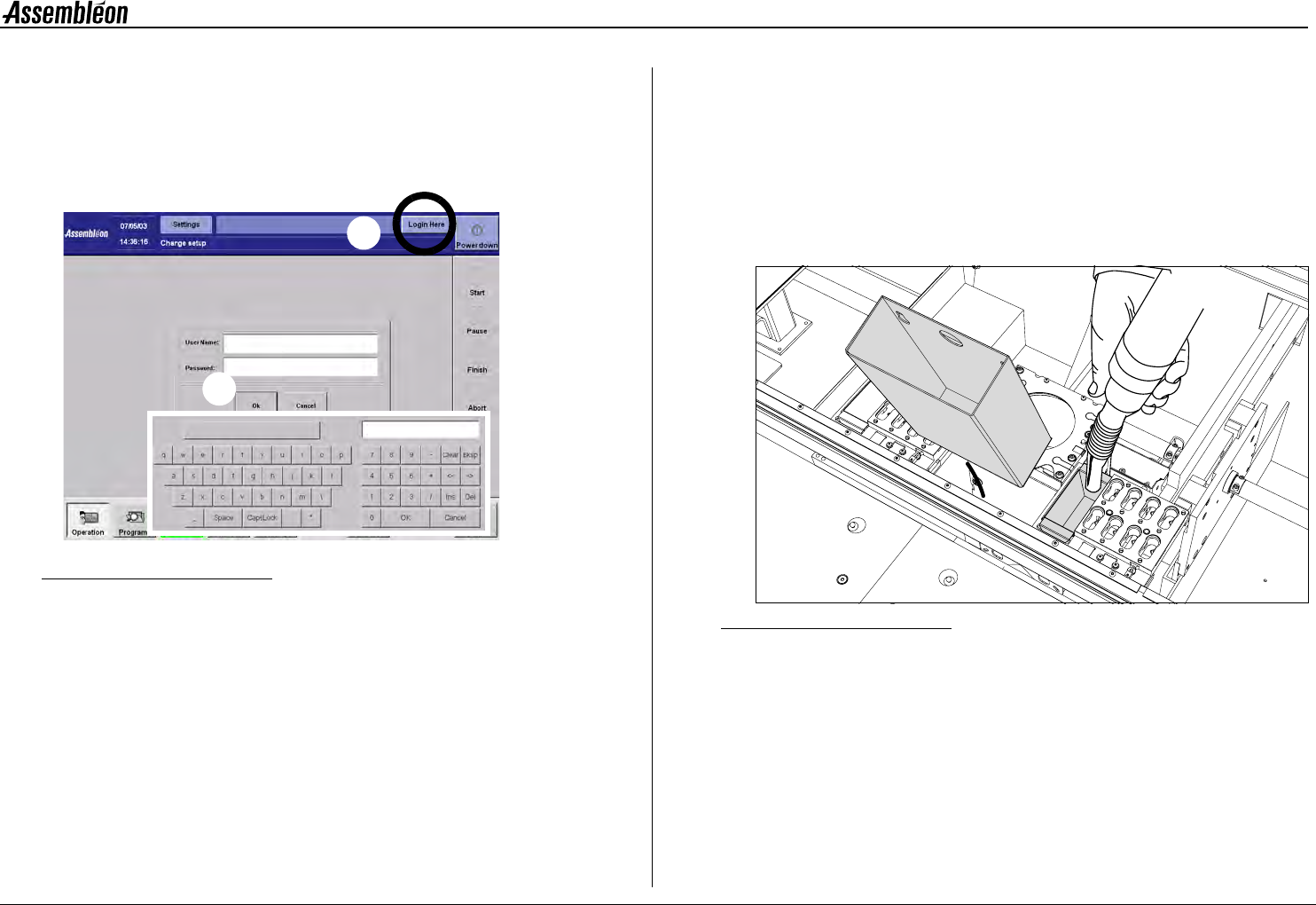
Figure 29 Logging in screen
1 Activate the ’Login’ screen.
2 Activate the keyboard by touching the login area.
• Type in user name, followed by ’OK’.
• Type in password, followed by ’OK’.
5.2 Machine cleaning
NOTE: Never use compressed air for cleaning. (Waste would be
blown into fine mechanical parts, causing damage and
malfunctioning of the machine.)
NOTE: Use, when necessary, the stepstool to prevent an unsafe
work load during machine cleaning.
1 Open all robots, and empty all dump bins.
Figure 30 Dump bins, cleaning
1
2
1