SG_FSE_SiplaceHF_HF3_00193901-05_eng.pdf - 第298页
1 - 98 S tudent Guide SIPLACE HF/HF3 6 Collect &Place-He ad / DLM2 Edition 09/2005 98 Fig. 6.7 - 4 Means of deciding between 12 se gment C&P head or 6 segment C&P head w/o DCA camera Please Note: For the Opti…
1 - 97
Student Guide SIPLACE HF/HF3
Edition 09/2005 6 Collect &Place-Head / DLM2
97
6.7.3 Production requirements
Please Note:
The reconfiguration of the Siplace HF should exist for a longer production time of a product and
not occur by the week because the configuration and the calibration of the machine uses appro-
ximately one day. 6
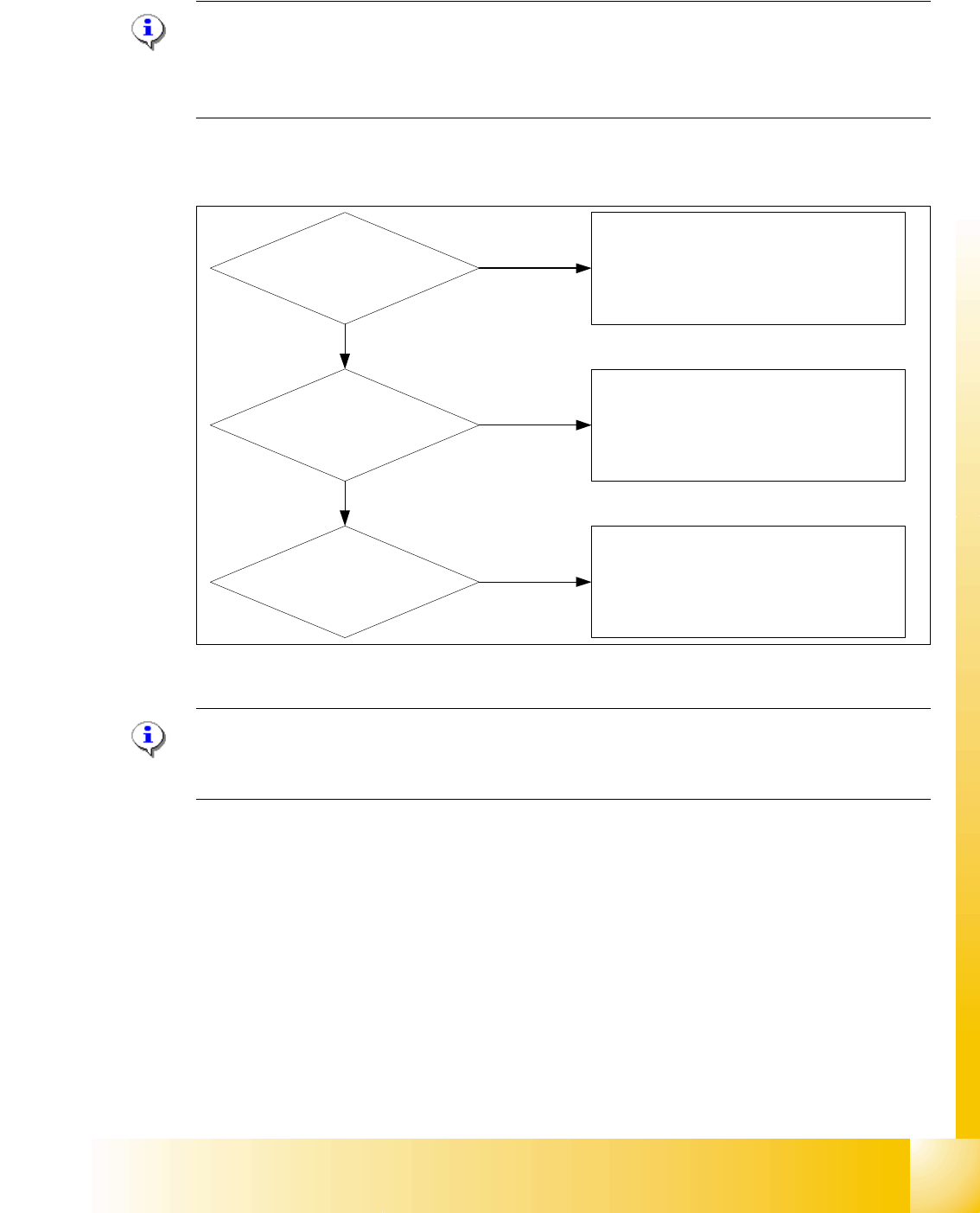
Which decisions must be taken before head exchange?
Fig. 6.7 - 3 Means of deciding between C&P head and Twin head
Please Note:
In the case of a PCB with different component sizes, you should decide for which C&P head install
her (12 segment C&P head or 6 segment C&P head). 6
Only IC`s respective Odd
shape placement?
Mixed fast IC`s respective
Odd shape placement?
Only fast chip`s and IC`s
placement?
HF: Gantry 1 / 3 -->Twin head
HF3:Gantry 1 / 4 -->6 Segment C&P head
Gantry 3 -->Twin head
(On HF3, Twin head only on Gantry 3)
HF: Gantry 1 --> 12 Segment C&P head
Gantry 3 --> Twin head
HF3:Gantry 1/4 --> 12 Segment C&P head
Gantry 3 --> 6 Segment C&P head
HF: Gantry 1 -->C&P head
Gantry 3 -->Twin head
HF3:Gantry 1 -->12 Segment C&P head
Gantry 4 -->6 Segment C&P head
Gantry 3 -->Twin head
Yes
Yes
Yes
1 - 98
Student Guide SIPLACE HF/HF3
6 Collect &Place-Head / DLM2 Edition 09/2005
98
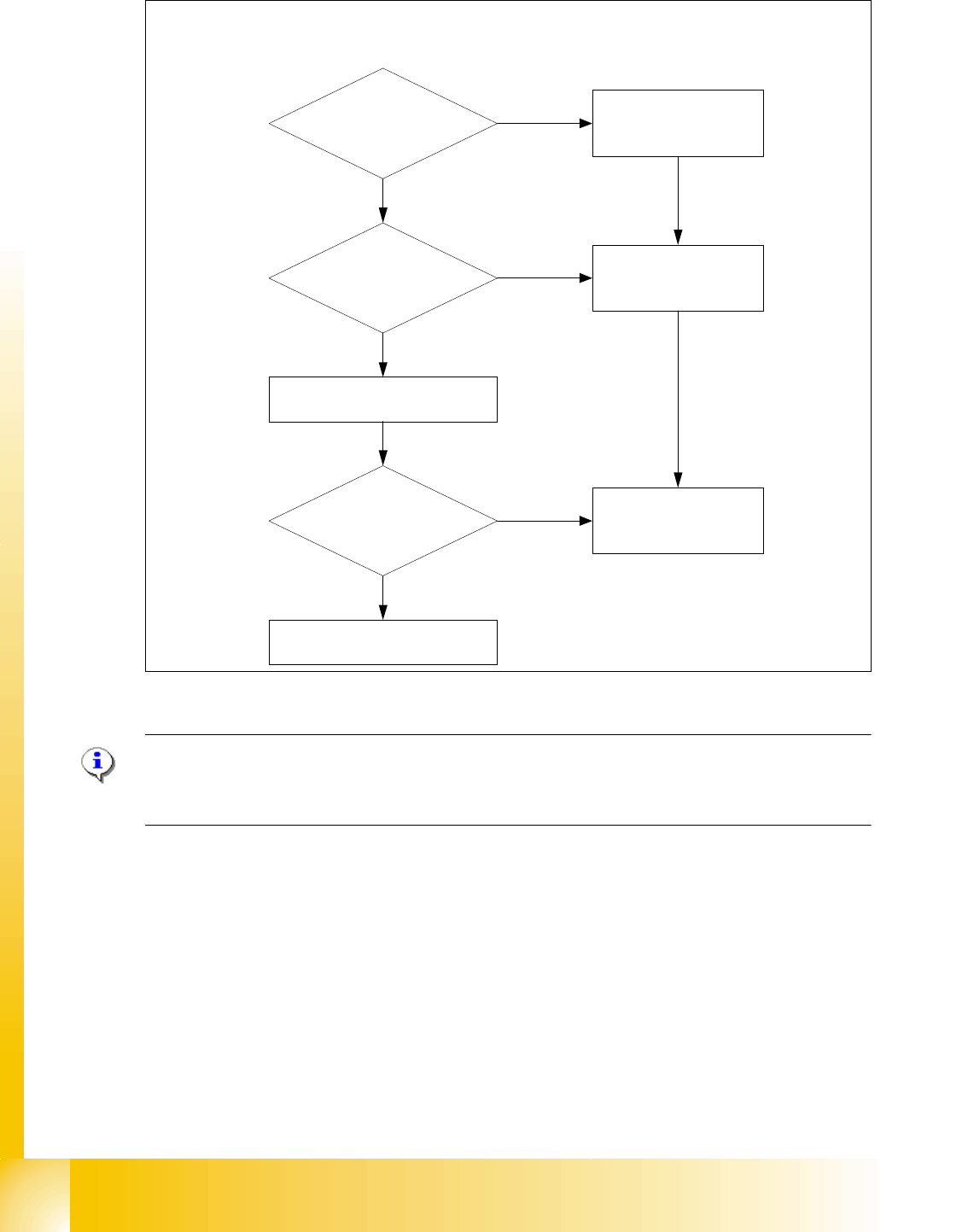
Fig. 6.7 - 4 Means of deciding between 12 segment C&P head or 6 segment C&P head w/o DCA camera
Please Note:
For the Option Head Modularity please use the retrofitting instruction "Head Reconfiguration kits
Item no. 00193893-02.
Component size > 18,7x18,7mm
Component height > 6mm
?
BE weight > 2g?
0201 or BARE DIE
Flip chip placement?
6 segment C&P head
C&P head with DCA Camera
6 segment C&P head
Yes
Yes
Yes
12 Segment C&P head
No
No
No
12 Segment C&P head with
standard camera
Deciding factors about the choice of the C & P heads and the camera types.
1 - 99
Student Guide SIPLACE HF/HF3
Edition 09/2005 6 Collect &Place-Head / DLM2
99
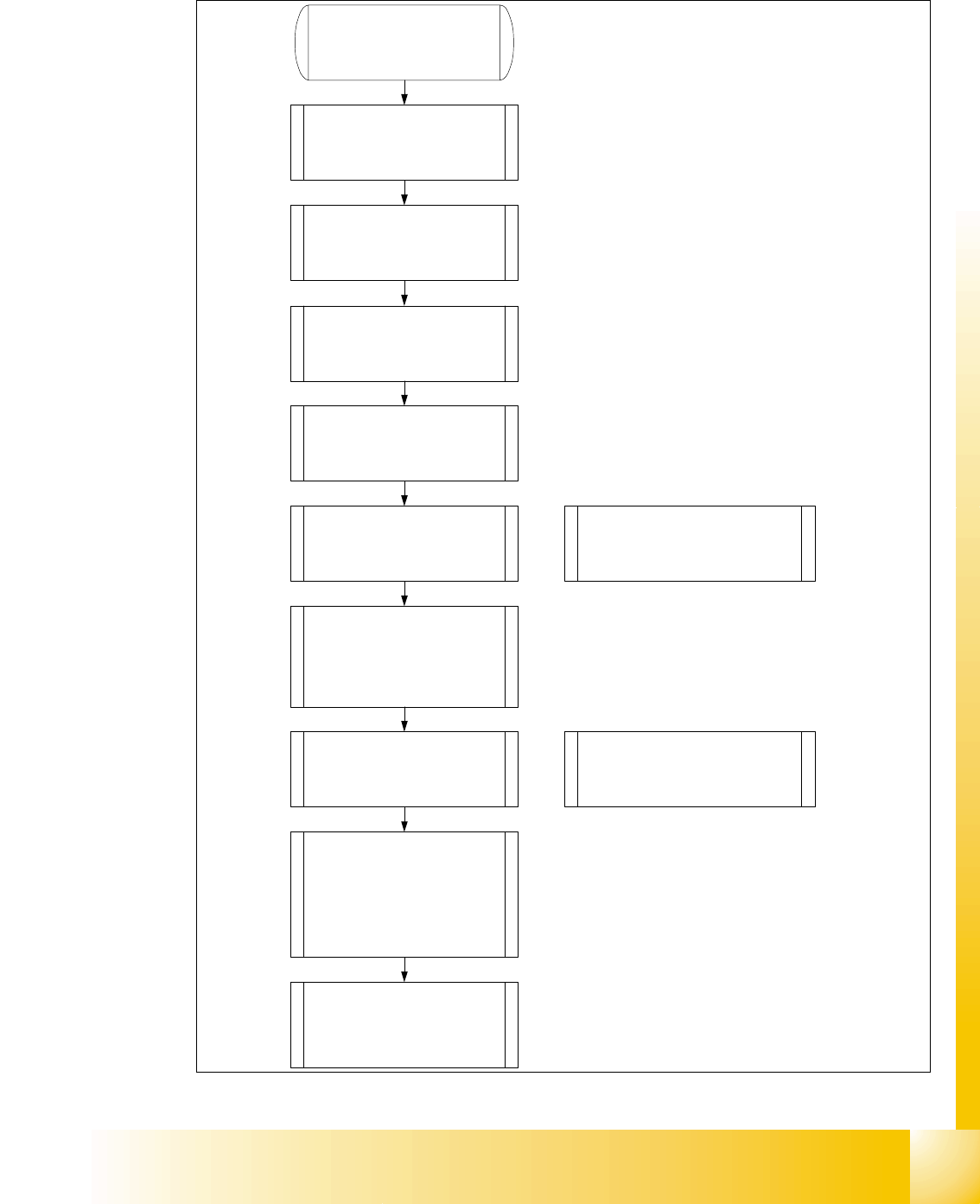
6.7.4 Head exchange
1. Make an backup for the exist
machineconfiguration.
2. Machine data - backup with the
Sitest and create a folder
e.g. Backup and store the folder
SRCMA.
3. Store the Ideal.ma file
4. Sitest " Head exchange" store all
zero point correction into the head-
EPROM.
5. Mechanical works:
Head exchange, Nozzlechanger
exchange.
6. Switch ON the machine and
configure in the SITEST the new
machineconfiguration (head type
and type of the nozzlechanger).
Note: After the reconfiguration
shutdown the machine switch off and
on again.
7. Siplace Pro computer:
Make a copy of the exist basic set
up and configure into the copy the
new head type and nozzlechanger
Note: As a result the new Ideal.ma file
will be send to the station.
8. Siplace Pro computer:
Send a placement program, e.g.
with one component to the station.
9. Station:
Determine the zero point correction
of the star axis, check the axis
dynamic and calibrate all heads
and cameras.
10. Station:
With increase placement accuracy
carring out the fine calibration.