SG_FSE_SiplaceHF_HF3_00193901-05_eng.pdf - 第330页
1 - 18 S tudent Guide SIPLACE HF/HF3 7 TWIN-Head Edition 09/2005 18 Please Note
1 - 17
Student Guide SIPLACE HF/HF3
Edition 09/2005 7 TWIN-Head
17
7.3.7 Prepare placement 2nd component
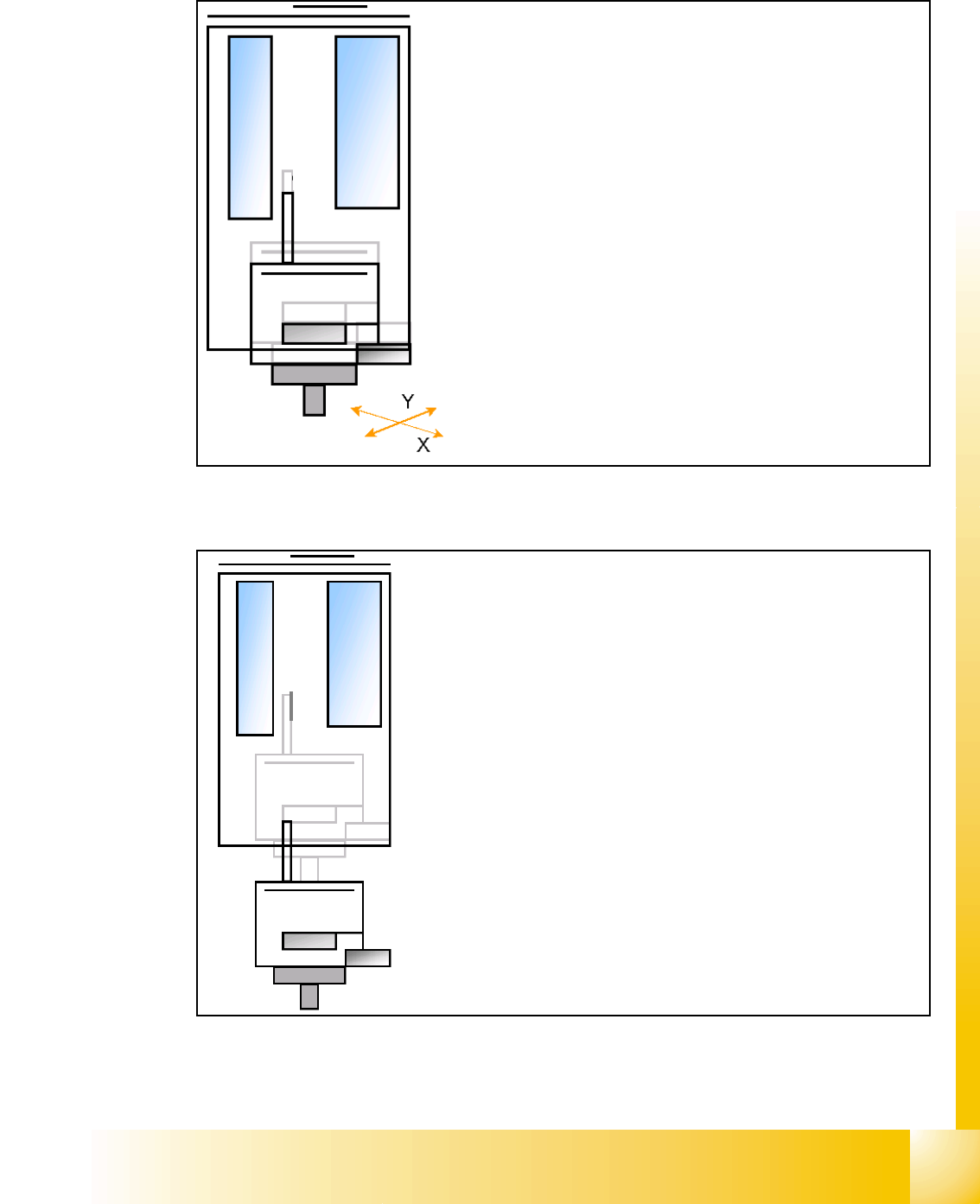
7.3.7.1 Place 2nd component
– Start X / Y Axis to the real placement position (inclusive cor-
rection coordinates).
– Start D- Axis to correct component to precise placement an-
gle
– Z-Axis position downwards with Standard profile (ôr any
other programmed profile up to 15N)for placement force 2 N.
– The Force increase up to the programmed level after contact
of the component on the PCB.
– With this Force signal the End signal is set. The air kiss
control is activated too.
– At Air kiss level for placement Z-Axis move upwards with
Standard profile.
– The next Pick up sequence is prepared for module 1.
1 - 19
Student Guide SIPLACE HF/HF3
Edition 09/2005 7 TWIN-Head
19
7.4 Adjustments
7.4.1 Description of the switches and boards on the TWIN-Head
7.4.1.1 Head interface
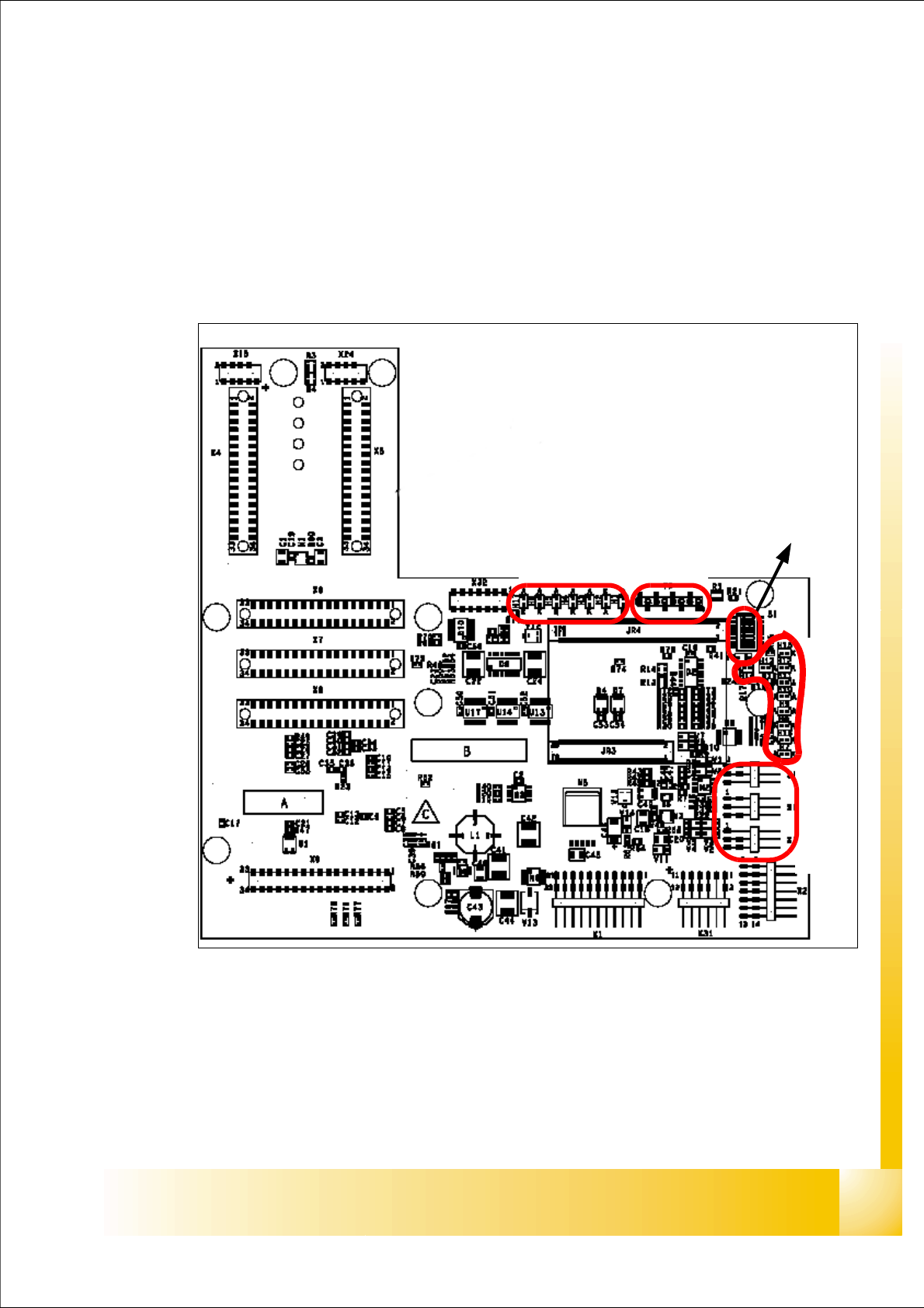
The same head interface board is used on Gantry 1/4 and Gantry (2)3 for the TWIN-head and
C&P head.
Fig. 7.4 - 1 Head Interface
1. X11 Connector Temperature sensor X-Axismotor
2. X17 Connector BERO Travel range X-Axis
3. X16 Connector BERO Travel range X-Axis
4. X15 Connector for incremental encoder X-Axis
5. X24 Test connector digital track signals X-Axis
LED 1-7 TP 1-8
LED 1-10
DIP Switch
1
2
3
4
5