SG_FSE_SiplaceHF_HF3_00193901-05_eng.pdf - 第517页
1 - 43 S tudent Guide SIPLACE HF/HF3 Edition 09/2005 1 1 MTC 2 43 2b. T ransfer position of the T ower 2 WTC 11 When you press the button to calibrate the T ransf er position the tray moves out and stop s approx. 5mm bef…
1 - 42
Student Guide SIPLACE HF/HF3
11 MTC 2 Edition 09/2005
42
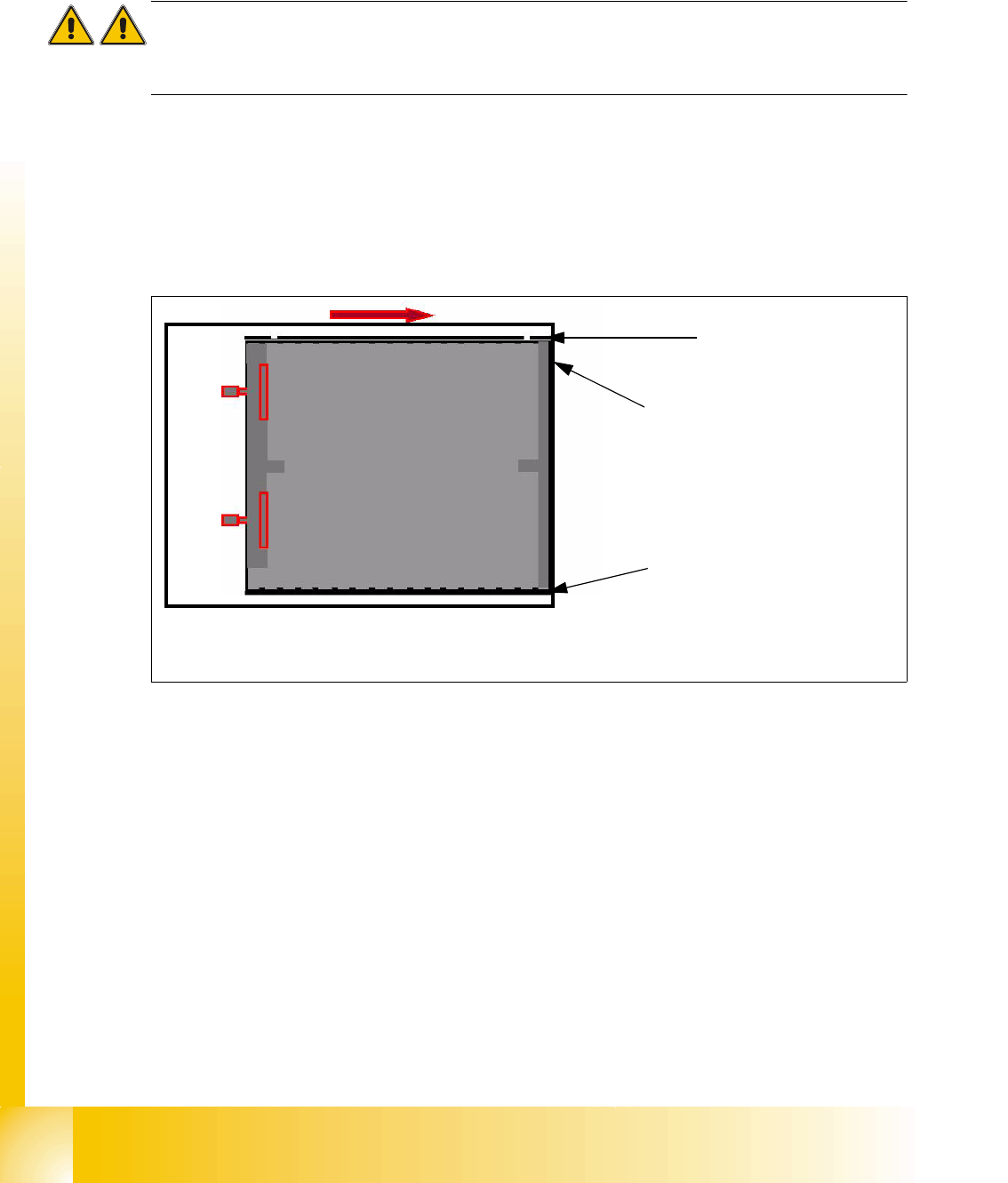
2a. Transfer position of the Tower 1 XL WTC 11
When you press the button to calibrate the Transfer position the tray moves approx. 5mm outside
of the feed axis.
Attention:
When you accept this calibration procedure with "ACCEPT" now, you get a wrong transfer position
and pick up position for the twin head.
➠ Open the cover and move the tray back in the direction to the lifting axes
➠ Then move the tray back in the direction to the machine and stop so that the plastic edge
comes into line with outer edge of the frame from the feed axis. You must do this in one step,
because that you eliminate the tolerance between the space and the driver and you don‘t need
a pick up offset for the tray.
Fig. 11.3 - 8 Transfer position XL tray
Plastic edge of the WTC
Edge of the frame from the MTC
Plastic edge of the WTC
1 - 43
Student Guide SIPLACE HF/HF3
Edition 09/2005 11 MTC 2
43
2b. Transfer position of the Tower 2 WTC 11
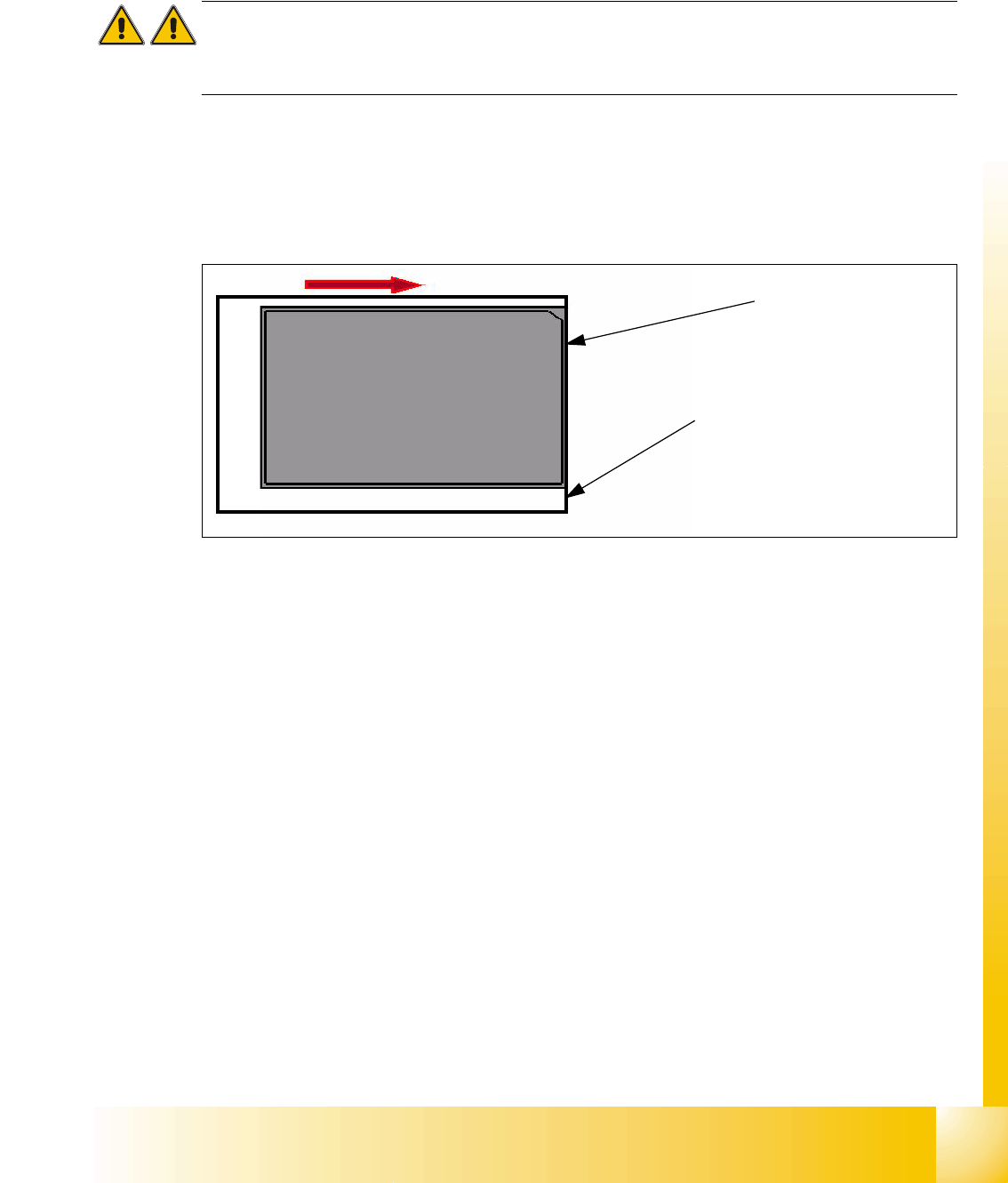
When you press the button to calibrate the Transfer position the tray moves out and stops approx.
5mm before the feed axis end.
Attention:
When you accept this calibration procedure with "ACCEPT" now, you get a wrong transfer position
and pick up position for the twin head.
➠ Then move the tray in the direction to the machine and stop so that the plastic edge comes into
line with outer edge of the frame from the feed axis. You must do this in one step, because that
you eliminate the tolerance between the space and the driver and you don‘t need a pick up
offset for the tray.
Fig. 11.3 - 9 Transfer position JEDEC tray
During the production the trays move a different way to her pick up position but the Y Position of
the machinen (pick up postion) of both trays is the same.
Plastic edge of the WTC
Edge of the frame from the MTC
1 - 44
Student Guide SIPLACE HF/HF3
11 MTC 2 Edition 09/2005
44
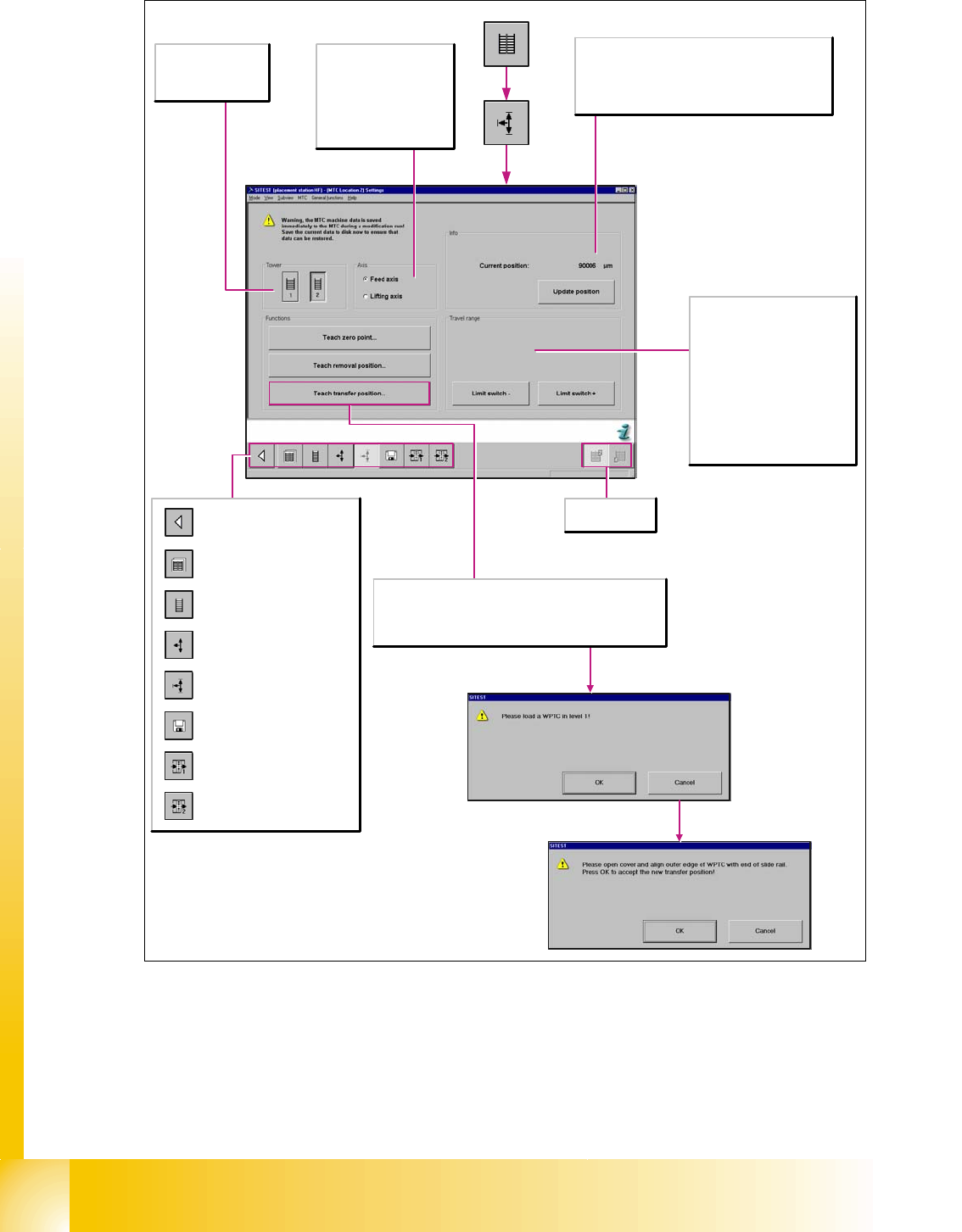
Fig. 11.3 - 10 Overview "Calibration feed axes 1/2"
Calls the view for the functions
of the MTC.
Calls the view for the tower
functions of the MTC.
Calls the view for the axis
functions of the MTC.
Calls the view for the settings of
the MTC.
Calls the view for the machine
data functions of the MTC.
Calls the view for the inputs/
outputs of the MTC.
Calls the view for the inputs/
outputs of the MTC.
Return to the main view.
Selects the MTC
at location 2 or 4.
Axis
Feed axis
The selected functions are
executed for the feed axis.
Lifting axis
The selected functions are
executed for the lifting axis.
Tower
1/2
Activates the functions
for tower 1 or tower 2.
Info
Current position:
Shows the current position of the activated axis in µm.
Update position
Updates the display for the position of the activated axis.
Travel range
Limit switch +
Moves the selected axis to the limit
switch in order to re-determine the
maximum position which can be
reached. A reference run is then
performed with the axis.
Limit switch -
Moves the selected axis to the limit
switch in order to re-determine the
minimum position which can be
reached. A reference run is then
performed with the axis.
The feed axis is deactivated when the protective cover is opened.
The end of the slide rail of the feed axis is physically adjusted so
that it comes into line with the outer edge of the waffle pack tray
carrier in Level 1. This position can then be accepted as the new
transfer position by clicking OK.