TR7500_Hardware_en - 第17页
16 F i gu r e 2 . 7 I np u t 2 2 . 4 . 2 O U T P U T ( Y ) : T h e Y 1 00 ~ Y 1 20 v a l u e s f r o m F i gu r e 2 . 8 ~ F i gu r e 2 . 1 0 c an b e c o mp a r ed a g a i n s t T a b l e 2 . 1 t o m on i t o r t he P L …
15
completed press BACK. The system will lock the CONV. WIDTH adjustment function and
return to the Debug display Figure 2.1.
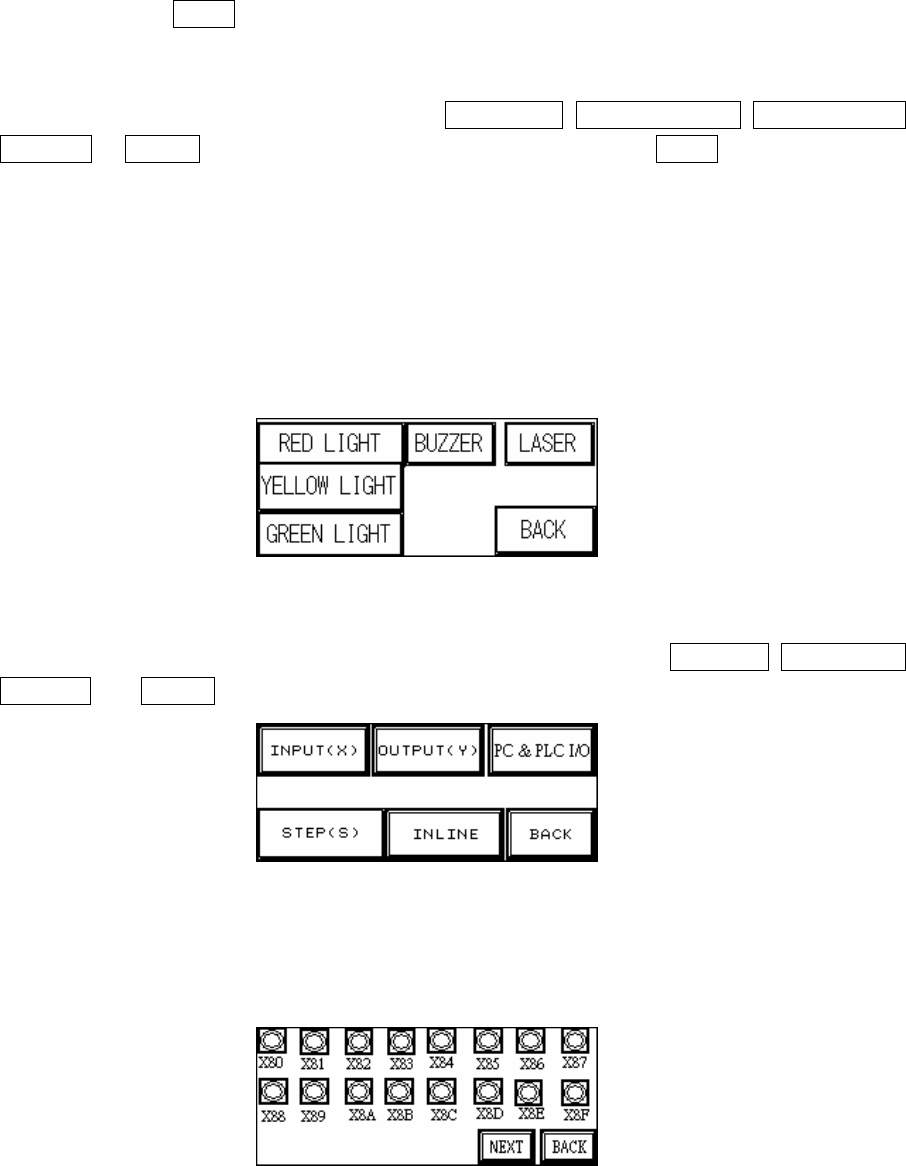
2.3 Three Colored Lights (Figure 2.4): Press the RED LIGHT, YELLOW LIGHT, GREEN LIGHT,
BUZZER or LASER to test that each is operating correctly; press BACK to return to the
Debug display Figure 2.1.
2.3.1 Automatic Laser Testing:
l The Laser is ON when: The Loader program begins testing (hold board).
l The Laser is OFF when:
n The testing complete (release board) signal is received.
n Reset is pressed during testing.
n Emergency stop is pressed.
Figure 2.4 Three Colored Lights
2.4 I/O Display (Figure 2.5): From the options in Figure 2.5, the options INPUT(X), OUTPUT(Y),
STEP(S) and INLINE can be selected to monitor the execution status of the PLC program.
Figure 2.5 I/O Display
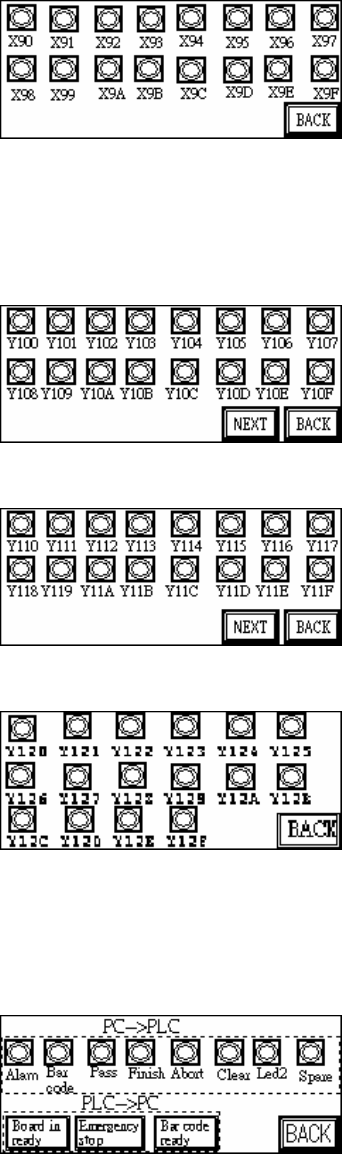
2.4.1 INPUT(X): The X80~X9F values from Figure 2.6 and Figure 2.7 can be compared against
Table 2.1 to monitor the PLC to see if the input points are normal.
Figure 2.6 Input 1
16
Figure 2.7 Input 2
2.4.2 OUTPUT(Y): The Y100~Y120 values from Figure 2.8 ~ Figure 2.10 can be compared
against Table 2.1 to monitor the PLC to see if the output points are normal.
Figure 2.8 Output 1
Figure 2.9 Output 2
Figure 2.10 Output 3
2.4.3 PC & PLC I/O: Use this function and co-operate with the I/O testing function in main
program to review the Input and Output signal.
Figure 2.11 PC&PLC I/O
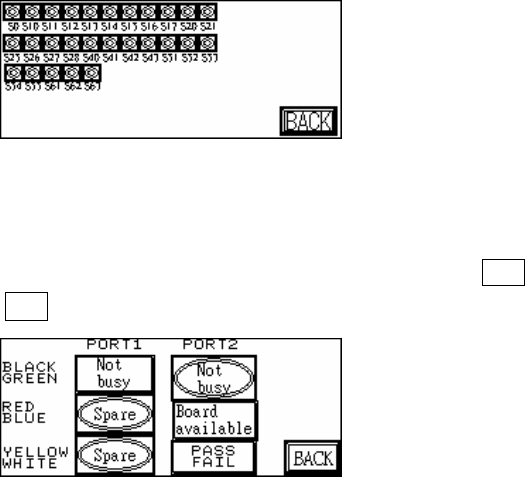
2.4.4 STEP (S): When step by step operation is selected, the step at which the system’s
operation experiences a problem can be identified; this is shown during system Reset,
Bypass and normal operations.
17
Figure 2.12 Stepping
2.4.5 INLINE: Port1 and Port2 can be used to perform a self-diagnostic check. Connect Port1
and Port2 connectors that have the same color and at Figure 2.13 press Y*** (Output) to
see if the corresponding X*** (Input) is shown.
Figure 2.13 Inline