TR7500_Hardware_en - 第54页
53 6 . 1 .3 T es ti ng M e th od l A f t e r op e n i n g t h e P C a nd P L C I / O T e s t i ng d i s p l a y , t i c k t he P C ou t p u t t o s ee i f t he r e i s a r e s p o n s e f r o m P L C i n pu t ; p r e ss …
52
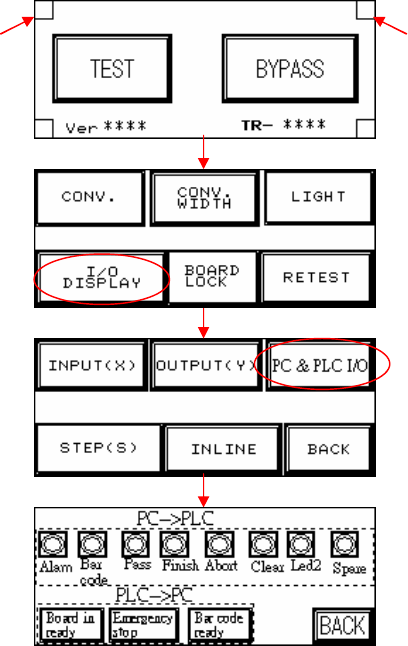
6.1.2 Open the PLC I/O Testing Display.
l Both hidden buttons must be pressed simultaneously.
Hidden button Hidden button
53
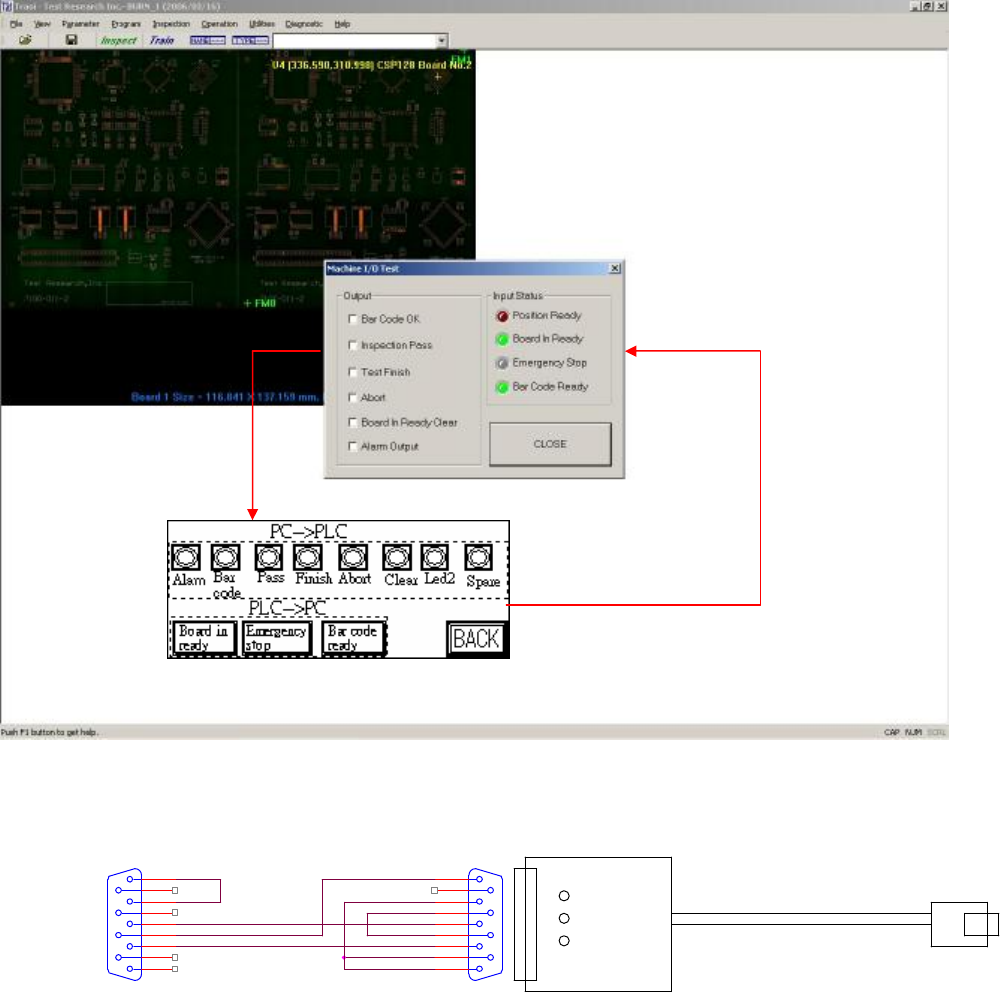
6.1.3 Testing Method
l After opening the PC and PLC I/O Testing display, tick the PC output to see if there is a
response from PLC input; press on PLC output to see if there is a response at PLC input.
6.1.4 Hardware Wiring:
l Check or replace the PLC and PC connection cable.
P2
CONNECTOR DB9
5
9
4
8
3
7
2
6
1
PLC()
公
USB TO PC
P1
CONNECTOR DB9
5
9
4
8
3
7
2
6
1
54
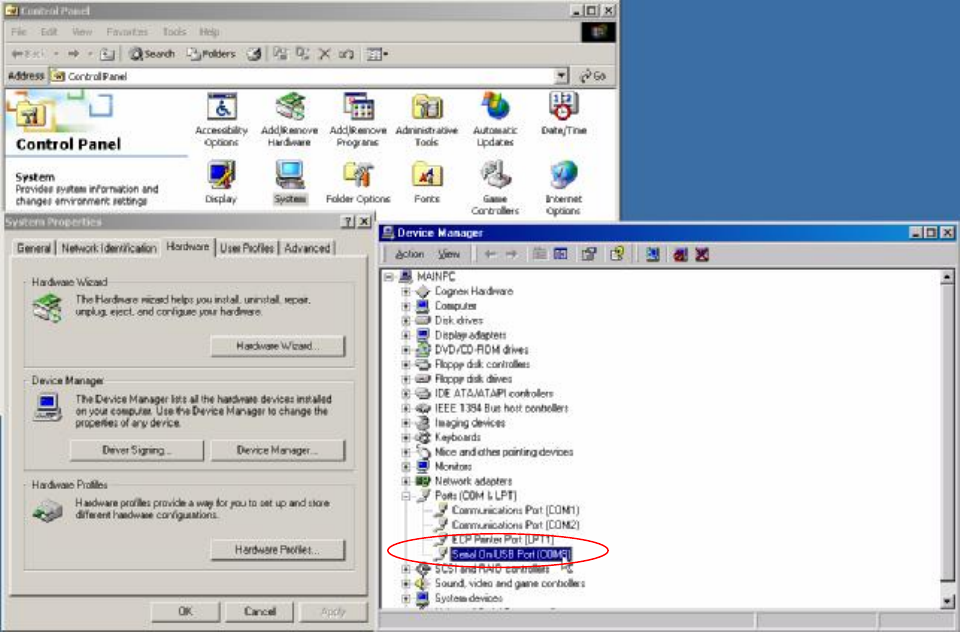
6.1.5 System Configuration:
l Check the Control Panel/System/Hardware/Device Manager/Port to check if the USB to
RS-232 (COM8) device is operating normally.