TR7500_Hardware_en - 第66页
65 6 . 6 X- Y T ABL E ALAR M l X Y T AB L E : T he D r i v e r d i s p l a y c an i n d i c a t e i f t h e r e i s a n e r r o r . If t h e r e i s , t hen i t i s a ha r d w a r e e rr o r . P l ea s e r e f e r t o t …
64
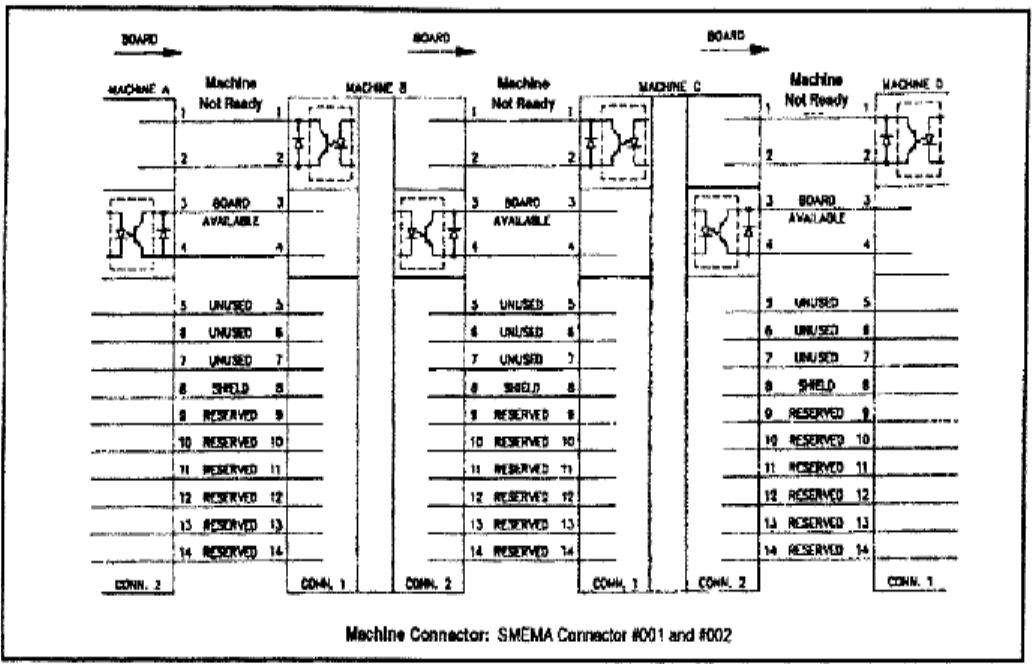
l The standard SMEMA signal link is as shown in figure below.
65
6.6 X-Y TABLE ALARM
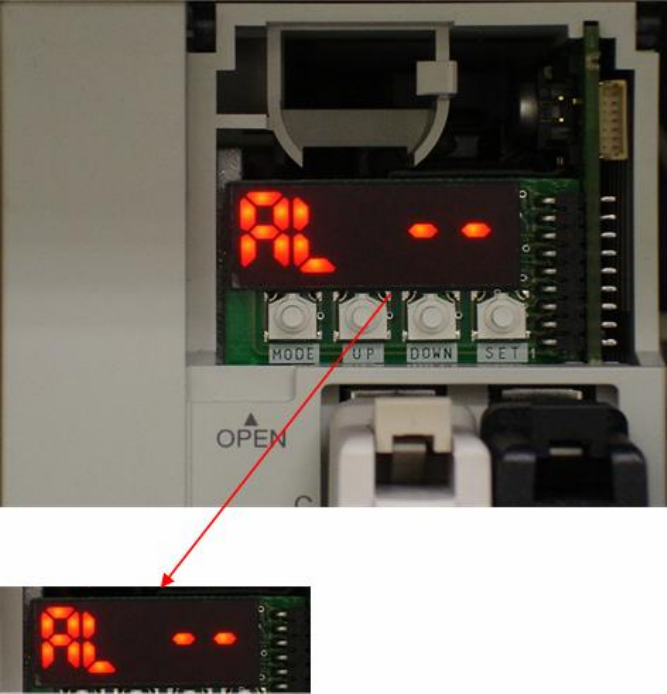
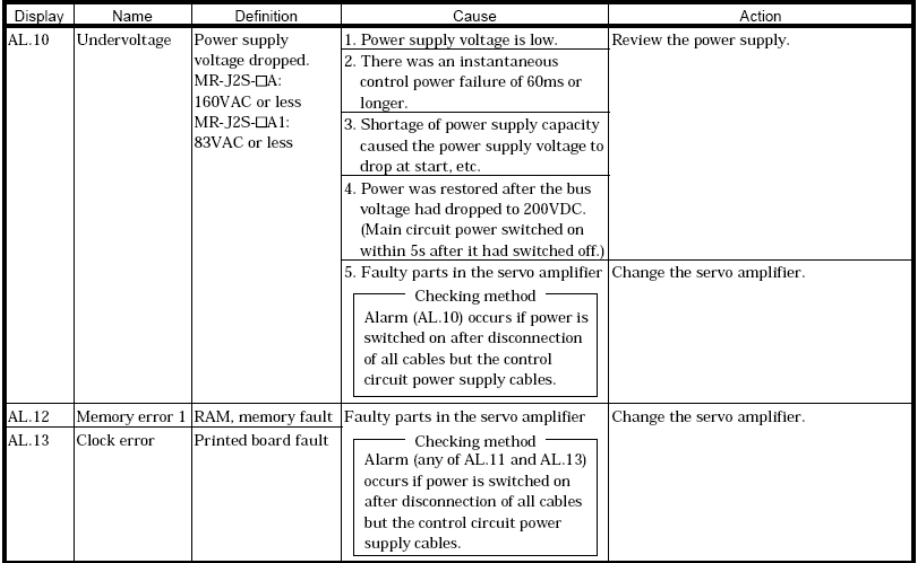
l XY TABLE: The Driver display can indicate if there is an error. If there is, then it is a
hardware error. Please refer to the Alarm code in the reference table and trouble shoot; if no
error is displayed, operate with EzLINK. If control is possible, then there is no problem with
the hardware and this could be a X-Y Table error caused by software. Please contact FAE
personnel. The confirmation procedure is as follows:
6.6.1 Check Driver Error Codes
l If LED is not showing this display, please press MODE button to switch.
66