TR7500_Hardware_en - 第78页
77 6 . 6 . 2 . 6 Lo a d i n g P a r a m e t e r s l C ho o s e F i l e \ L o ad C on f i g l C ho o s e f i l e t o Lo a d . L o a d C o n f ig
76
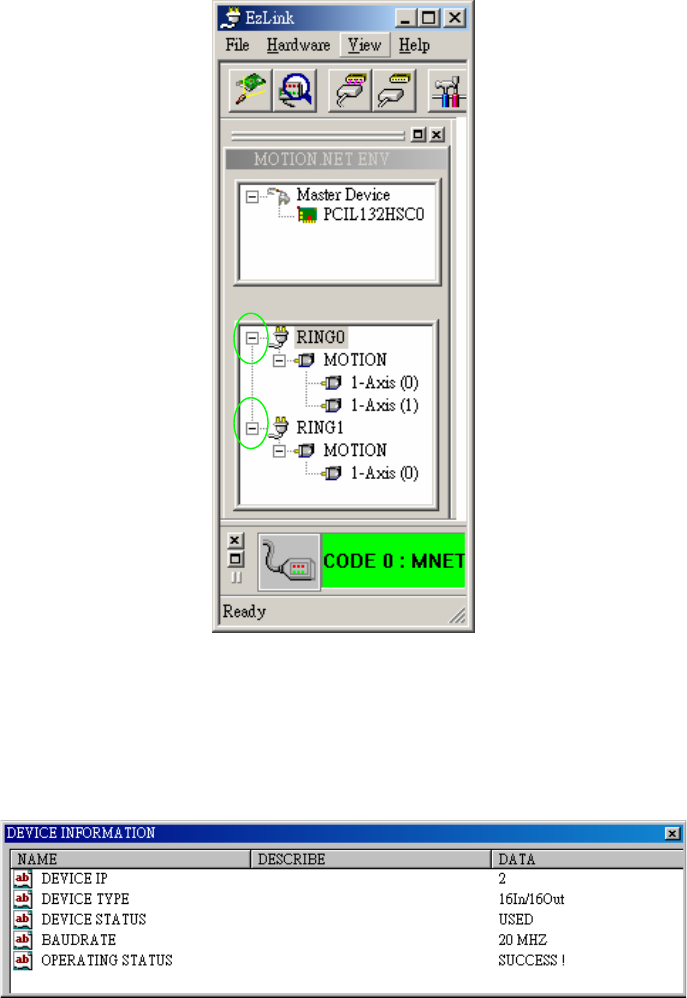
l After clicking on a device its related information will be shown on the right side of the
program display as shown in the picture below.
l The device information dialog window will show the device’s IP number, device type, device
status, the serial connection’s baud rate and whether its operation was successful.
77
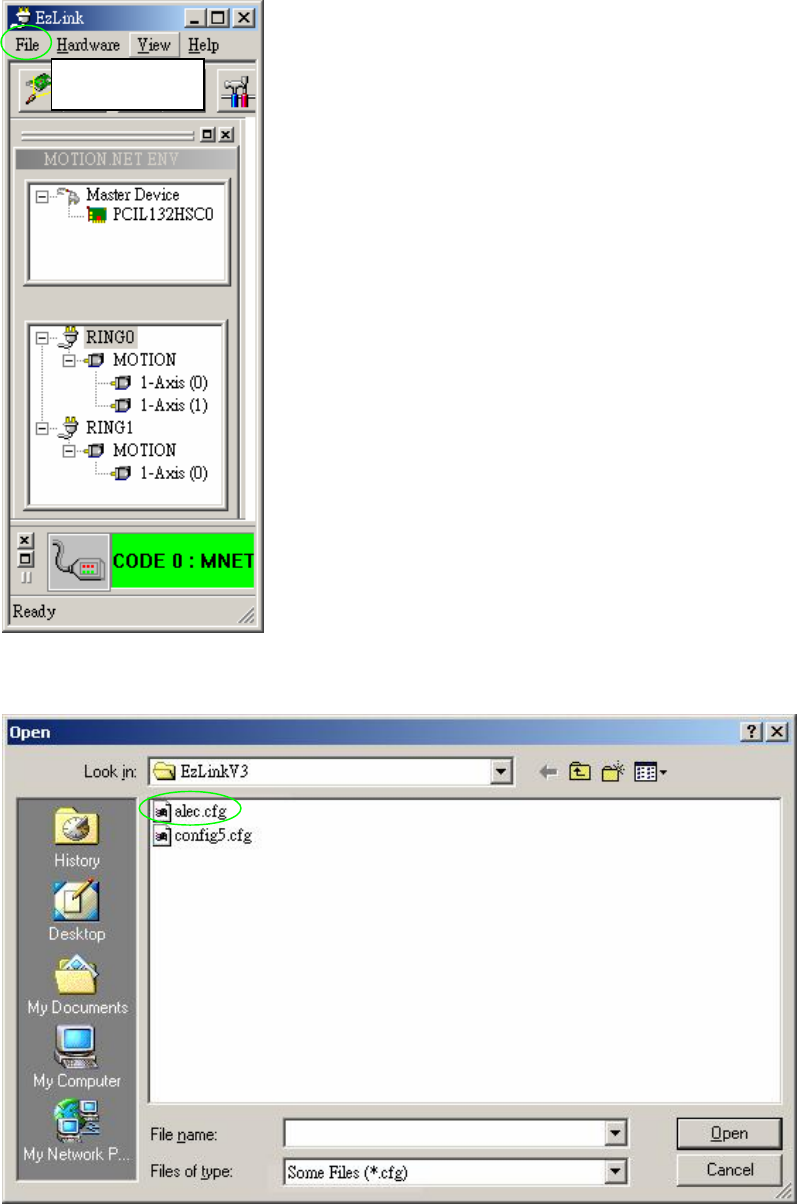
6.6.2.6 Loading Parameters
l Choose File\Load Config
l Choose file to Load.
Load Config
78
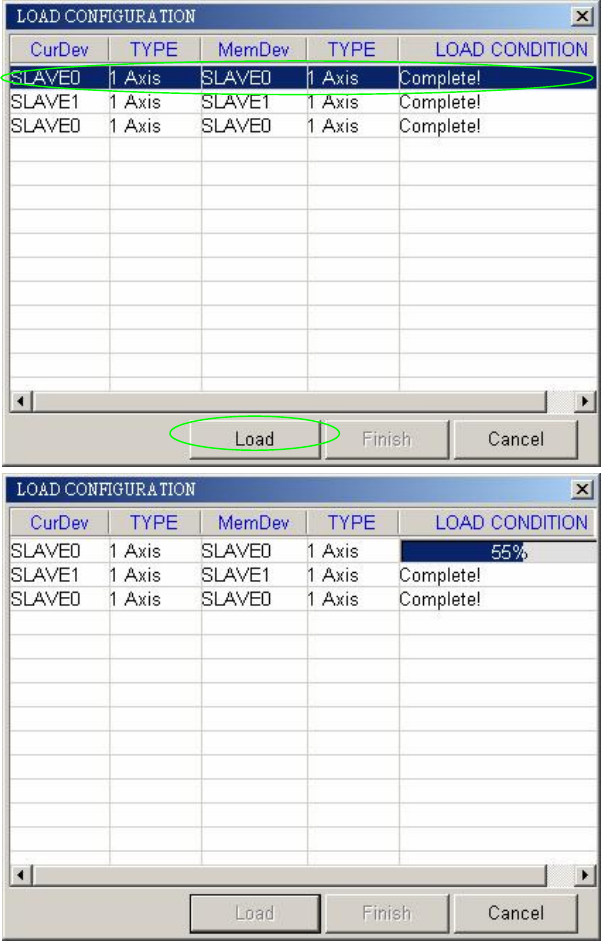
l Choose one of the 3 Slaved devices, and then press LOAD. The 3 Slaved devices will be
automatically loaded.