TR7500_Hardware_en - 第81页
80 6 . 6 . 2 . 7 T es t t h e H om e O p e r a t i on l C ho o s e t he a x i s t o t e s t . l C he c k t o s ee i f t h e i nd i c a t o r o n t h e r i g h t s i de i s n o r m a l w he n SE R V E R O F F . X A xis Y …
79
80
6.6.2.7 Test the Home Operation
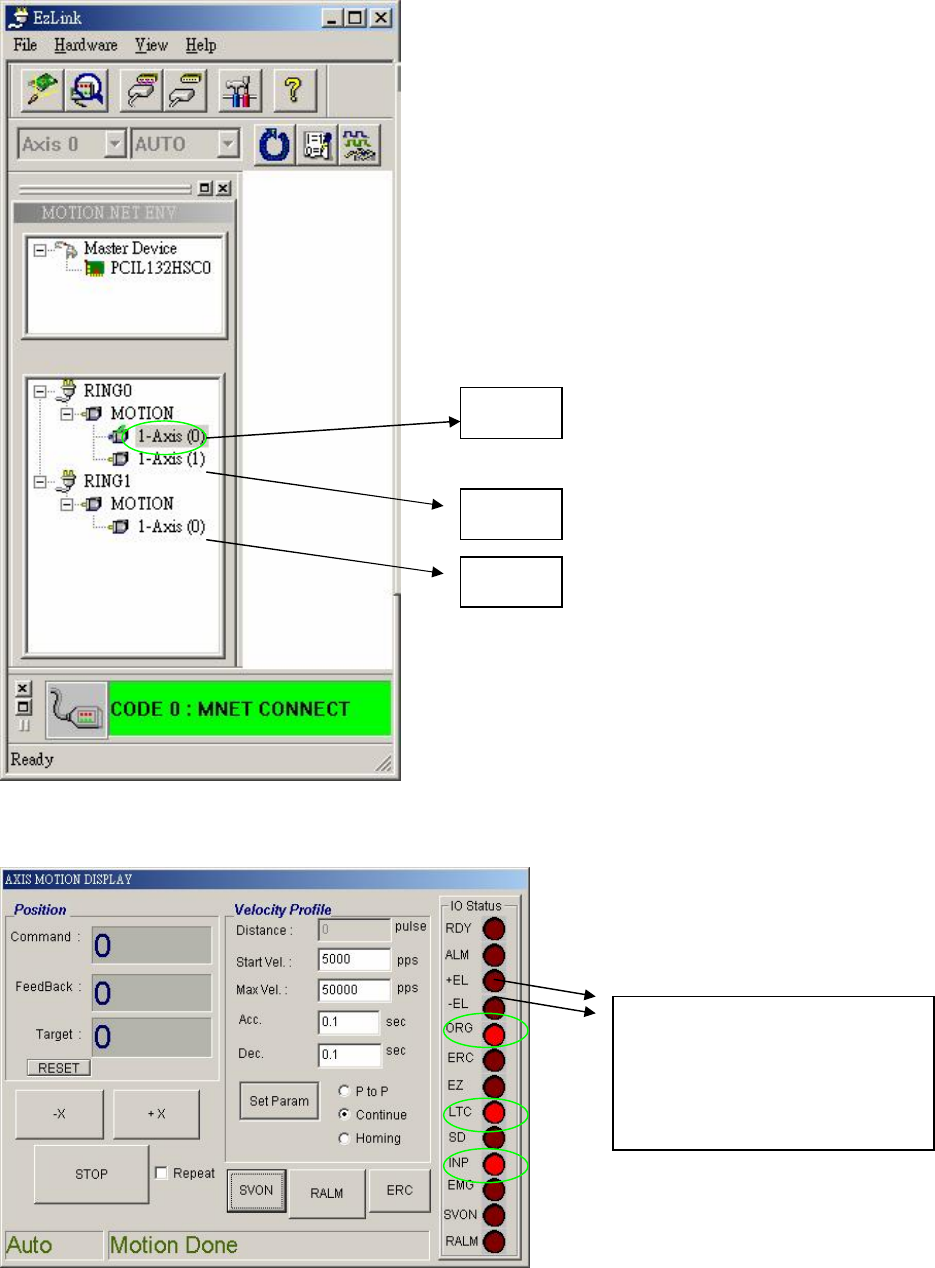
l Choose the axis to test.
l Check to see if the indicator on the right side is normal when SERVER OFF.
X Axis
Y Axis
Z Axis
If the TABLE is stopped on
the LIMIT SWITCH
SENSOR, one of theses two
lights will be lit.
81
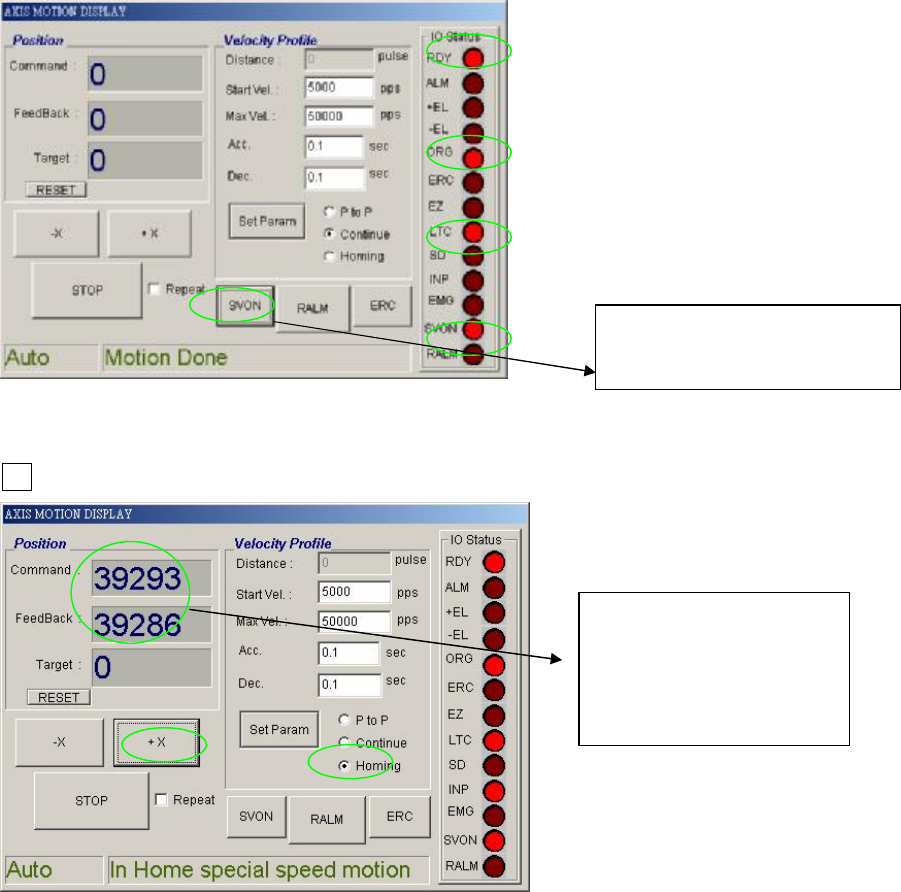
l Check to see if the indicator on the right side is normal when SERVER ON.
l Press Homing to see if XY TABLE moves. After SERVER ON, choose Homing, then press
+X.
l Once in operation, the display is as below
Press SERVER ON
Then press SERVER OFF
When in operation
these two values will
change and be very
close to each other.