00196416-01_IM_OIS_SIS 7.0_DE EN.pdf - 第14页
Installationsanleitung OIS Client, OI S Server, SIS Server Version 7.0 Installation Manual The production data is only saved in the database for a certain period. ¾ Specify the time for which the productio n dat a is to …
OIS Client, OIS Server, SIS Server Version 7.0 Installationsanleitung
Installation manual
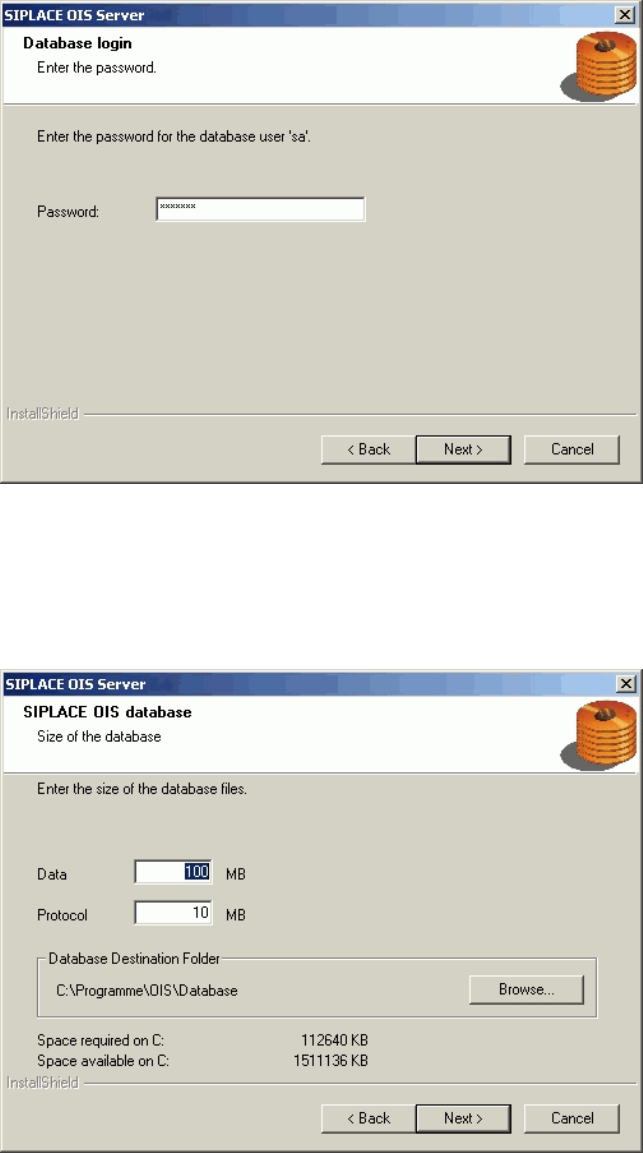
The installation routine must log in to the SQL-Server as system administrator (sa) in order to set up or
update the database schema.
¾ Enter the system administrator password.
¾ Continue by clicking the Next> button. If you don't yet have a database, you'll see the following
dialog:
¾ Click Browse... if you want to choose another installation directory for the database.
¾ Enter the starting file size for the database files. The default values are generally acceptable, and the
files are allowed to grow as your database expands.
¾ Continue by clicking the Next> button.
13 von 50
Installationsanleitung OIS Client, OIS Server, SIS Server Version 7.0
Installation Manual
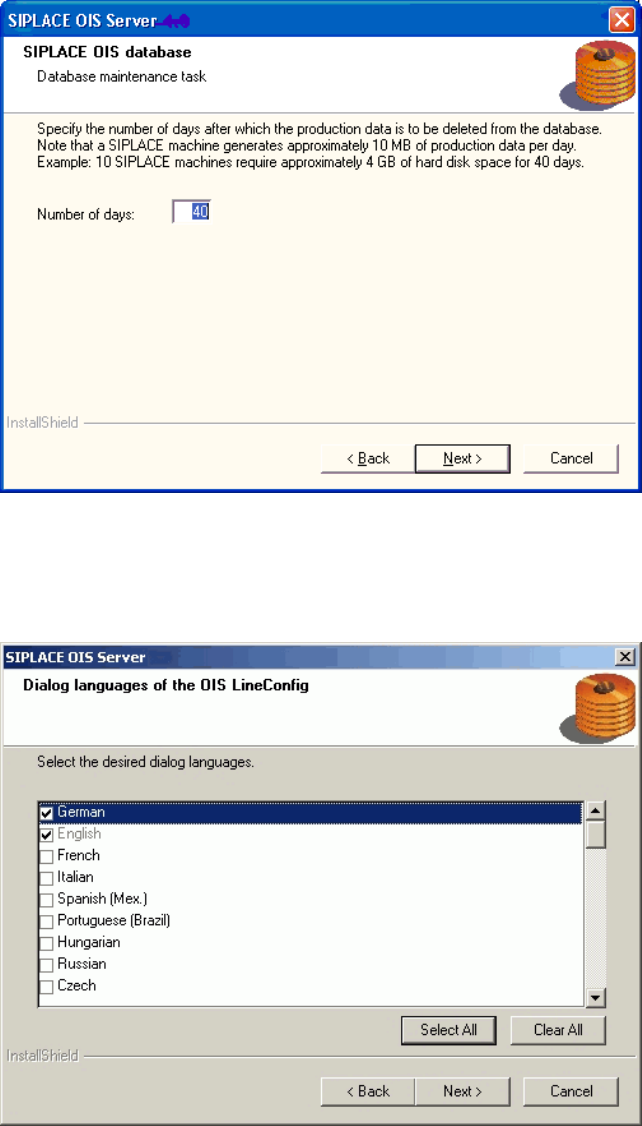
The production data is only saved in the database for a certain period.
¾ Specify the time for which the production data is to be retained in the database.
Values between 40 and 400 days are permitted.
¾ Select the desired languages. The languages are only relevant for the OIS Line Config dialog.
German and English are always installed.
¾ Continue by clicking the Next> button.
14 von 50
OIS Client, OIS Server, SIS Server Version 7.0 Installationsanleitung
Installation manual
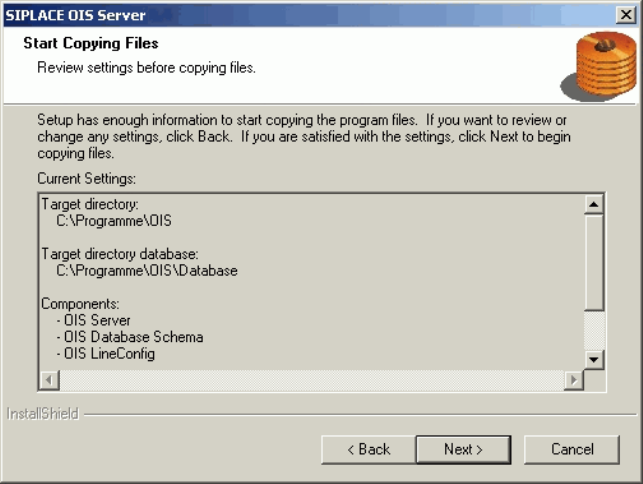
This shows a summary of the settings and entries you have made so far.
¾ Check the settings.
¾ Click Next > to start the actual installation process.
¾ If you wish to change your entries, click < Back to return to the appropriate dialog.
The software is then installed.
¾ Continue with section
3.2.5 on page 21.
15 von 50