00196416-01_IM_OIS_SIS 7.0_DE EN.pdf - 第16页
Installationsanleitung OIS Client, OI S Server, SIS Server Version 7.0 Installation Manual 3.2.3 Installing OIS Client Note: An OIS server must be installed and run ning before installing a client. ¾ Select the machine t…
OIS Client, OIS Server, SIS Server Version 7.0 Installationsanleitung
Installation manual
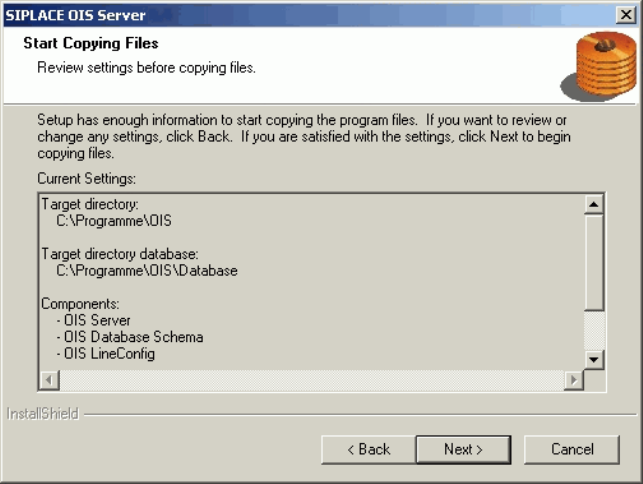
This shows a summary of the settings and entries you have made so far.
¾ Check the settings.
¾ Click Next > to start the actual installation process.
¾ If you wish to change your entries, click < Back to return to the appropriate dialog.
The software is then installed.
¾ Continue with section
3.2.5 on page 21.
15 von 50
Installationsanleitung OIS Client, OIS Server, SIS Server Version 7.0
Installation Manual
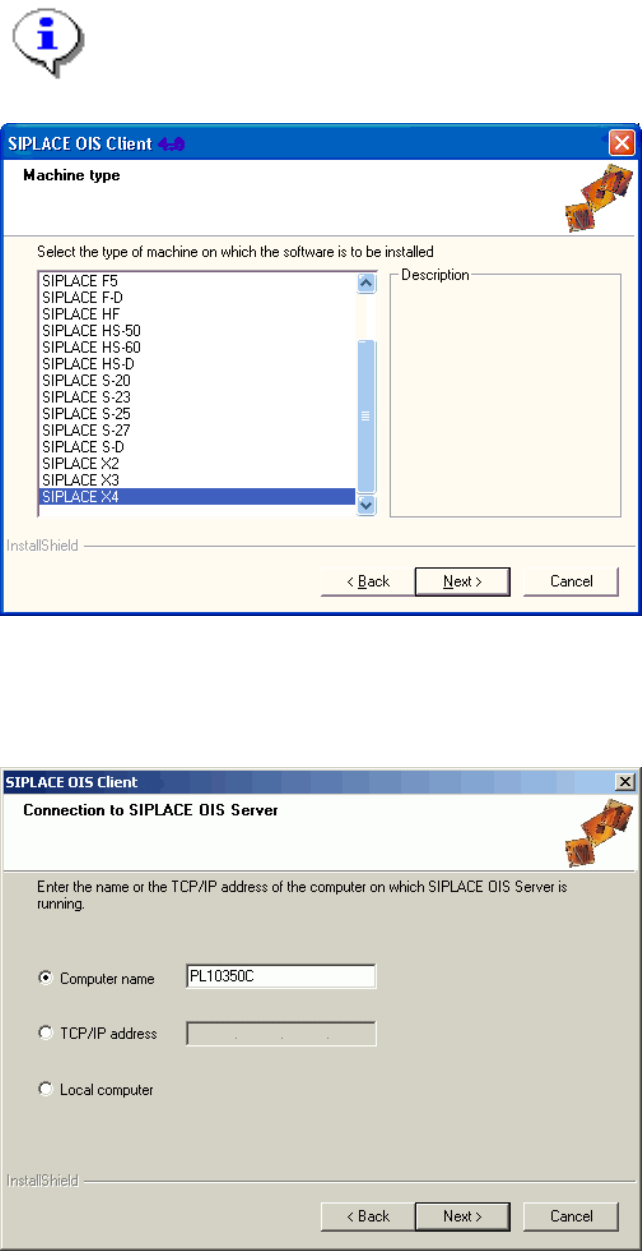
3.2.3 Installing OIS Client
Note:
An OIS server must be installed and running before installing a client.
¾ Select the machine type on which the OIS client is to be installed.
Select the type "Personal Computer" for machines with station software version 70x.
¾ Continue by clicking the Next> button.
¾ Enter the TCP/IP address or the computer name of the OIS Server.
¾ If you are installing OIS client on the OIS Server computer, choose Local Computer.
16 von 50
OIS Client, OIS Server, SIS Server Version 7.0 Installationsanleitung
Installation manual
¾ Continue by clicking the Next> button.
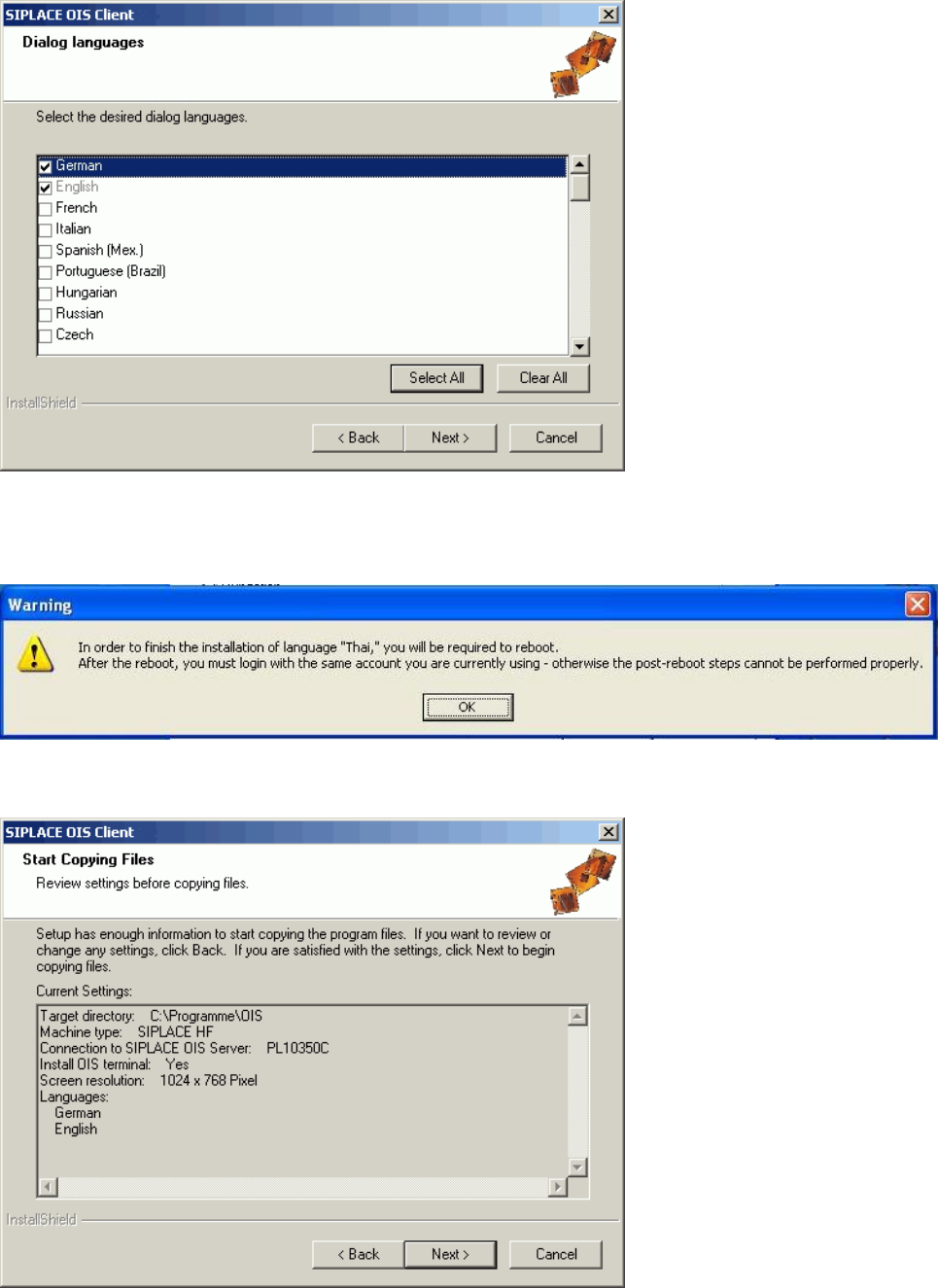
¾ Select the desired languages.
German and English are always installed.
¾ Continue by clicking the Next> button.
¾ When installing some languages, this notice is also displayed. In this case, you must restart the
computer after the installation, then login again.
17 von 50