00196416-01_IM_OIS_SIS 7.0_DE EN.pdf - 第17页
OIS Client, OIS Server, SIS Server Version 7.0 Installationsanleitung Installation manual ¾ Continue by clicking the Next> button. ¾ Select the desired languages. German and English are always installed. ¾ Continue by…
Installationsanleitung OIS Client, OIS Server, SIS Server Version 7.0
Installation Manual
3.2.3 Installing OIS Client
Note:
An OIS server must be installed and running before installing a client.
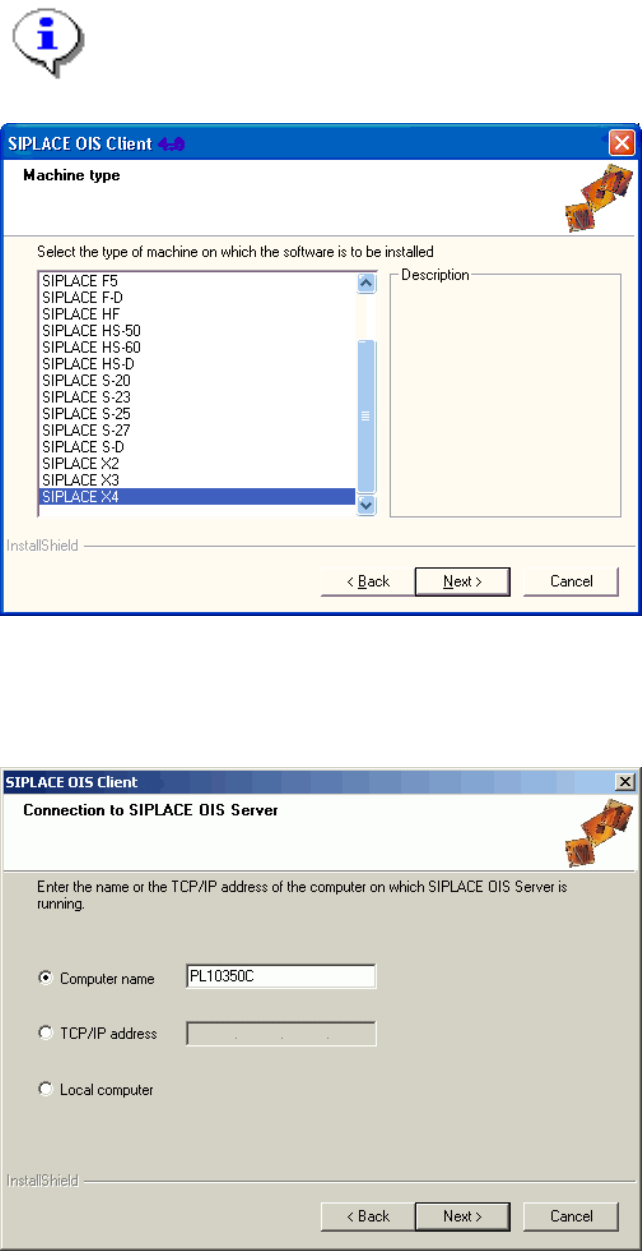
¾ Select the machine type on which the OIS client is to be installed.
Select the type "Personal Computer" for machines with station software version 70x.
¾ Continue by clicking the Next> button.
¾ Enter the TCP/IP address or the computer name of the OIS Server.
¾ If you are installing OIS client on the OIS Server computer, choose Local Computer.
16 von 50
OIS Client, OIS Server, SIS Server Version 7.0 Installationsanleitung
Installation manual
¾ Continue by clicking the Next> button.
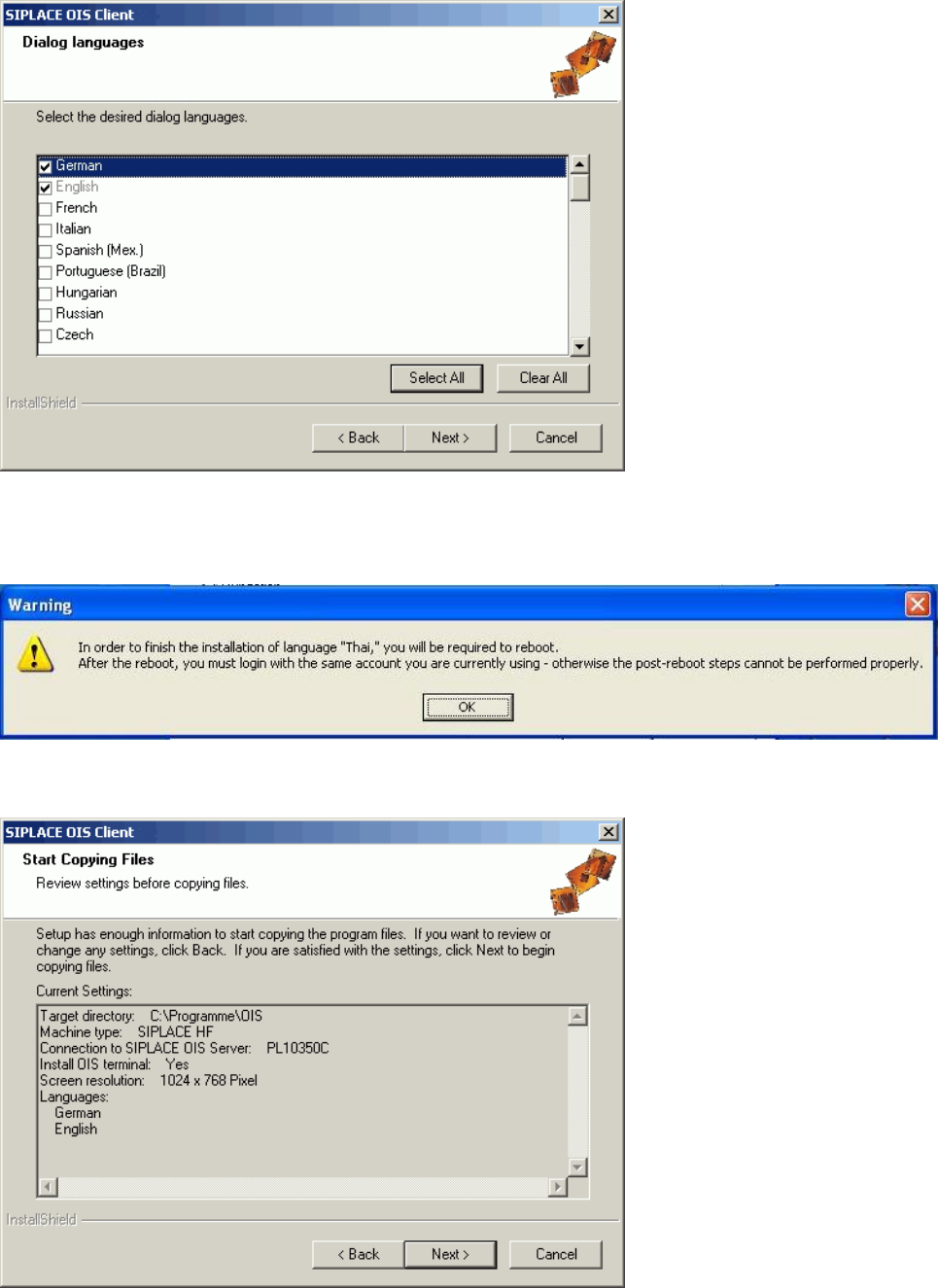
¾ Select the desired languages.
German and English are always installed.
¾ Continue by clicking the Next> button.
¾ When installing some languages, this notice is also displayed. In this case, you must restart the
computer after the installation, then login again.
17 von 50
Installationsanleitung OIS Client, OIS Server, SIS Server Version 7.0
Installation Manual
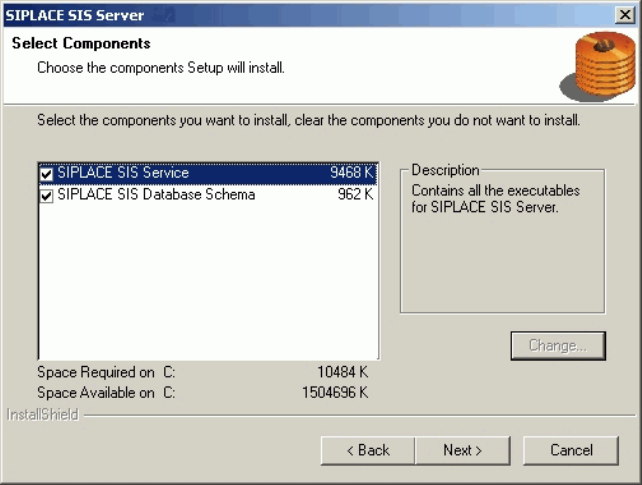
This shows a summary of the settings and entries you have made so far.
¾ Check the settings.
¾ Click Next > to start the actual installation process.
¾ If you wish to change your entries, click < Back to return to the appropriate dialog.
The software is then installed.
¾ Continue with section
3.2.5 on page 21.
3.2.4 Installing SIS Server
¾ Select the components you want to install.
¾ Continue by clicking the Next> button.
18 von 50