CM602all_EJM8AESM_Service Manual.pdf - 第100页
123 Check warning when the magazine doo r 122 Open the desired cover. Make the machine move. the supply section, or the pickup section is ope n Installation Machine Installation Item Remark Turn off the servo switch. Mak…
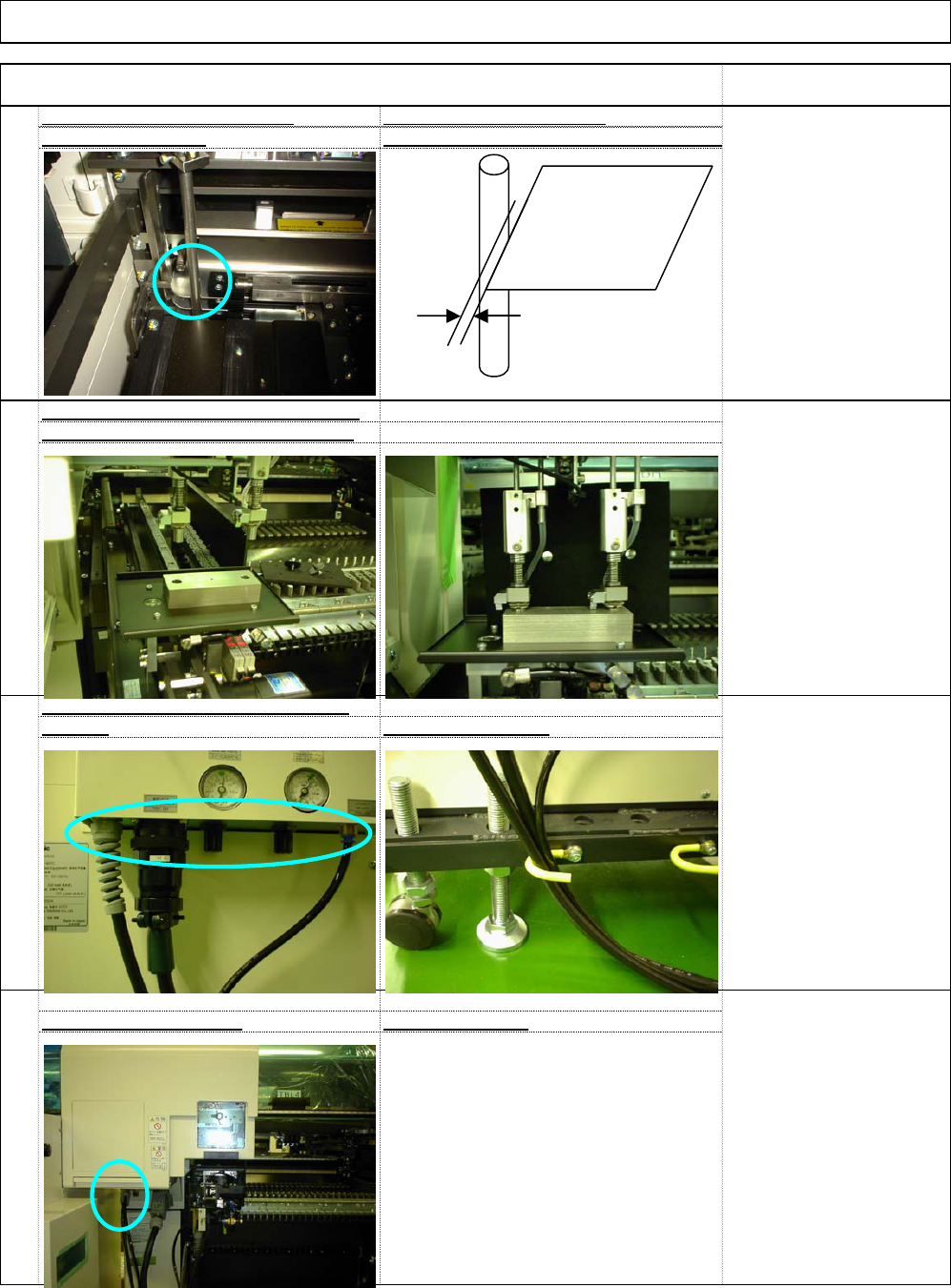
within 0.1 to 0.2mm
(Teaching on the shuttle and tray side
s
117
Check the pickup and delivery position
s
Cable and Tube Position Cables and Tube
s
Check the ST40T for operation
118
Basically check only
120
119
[Care when the shuttle tray
is set]
Set the shuttle tray delivery
jig on the transfer conveyor.
Adjust the installation angle
of the shuttle tray so that
the two tray nozzles are
placed in the jig.
Cable and Tube Position on the shuttl
e
tray sid
e
How to secure them
:
Machine Installation
Item Remark
Installation
* Adjust it with the magazine cover stopp
e
[If adjustment is necessary:
[Specifications]
With the shutter closed, the
gap from the magazine
stopper to the palette
should be 0.1 to 0.2 mm.
Palette
EJM8A-E-SMA020103-A01-00 Page 2-1-3-31
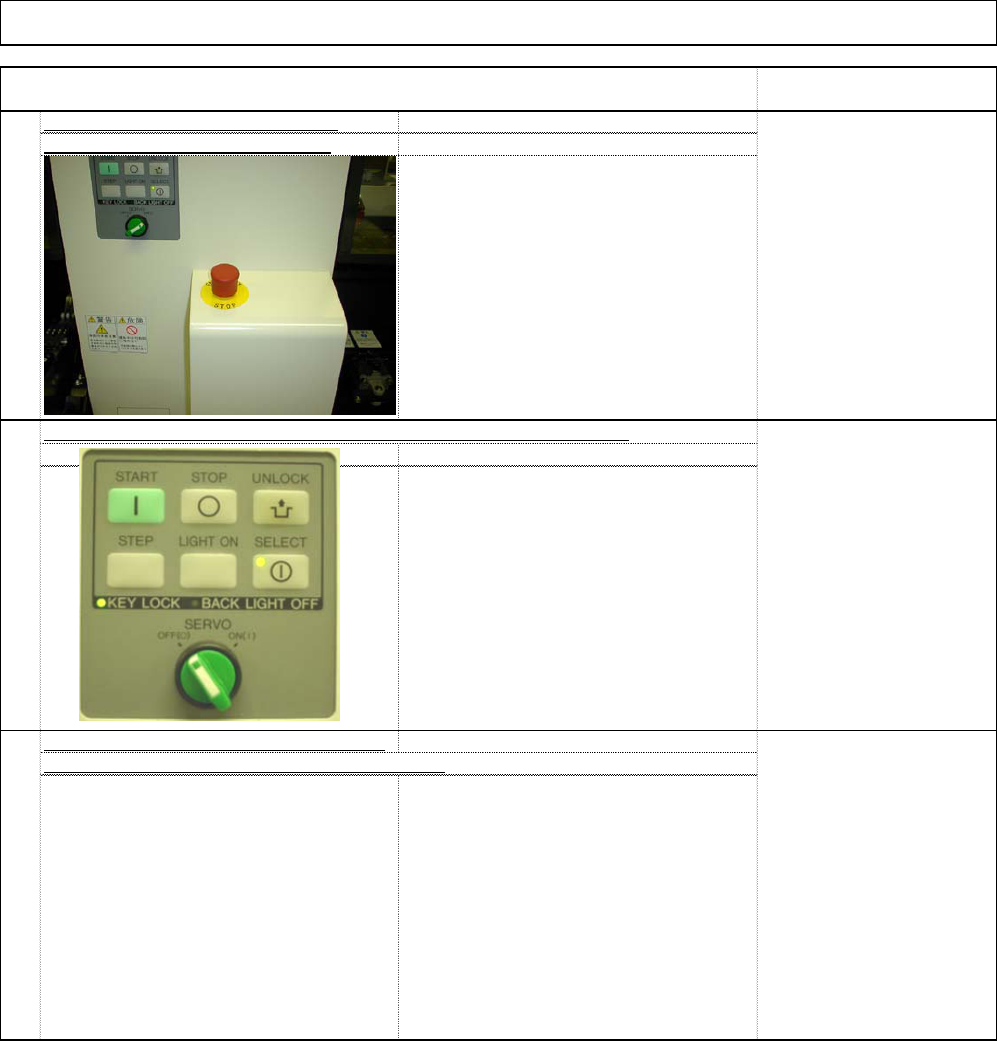
123
Check warning when the magazine doo
r
122
Open the desired cover.
Make the machine move.
the supply section, or the pickup section is ope
n
Installation Machine Installation
Item Remark
Turn off the servo switch.
Make the machine move.
121
Check that the tray stops when th
e
emergency stop switch is pressed
Turn on the emergency
stop switch. Make the
machine move.
Check that the tray does not move when the servo switch is turned off.
EJM8A-E-SMA020103-A01-00 Page 2-1-3-32
Inspected on Month Date Year
Installation Check List (1/4) Document Ver. 1.00
Customer name:
Target model: Modular CM602-L 1 Type A B C
Production code:
2 Type A B C
Software Ver.
M/C Ver. Recognition Ver.
PT Ver.
1. Purpose: Check that there is no problem with M/C operation by checking the following items at the time of installation.
2. Judgment: Circle the "OK" for each column after inspection or adjustment check.
Serial No. Serial No.
No. Checking points
Check result Check result
1 * Remove the packing materials and then the fitting metals. (List check)
2 Check there is no rust or damage to appearance. NG locations: ( )
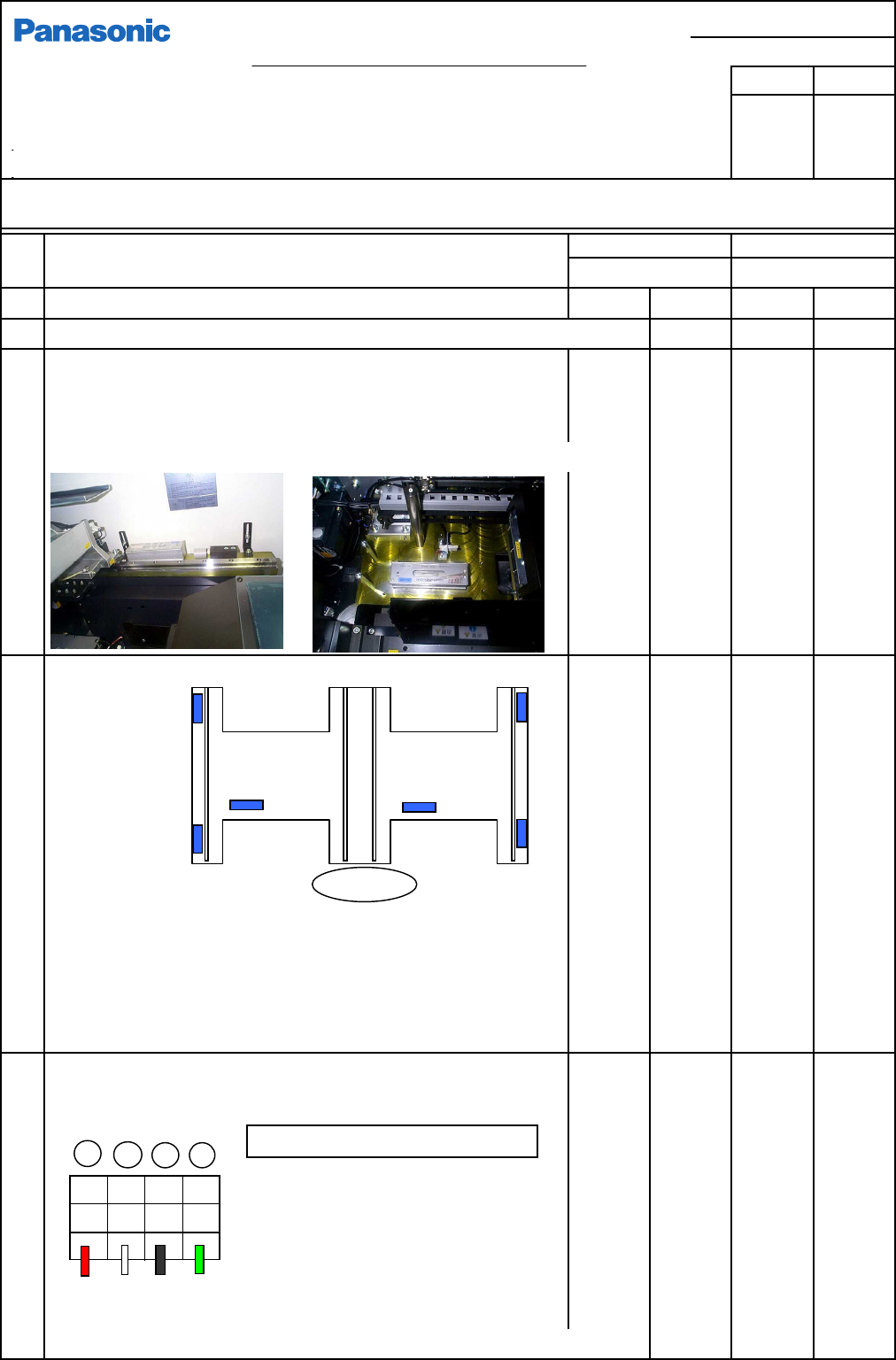
3 Prepare for leveling
* Remove the cover from the Y-axis linear way.
* Clean the leveling surface. (There should be no dirt, burr, etc.)
* Level the M/C so that the same load weight is applied to all four adjusting bolts.
4 Level the machine.
* Standard transport height: Standard 900 to 920 mm
* Record the bubble positions on the separate level check list.
* Once the machine has been leveled, put a mark on the lock nut.
* Check that the six bolts are seated on the floor securely.
5 Power connection (Tightening the power cable terminal.)
* Primary-power connection (Turn off the customer's primary-power.)
• PFSC uses a 4-core AWG#10 cable for
power cable in Japan.
<Power conditions>
Frequency: 50/60 Hz +/- 5%
Rated capacity: 2.5 KVA
* Use the terminal tightening tool that is delivered specially for this purpose.
OK
OK
OK
OK
OK
OK
OK
OK
OK
OK
OK
OK
OK
OK
OK
OK
OK
OK
OK
OK
OK
OK
OK
OK
OK
OK
OK
Installed by
Customer
OK OK
OK
X方向
Terminal block (TB4)
LO1 LO2 LO3 PE
Red Wh. Blk. Grn
R
S
T
E
Tightening torque: 0.8 - 1.6N•m
Y-direction level position
Operator
X-direction level position
Copy for customer
EJM8A-J-SMA020103-A01-00
Panasonic Factory Solutions Co., Ltd.
Page 2-1-3-33
F3A0016-03A