CM602all_EJM8AESM_Service Manual.pdf - 第1081页
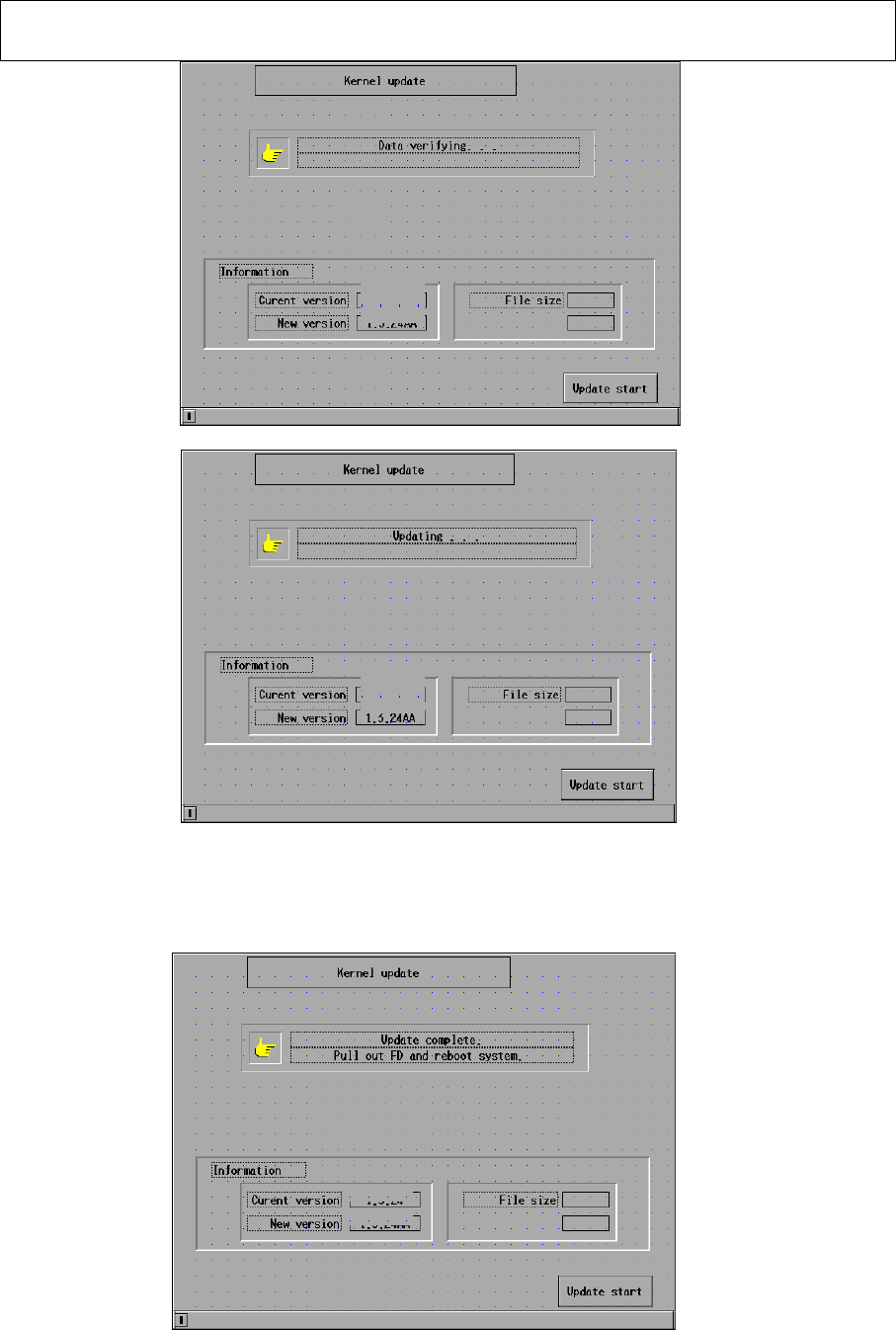
EJ M8A-E- 090101-A01- 00 Page 9- 1- 1-6 Sof twar e Sof twar e Inst allation 2.7 T he m ess ag e of ” U pdat e com p l ete. Pull out F D and r eboot system . ” i s di sp layed. Rem ov e the f lop p y dis k. Inse rt the “S…
EJM8A-E-090101-A01-00
Page 9-1-1-5
Software Software Installation
Fig. 2.5 Installation screen CM602-L
↓
Fig. 2.6 Installation screen CM602-L
When the installation is finished, the message in the “installation” box, which is
located at the upper portion of the screen, is changed. (Fig. 2.7)
Fig. 2.7 Installation screen CM602-L
2.01.00GA
2.01.00GB
2.01.00GA
2.01.00GB
2.01.00GA
2.01.00GB

EJM8A-E-090101-A01-00
Page 9-1-1-6
Software Software Installation
2.7 The message of ”Update complete. Pull out FD and reboot system.” is displayed.
Remove the floppy disk. Insert the “System Install” floppy disk
. Power down and
up the machine.
EJM8A-E-090101-A01-00
Page 9-1-1-7
Software Software Installation
3. CM602-L System Upgrade
Upgrade the CM602-L system, following the procedures below:
3.1 Put the “system install” disk into the floppy disk drive. Power down and then power up
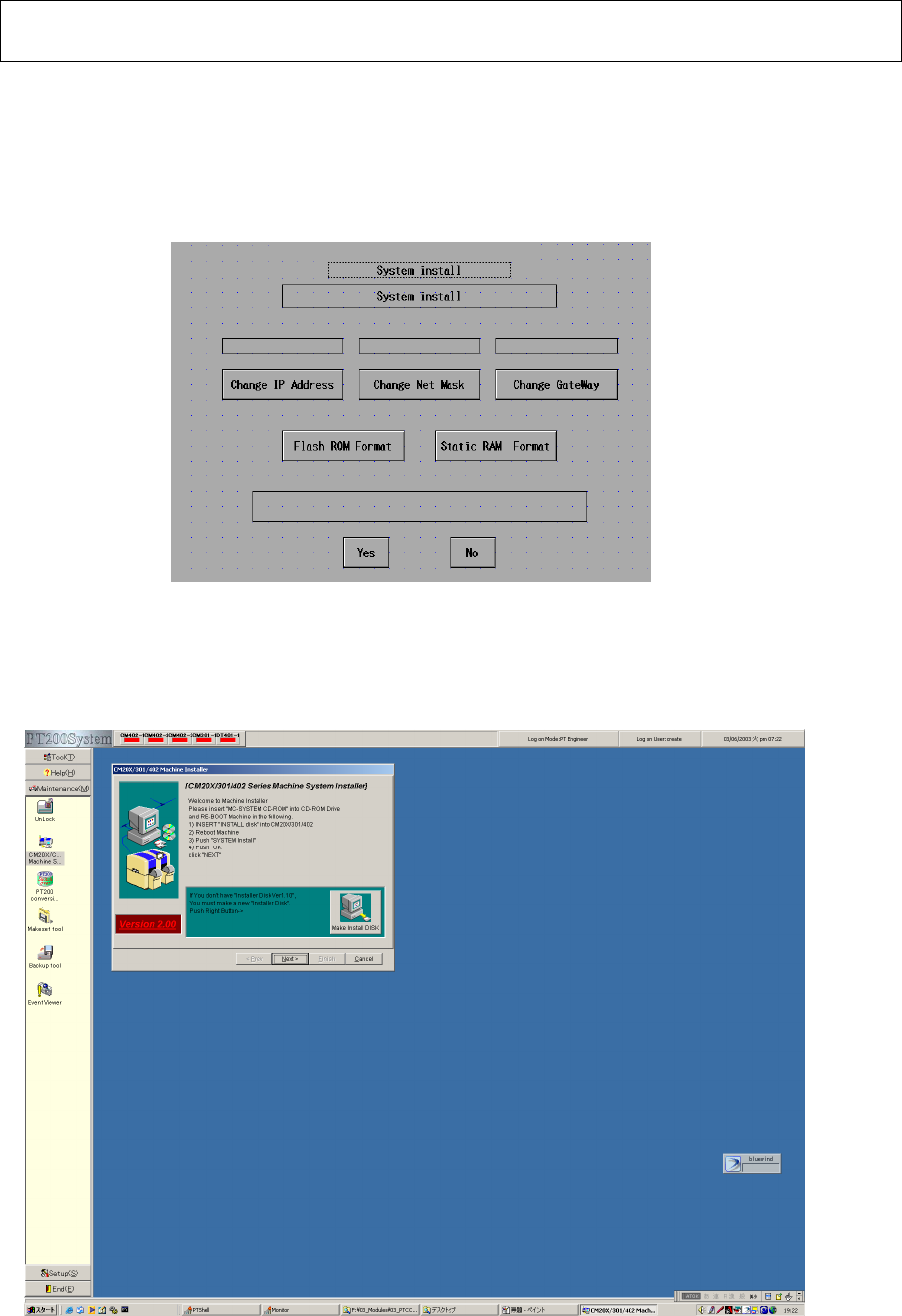
the machine so that the “System install” screen is displayed. (Fig. 3.1)
The install disk to use should be V7.10 or later.
Fig. System install screen CM602-L
3.2 Once the “System install” screen is displayed on the CM602-L touch panel, follow the
procedures below with the PT200: (Fig. 3.2)
Press [Maintenance]. Double-click [CM20X/301/402-L System Installer].
Fig. 3.2 Maintenance screen PT200