CM602all_EJM8AESM_Service Manual.pdf - 第1089页
EJ M8A-E- 090101-A01- 00 Page 9- 1- 1-14 Sof twar e Sof twar e Inst allation 4.2 Inser t the f l op py di sk c ontaining the m achi ne param eters and the netw or k c onf ig ur ation into t he CM 602-L f lop p y disk dr …
EJM8A-E-090101-A01-00
Page 9-1-1-13
Software Software Installation
4. CM602-L Engineer Mode Password and Network Setup,
and Machine Parameter Restoration
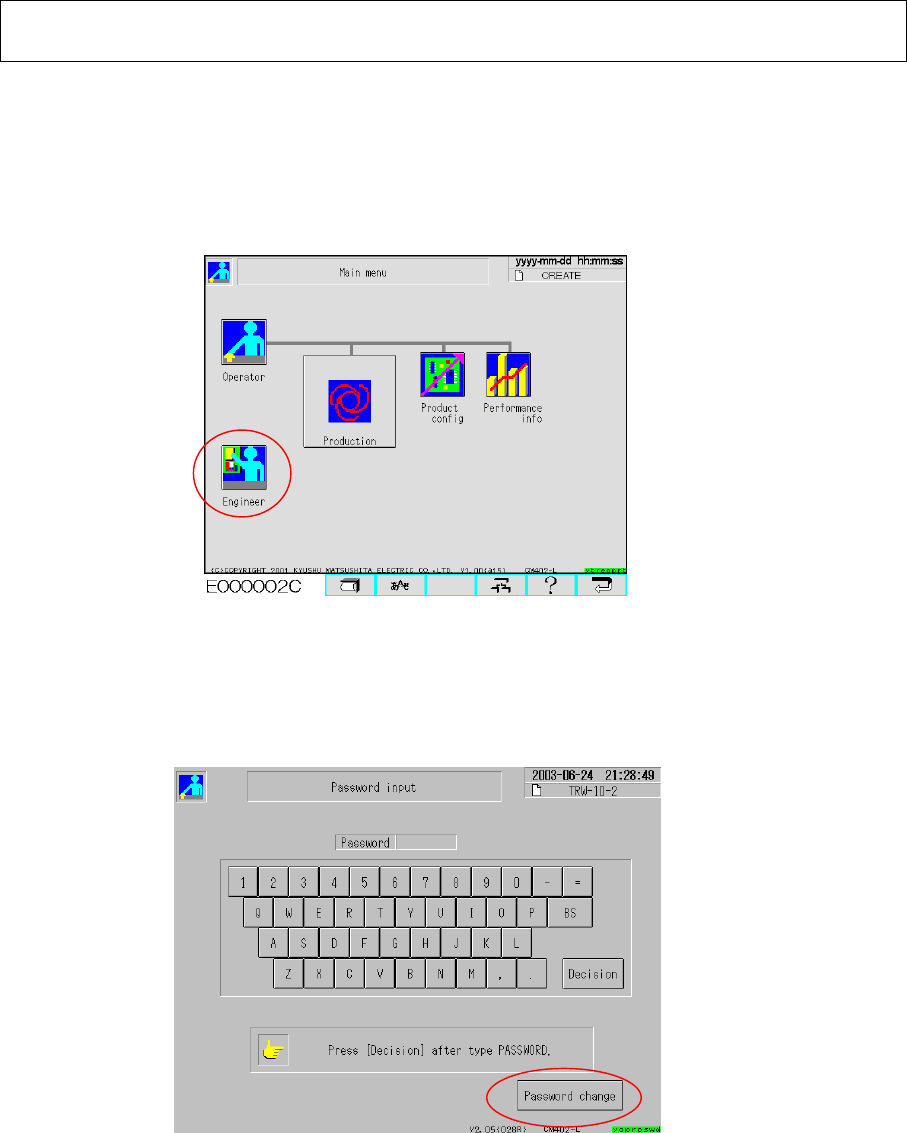
4.1 With the CM602-L operated, insert the password change key floppy disk into the
CM602-L floppy disk drive. Select the “Engineer” icon from the Operator Main Menu
screen (Fig. 4.1) so that the “Password input” screen is displayed.
Fig. 4.1 Main menu (Operator)
Press [Password change] on the “Password input” screen. Type the desired password.
Press [Decision].(Fig. 4.2)
* The password should consist of one to ten letters.
Fig. 4.2 Password input
Type the same password again. Press “Decision.”
* When the currently typed password is the same as that typed before, the password
is changed and the operator main menu is returned.
Select the “Engineer” icon from the main menu. (Fig. 4.1) Check that the engineer mode can
be selected with the currently set password.
If necessary, press [Password change] and set a password again.
EJM8A-E-090101-A01-00
Page 9-1-1-14
Software Software Installation
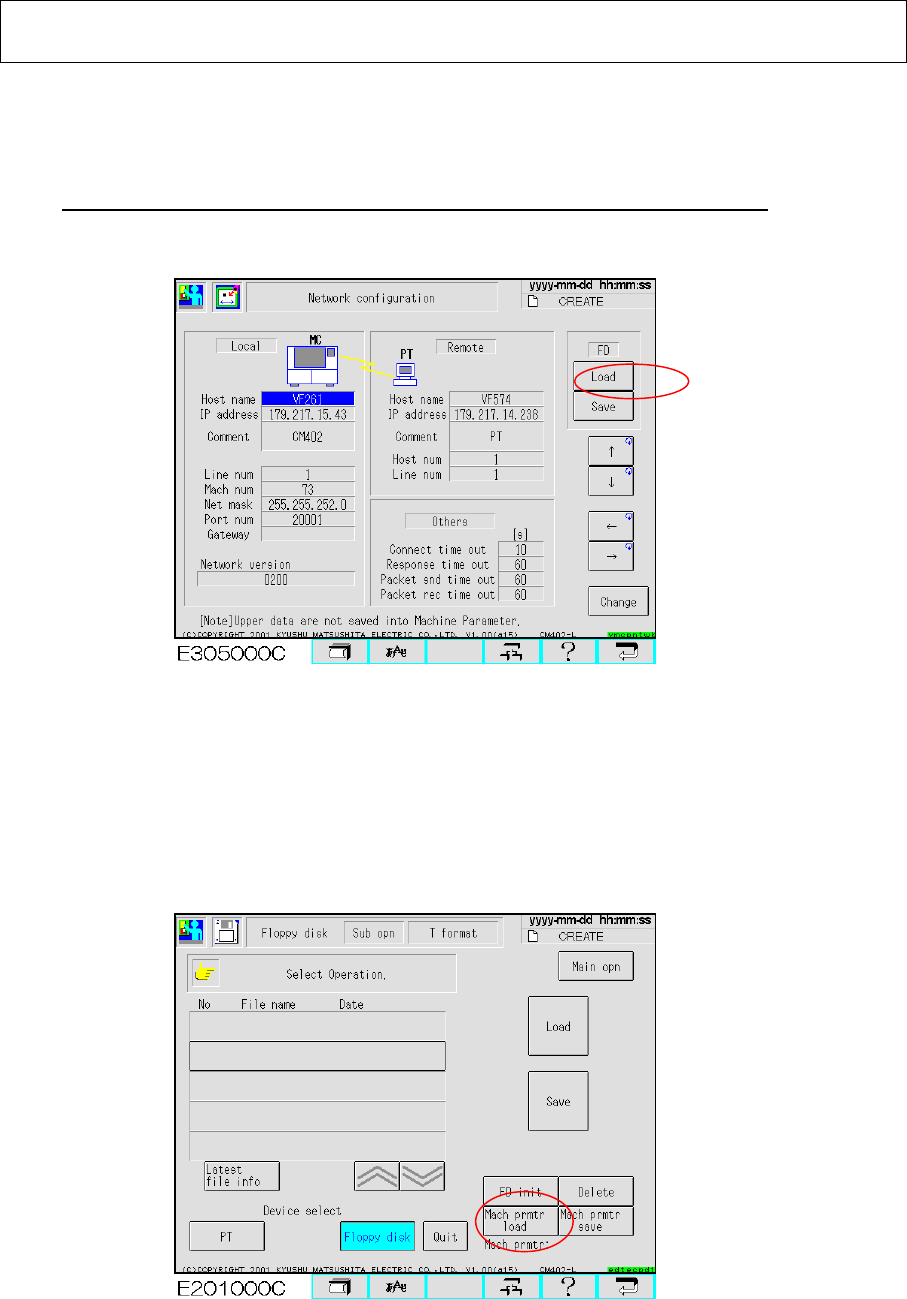
4.2 Insert the floppy disk containing the machine parameters and the network configuration
into the CM602-L floppy disk drive. Select [Machine parameter], and [Network]. Display
the “Network configuration” screen. (Fig. 4.3)
Press [Load] so that the network parameters are restored on the CM602-L.
【Time: 3 sec. Approx.】
Fig. 4.3 Network configuration CM602-L
4.3 Select [File management] from the main menu. Insert the floppy disk containing the
machine parameters into the CM602-L floppy disk drive. Press the “Floppy disk” icon.
Press [Sub operation] so that the “Machine prmtr load” button is displayed. (Fig. 4.4)
Press that button so that the machine parameters are restored on the CM602-L.
Fig. 4.4 File management screen CM602-L
EJM8A-E-090101-A01-00
Page 9-1-1-15
Software Software Installation
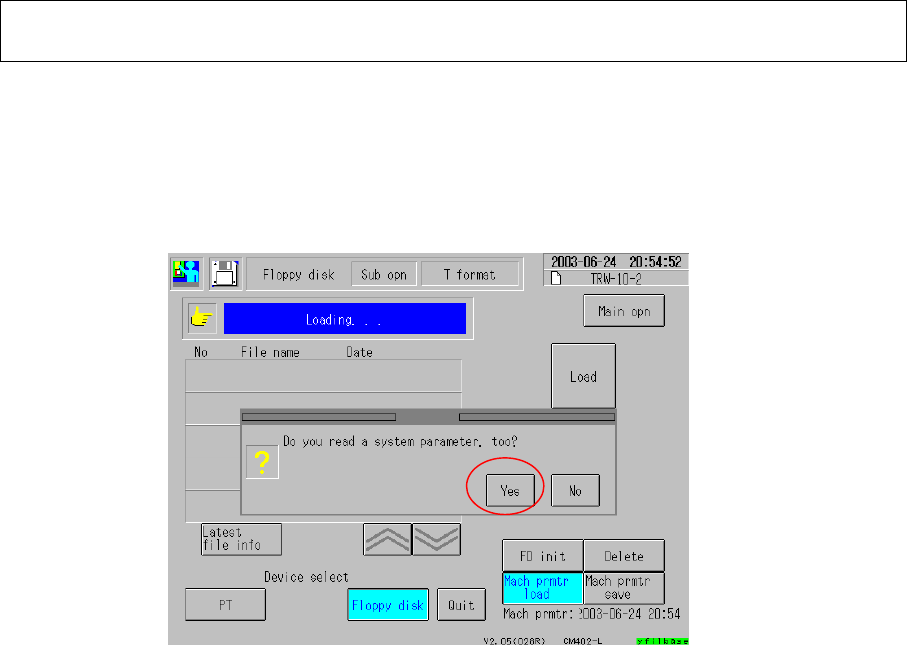
Once the machine parameters have been loaded, the message of “Do you read a system
parameter, too?” is displayed. Be sure to select [Yes] so that the system parameters are
loaded. (Fig. 4.5)
【Time: 1 min. approx.】
Fig. 4.5 File management CM602-L
Once the machine parameters and the system parameters have been restored, the message
of “Restart up the system.” is displayed. Power down and then power up the CM602-L.