CM602all_EJM8AESM_Service Manual.pdf - 第199页
Maintenance Adjustment Light Transfer-Head Assembly (8 nozzles) Remarks Item Once the width has been adjusted, press [Offset set]. The preset offset is changed to the new one. Press the [Return] key. Max: 460 mm+/-0.2mm …
Maintenance Adjustment Light Transfer-Head Assembly (8 nozzles)
Remarks
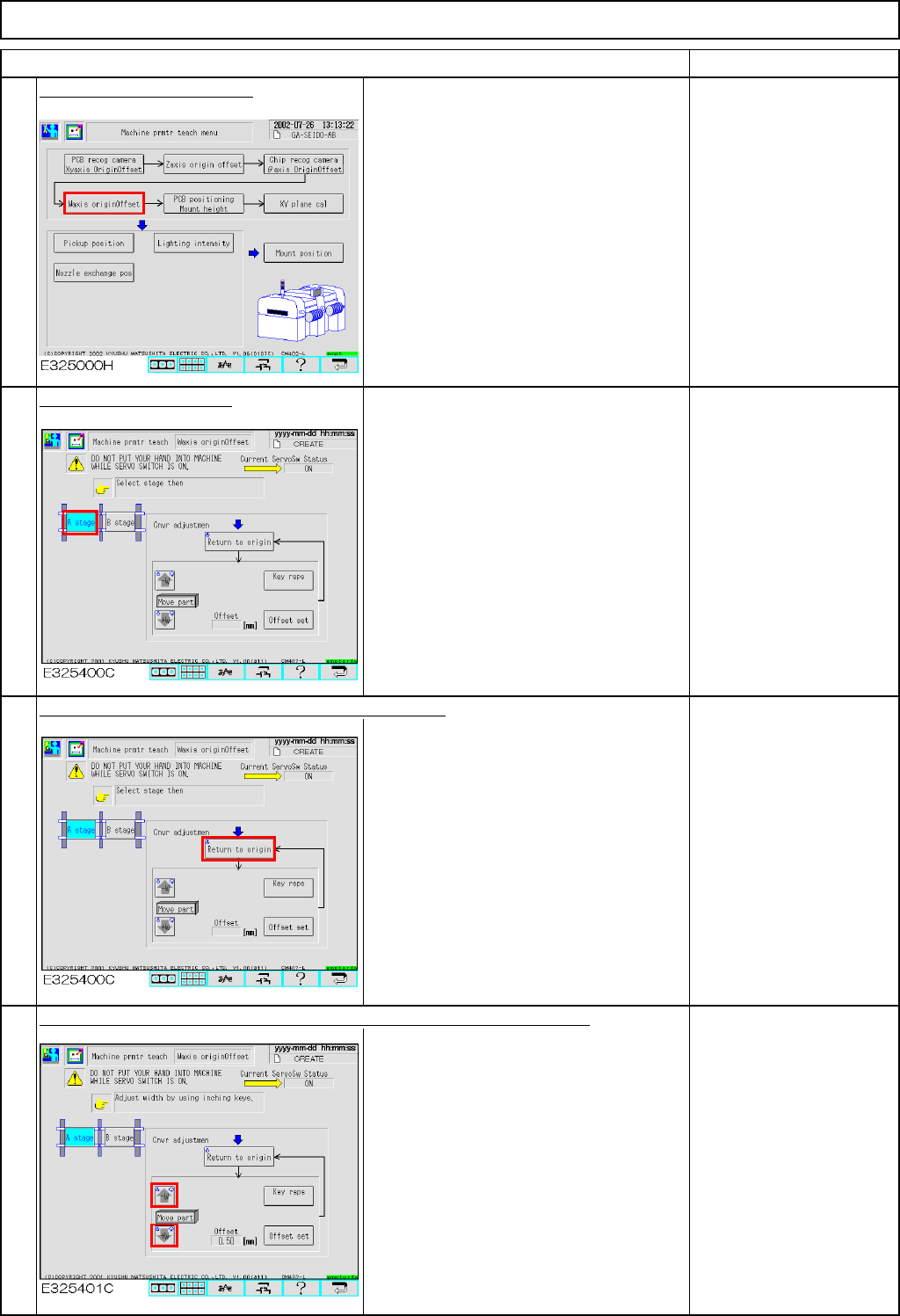
Press [W axis origin offset].
Select the desired stage.
Press [Unlock] and [Return to origin] simultaneously.
The width adjusting axis returns to the
origin.
Press [Unlock] and one of the arrow keys - [
↑] or [↓] - simultaneously.
Moving the width adjusting axis and
measuring the width of the conveyor with
a ruler, adjust the width to 460.5 mm.
Each time the [Key rsps] key is pressed,
the amount by which the axis moves is
changed from 0.01 mm to 0.1 mm to 1
mm.
Specifications:
460.5 mm + 0mm to
0.2mm
(460.5mm to 460.7mm)
2
3
4
1
Item
EJM8A-E-SMA040201-A01-00
Page 4-2-1-2
Maintenance Adjustment Light Transfer-Head Assembly (8 nozzles)
Remarks
Item
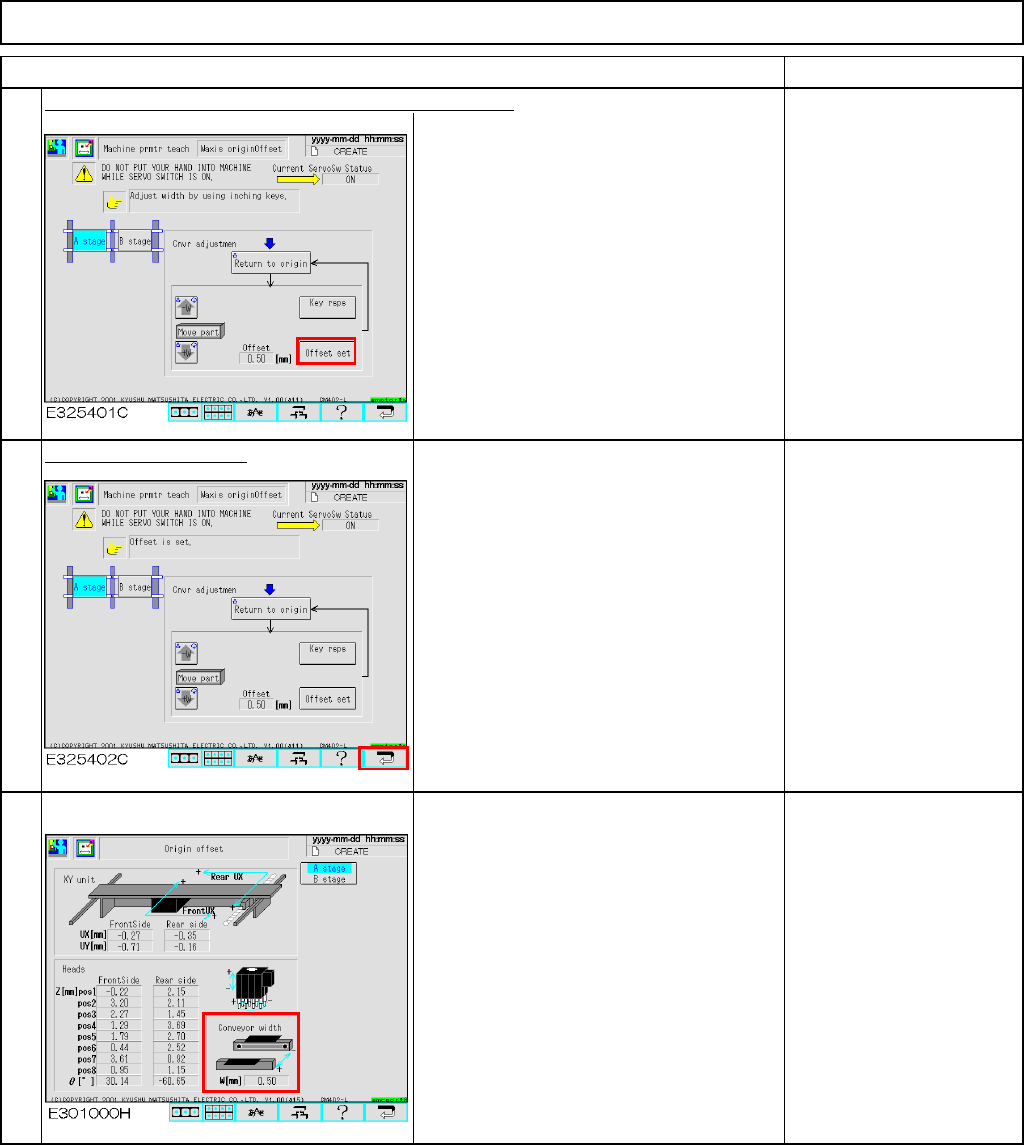
Once the width has been adjusted, press [Offset set].
The preset offset is changed to the new
one.
Press the [Return] key.
Max: 460 mm+/-0.2mm
Min: 50 mm+/-0.2mm
The offset is entered into the screen below:
Offset range:
0.00mm to +5.00mm
7
6
5
EJM8A-E-SMA040201-A01-00
Page 4-2-1-3
Maintenance Adjustment LIght Transfer-Head Assembly (8 nozzles)
・Tools
None
・Jig
None
4-2-2 Board Recognition Camera --- X and Y-axis Origin Offset
Clean the thermal correction mark beforehand.
This section describes the procedures for entering the offset for the origin of the X- and the Y-axes of the board
recognition camera.
Assembly
Adjustment
min.
Teaching
2min.
Total Time Weight of
Part
Removal
Disassembly
min.
2min.
kgs
Caution
Dange
r
Warning
EJM8A-E-SMA040202-A01-00
Page 4-2-2-1