CM602all_EJM8AESM_Service Manual.pdf - 第202页
Maintenance Adjustment LIght Transfer-Head Assembly (8 nozzles) Remarks Item Press [Unlock] and [Xyaxis org offset mgf teach] simultaneously. The head camera recognizes the mark. The offset for the magnification of the c…
Maintenance Adjustment LIght Transfer-Head Assembly (8 nozzles)
Remarks
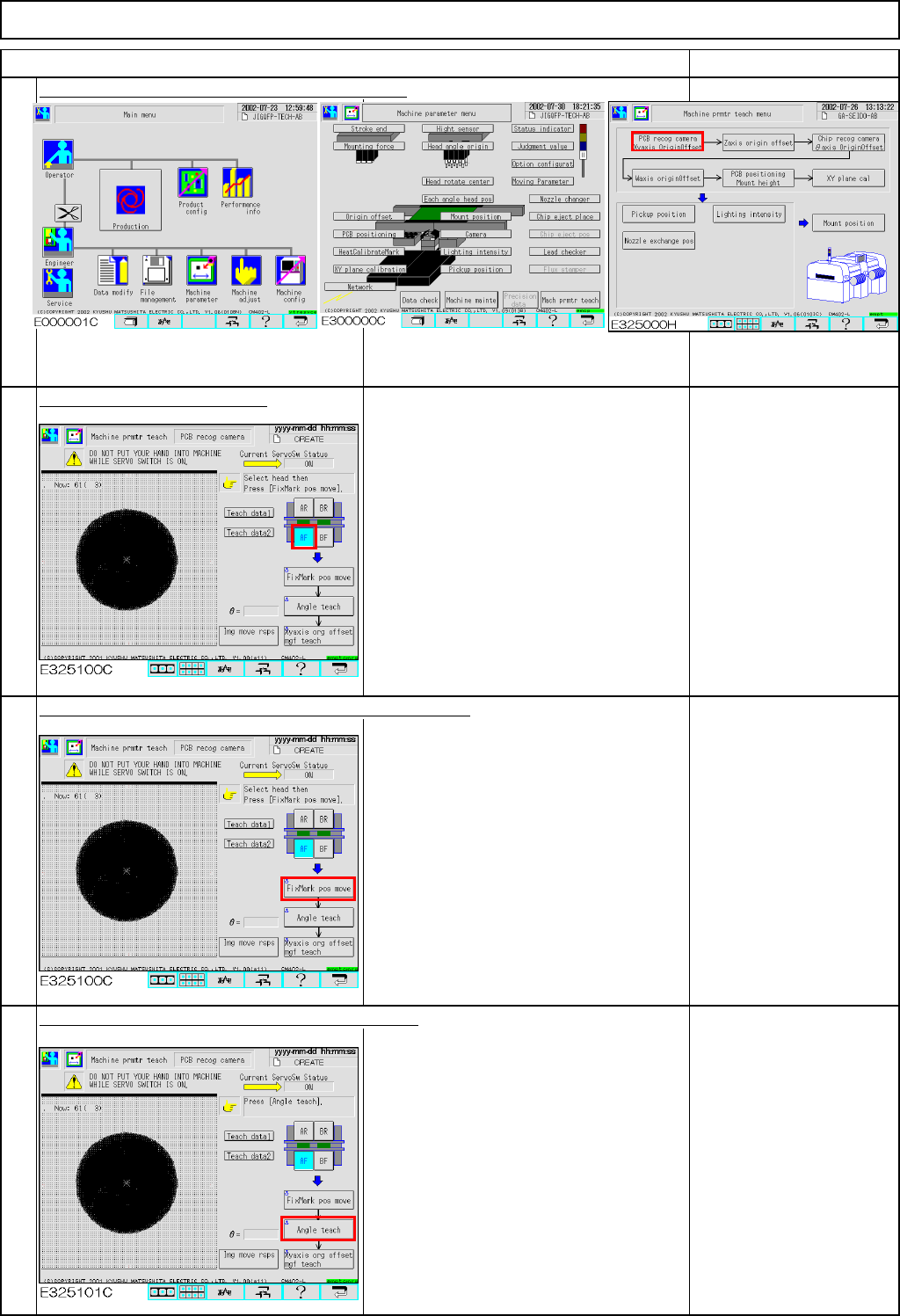
Press [PCB recog camera Xyaxis OriginOffset].
Select the stage to be taught.
Press [Unlock] and [FixMark pos move] simultaneously.
The head camera for the selected stage
moves to the heat calibration mark.
The head camera recognizes the mark.
The offsets for the X- and the Y-axes are
entered.
If the mark is not
displayed on the window,
adjustment with the XY-
axis origin jig failed.
Press [Unlock] and [Angle teach] simultaneously.
The head camera recognizes the mark.
The offset for the angle of the camera is
entered.
"Angle teach" error:
If the theta is out of the
range of +/- 0.2°,
this error will occur.
See Section 4-1-2
"Head Camera
Adjustment - Focus and
Theta."
1
Item
2
3
4
EJM8A-E-SMA040202-A01-00
Page 4-2-2-2
Maintenance Adjustment LIght Transfer-Head Assembly (8 nozzles)
Remarks
Item
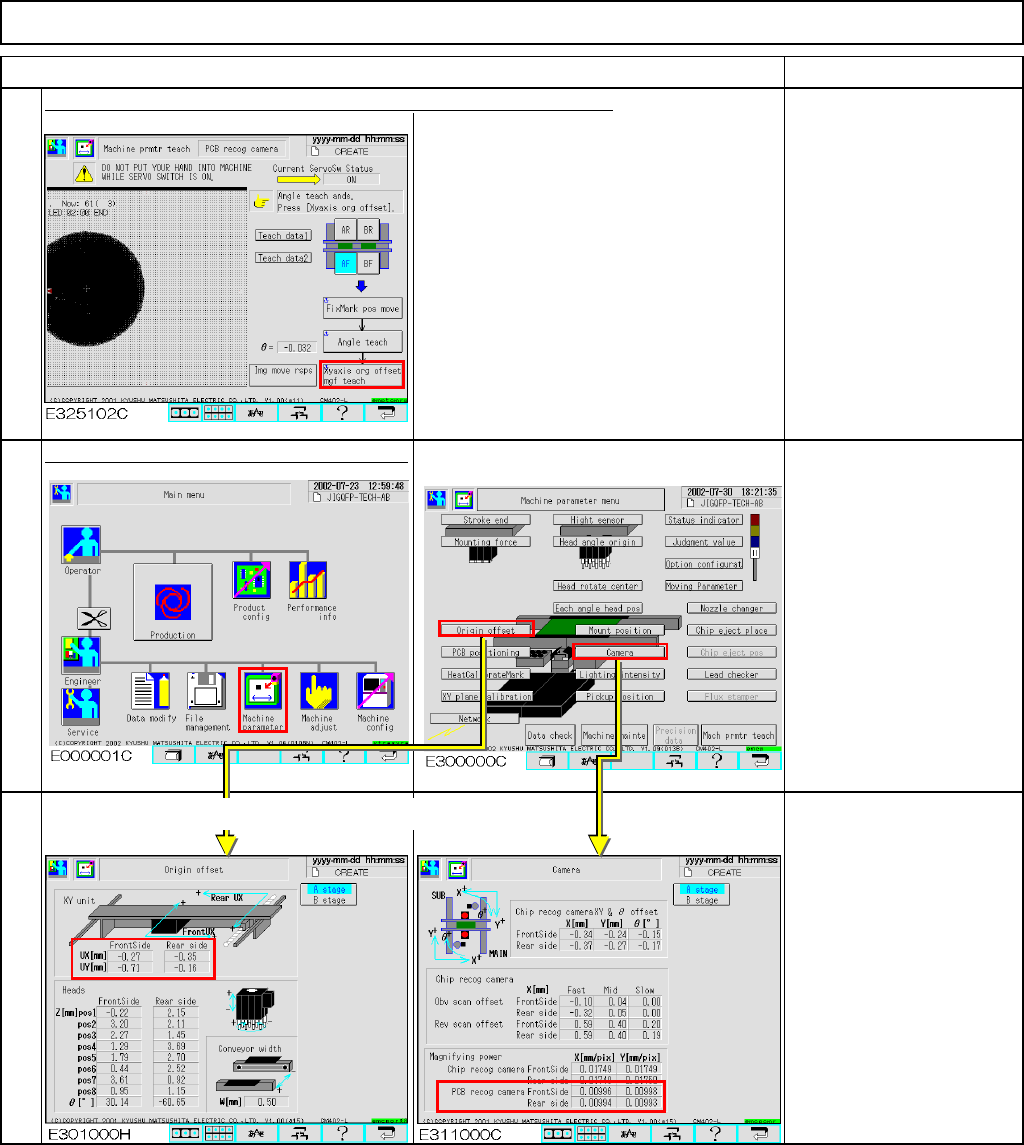
Press [Unlock] and [Xyaxis org offset mgf teach] simultaneously.
The head camera recognizes the mark.
The offset for the magnification of the camera
is entered.
Press [Unlock] and [Run] simultaneously.
The X- and the Y-axes return to the
origin.
Offset range:
Board recognition
camera:
X mag.: 0.0096 to 0.0104
Y mag.: 0.0096 to 0.0104
Origin offset:
X: -2.0 mm to +2.0 mm
Y: -2.0 mm to +2.0 mm
5
6
7
Offsets are entered automatically into the screen below:
EJM8A-E-SMA040202-A01-00
Page 4-2-2-3
Maintenance Adjustment Light Transfer-Head Assembly (8 nozzles)
This section describes the procedures for entering the offset for the Z-axis origin.
・Tools
None
・Jig
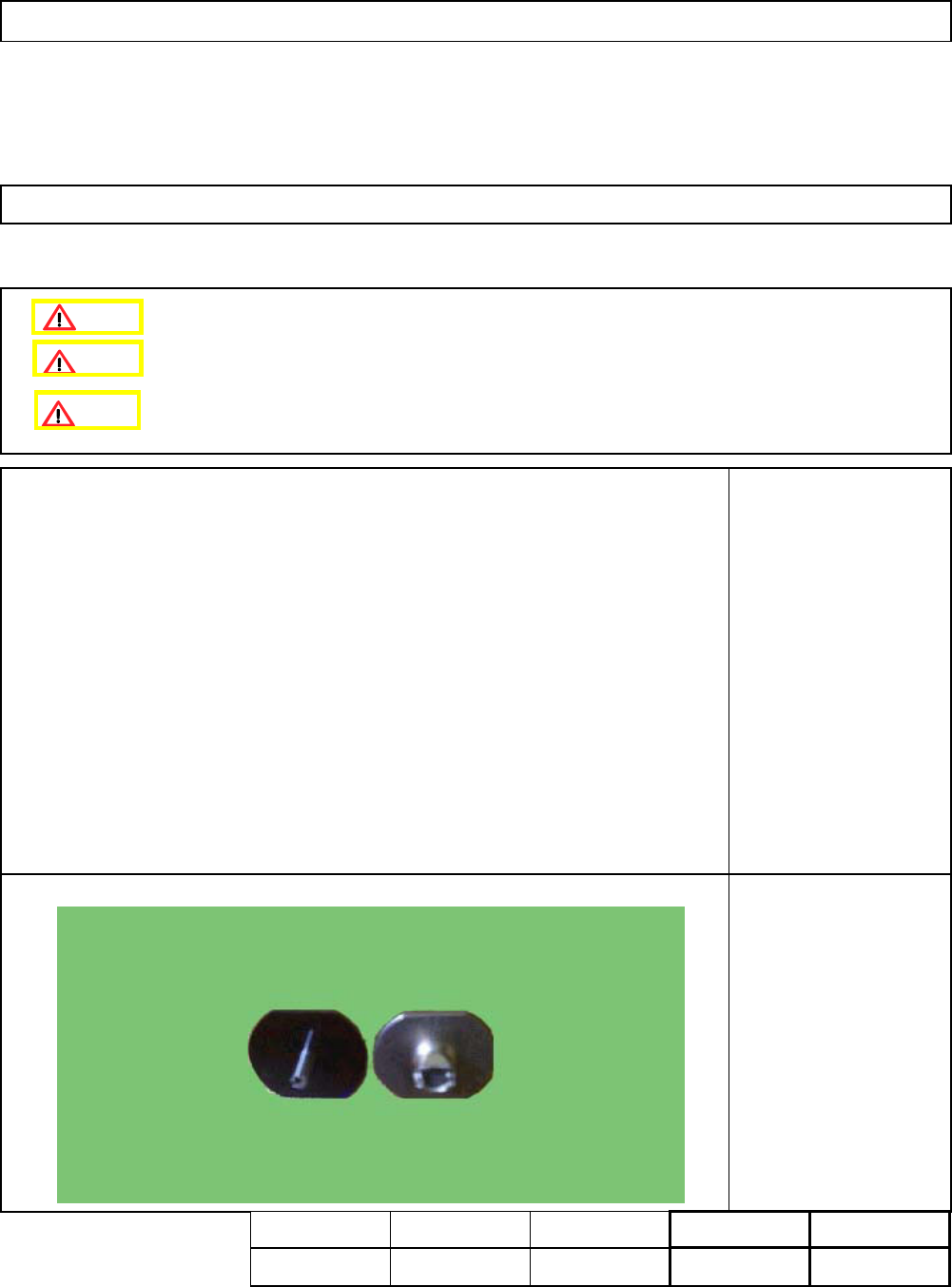
Nozzle 130
1 pc or 8 pcs.
4-2-3 Z-axis Origin Offset
Clean the upper surface of the themarl correction mark beforehand.
Remove the feeder cover.
Assembly
Adjustment
min.
Teaching
5min.
Total Time Weight of
Part
Removal
Disassembly
min.
5min.
kgs
Caution
Dange
r
Warning
EJM8A-E-SMA040203-A01-00
Page 4-2-3-1