CM602all_EJM8AESM_Service Manual.pdf - 第210页
Maintenance Adjustment Light Transfer-Head Assembly (8 nozzles) Remarks Press [Chip recog camera θ axis OriginOffset]. If "0" is displayed in the "Magnifying power" boxes shown at left, enter a tentat…
Maintenance Adjustment Light Transfer-Head Assembly (8 nozzles)
・Tools
None
・Jig
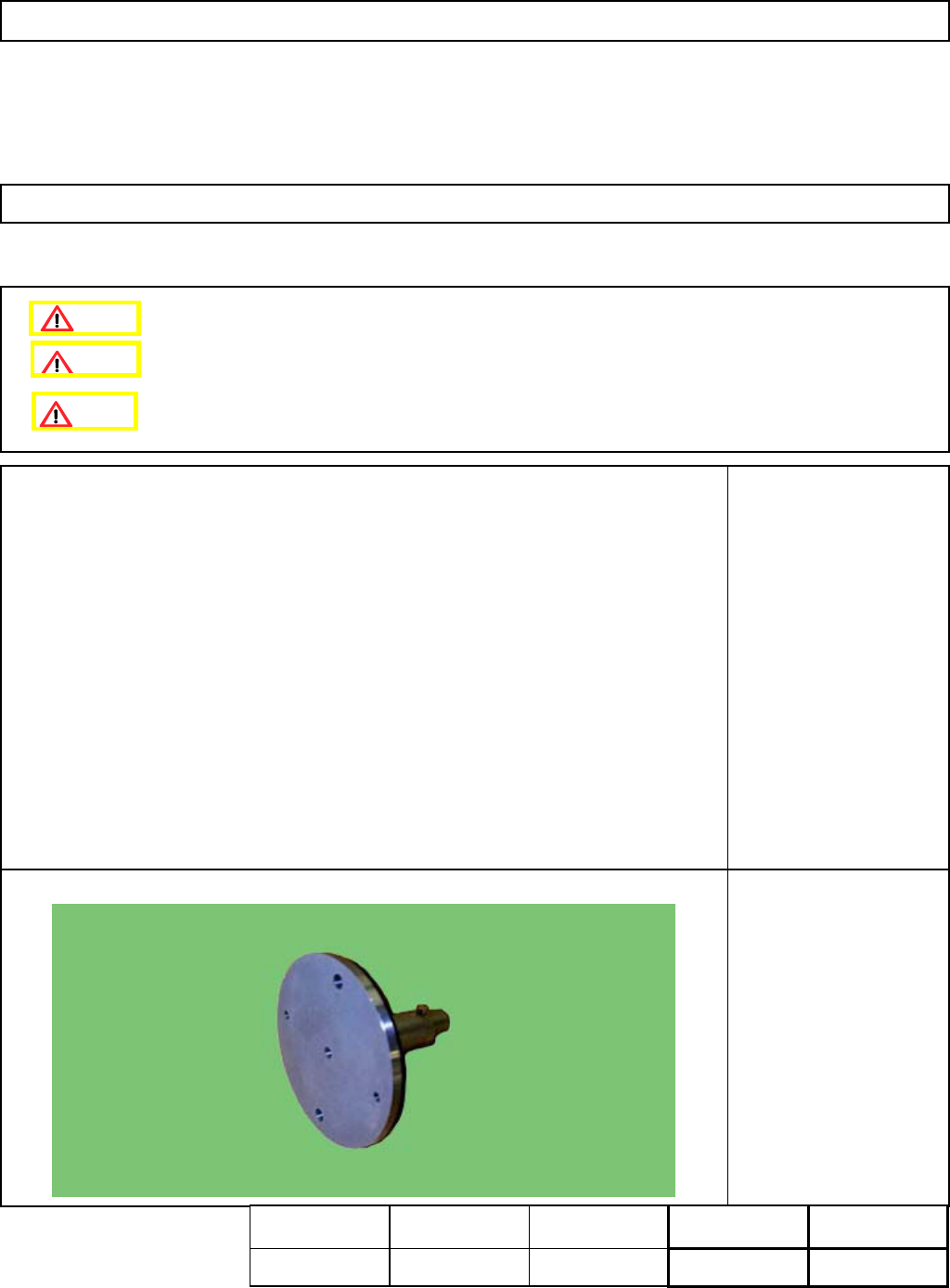
5-Hole Camera Teaching
Jig
4-2-4 Chip Recognition Camera - Theta-axis Origin Offset
Remove the nozzle holders beforehand.
Remove the NG box beforehand.
This section describes the procedures for entering the offset for the origin of the X- and the Y-axes of the board
recognition camera.
Assembly
Adjustment
min.
Teaching
10min.
Total Time Weight of
Part
Removal
Disassembly
min.
10min. kgs
Caution
Dange
r
Warning
EJM8A-E-SMA040204-A01-00
Page 4-2-4-1
Maintenance Adjustment Light Transfer-Head Assembly (8 nozzles)
Remarks
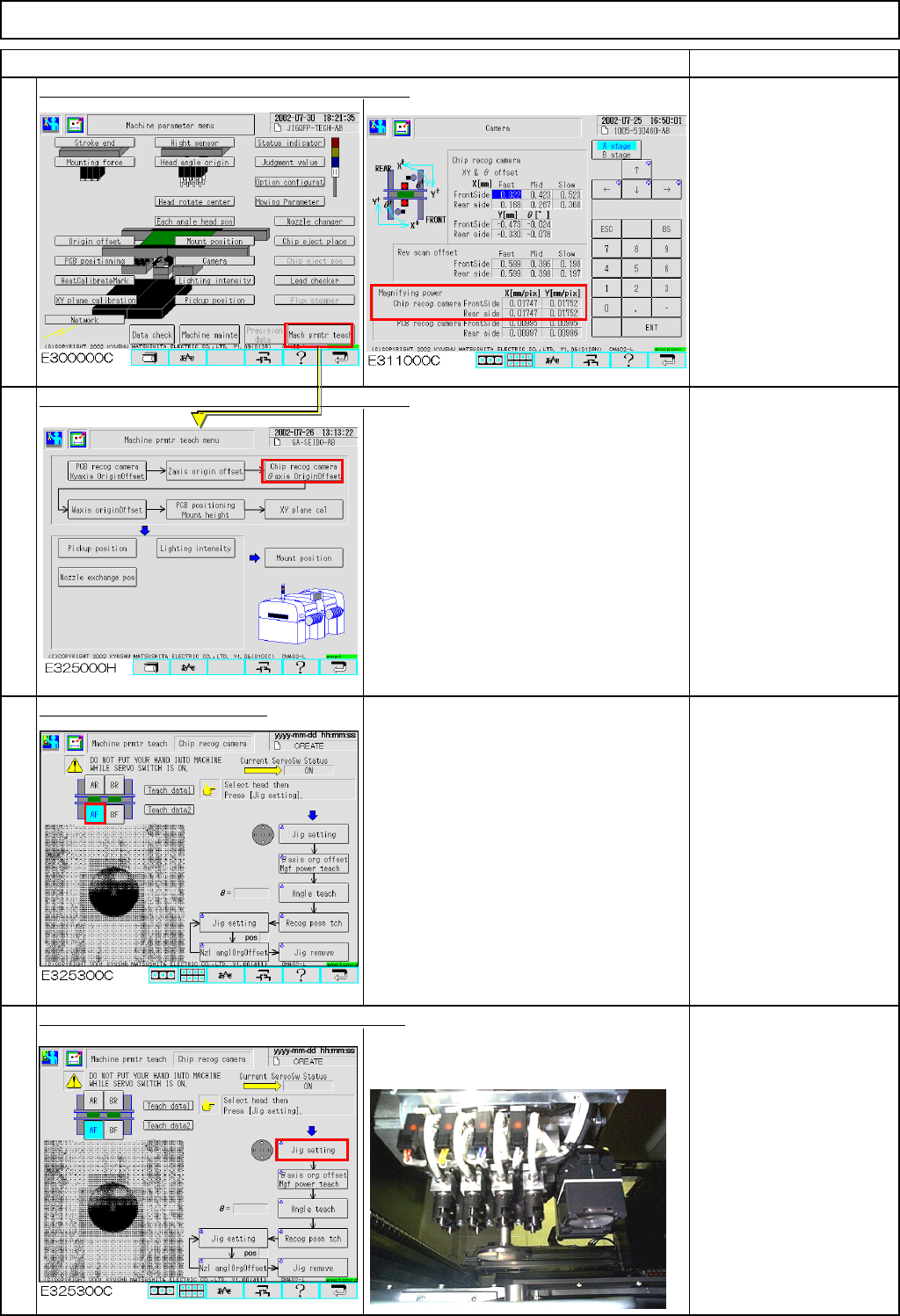
Press [Chip recog camera
θaxis OriginOffset].
If "0" is displayed in the
"Magnifying power" boxes
shown at left, enter a
tentative value "0.01"
Press [Chip recog camera
θaxis OriginOffset.].
Select the stage to be taught.
Press [Unlock] and [Jig setting] simultaneously.
The head moves to the jig setting
position (the center of the stage).
Set the jig on Nozzle
Position 3.
1
Item
3
2
4
EJM8A-E-SMA040204-A01-00
Page 4-2-4-2
Maintenance Adjustment Light Transfer-Head Assembly (8 nozzles)
Remarks
Item
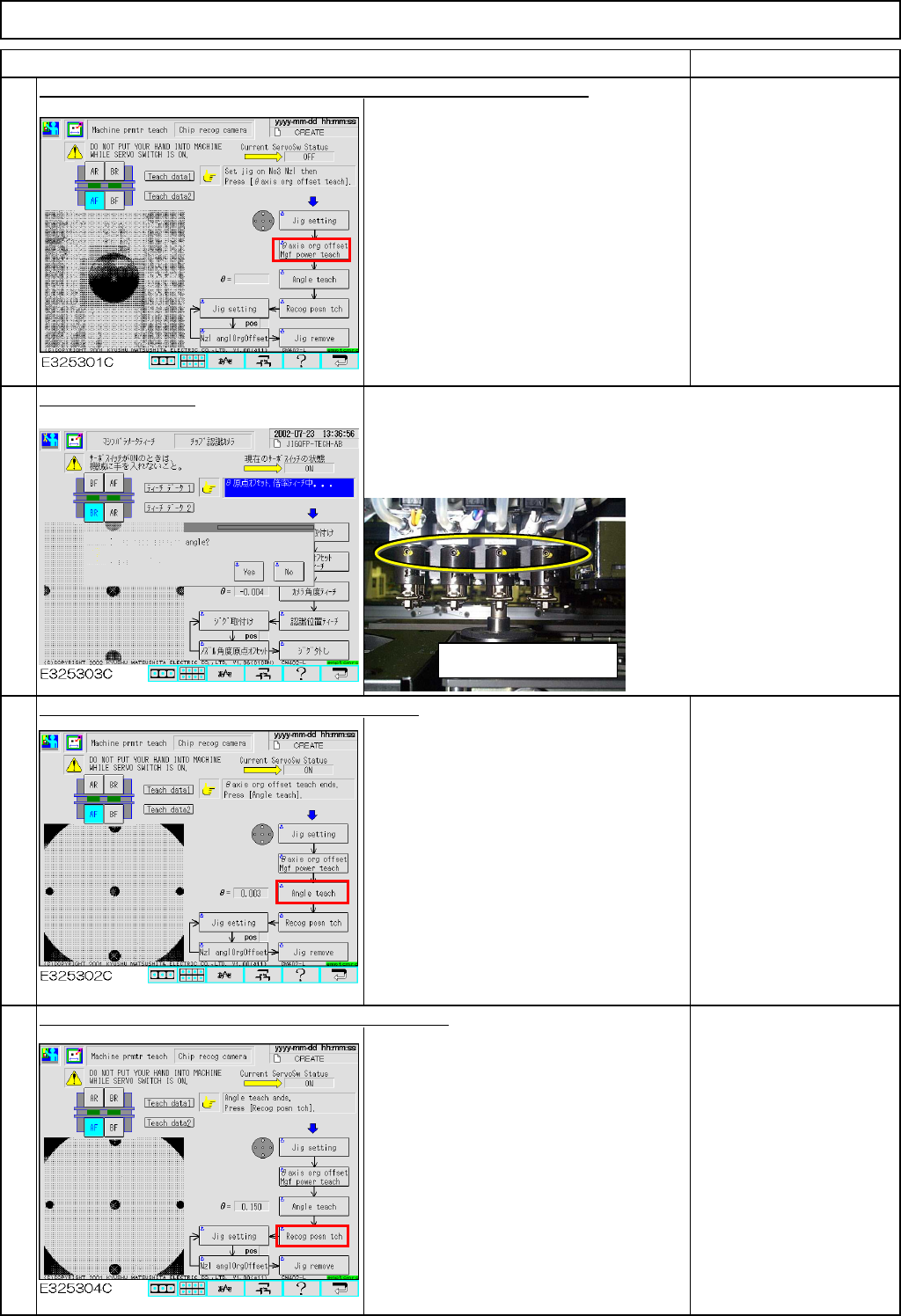
Press [Unlock] and [θaxis or
g
offset M
g
f power teach] simultaneousl
y
.
The jig is recognized automatically so
that the θangle origin and the camera
magnification offsets are entered.
Select [Yes] or [No].
Press [Unlock] and [Angle teach] simultaneously.
Recognition is carried out automatically
so that the angle offset is entered.
If θ is 0.05 or larger, an
error will occur.
In this case, adjust the
chip recognition camera.
Refer to Section 4-1-1
"Chip Recognition
Camera Theta
Positioning."
Press [Unlock] and [Recog posn tch] simultaneously.
Recognition is carried out automatically
so that the recognition position offset is
entered.
* If the nozzle holder set screw faces you: Select [NO].
Recognition will start immediately.
* If the nozzle holder set screw faces opposite: Select [YES].
The nozzle holder will rotate 180° and recognition will be carried
out.
6
5
7
8
Be careful of position of set
screw.
EJM8A-E-SMA040204-A01-00
Page 4-2-4-3