CM602all_EJM8AESM_Service Manual.pdf - 第232页
ヘッドパス E327012C 24 Remove the components from the board. Remove the board. Press [Yes]. the "Return" key. After the machine is stopped, press Place the board jig. After waiting for the previous process, select…
治具基板挿入? PTデータ無し
19
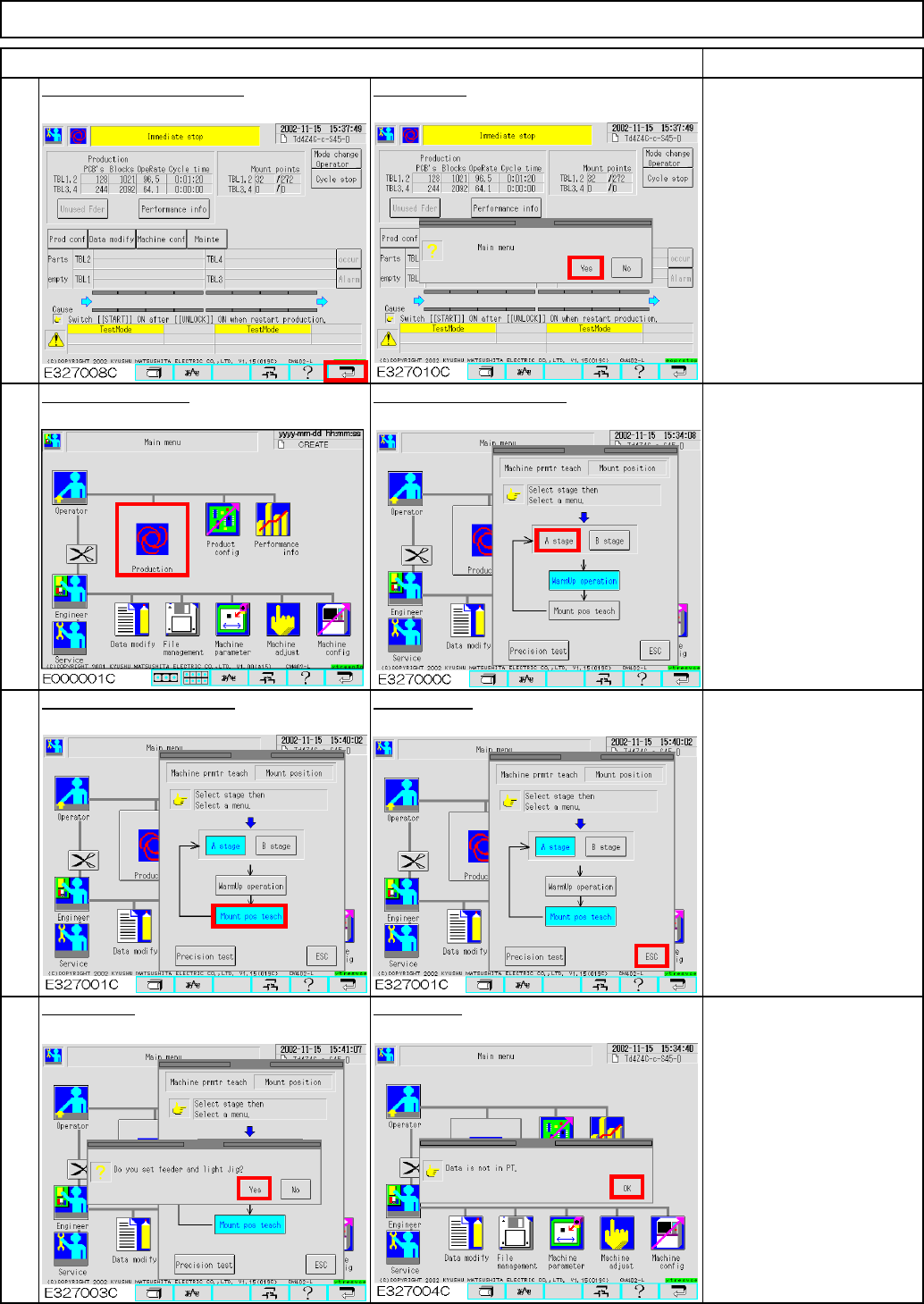
Press [Mount pos teach].
17
Press the "Return" switch.
20
18
Maintenance Adjustment
Select the desired stage.
ITEM
Light Transfer-Head Assembly (8 nozzles)
Press [ESC].
Press [Production].
Press [Yes]. Press [OK].
REMARKS
Press [Yes].
EJM8A-E-SMA040207-A01-00
Page 4-2-7-7
ヘッドパス
E327012C
24
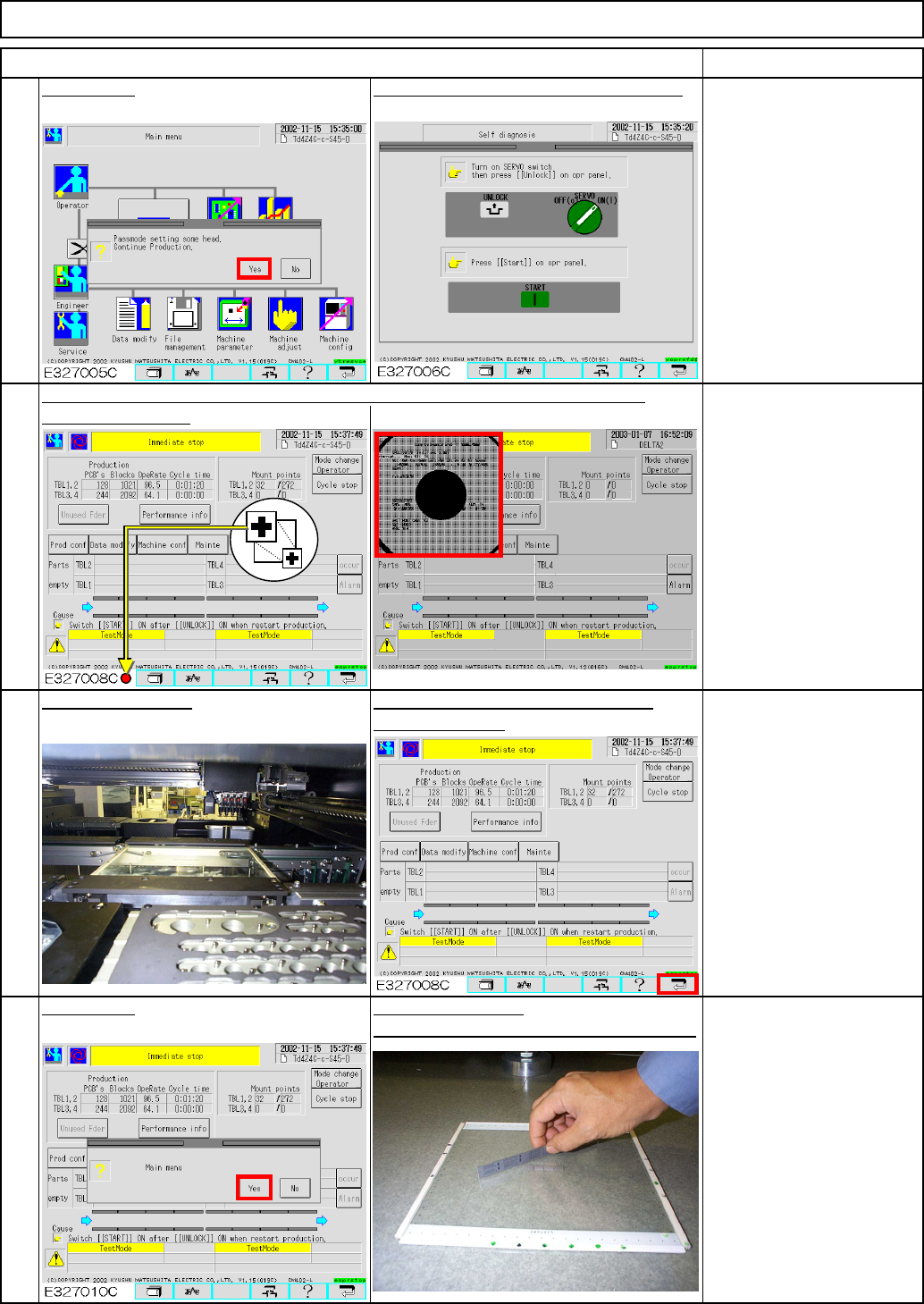
Remove the components from the board.
Remove the board.Press [Yes].
the "Return" key.
After the machine is stopped, press Place the board jig.
After waiting for the previous process, select "Immediate stop" and display the
After teaching is finished:
If cycle stop is carried out;
teaching is complete.
In case of immediate stop, a
head camera recognition error
has occurred and the machine
stopped; it is necessary to
teach again.
In case of half-way stop, press
"Unlock" and "Start" and finish
all teaching. Perform teaching
agian.
23
Press the "Unlock" and the "Start" keys.
Maintenance Adjustment
ITEM
Light Transfer-Head Assembly (8 nozzles)
21
22
recognition screen.
REMARKS
Press [Yes].
EJM8A-E-SMA040207-A01-00
Page 4-2-7-8
ヘッドパス
Light Transfer-Head Assembly (8 nozzles)
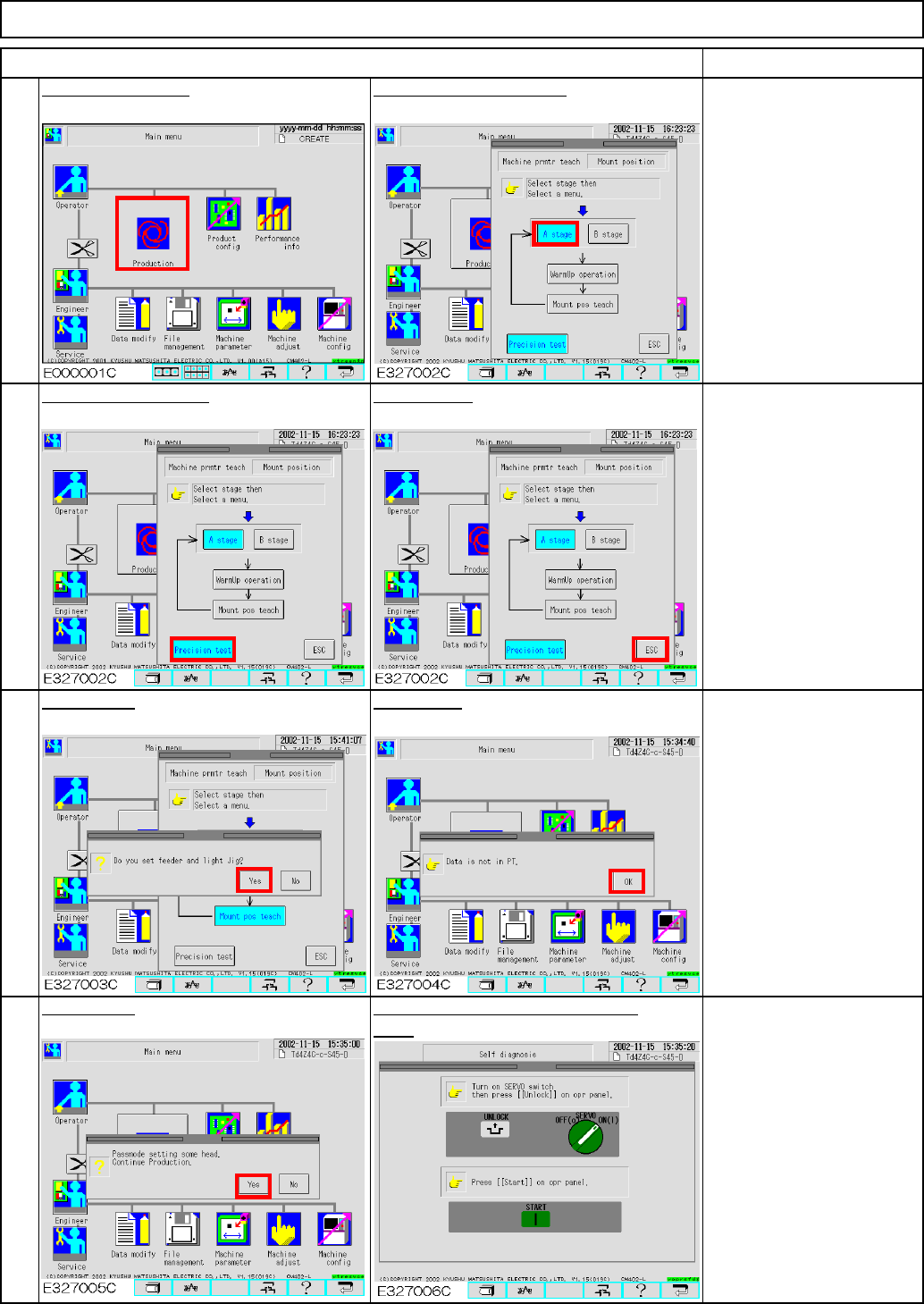
Press [Yes].
ITEM
26
Press [Precision test].
Press [ESC].
28
Press the "Unlock" and the "Start"
keys.
Press [Production].
Maintenance Adjustment
REMARKS
25
Select the desired stage.
27
Press [Yes].
Press [OK].
EJM8A-E-SMA040207-A01-00
Page 4-2-7-9