CM602all_EJM8AESM_Service Manual.pdf - 第233页
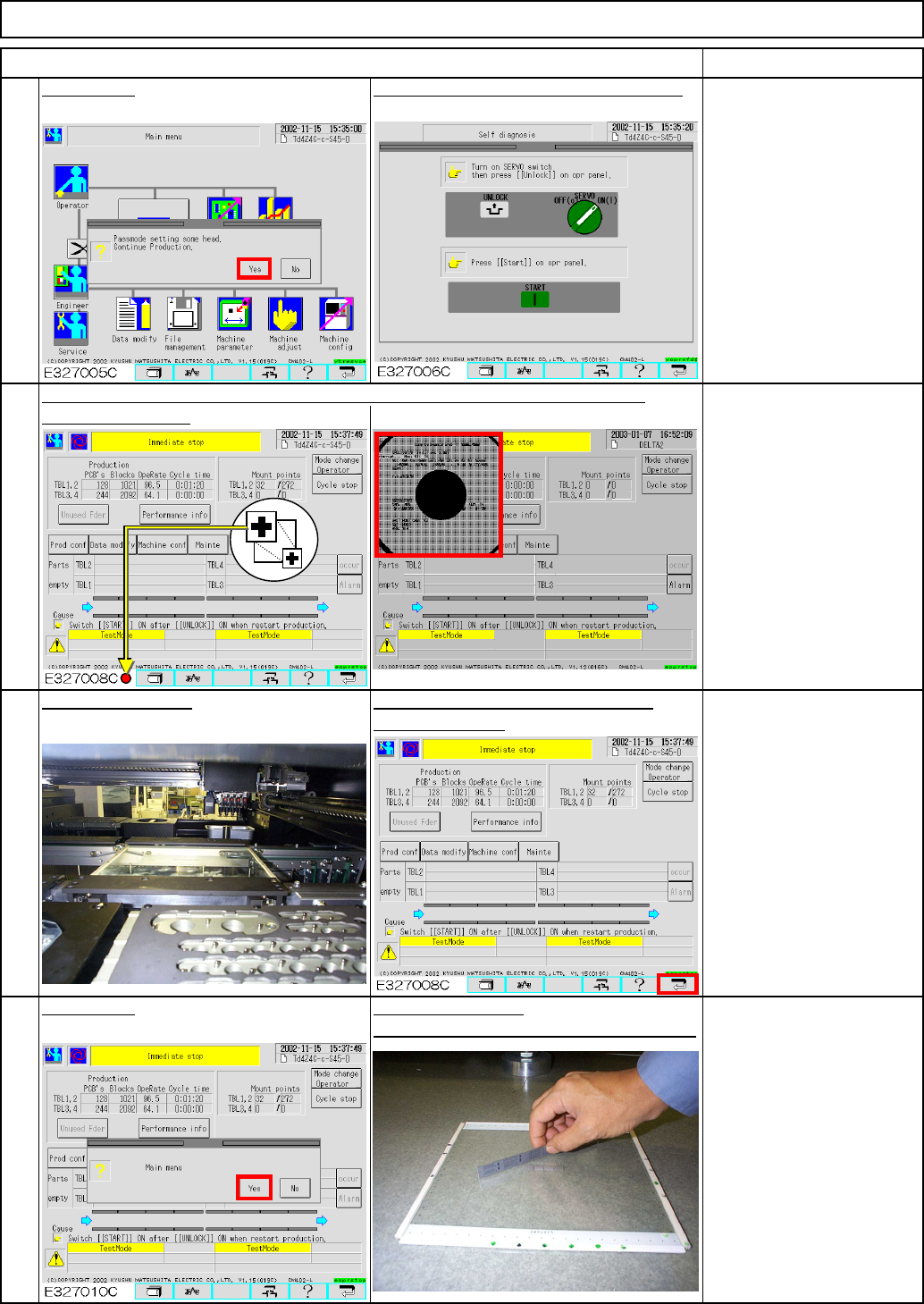
ヘッドパス Light Transfer-Head Assembly (8 nozzles) Press [Yes]. ITEM 26 Press [Precision test]. Press [ESC]. 28 Press the "Unlock" and the "Start" keys. Press [Production]. Maintenance Adjustment REMARK…
ヘッドパス
E327012C
24
Remove the components from the board.
Remove the board.Press [Yes].
the "Return" key.
After the machine is stopped, press Place the board jig.
After waiting for the previous process, select "Immediate stop" and display the
After teaching is finished:
If cycle stop is carried out;
teaching is complete.
In case of immediate stop, a
head camera recognition error
has occurred and the machine
stopped; it is necessary to
teach again.
In case of half-way stop, press
"Unlock" and "Start" and finish
all teaching. Perform teaching
agian.
23
Press the "Unlock" and the "Start" keys.
Maintenance Adjustment
ITEM
Light Transfer-Head Assembly (8 nozzles)
21
22
recognition screen.
REMARKS
Press [Yes].
EJM8A-E-SMA040207-A01-00
Page 4-2-7-8
ヘッドパス
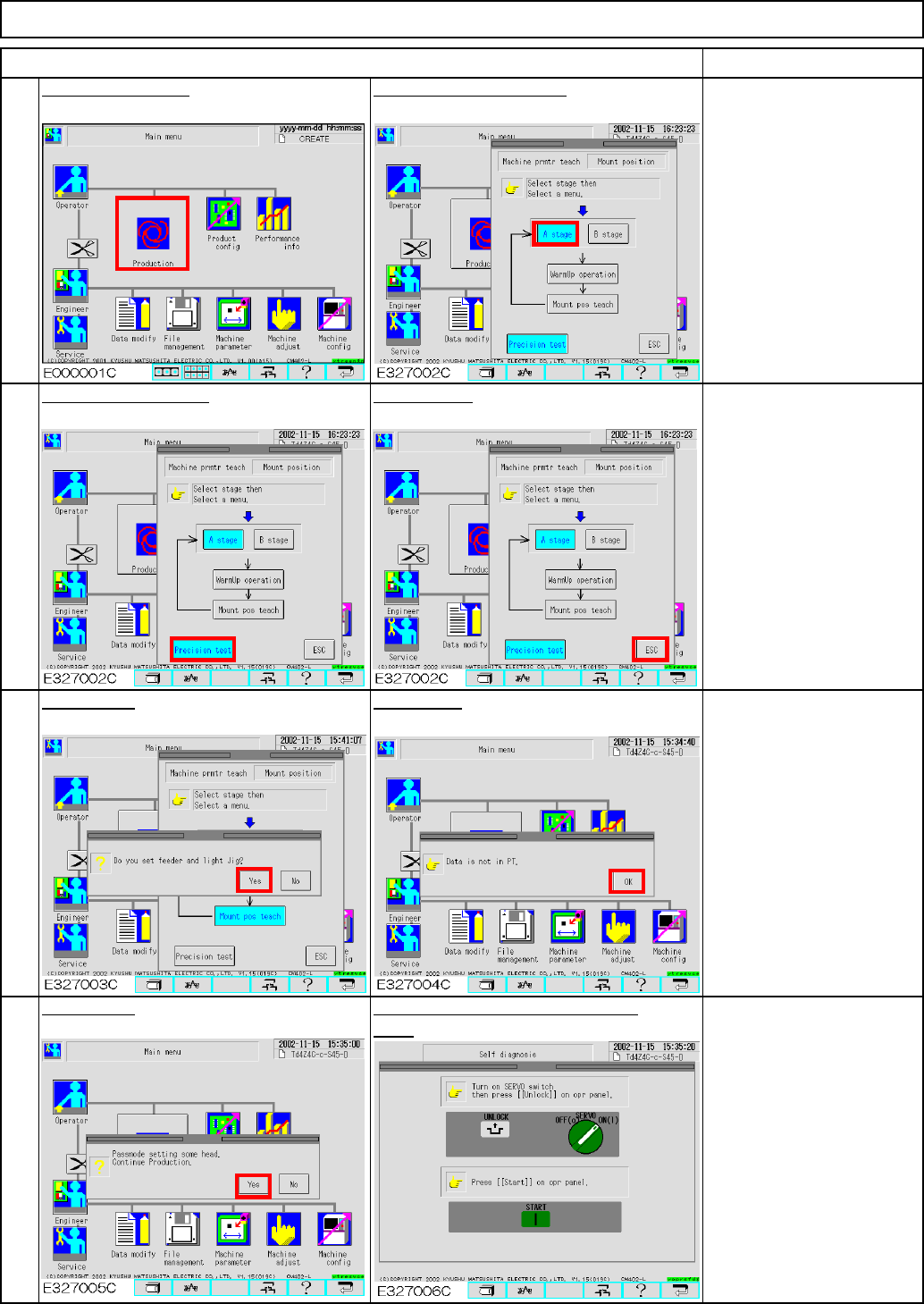
Light Transfer-Head Assembly (8 nozzles)
Press [Yes].
ITEM
26
Press [Precision test].
Press [ESC].
28
Press the "Unlock" and the "Start"
keys.
Press [Production].
Maintenance Adjustment
REMARKS
25
Select the desired stage.
27
Press [Yes].
Press [OK].
EJM8A-E-SMA040207-A01-00
Page 4-2-7-9
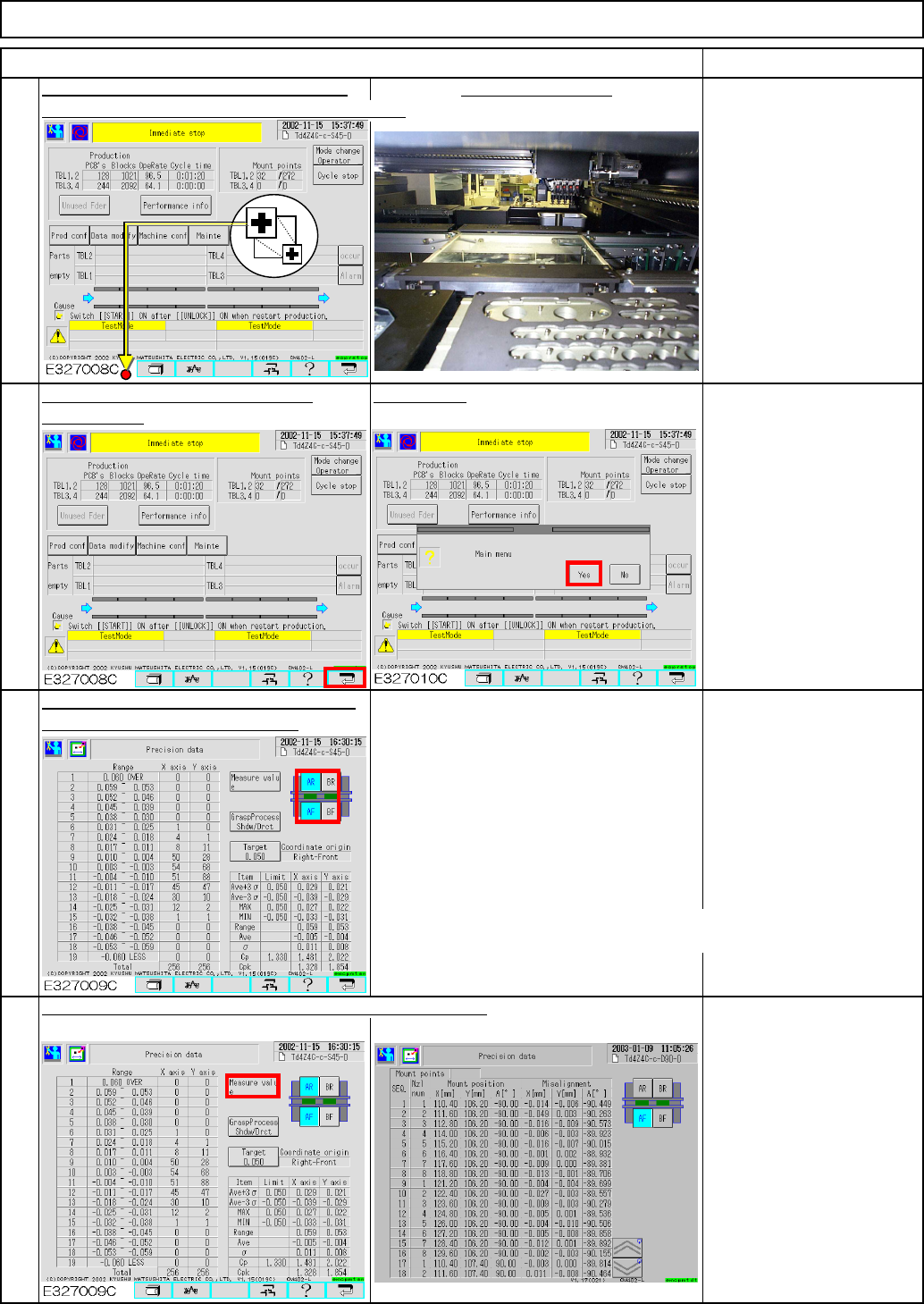
Press AR (BR) button so that:
AF(BF) is selected.
AR(BR) is NOT selected.
Press AF(BF) button so that
AF(BF) is NOT selected.
AR(BR) is selected.
Cpk target
602
p
recision data: C
pk
=1.800 or more
(If average is 0.005 or more, it is necessary to correct.)
If accuracy is not achieved at each table separately,
see Step 39.
E327011C
Maintenance Adjustment Light Transfer-Head Assembly (8 nozzles)
"Immediate stop" and display the recognition screen.
Place the board jig.
Check how much one component is shifted. (Check only)
30
31
ITEM REMARKS
29
After waiting for the previous process, select
After the machine stops, press the Press [Yes].
"Return" key.
Check the precision data accessed from
the "Machine parameter" screen.
32
EJM8A-E-SMA040207-A01-00
Page 4-2-7-10