CM602all_EJM8AESM_Service Manual.pdf - 第257页
Maintenance Adjustment Light Transfer-Head Assembly (3 nozzles) Remarks Press [Zaxis origin offset]. When using three nozzles, follow Steps 1 to 8. Select the stage to be taught. When selecting the stage, check that [Gan…
Maintenance Adjustment Light Transfer-Head Assembly (3 nozzles)
This section describes the procedures for entering the offset for the Z-axis origin.
Tools
None
Jig
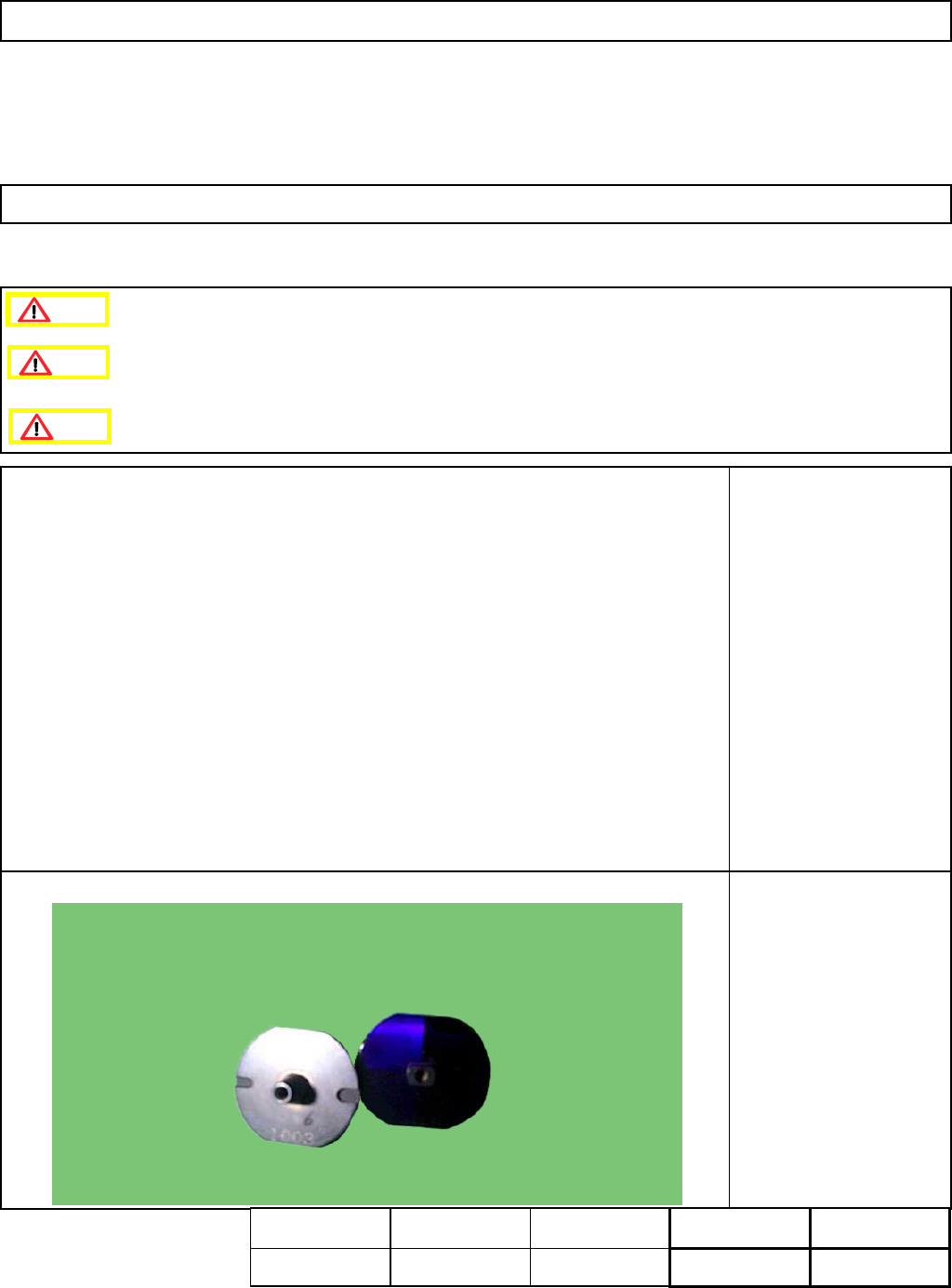
Nozzle 1003
1 pc or 3 pcs.
4-3-3 Z-axis Origin Offset
Clean the upper surface of the thermal correction mark beforehand.
Remove the feeder cover.
Caution
Dange
r
Warning
Assembly
A
d
j
ustment
min.
Teaching
5min.
Total Time Weight of
Part
Removal
Disassembl
y
min.
5min.
kgs
EJM8A-E-SMA040303-A01-00
Page4-3-3-1
Maintenance Adjustment Light Transfer-Head Assembly (3 nozzles)
Remarks
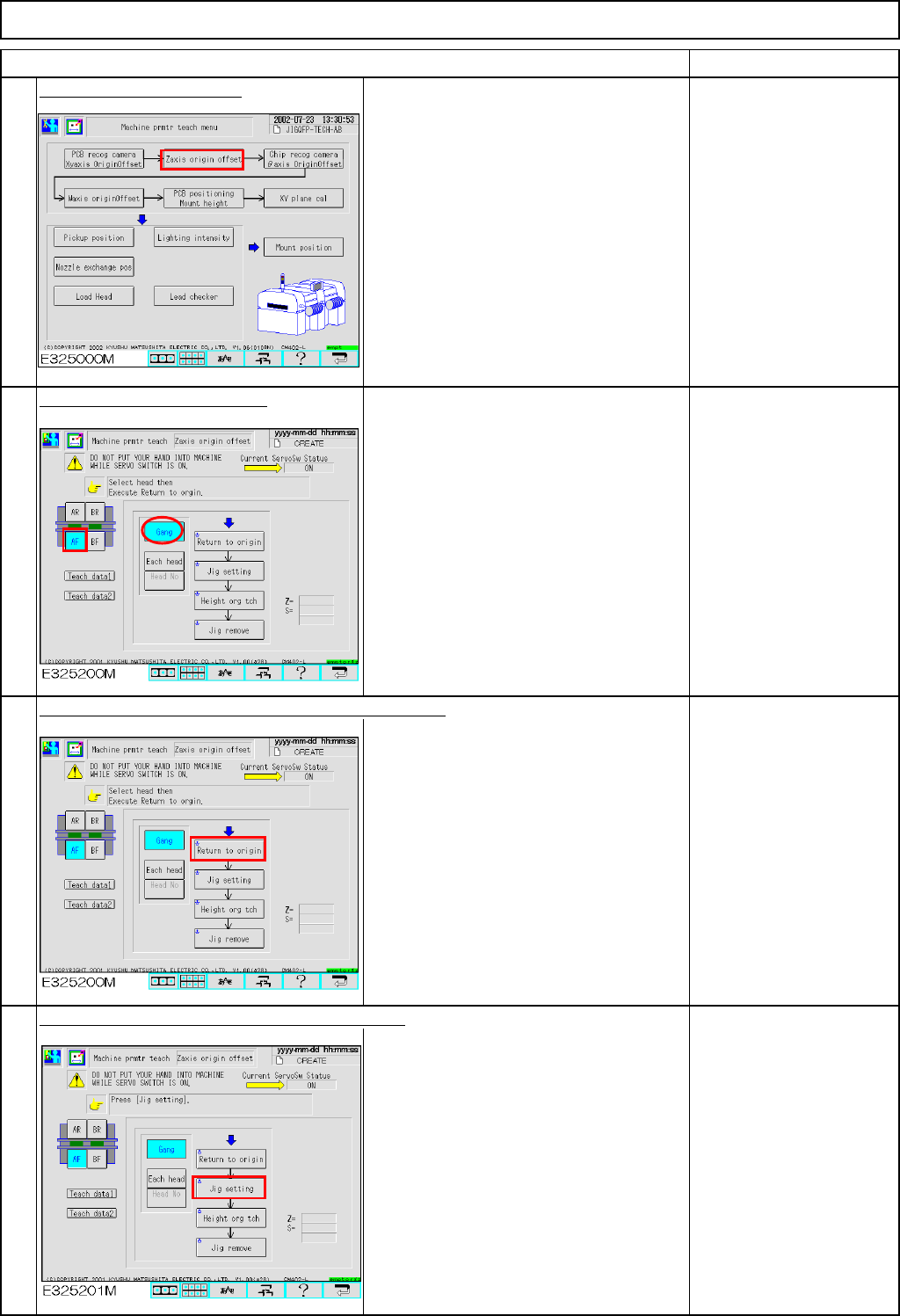
Press [Zaxis origin offset].
When using three
nozzles, follow Steps 1 to
8.
Select the stage to be taught.
When selecting the stage,
check that [Gang] is
selected.
Press [Unlock] and [Return to origin] simultaneously.
The selected stage returns to the origin.
Press [Unlock] and [Jig setting] simultaneously.
The head moves to the nozzle setting
position (over the NG box).
Set Nozzle 1003 on all
nozzle positions.
3
4
1
Item
2
EJM8A-E-SMA040303-A01-00
Page4-3-3-2
Maintenance Adjustment Light Transfer-Head Assembly (3 nozzles)
Remarks
Item
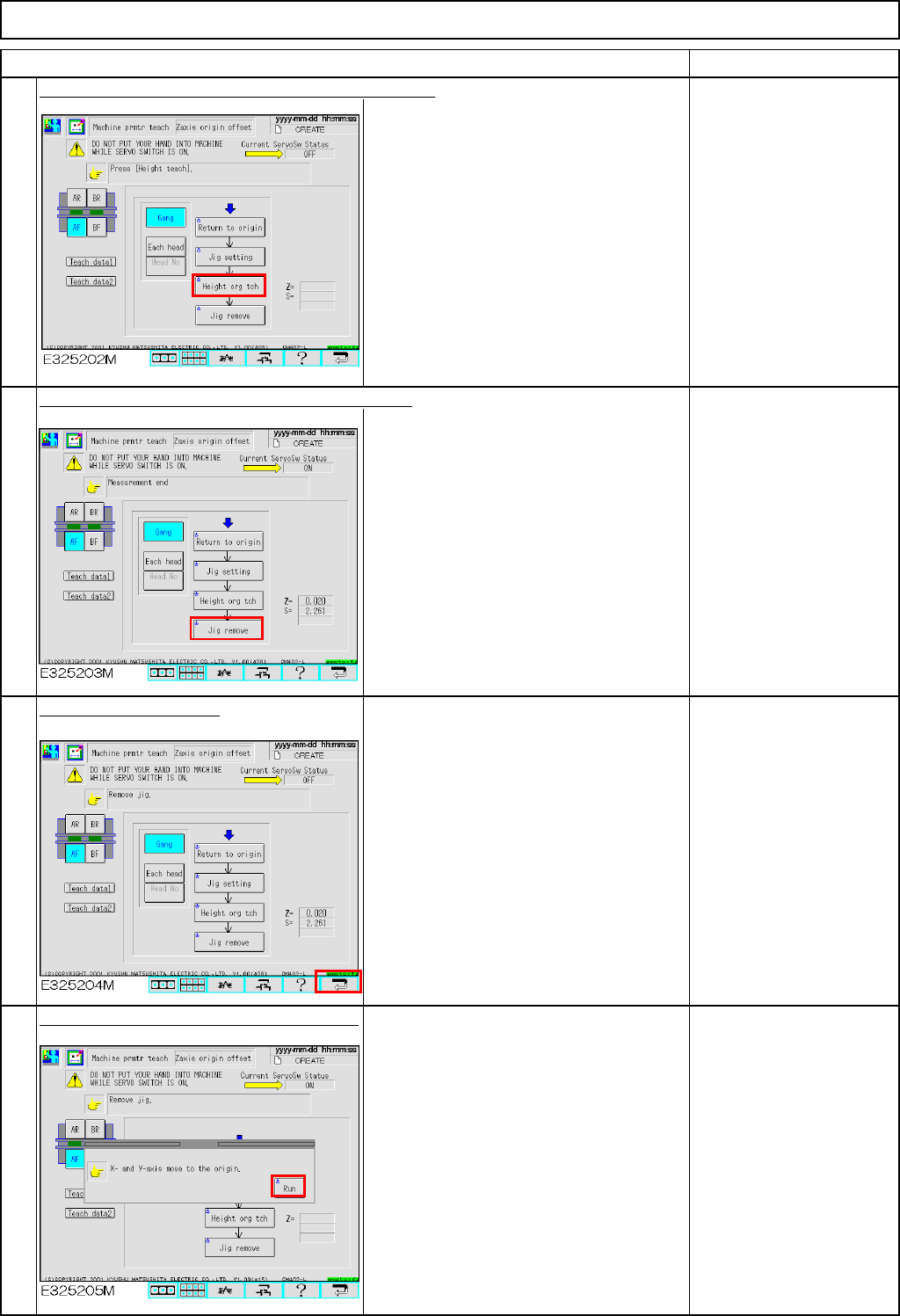
Press [Unlock] and [Height org tch] simultaneously.
The head camera moves to the heat
calibration mark of that stage and
measures the height of each nozzle.
After the height of Nozzle 3 is measured,
the head stops moving down.
Press [Unlock] and [Jig remove] simultaneously.
The head moves to the nozzle setting
position (over the NG box).
Remove Nozzle 1003
from each nozzle position.
Press the "Return" key.
To save the machine
parameter, press the
[Return] key.
Press [Unlock] and [Run] simultaneously.
The X- and the Y- axes return to the
origin.
5
6
7
8
EJM8A-E-SMA040303-A01-00
Page4-3-3-3