CM602all_EJM8AESM_Service Manual.pdf - 第263页
Maintenance Adjustment Light Transfer-Head Assembly (3 nozzles) Remarks Press [Chip recog camera θ axis OriginOffset]. If 0 is displayed in the "Magnifying power" boxes shown at left, enter a tentative vale of …
Maintenance Adjustment Light Transfer-Head Assembly (3 nozzles)
・Tools
None
・Jig
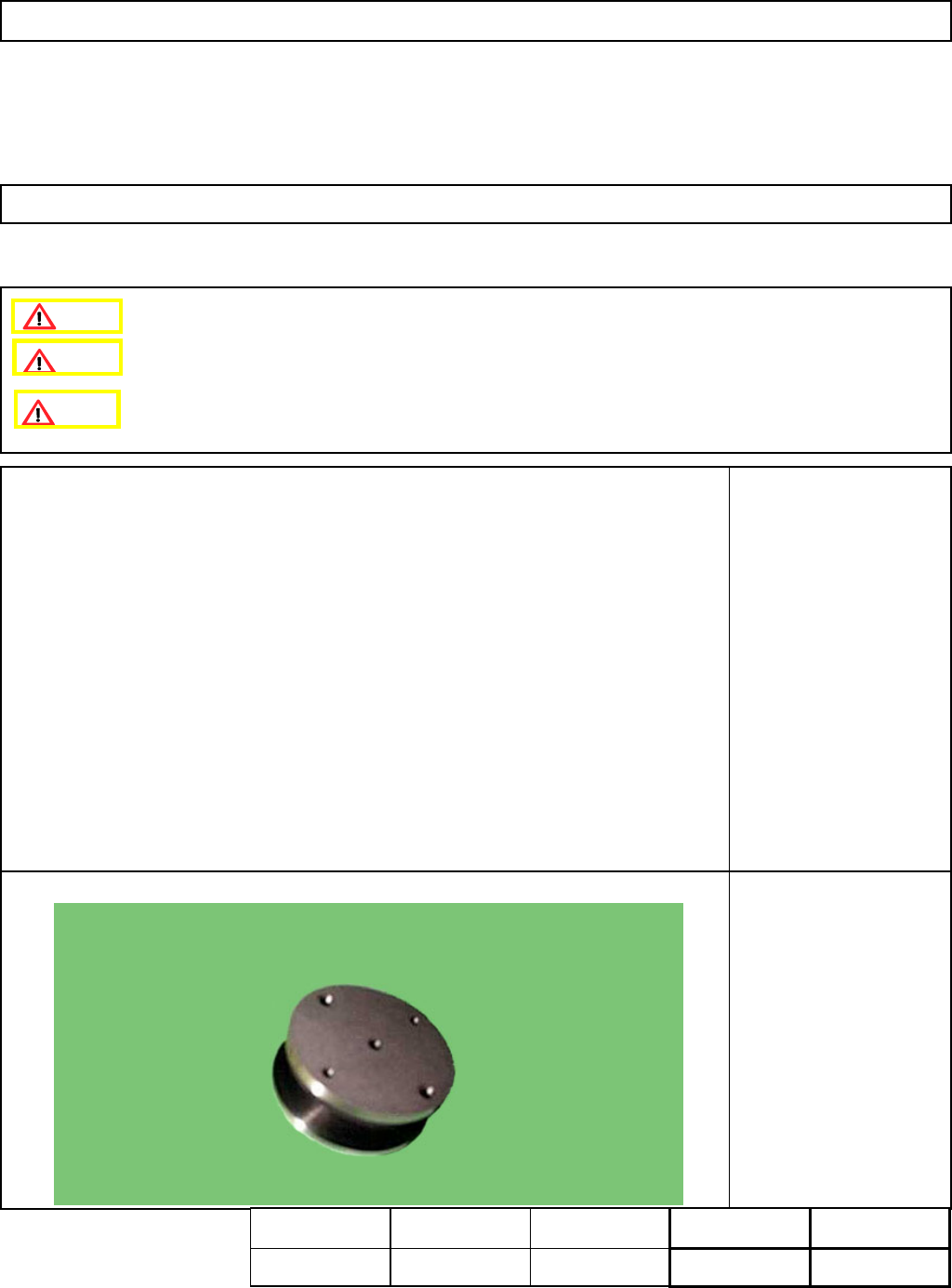
5-hole Camera Teaching
Jig (For Multi-purpose
machines)
This section describes the procedures for entering the offset for the origin of the chip recognition camera theta axis.
4-3-4 Chip Recognition Camera --- Theta Axis Origin Offset
Remove the nozzle holders.
Remove the NG box.
Assembly
A
d
j
ustment
min.
Teaching
10min.
Total Time Weight of
Part
Removal
Disassembl
y
min.
10min. kgs
Caution
Dange
r
Warning
EJM8A-E-SMA040304-A01-00
Page 4-3-4-1
Maintenance Adjustment Light Transfer-Head Assembly (3 nozzles)
Remarks
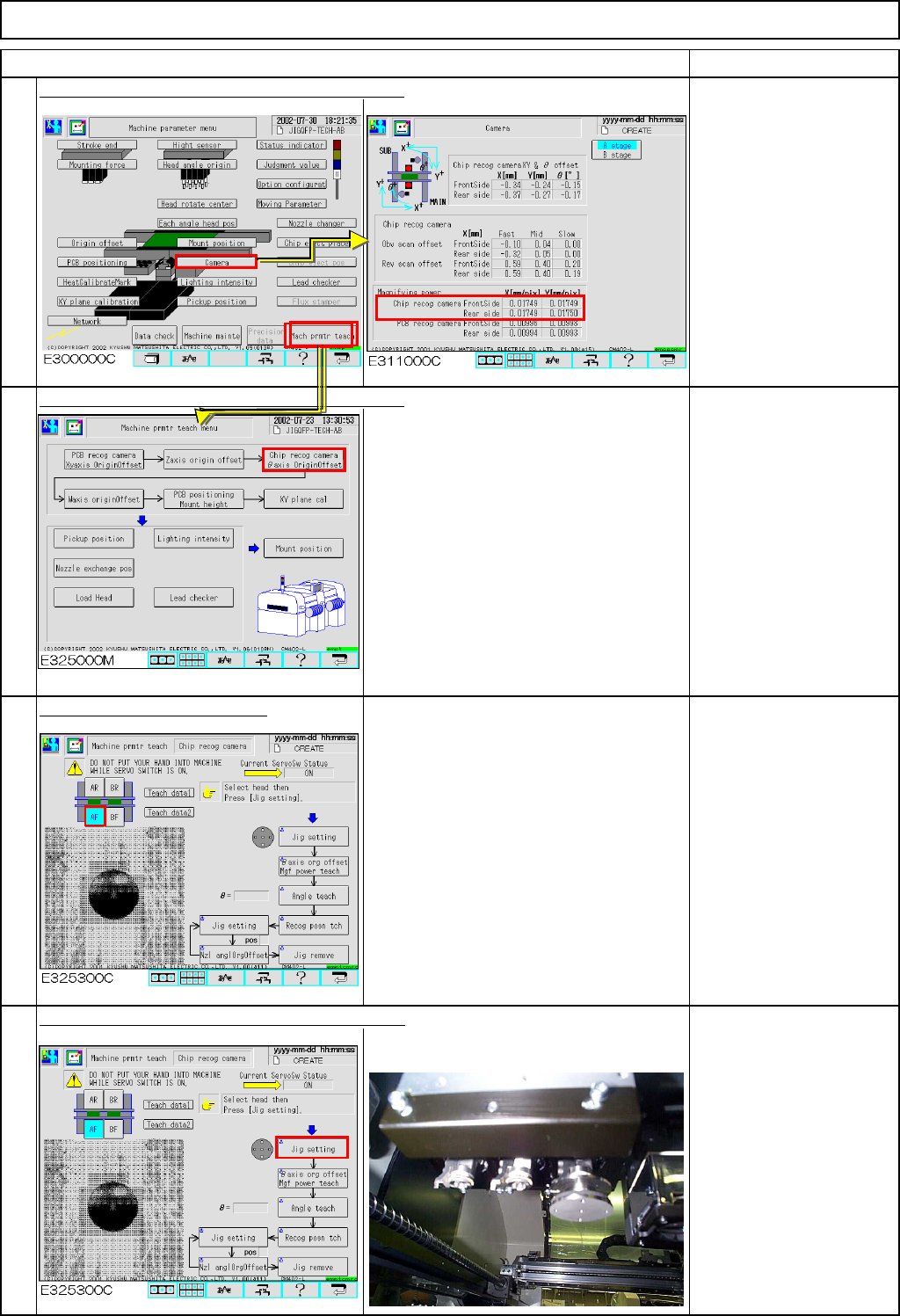
Press [Chip recog camera
θaxis OriginOffset].
If 0 is displayed in the
"Magnifying power" boxes
shown at left, enter a
tentative vale of 0.01.
Press [Chip recog camera
θaxis OriginOffset].
Select the stage to be taught.
Press [Unlock] and [Jig setting] simultaneously.
The head moves to the jig set position (to
the center of the stage).
Set the jig on Head 3.
1
Item
4
2
3
EJM8A-E-SMA040304-A01-00
Page 4-3-4-2
Maintenance Adjustment Light Transfer-Head Assembly (3 nozzles)
Remarks
Item
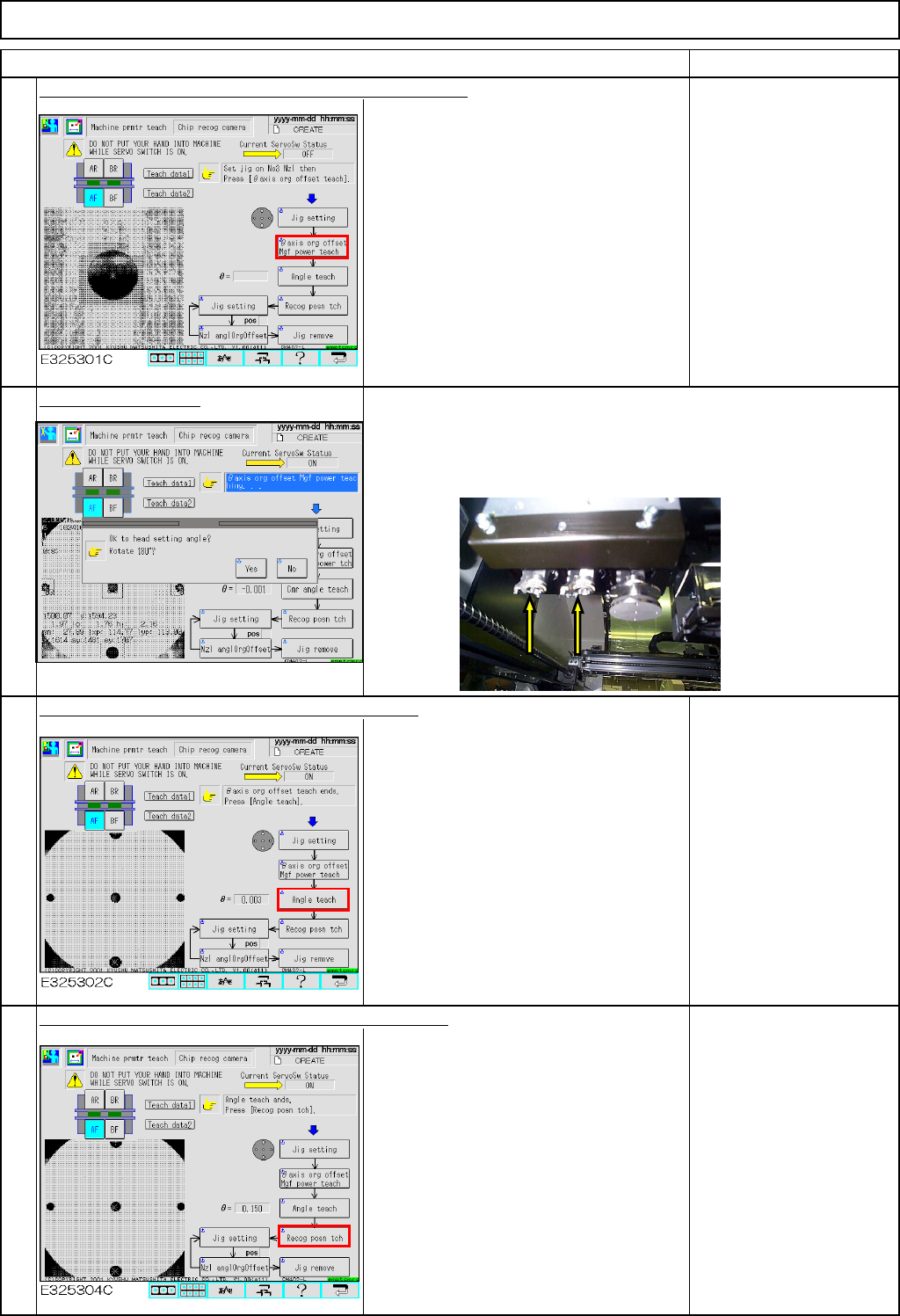
Press [Unlock] and [θaxis org offset Mgf power teach].
The jig is recognized by the chip
recognition camera so that the offsets for
the theta-axis origin and the camera
magnification are entered.
Select "Yes" or "No."
Press [Unlock] and [Angle teach] simultaneously.
After auto recognition, an angle offset is
entered.
Specification:
Theta should be within
+/- 0.05°
If the offset exceeds the
specification, an error will
occur. To avoid an error,
adjust the chip camera.
See Section 4-1-1
"Chip Recognition
Camera Theta Positionig"
Press [Unlock] and [Recog posn tch] simultaneously.
After auto recognition, a recognition
position offset is entered.
If the head theta guide is positioned left,
select "No" so that the jig is recognized immediately.
If the head theta guide is positioned right,
select "Yes" so that the guide rotates 180 degrees and the jig is
recognized.
6
5
8
7
EJM8A-E-SMA040304-A01-00
Page 4-3-4-3